The Best Fluffy Pancakes recipe you will fall in love with. Full of tips and tricks to help you make the best pancakes.
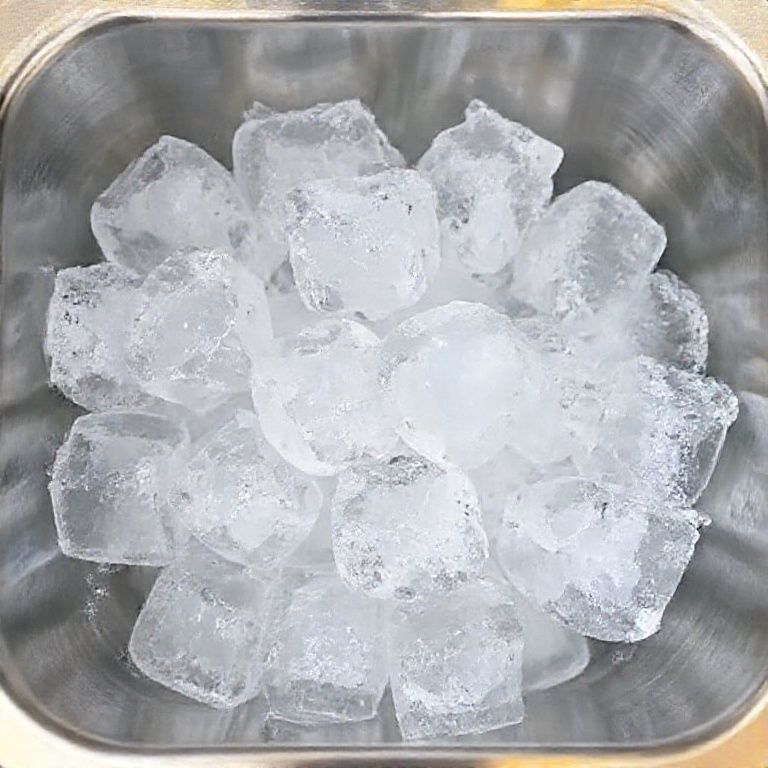
I’ll admit it: I didn’t think much about ice machines until the summer Luna (my rescue cat, for those new here) knocked over a glass of whiskey onto my laptop while I was researching refrigeration systems for a client. As the ice cubes melted into my keyboard, somehow both symbolic and infuriating, I realized how much we take this stuff for granted. Commercial ice machines aren’t just appliances; they’re the unsung workhorses of bars, hotels, and restaurants. And yet, most buying guides read like they were written by someone who’s never actually used one in a real kitchen.
Here’s the thing: Nashville’s food scene is exploding (seriously, we’ve got more hot chicken joints per capita than sense some days), and with that comes a brutal truth-your ice machine will either save your sanity or become your most expensive mistake. I’ve seen chefs cry over underperforming units during a Saturday night rush. I’ve watched bar managers calculate how many margaritas they’d need to sell just to cover the repair costs of a lemon they bought on sale. This guide isn’t just specs and models; it’s the stuff I wish someone had told me before I spent three days arguing with a supplier about why their “industrial-grade” machine couldn’t keep up with a 100-person brunch.
By the end of this, you’ll know:
- How to match ice production needs to your actual business (not the sales rep’s commission goals)
- The hidden costs that turn a “great deal” into a money pit
- Why ice type matters more than you think (cube vs. nugget vs. flake isn’t just aesthetics)
- How to spot red flags in warranties before you sign anything
- The Nashville-specific quirks that might affect your purchase (humidity, water quality, and the dreaded “Music City rush”)
Let’s get into it, coffee in hand, cat judging me from the couch, and zero patience for fluff.
1. The Brutal Math: How Much Ice Do You Actually Need?
I’ve lost count of how many owners I’ve met who bought a machine based on “it seemed big enough.” Spoiler: It never is. Here’s how to calculate it right:
The Golden Rule: 1.5 lbs of Ice per Customer, per Day
Yes, that’s the industry standard, but it’s also where people mess up. A 100-seat restaurant isn’t just serving 100 people, it’s serving 100 people three times over on a busy night. And if you’re in Nashville, where bachelorette parties treat ice like it’s an endangered resource, you’ll want to pad that number. Pro tip: Track your current ice usage for a week. If you’re constantly running out by 9 PM, your “1.5 lbs” estimate is already too low.
Here’s a rough breakdown by business type (adjust for your local climate, humidity is ice’s nemesis):
- Full-service restaurants: 2–3 lbs per customer (they linger, they refill)
- Bars/clubs: 3–5 lbs (cocktails, beer buckets, and the inevitable “extra ice” requests)
- Hotels: 5–10 lbs per occupied room (ice buckets, poolside drinks, that one guest who fills a cooler)
- Cafés/bakeries: 0.5–1 lb (mostly for iced drinks, but don’t underestimate the iced coffee crowd)
- Healthcare/educational: 1–2 lbs per person (hydration stations, meal service)
Critical mistake: Buying based on “peak capacity” without considering recovery time. A machine that makes 500 lbs/day might take 24 hours to do it. If you burn through 300 lbs by noon, you’re screwed.
When to Size Up (And When You’re Just Wasting Money)
I get it, no one wants to overspend. But here’s where the “bigger is always better” crowd and the “we’ll make do” crowd both get it wrong. Ask yourself:
- Do you have multiple service areas? (Bar + dining room + patio = triple the demand.)
- Is your business seasonal? (Nashville’s summer tourism vs. January’s “why is it so quiet?”)
- Do you serve ice-heavy drinks? (Frozen margaritas, slushies, or, god help you, those viral “cloud drinks”)
- Is your water hard or soft? (Hard water = more scale = less efficiency over time.)
My rule: If you’re between sizes, go up. But if you’re choosing between a $3K and $8K unit just for “peace of mind,” maybe invest in a backup undercounter model instead.
2. Ice Types: Why Your Drink Menu Should Dictate Your Machine
Not all ice is created equal, and neither are your customers’ expectations. I once watched a bartender at a high-end cocktail bar hand-carve ice spheres because the owner cheapened out on a clear ice machine. Don’t be that owner.
The Big Three: Cube, Nugget, and Flake
Cube ice: The classic. Good for drinks, easy to handle, but melts slower than nugget. Best for:
- Restaurants (versatile for drinks and food displays)
- Bars (unless you’re doing craft cocktails, then see “clear ice” below)
- Hotels (guests expect “normal” ice)
Watch out: Cheap cube machines can produce cloudy ice (aesthetic nightmare for clear cocktails).
Nugget ice: The “Sonic ice” or “pearl ice” that everyone obsesses over. Pros: Soft, chewable, absorbs flavors well. Cons: Melts fast, clumps together, and requires more maintenance. Best for:
- Healthcare (easy to chew, hydrating)
- Cafés (great for iced coffee/lattes)
- Hospitals/senior living (gentler on teeth)
Reality check: If you’re not in one of these niches, nugget ice is often more trouble than it’s worth.
Flake ice: The unsung hero. Pros: Molds to containers (great for seafood displays), melts quickly (good for blending), and is softer than nugget. Cons: Not ideal for drinks (too fast-melting). Best for:
- Grocery stores (seafood/produce displays)
- Hospitals (therapy applications)
- Smoothie shops (blends easily)
Specialty Ice: When to Splurge (And When You’re Just Showing Off)
Clear ice: For cocktail bars where presentation matters. Requires special machines (like Hoshizaki’s KM series) or manual clarification (time-consuming). Worth it if you’re charging $18 for an Old Fashioned. Not worth it if you’re a dive bar.
Gourmet ice (spheres, cubes, etc.): Unless you’re a high-end mixology spot, this is usually overkill. Exception: If you’re in a competitive market (like Nashville’s Broadway bars), unique ice can be a differentiator.
Crushed ice: Most machines can crush cube ice on demand. Dedicated crushed ice machines are rare and usually unnecessary unless you’re a snow cone stand.
The Nashville Factor: Humidity and Water Quality
Our water here is… let’s call it “character-building.” High mineral content means more scaling, and humidity means ice melts faster in storage bins. If you’re downtown, expect to:
- Clean your machine more often (scale buildup is real)
- Consider a water filtration system (even if the rep says you don’t need one)
- Opt for air-cooled over water-cooled (unless you want to deal with drainage nightmares)
Personal rant: I’ve seen too many places skip the water filter to save $200, then spend $2K on repairs when the evaporator clogs. Don’t be that guy.
3. The Great Debate: Air-Cooled vs. Water-Cooled Machines
This is where sales reps start sounding like used car dealers. “Oh, water-cooled is more efficient!” “Air-cooled is easier to install!” Here’s the truth, minus the spin.
Air-Cooled: The Safe Bet (Mostly)
Pros:
- No water drainage required (huge for Nashville’s older buildings with plumbing “quirks”)
- Lower installation costs (no need for a drain line)
- Better for hot climates (water-cooled struggles when ambient temps rise)
Cons:
- Louder (that fan isn’t silent)
- Less efficient in extremely hot environments (like a non-ventilated kitchen)
- Can struggle in high-humidity areas (see: Nashville summers)
Best for: 90% of businesses. Unless you have a specific reason to go water-cooled, stick with air.
Water-Cooled: The High-Maintenance Option
Pros:
- Quieter (no fan noise)
- More efficient in cool, dry climates (not Nashville, but maybe Denver)
- Better for high-heat kitchens (if you’ve got proper drainage)
Cons:
- Requires a drain line (plumbing costs add up)
- Wastes water (environmental and cost concerns)
- Can overheat if the water supply isn’t cold enough
When to consider it: If you’re in a sound-sensitive area (like a hotel lobby) or have existing plumbing that makes installation easy. Otherwise, it’s usually not worth the hassle.
The Hybrid Option: Remote Condensers
If you’re in a tight space but need power, some brands (like Manitowoc) offer remote condensers that let you mount the noisy bits outside. Downside: More expensive upfront, and you’ll need to run refrigerant lines. Upside: Your kitchen stays quieter and cooler.
4. The Hidden Costs That’ll Make You Question Your Life Choices
You’ve budgeted for the machine. Great! Now let’s talk about the other $2K–$5K you didn’t plan for.
Installation: Where Dreams Go to Die
That “plug-and-play” machine? Yeah, no. Unless you’re replacing an identical model in the same spot, expect:
- Electrical upgrades: Most commercial units need 208–230V (not your standard 110V). If your building’s wiring is older than Dolly Parton’s first hit, you’re looking at $500–$2K for an electrician.
- Plumbing: Water-cooled? You’ll need a drain line. Air-cooled? You still need a water supply line. Pro tip: Measure the distance from your machine to the nearest drain. Every extra foot = more cost.
- Ventilation: If your kitchen hits 90°F regularly, your machine’s efficiency drops. Might need a dedicated vent or exhaust fan.
- Floor reinforcement: A 500-lb machine + 300 lbs of ice = 800 lbs in one spot. Older buildings? Yeah, you might need to reinforce the floor.
My advice: Get a quote for installation before you buy the machine. I’ve seen $3K units turn into $7K projects because of “unexpected” costs.
Maintenance: The Gift That Keeps on Giving
You willeed to clean your machine. How often depends on:
- Water quality (Nashville’s is… not great)
- Usage (high-volume = more frequent cleaning)
- Type of ice (nugget machines clog easier than cube)
Real-world costs:
- Cleaning supplies: $50–$100/month (descaler, sanitizer, brushes)
- Professional servicing: $200–$500/year (unless you’re DIYing it, which… good luck)
- Water filters: $100–$300/year (non-negotiable if you want your machine to last)
- Replacement parts: $200–$1K over the machine’s lifetime (evaporators, pumps, etc.)
Pro tip: If a rep tells you their machine is “self-cleaning,” ask for a demo. I’ve yet to see one that lives up to the hype.
Energy Efficiency: The Long Game
That cheap machine might cost you $500/year in electricity vs. $200 for an Energy Star model. Over 5 years, that’s an extra $1,500. Look for:
- Energy Star certification (not all commercial machines have it, but some do)
- Insulated storage bins (keeps ice from melting as fast)
- Variable-speed compressors (adjusts power based on demand)
Nashville-specific note: Our electricity rates aren’t the worst, but they’re not great. A more efficient machine can pay for itself in 2–3 years.
5. Brands to Trust (And Ones to Side-Eye)
I’ll say it: Brand matters. Not because of loyalty, but because some companies actually stand behind their products. Others? You’ll be on hold for 3 hours when your machine dies on a Friday night.
The Big Three: Hoshizaki, Manitowoc, and Scotsman
Hoshizaki: The Toyota of ice machines, reliable, efficient, and quiet. Their KM series (cube) and FM series (flake) are industry standards. Downside: Pricier upfront, but the warranty is solid.
- Best for: High-volume restaurants, hotels, anyone who wants to “set it and forget it.”
- Watch for: Some models have longer lead times (order early).
Manitowoc: The workhorse. Their Indigo series is everywhere for a reason-durable and serviceable. Downside: Louder than Hoshizaki, and their nugget machines can be finicky.
- Best for: Bars, mid-range restaurants, places that need fast production.
- Watch for: Water-cooled models can be less efficient in humid climates.
Scotsman: The budget-friendly(ish) option. Their Prodigy series is popular, but quality control varies. Some units last forever; others need repairs within a year. Downside: Customer service is… hit or miss.
- Best for: Small businesses, cafés, or as a backup machine.
- Watch for: Cheaper models may have plastic parts that wear out fast.
The Underdogs: Ice-O-Matic and Follett
Ice-O-Matic: Great for nugget ice, and their E Series is energy-efficient. Downside: Parts can be harder to find in some areas.
- Best for: Healthcare, smoothie shops, anywhere nugget ice is king.
Follett: The clear ice specialists. If you’re a cocktail bar, their Chewblet series is worth the splurge. Downside: Overkill for most businesses.
- Best for: High-end bars, hotels with premium drink service.
Brands to Approach With Caution
I won’t name names (libel laws and all), but be wary of:
- No-name brands from online retailers. That $1,200 machine might seem like a steal until it leaks all over your floor.
- Residential-grade machines marketed as “commercial.” They’re not. They’ll die in 6 months.
- Companies with poor local service networks. If the nearest authorized repair tech is 3 states away, run.
My rule: If you can’t find at least 10 verified reviews from businesses like yours, keep looking.
6. Warranties: The Fine Print That’ll Haunt Your Nightmares
Warranties are where manufacturers hide all their dirty secrets. A “5-year warranty” sounds great until you realize it only covers the compressor if you service the machine every 6 months with their $300 maintenance plan.
What a Good Warranty Looks Like
At minimum, you want:
- Parts coverage: 3–5 years on major components (compressor, evaporator).
- Labor coverage: 1–2 years (some brands offer longer if you buy their extended plan).
- No “mandatory maintenance” clauses: If they void the warranty unless you use their overpriced service, walk away.
- Local service providers: A warranty is useless if the nearest tech is 200 miles away.
Red flags:
- “Limited lifetime warranty” (usually means they’ll replace a $20 part but not cover labor)
- Exclusions for water quality issues (in Nashville, this is a dealbreaker)
- Requirements to register within 30 days (miss the window, lose coverage)
Extended Warranties: Worth It or Scam?
I’m torn on this. Pros:
- Peace of mind for high-end machines.
- Often includes priority service (faster repairs).
Cons:
- Can double the cost of the machine over time.
- Some companies drag their feet on claims.
My take: If the machine is over $5K, consider it. Otherwise, put that money toward regular maintenance instead.
7. The Nashville Factor: What Local Pros Wish They Knew
Living here means dealing with humidity, hard water, and the occasional “I didn’t know we’d have a line out the door” moment. Here’s how to adapt:
Water Filtration: Non-Negotiable
Nashville’s water is hard and full of minerals. Without a filter:
- Your machine will scale up faster (reducing efficiency).
- Ice will taste metallic or off (customers notice).
- You’ll replace parts every 2–3 years instead of 5–7.
Minimum setup:
- Sediment filter ($50–$100) to catch particles.
- Carbon filter ($100–$200) for taste/odor.
- Scale inhibitor ($150–$300) if your water is especially hard.
Pro move: Test your water with a TDS meter (Total Dissolved Solids). If it’s over 200 ppm, you eed filtration.
Humidity and Storage: The Melting Point
Our summers are brutal for ice storage. If your bin isn’t insulated or your kitchen isn’t climate-controlled:
- Ice melts 20–30% faster than in drier climates.
- You’ll need to increase production to compensate.
- Consider a separate storage bin with extra insulation.
Quick fix: Keep your bin full (ice acts as insulation for itself). Empty bins = faster melting.
The “Music City Rush”: When Your Machine Needs to Perform
Downtown bars know this pain: Thursday–Saturday nights, your ice demand can triple. If you’re in a high-traffic area (Broadway, Midtown, The Gulch), you need:
- A machine with fast recovery time (look for models that can produce 80–100% of their rated capacity in 24 hours).
- A backup plan (undercounter machine, bagged ice on standby).
- Staff trained to monitor ice levels (nothing worse than running out at 11 PM).
True story: A friend’s bar on 2nd Ave lost $2K in one night because their machine couldn’t keep up with a bachelorette party. They now have two machines.
8. New vs. Used: When to Gamble (And When to Walk Away)
Used ice machines are like used cars-some are steals, some are money pits. Here’s how to tell the difference.
When Buying Used Makes Sense
Consider it if:
- The machine is less than 5 years old (compressor lifespan is key).
- It comes with a transferable warranty (rare, but some brands allow it).
- You’re buying from a reputable dealer (not Craigslist).
- You inspect it in person (or pay a tech to do it).
Best candidates for used:
- Backup machines
- Low-volume businesses (cafés, small bars)
- Temporary setups (pop-ups, food trucks)
Red Flags in Used Machines
Run away if:
- There’s visible rust or scale buildup (indicates poor maintenance).
- The seller can’t provide service records.
- The machine is more than 7 years old (repair costs will add up).
- It’s been stored improperly (ice machines hate sitting unused, the seals dry out, parts corrode).
My rule: If the price seems too good to be true, it is. A $1,500 “deal” on a $6K machine usually means you’re buying someone else’s problem.
Where to Buy Used (Without Getting Scammed)
Stick to:
- Restaurant equipment auctions (check for local liquidators).
- Reputable online dealers (like WebstaurantStore’s used section-they inspect items).
- Direct from closing restaurants (but always test the machine first).
Avoid: Facebook Marketplace, Craigslist (unless you’re a mechanic who can diagnose issues on sight).
9. Installation Day: What to Expect (And What Can Go Wrong)
You’ve bought the machine. You’ve budgeted for installation. Now, murphy’s law kicks in. Here’s how to minimize the chaos.
Pre-Installation Checklist
Before the tech arrives, confirm:
- Electrical: Outlet is the correct voltage (208–230V for most commercial units).
- Plumbing: Water supply line is 3/4” (not 1/2”-trust me, this matters).
- Drainage: If water-cooled, the drain line is properly sloped (no standing water = no mold).
- Space: Machine has 6+ inches of clearance on all sides for airflow.
- Floor: Can support the weight (especially for modular machines).
Pro tip: Take photos of your setup before installation. If something goes wrong, you’ve got proof of how it should look.
Common Installation Snafus (And How to Avoid Them)
Problem 1: Wrong voltage. Your electrician says it’s 208V, but the machine needs 230V. Fix: Verify with a multimeter before the tech arrives.
Problem 2: Water pressure too low/high. Most machines need 20–80 PSI. Nashville’s water pressure can vary wildly. Fix: Install a pressure regulator if needed.
Problem 3: Drain line backs up. Common in older buildings. Fix: Use a standpipe (a vertical pipe that prevents sewer gases from entering).
Problem 4: Machine vibrates excessively. Usually means it’s not level. Fix: Use a vibration pad or adjust the feet.
Problem 5: Ice tastes funny. Usually scale or bacteria from improper cleaning. Fix: Run a sanitizing cycle before first use.
Post-Installation: The First 48 Hours
Don’t assume it’s ready to go. For the first two days:
- Monitor ice production (is it meeting the rated output?).
- Check for leaks (water lines, drain lines).
- Taste the ice (if it’s off, you’ve got a filtration or cleaning issue).
- Listen for unusual noises (grinding, rattling = call the tech back).
Personal story: A client’s machine was installed on a Friday. By Saturday night, the drain line clogged, flooding the kitchen. Turns out the tech hadn’t secured the hose properly. Lesson: Watch the first few cycles like a hawk.
10. Maintenance: The Difference Between a 5-Year Machine and a 15-Year Machine
I’ve seen $8K ice machines last 4 years and $3K ones last 12. The difference? Maintenance. Here’s your no-BS guide to keeping it running.
Daily/Weekly Tasks (Non-Negotiable)
Every day:
- Wipe down the exterior (dust and grease buildup = overheating).
- Check the ice level (running empty stresses the compressor).
Every week:
- Clean the air filter (if air-cooled).
- Inspect the water filter (replace if it’s brown or slow).
- Run a vinegar or sanitizer cycle (1:1 vinegar-water solution, then rinse).
Monthly/Quarterly Deep Cleans
Every month:
- Descale the evaporator plate (use a food-safe descaler like Ice Machine Cleaner by Hoshizaki).
- Check the drain line for clogs (pour a gallon of hot water through it).
Every 3–6 months:
- Replace the water filter (even if it “looks fine”).
- Inspect the condenser coils (dust = higher energy bills).
- Test the thermostat and sensors (if ice is too thick/thin, they might be failing).
When to Call a Pro
DIY is great until it’s not. Call a technician if:
- The machine stops producing ice (could be a failed compressor, thermostat, or water pump).
- Ice is coming out misshapen or sticky (evaporator issues).
- You hear loud banging or hissing (refrigerant leak or compressor failure).
- The machine cycles on/off too frequently (thermostat or sensor problem).
Pro tip: Find a local repair tech before you need them. Waiting until your machine dies on a Saturday night means you’ll pay emergency rates.
Nashville-Specific Maintenance Tips
Because our water and climate are… special:
- Double down on descaling. Our water is hard. If you’re not descaling every 1–2 months, you’re asking for trouble.
- Watch for mold. Humidity + warm kitchens = mold growth in drain lines. Use a bleach solution (1:10 bleach-water) monthly.
- Check seals regularly. Heat and humidity can cause door gaskets to wear out faster.
Final Verdict: What’s the Best Ice Machine for You?
After all this, you’re probably wondering: “Sammy, just tell me what to buy.” Fine. Here’s the no-BS breakdown by business type:
Restaurants (50–150 seats)
Best choice: Hoshizaki KM-520MAH (500 lbs/day, cube ice, air-cooled)
Why? Reliable, quiet, and Hoshizaki’s warranty is solid. If you need more capacity, step up to the KM-1301MAH (1,300 lbs/day).
Budget pick: Manitowoc Indigo NUG0422A (nugget ice, 400 lbs/day) if you’re a café or serve a lot of iced drinks.
Bars/Clubs
Best choice: Manitowoc Indigo ICE0500A (500 lbs/day, cube ice, air-cooled)
Why? Fast production, durable, and Manitowoc’s parts are easy to find. For high-volume spots, add a Scotsman CU0630GA-1 (600 lbs/day) as a backup.
Upgrade pick: Follett 15CI (clear ice, 150 lbs/day) if you’re a cocktail bar charging $15+ per drink.
Hotels
Best choice: Hoshizaki FM-500MAE (flake ice, 500 lbs/day)
Why? Flake ice is versatile for drinks, displays, and guest requests. For larger hotels, consider the Hoshizaki KM-1301MAH (cube ice, 1,300 lbs/day) plus a separate storage bin.
Budget pick: Scotsman AFE500A (flake ice, 500 lbs/day) if you’re watching costs.
Healthcare/Educational
Best choice: Ice-O-Matic GEMU090 (nugget ice, 800 lbs/day)
Why? Nugget ice is easier to chew and hydrates faster. The GEMU series is built for high use.
Alternative: Follett 1500C (chewblet ice, 1,500 lbs/day) if you need clear, soft ice for patients.
Small Businesses (Cafés, Food Trucks, Pop-Ups)
Best choice: Scotsman CU0315GA-1 (cube ice, 300 lbs/day, undercounter)
Why? Compact, affordable, and easy to install. For food trucks, consider the Manitowoc UY-0300A (300 lbs/day, air-cooled, designed for tight spaces).
Budget hack: Buy a used Hoshizaki KM-260MAH (250 lbs/day) from a reputable dealer.
Parting Thoughts: The Ice Machine as a Business Investment
Here’s the thing no one tells you: Your ice machine isn’t just an appliance, it’s a revenue generator. Run out of ice during a rush, and you’re turning away customers. Serve cloudy or odd-tasting ice, and you’re hurting your brand. Spend $2K extra upfront on a reliable model, and you’ll save $10K in lost sales and repairs over 5 years.
I’ll leave you with three questions to ask yourself before buying:
- What’s my absolute worst-case ice demand? (Not “usual,” but “that one night when everything goes wrong.”)
- Who’s my local repair tech? (If you don’t have an answer, start calling now.)
- What’s my backup plan? (Bagged ice? A second machine? A prayer?)
And remember: The best ice machine is the one you don’t have to think about. Now go forth, buy smart, and may your ice always be plentiful and your drinks always cold.
Oh, and Luna says hi. She’s currently judging me for typing this instead of feeding her. Priorities, right?
FAQ
Q: How often should I clean my commercial ice machine?
A: Minimum: Sanitize weekly, descale monthly. Reality: If your water is hard (like Nashville’s), you might need to descale every 3–4 weeks. Neglect this, and you’ll be replacing parts annually instead of every 5 years. And no, “it looks fine” doesn’t count-bacteria and scale are invisible until they’re not.
Q: Can I use a residential ice machine in my small business?
A: No. I know, I know, it’s tempting when you see a $500 model at Home Depot. But residential units aren’t built for constant use, and their warranties won’t cover commercial use. You’ll burn through it in 6–12 months. Minimum viable option: A commercial-grade undercounter model like the Scotsman CU0315GA-1.
Q: Why does my ice taste funny?
A: Three usual suspects:
- Dirty water filter (replace it, now).
- Scale buildup (descale the machine).
- Contaminated water supply (test your water; Nashville’s pipes are old).
Quick fix: Run a vinegar flush (1:1 vinegar-water), then sanitize. If the taste persists, check your water source-sometimes the issue is upstream (like a rusty pipe).
Q: Is it worth buying an extended warranty?
A: Maybe. If the machine is over $5K and the warranty adds 2–3 years of coverage, it can be worth it-but only if the company has a good reputation for honoring claims. For cheaper machines, put that money toward regular maintenance instead. Red flag: If the warranty requires you to use their overpriced service plan, skip it. You’re better off hiring your own tech.
@article{the-no-nonsense-commercial-ice-machine-buyers-guide-2025-edition-what-nashvilles-top-chefs-wont-tell-you,
    title   = {The No-Nonsense Commercial Ice Machine Buyer’s Guide (2025 Edition) – What Nashville’s Top Chefs Won’t Tell You},
    author  = {Chef's icon},
    year    = {2025},
    journal = {Chef's Icon},
    url     = {https://chefsicon.com/commercial-ice-machine-buyers-guide/}
}