The Best Fluffy Pancakes recipe you will fall in love with. Full of tips and tricks to help you make the best pancakes.
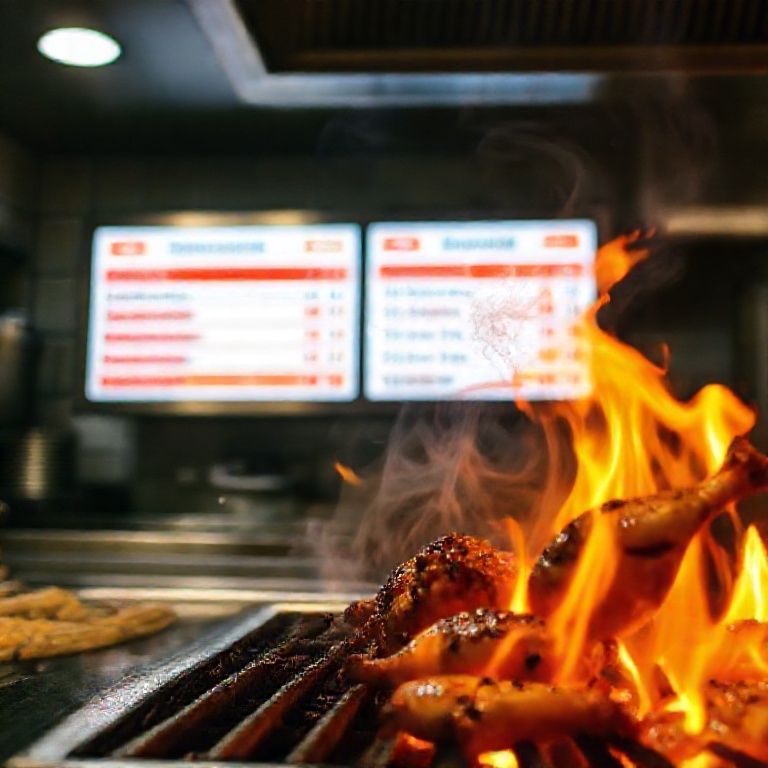
I’ll admit it, I was a skeptic. When I first heard about kitchen display systems (KDS) a few years back, I rolled my eyes. Another piece of tech to complicate the already chaotic dance of a professional kitchen? Another screen to glare at while tickets pile up? But then I saw one in action at a bustling Nashville hot chicken spot, and, well, let’s just say I ate my words faster than I eat their extra-spicy tenders.
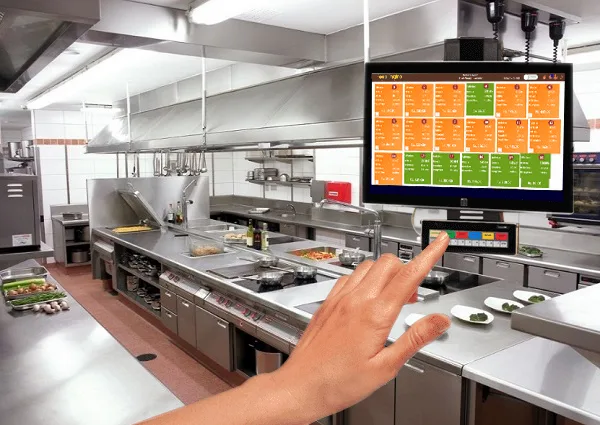
Here’s the thing: kitchens are information war zones. Orders fly in from POS systems, servers shout modifications, expediters scribble on paper tickets, and somehow, the line cooks are supposed to translate all that into perfectly timed plates. It’s a miracle any food gets out on time. A kitchen display system doesn’t just replace paper tickets, it reorganizes the chaos. It’s like giving your kitchen a second brain, one that doesn’t get flustered when the dinner rush hits.
But is it really worth the investment? I’ve spent the last six months digging into this, talking to chefs, observing kitchens, and yes, geeking out over workflow efficiency. What I’ve found is that a KDS isn’t just about speed (though it’s a game-changer there). It’s about accuracy, morale, and even food cost control. And in 2025, with labor shortages still pinching and customer expectations higher than ever, those aren’t just nice-to-haves. They’re survival tools.
So let’s break this down. I’ll walk you through the 10 biggest benefits of implementing a KDS, the ones that’ll make you wonder how you ever lived without it. I’ll also be honest about the hurdles, because no system is perfect, and I’d rather you go in with eyes wide open. By the end, you’ll either be ready to rip out your old ticket printer or at least understand why your competitor’s kitchen runs circles around yours.
The 10 Ways a Kitchen Display System Transforms Your Operation
1. The Death of the Paper Ticket (And Good Riddance)
Let’s start with the obvious: paper tickets are a relic. They smudge, they tear, they pile up into a confusing mess when the rush hits. Worse, they’re static. Once that ticket prints, it’s a snapshot in time, no updates, no adjustments, no way to flag that the customer suddenly decided they’re deathly allergic to cilantro. A KDS, on the other hand, is dynamic. Orders update in real-time. Modifications pop up instantly. And if a server accidentally sends a dupe? One tap to void it, no confusion.
I watched a line cook at a Mexican joint in East Nashville handle a 20-top with a KDS. The tickets scrolled smoothly, grouped by course, with allergens highlighted in red. No squinting at handwritten scribbles. No shouting “Who ordered the queso without jalapeños?!” across the line. Just… calm. In a kitchen. That’s basically a miracle.
But here’s the kicker: eliminating paper isn’t just about clarity, it’s about speed. No more waiting for the printer to spit out tickets. No more digging through a stack to find the next fire. The KDS prioritizes orders automatically, so your team always knows what to tackle next. And in a world where every second counts, that’s not just efficient, it’s profitable.
2. Faster Ticket Times (And Happier Customers)
Speaking of speed: a KDS can shave 10-30% off your ticket times. That’s not hyperbole, that’s what I’ve seen in kitchens that made the switch. Why? Because the system optimizes the flow. Instead of cooks staring at a wall of tickets trying to figure out what’s next, the KDS feeds them orders in the most logical sequence. Need to fire three burgers, two salads, and a steak? It’ll group them by station and even suggest the best order to start them based on cook times.
And here’s where it gets clever: some KDS platforms integrate with your POS to predict rush patterns. They’ll flag when a big group’s orders are coming in, so you can prep accordingly. No more getting blindsided by a 50-top at 7:30 on a Tuesday. The system learns your kitchen’s rhythms and helps you stay ahead.
But, and this is important-speed isn’t just about pumping out more plates. It’s about consistency. When tickets move smoothly, food goes out at the right pace, hot and fresh. No more rushed dishes or forgotten sides. And in an era where a single bad Yelp review can tank your weekend, consistency isn’t just nice, it’s everything.
3. Fewer Mistakes (And Less Food Waste)
Mistakes happen. A server forgets to punch in “no onions.” A cook misreads a ticket. A modifier gets lost in the shuffle. But here’s the thing: every mistake costs you money. Whether it’s comping a dish, remaking an order, or just tossing food that sat too long under the heat lamp, errors add up. A KDS slashes those errors by making orders crystal clear.
Most systems let you customize how orders display. Allergens in red? Done. Vegan dishes with a green border? Easy. Large parties highlighted? No problem. And because the system syncs with your POS, modifications update instantly. No more crossing out items on a paper ticket and hoping the cook notices.
I talked to a chef in Atlanta who cut his food waste by 18% in three months after installing a KDS. Why? Because orders were accurate the first time. No more “oops, wrong sauce” or “forgot the gluten-free bun.” The kitchen ran smoother, the food cost dropped, and, bonus, the staff stopped arguing over who messed up the last ticket.
4. Better Communication Between Front and Back of House
The divide between FOH and BOH is real. Servers blame the kitchen for slow tickets. Cooks blame the servers for sloppy orders. It’s a toxic cycle, and it kills morale. A KDS bridges that gap by making communication seamless.
Here’s how it works:
- Real-time updates: If a server needs to add a rush order or modify a dish, the kitchen sees it instantly. No more shouting across the pass.
- Two-way messaging: Many KDS platforms let servers and cooks send quick notes. “Need that gluten-free pasta ASAP” or “Table 12 is allergic to shellfish, double-check the fryer.”
- Order status tracking: Servers can see where an order is in the process (prepped, cooking, plated) and give customers accurate updates. No more “I’ll check on that” lies.
I saw this in action at a farm-to-table spot in Asheville. The GM told me their employee turnover dropped by 20% after implementing a KDS. Why? Because the constant friction between FOH and BOH disappeared. Servers felt heard. Cooks felt respected. And when your team isn’t at each other’s throats, they stay.
5. Data You Can Actually Use (Not Just Numbers on a Spreadsheet)
Here’s where things get really interesting. A KDS doesn’t just display orders, it tracks them. And that data is gold. Most systems give you insights like:
- Average ticket times (by dish, by shift, by cook)
- Peak rush hours and bottleneck periods
- Most common modifications or allergens
- Dishes with the highest remakes (hello, menu tweaks!)
I’ll be honest, I used to glaze over when people talked about “kitchen analytics.” But then I saw a pizza place in Chicago use their KDS data to reorganize their prep stations. They noticed that 60% of their remakes were on gluten-free crusts because the GF station was too far from the oven. They moved it, retrained the staff, and cut remakes by half. That’s the power of data-not just knowing what went wrong, but why.
And if you’re thinking, “I don’t have time to analyze spreadsheets,” don’t worry. Most modern KDS platforms visualize the data for you. Heat maps of rush hours. Bar graphs of ticket times. It’s all right there, no Excel degree required.
6. Training New Staff Just Got Easier
Hiring is a nightmare right now. And training? Even worse. But a KDS can cut your onboarding time in half. Here’s how:
- Standardized workflows: The system guides new cooks through the process. No more “Well, Bob does it this way, but Susan does it that way.”
- Built-in checklists: Some KDS platforms let you add step-by-step prep instructions for complex dishes. New hire? Just follow the screen.
- Performance tracking: You can see who’s struggling with ticket times and give targeted coaching.
A BBQ joint in Austin told me their new line cooks were fully independent in two weeks instead of six after switching to a KDS. Why? Because the system enforced consistency. No more “forgot to trim the brisket” or “didn’t know we 86’d the coleslaw.” The screen tells them what to do, when to do it, and how to do it right.
And let’s be real, when you’re short-staffed, faster training means faster relief. You can’t afford to babysit new hires for months. A KDS gets them up to speed before your sanity cracks.
7. No More “Lost in Translation” Orders
Ever had a server write “extra crispy” on a ticket, but the cook’s idea of “extra crispy” is basically carbon? Or a customer asks for “light sauce,” but the kitchen’s definition of “light” is a drizzle instead of a pool? A KDS eliminates the guesswork with customizable modifiers.
You can program exact definitions:
- “Light sauce” = 1 oz
- “Extra crispy” = 2 minutes longer in the fryer
- “Well done” = internal temp of 165°F
No more arguments. No more remakes. Just clear, consistent execution. And when your Yelp reviews start saying “they actually listened to my request,” you’ll know why.
8. Integration with Your Existing Tech (No Rip-and-Replace Nightmares)
I get it, you’re not excited about adding another system to your tech stack. But here’s the good news: most KDS platforms play nice with what you already have. They integrate with:
- POS systems (Toast, Square, Clover, etc.)
- Inventory management tools
- Online ordering platforms (DoorDash, Uber Eats)
- Kitchen hardware (scales, timers, temperature probes)
A seafood restaurant in Seattle linked their KDS to their inventory system, so when a dish is 86’d, it automatically updates the menu online. No more customers ordering the halibut special after you’ve sold out. Another spot connected their KDS to their labor scheduling tool, so they could staff up during predicted rushes. The system does the heavy lifting, you just reap the benefits.
Now, I’ll be honest-not all integrations are seamless. Some require a bit of setup, and you might need to tweak workflows. But compared to the days of standalone systems that didn’t talk to each other? It’s a dream.
9. Happier Staff (And Lower Turnover)
Kitchen culture is… intense. The heat, the pressure, the constant “BEHIND!” yelling, it’s a wonder anyone lasts more than a year. But a KDS can make the job less miserable. Here’s how:
- Less chaos: No more frantic ticket-pulling or miscommunication. The system keeps things organized.
- Fairer workloads: Some KDS platforms track who’s handling which orders, so no one gets stuck with all the complex dishes.
- Recognition for speed/accuracy: You can gamify performance with leaderboards (if your team’s into that).
A ramen shop in Portland told me their line cook retention improved by 30% after installing a KDS. Why? Because the job became manageable. Cooks could focus on cooking, not deciphering tickets or playing telephone with servers. And when your team isn’t constantly on the verge of a meltdown, they stick around.
Look, I’m not saying a KDS will turn your kitchen into a zen garden. But it will remove some of the unnecessary stress. And in this labor market, keeping your staff sane is just as important as keeping customers happy.
10. Future-Proofing Your Kitchen
Here’s the thing about tech: it’s not just about solving today’s problems. It’s about preparing for tomorrow’s. A KDS isn’t just a tool, it’s an infrastructure upgrade. And in 2025, with labor costs rising, customer expectations climbing, and margins tighter than ever, kitchens that don’t adapt will get left behind.
Think about it:
- As delivery and takeout grow, your kitchen needs to handle more orders without adding staff. A KDS makes that possible.
- As menu transparency becomes the norm (allergens, sourcing, prep methods), a KDS helps you track and communicate that info seamlessly.
- As AI and automation creep into restaurants, a KDS gives you the data to integrate those tools smartly.
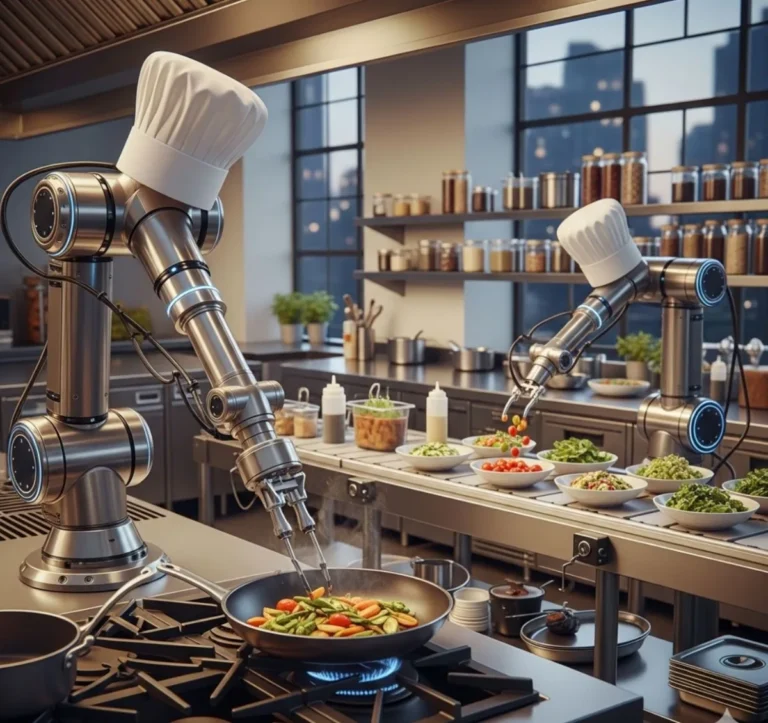
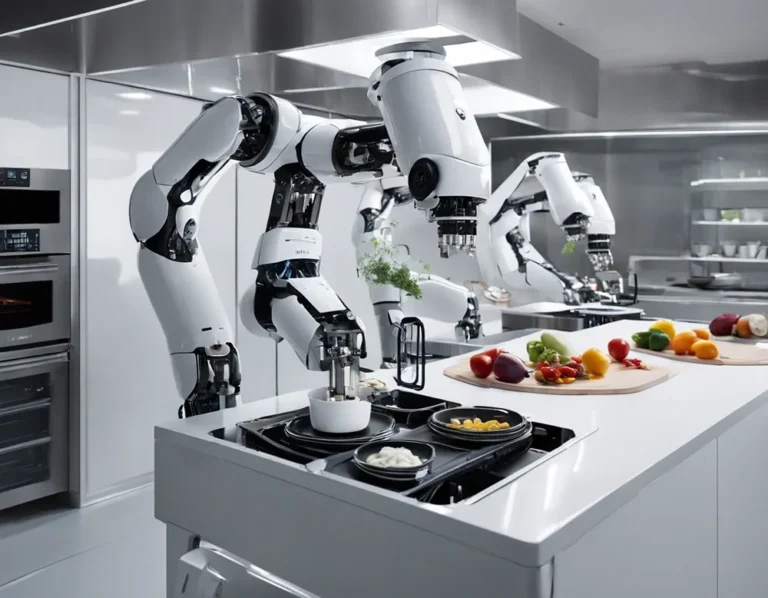
I’m not saying you need to turn your kitchen into a robot-run factory. But I am saying that the restaurants thriving in five years will be the ones that used tech to enhance human skill, not replace it. A KDS is step one.
But Is It Really Worth the Cost?
Okay, let’s talk money. Because I know what you’re thinking: “This all sounds great, Sammy, but what’s the damage?”
Pricing varies, but here’s a rough breakdown:
- Hardware: Screens, mounts, and possibly new tablets or terminals. Figure $500–$2,000 depending on the size of your kitchen.
- Software: Most KDS platforms charge a monthly subscription, typically $50–$200 per terminal. Some have one-time licensing fees.
- Installation/training: If you’re not tech-savvy, you might need help setting it up. Budget $500–$1,500 for onboarding.
So yeah, it’s an investment. But let’s do the math:
- If a KDS saves you 10% on labor costs (by reducing overtime or improving efficiency), that’s thousands per year.
- If it cuts food waste by 15%, that’s more thousands.
- If it reduces remakes and comps, that’s even more.
- And if it helps you retain staff? The cost of turnover is staggering-some estimates say replacing a line cook costs $5,000–$10,000 when you factor in training and lost productivity.
Most kitchens I’ve talked to recoup their investment in 6–12 months. After that? It’s pure profit. And in an industry where margins are razor-thin, that’s not just nice, it’s essential.
But, and this is important-not all KDS platforms are created equal. Some are clunky. Some have terrible support. Some promise the moon and deliver a rock. So how do you choose?
How to Pick the Right KDS for Your Kitchen
Here’s what to look for:
- Ease of use: If your team needs a manual to use it, it’s a no-go. Look for intuitive interfaces.
- Customization: Can you adjust ticket displays, colors, and workflows to match your kitchen?
- Integrations: Does it play nice with your POS, inventory system, and online ordering?
- Support: When something goes wrong at 7 PM on a Saturday, will someone answer the phone?
- Scalability: If you open a second location, can the system grow with you?
- Offline mode: If your internet dies, does the system keep running?
And here’s a pro tip: Ask for a free trial. Most reputable KDS providers will let you test-drive the system for a week or two. Use that time to:
- Run it during a rush hour. Does it hold up?
- Get feedback from your team. Do they hate it or love it?
- Check the data. Are you actually seeing improvements in ticket times or accuracy?
I’d also recommend talking to other chefs in your area. What are they using? What do they wish they’d known before installing? The restaurant community is surprisingly open about this stuff, especially if you buy them a beer first.
The Elephant in the Room: Will a KDS Make My Kitchen Feel Like a Factory?
I get the hesitation. Kitchens are creative spaces. They’re loud, messy, human. The idea of replacing that with screens and algorithms feels… cold. But here’s the thing: a KDS doesn’t replace the soul of your kitchen. It protects it.
Think about it: when your team isn’t drowning in chaos, they can focus on the food. When orders are clear and workflows are smooth, cooks can experiment, refine, and actually enjoy their craft instead of just surviving the shift. And when customers get their food faster, and exactly how they ordered it, they leave happier. That’s not a factory. That’s a well-oiled machine that still has heart.
I asked a pastry chef in New Orleans about this. She was worried a KDS would stifle creativity in her bakery. But after a month, she told me it did the opposite. “I’m not stuck double-checking orders or redoing mistakes,” she said. “I’m baking. And my team is too. We’re just… better at it now.”
So no, a KDS won’t turn your kitchen into a sterile assembly line. But it will give your team the tools to do their best work. And isn’t that the point?
FAQ: Your Burning Questions About Kitchen Display Systems
Q: Do I need a KDS if my kitchen is small?
A: Even small kitchens benefit! A single-screen setup can eliminate paper tickets, reduce mistakes, and speed up service. The key is choosing a system that scales to your size, don’t overcomplicate it. A mom-and-pop diner might not need the same bells and whistles as a 200-seat steakhouse, but the core benefits (accuracy, speed, less waste) apply everywhere.
Q: What if my staff resists the change?
A: Change is hard, especially in kitchens where “this is how we’ve always done it” is a mantra. The trick? Involve your team early. Let them test the system and give feedback. Highlight how it’ll make their jobs easier (no more illegible tickets, fewer remakes, less yelling). And if someone’s really struggling, pair them with a tech-savvy coworker for training. Most resistance fades once they see the system in action during a rush.
Q: Can a KDS work for a food truck or pop-up?
A: Absolutely! Many KDS platforms have mobile or tablet-based options perfect for food trucks. You can mount a tablet in the truck, sync it with your POS, and suddenly you’ve got the same efficiency as a brick-and-mortar kitchen, without the paper chaos. Some even work offline and sync when you’re back in service range. For pop-ups, a portable KDS setup can help you move between locations without missing a beat.
Q: How often do KDS systems go down? What’s the backup plan?
A: Downtime is rare with reputable providers, but it happens. The best systems have:
- Offline mode: Keeps running even if the internet cuts out, then syncs when you’re back online.
- Redundant servers: Cloud-based systems should have backup servers to prevent crashes.
- Manual override: Some let you switch to a basic ticket mode if the system glitches.
Always ask about uptime guarantees before committing. And yes, keep a backup ticket printer just in case, old-school redundancy never hurts.
Final Thought: The Kitchen of the Future Is Here (And It’s Smarter Than You Think)
Look, I’m not here to tell you a kitchen display system is a magic wand. It won’t fix a broken menu or a toxic culture. But what it will do is give your team the tools to work at their best. It’ll reduce the noise, clarify the chaos, and let your kitchen run like a well-conducted orchestra instead of a free-for-all jam session.
And here’s the kicker: the restaurants that thrive in the next decade won’t be the ones with the fanciest food or the trendiest decor. They’ll be the ones that master the basics, speed, accuracy, consistency, while keeping their soul intact. A KDS is how you do that.
So here’s my challenge to you: Pick one thing from this article, the one benefit that would change your kitchen the most, and test it. Try a free trial. Run a pilot during your slowest shift. See what happens. Because the worst that can happen? You go back to paper tickets. But the best? You might just wonder how you ever lived without it.
And if you’re still on the fence, ask yourself this: What’s the cost of ot changing? Because in 2025, standing still isn’t an option. The kitchens that win will be the ones that adapt, optimize, and give their teams the tools to shine. A KDS is your first step.
Now if you’ll excuse me, Luna just knocked over my coffee, and I need to go salvage my keyboard. (Note to self: cat-proof workstation is the next upgrade.)
@article{why-your-kitchen-needs-a-display-system-and-how-itll-change-everything,
    title   = {Why Your Kitchen Needs a Display System (And How It’ll Change Everything)},
    author  = {Chef's icon},
    year    = {2025},
    journal = {Chef's Icon},
    url     = {https://chefsicon.com/the-benefits-of-implementing-a-kitchen-display-system/}
}