The Best Fluffy Pancakes recipe you will fall in love with. Full of tips and tricks to help you make the best pancakes.
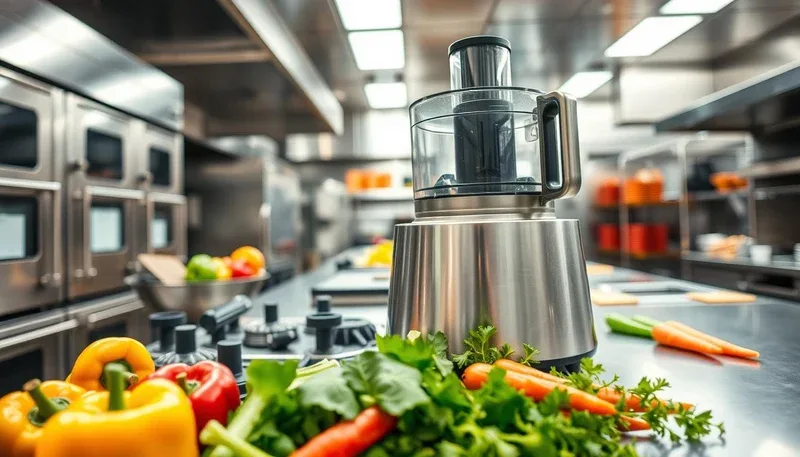
The Hidden Dangers Lurking in Your Commercial Food Processor (And How to Outsmart Them)
Let me tell you about the time I almost lost a finger. Not in some dramatic knife-fighting incident or while wrestling a whole pig into a smoker, no, it was while cleaning a commercial food processor at 2 AM during a particularly brutal brunch rush. I’d worked in kitchens for years, thought I knew my way around equipment, but that night proved I’d been playing with fire (or in this case, spinning blades) without even realizing it.
Here’s the thing: we treat food processors like they’re just bigger, louder versions of our home kitchen gadgets. But in a commercial setting? They’re industrial beasts with enough torque to turn your hand into confetti if you’re not careful. And yet, I’ve seen line cooks treat them like they’re indestructible, shoving whole potatoes in without pulsing, cleaning them while they’re still plugged in (yes, really), or worse, using them for tasks they were never designed for. Food processor safety in commercial kitchens isn’t just about avoiding cuts; it’s about understanding the machine’s limits, respecting its power, and creating systems that protect your team when fatigue sets in (because it always does).
In this guide, I’m not just going to give you the standard safety tips you’ve heard a hundred times. We’re going beyond the basics, exploring the why behind the rules, the psychological traps that lead to accidents, and the real-world fixes that actually work in high-pressure environments. By the end, you’ll know how to:
- Spot the hidden hazards in your food processor setup that most kitchens overlook
- Train your team to use processors safely without sounding like a nagging safety manual
- Create a culture where safety isn’t just rules, it’s habit
- Troubleshoot common issues before they turn into disasters
- Choose the right processor for your kitchen’s needs (and why bigger isn’t always better)
Oh, and that near-miss I mentioned? It taught me that most accidents happen not because of ignorance, but because of complacency. We get comfortable. We cut corners. We assume “it’ll be fine.” So let’s start by admitting something uncomfortable: if you’ve worked in a kitchen for more than a year, you’ve probably broken at least three of these rules already. The question is, are you going to wait for an accident to change, or are you going to get ahead of it?
The Unsexy Truth About Food Processor Safety (That Could Save Your Fingers)
1. The “It’s Just a Food Processor” Fallacy
I get it. After you’ve broken down 500 pounds of onions or pureed 20 gallons of soup base, a food processor starts to feel like just another tool, like a whisk or a ladle. But here’s the reality: a commercial-grade food processor is closer in power to a motorcycle engine than it is to your countertop Cuisinart. The motors in these things can range from ½ HP to over 3 HP, with blades spinning at thousands of RPMs. For comparison, that’s faster than a car engine at highway speeds.
And yet, I’ve seen cooks:
- Reach into a running processor to “help” ingredients down (spoiler: the blade doesn’t care if your hand is “just helping”)
- Use metal spoons or spatulas to scrape bowls while the machine is on (because apparently, metal vs. spinning blade is a fair fight)
- Overfill the bowl because “it’ll fit” (it won’t, and physics will punish you for it)
- Ignore strange noises because “it’s always done that” (until it doesn’t)
Is this the best approach? Let’s consider the physics for a second. The force generated by a spinning blade isn’t just about speed, it’s about torque. That 3 HP motor? It’s producing enough rotational force to turn a stubborn bolt on a truck. Now imagine that force meeting your finger. The result isn’t pretty, and it’s certainly not something you can “walk off.”
So why do we treat these machines like they’re harmless? Part of it is familiarity. Part of it is the kitchen culture of “move fast or get out.” But mostly, it’s because we don’t see the danger until it’s too late. That’s why the first rule of food processor safety isn’t about the machine, it’s about respecting the invisible risks.
2. The Anatomy of a Food Processor Disaster (And How to Avoid It)
Most food processor accidents follow a predictable pattern. There’s the trigger event (something goes wrong), the moment of panic (you realize it’s bad), and the aftermath (which hopefully doesn’t involve an ambulance). The key to prevention is interrupting this chain at the first step. So let’s break it down:
Trigger Event: This is usually one of three things:
- Improper assembly: The bowl isn’t locked, the lid is loose, or the blade isn’t seated correctly. This is the #1 cause of “why is my processor vibrating like it’s possessed?” moments.
- Overloading: You’ve packed the bowl past the max fill line (or worse, ignored it entirely). The motor strains, ingredients jam, and suddenly you’ve got a 50-pound block of frozen spinach stuck in there.
- Foreign objects: A rogue utensil, a bone that didn’t get picked out, or, god forbid, a piece of jewelry. These turn your processor into a high-speed projectile launcher.
Moment of Panic: This is where things go from bad to worse. The machine starts making a noise like a dying robot, you instinctively reach in to “fix it,” and suddenly you’re staring at a blade that’s moving way faster than you can react. Or worse, the bowl detaches mid-operation and sends hot soup flying like a culinary grenade.
Aftermath: Best case? A ruined batch of food and a stern talking-to from the chef. Worst case? A trip to the ER, workers’ comp paperwork, and a kitchen that’s now short-staffed during the dinner rush.
So how do you break this chain? It starts with pre-operational checks. Every. Single. Time. I know, I know, it feels like overkill until the day it saves your fingers. Here’s what that looks like:
- Inspect the bowl and lid: Look for cracks, warping, or signs of wear. A damaged bowl can detach mid-operation, turning your processor into a spinning top of doom.
- Check the blade: Is it dull? Bent? Loose? A damaged blade doesn’t just work poorly, it can shatter under pressure, sending shards flying at high speed.
- Verify the locking mechanism: Give the bowl a firm twist to ensure it’s locked in place. If it wiggles, don’t use it.
- Clear the area: No loose utensils, towels, or ingredients near the processor. This isn’t just about cleanliness, it’s about preventing foreign objects from becoming projectiles.
- Optimism bias: “It won’t happen to me.” This is why you’ll see a cook who’s seen three processor accidents still reach into a running machine. Their brain tells them they’re the exception.
- Normalization of deviance: “We’ve always done it this way.” This is how bad habits spread. If the chef sees everyone overloading the processor, they assume it’s fine, until it’s not.
- Hyperfocus: When you’re in the zone, you block out everything else. That’s great for plating 200 covers, but terrible for noticing that the processor’s lid isn’t fully locked.
- Authority bias: “The chef said it’s fine.” If the head chef cuts corners, the rest of the team will too. Safety culture starts at the top.
- Uneven processing (some ingredients get pulverized, others stay whole)
- Motor strain (which shortens the machine’s lifespan)
- Spills and splatters (which create slip hazards)
- Potential jams (which lead to the dreaded “reach in while it’s running” moment)
- The blades are sharp (obviously), but they’re also spring-loaded in some models. Remove them incorrectly, and they can snap back like a mousetrap.
- The bowls and lids can be slick with oil or food residue, making them hard to grip.
- You’re often cleaning under time pressure (because the next shift is coming in), which leads to rushing.
- Fatigue makes you careless. After a long shift, your reflexes are slower, and your judgment is impaired.
I’m torn between calling this “common sense” and admitting that in the chaos of a commercial kitchen, common sense often goes out the window. Maybe I should clarify: these checks take 10 seconds. That’s less time than it takes to argue with the dishwasher about whose turn it is to take out the trash. Is it really worth skipping?
3. The Psychology of Cutting Corners (And How to Hack Your Brain)
Let’s talk about why we ignore safety rules, even when we know better. It’s not just laziness, it’s cognitive bias. Our brains are wired to take shortcuts, especially when we’re tired, stressed, or in a hurry. Here are the big ones that get us into trouble:
So how do you fight these biases? You design systems that make safety the default, not the exception. Here’s how:
1. Make safety visible: Post checklists near the processor. Use color-coded max fill lines. The more you remind people, the harder it is to ignore.
2. Create accountability: Assign a “processor safety captain” for each shift. Their job? To call out unsafe behavior before it becomes a habit. Rotate the role so everyone gets invested.
3. Use positive reinforcement: Reward safe behavior, not just speed. A simple “nice job on those pre-op checks” goes a long way.
4. Engineer out the risk: Can’t reach into the processor while it’s running? Good. That’s why some models have interlocking lids that cut power when opened. If your processor doesn’t have this, it’s time to upgrade. (More on that later.)
I’ll be honest: this stuff feels awkward at first. Kitchens aren’t known for their warm-and-fuzzy vibes. But here’s the thing-safety doesn’t have to be a buzzkill. It can be a challenge, a team effort, even a point of pride. The best kitchens I’ve worked in treated safety like a skill to master, not a rule to follow. And guess what? They were also the most efficient.
4. The Right Way to Load (And Why You’re Probably Doing It Wrong)
Loading a food processor seems simple: throw in the ingredients, hit pulse, done. But in a commercial setting, how you load can mean the difference between smooth puree and a kitchen disaster. Here’s the breakdown:
1. Size matters: Cut ingredients into uniform pieces before loading. Big chunks = uneven processing = motor strain = potential jams. For dense ingredients like carrots or potatoes, aim for 1-inch cubes or smaller. For leafy greens, rough-chop them first, don’t just stuff whole bunches in there.
2. Layer smartly: Start with harder ingredients at the bottom (near the blade) and softer ones on top. This prevents the blade from getting bogged down. For example, if you’re making pesto, put the garlic and nuts in first, then the herbs, then the oil.
3. Respect the max fill line: This isn’t a suggestion, it’s a physics lesson. Overfilling causes:
4. Use the pulse function: Continuous operation is for blending liquids, not chopping solids. Pulse in short bursts to control the texture and prevent overheating. This also gives you a chance to check the progress and redistribute ingredients if needed.
5. Scrape smartly: Never use your hands to scrape the bowl while the processor is running. Turn it off, unplug it (yes, really), then use a plastic scraper to redistribute ingredients. Metal utensils are a no-go, they can damage the bowl or, worse, get caught in the blade.
I’ve seen cooks argue that pulsing takes too long. “Just let it run,” they say. But here’s the truth: pulsing might add 30 seconds to your prep time. A jam? That’ll cost you 10 minutes of cleanup, plus the risk of injury. Which is really the “faster” option?
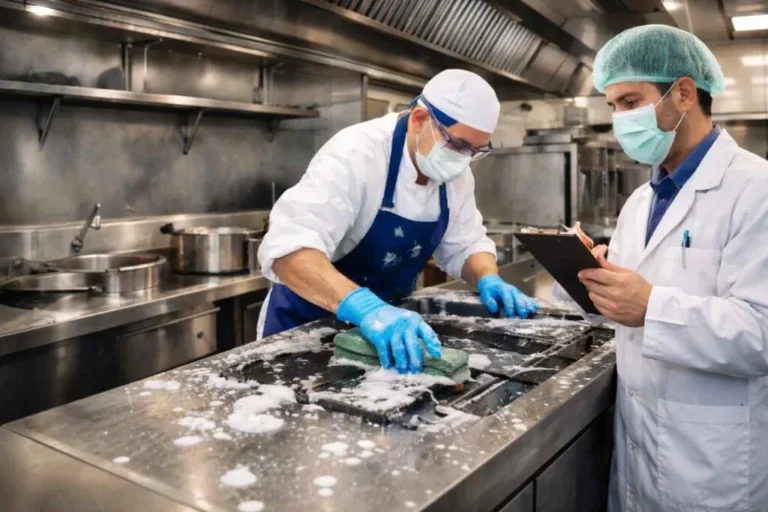
5. Cleaning: The Most Dangerous Part of the Process (And How to Do It Safely)
Remember my near-miss story? It happened during cleaning. I’d worked a double, my hands were pruned from washing dishes, and I was so focused on getting out of there that I skipped the most basic safety step: unplugging the machine. I reached in to remove the blade, and, thankfully, the safety interlock kicked in. But for a split second, I’d gambled with my fingers.
Cleaning a food processor isn’t just about hygiene, it’s a high-risk activity. Here’s why:
So how do you clean safely? Follow this step-by-step process, every time:
- Unplug the machine: This isn’t optional. No exceptions. If you’re cleaning a processor that’s hardwired, turn off the circuit breaker. Yes, it’s a pain. Do it anyway.
- Disassemble carefully: Remove the lid, then the bowl, then the blade. Some blades are attached to the motor shaft, don’t yank them. Twist gently to release.
- Handle the blade with respect: Don’t toss it in the sink with other utensils. Wash it separately, using a brush to clean the edges. And for god’s sake, don’t try to catch it if you drop it. Let it fall.
- Clean the bowl and lid: Use warm, soapy water and a non-abrasive sponge. Avoid steel wool, it can scratch the plastic, creating grooves where bacteria can hide.
- Dry thoroughly: Moisture + electrical components = bad news. Use a clean towel to dry all parts before reassembling.
- Inspect for damage: Look for cracks, warping, or signs of wear. If anything looks off, tag it for maintenance.
- Reassemble correctly: Make sure the bowl locks into place and the lid fits snugly. A loose assembly can lead to leaks or, worse, detachment during operation.
Here’s a pro tip: assign cleaning to a specific person each shift. When it’s everyone’s responsibility, it becomes no one’s responsibility. And while you’re at it, keep a cleaning checklistear the processor. It’s not about micromanaging, it’s about creating habits.
Oh, and one more thing: ever submerge the base of the processor in water. I’ve seen cooks do this to “speed up” cleaning. All it speeds up is the process of electrocuting yourself.
Beyond the Basics: Advanced Food Processor Safety for Commercial Kitchens
6. Choosing the Right Processor for Your Kitchen (And Why Bigger Isn’t Always Better)
Not all food processors are created equal. In a commercial kitchen, the wrong choice can lead to inefficiency, safety hazards, or even equipment failure. Here’s what to consider when selecting a processor:
1. Capacity: Bigger isn’t always better. A 6-quart processor might seem like a time-saver, but if you’re only processing small batches, you’re wasting energy and space. On the flip side, a processor that’s too small will lead to overloading (and all the risks that come with it).
For most commercial kitchens, a 3-4 quart processor is ideal for prep work, while a 6-quart or larger is better for bulk processing. If you’re doing both, consider two machines, one for each purpose.
2. Motor power: Look for a motor with at least ½ HP for light-duty work and 1 HP or more for heavy-duty processing. Weak motors strain under pressure, leading to overheating and potential failure. And when a motor fails, it’s not just a repair cost, it’s a safety risk.
3. Safety features: Prioritize processors with:
- Interlocking lids: These cut power when the lid is opened, preventing “reach in while it’s running” accidents.
- Non-slip bases: A processor that vibrates off the counter is a hazard waiting to happen.
- Clear max fill lines: The easier it is to see the limit, the less likely you are to overfill.
- Easy-to-clean designs: Fewer nooks and crannies mean less bacteria buildup and easier maintenance.
4. Durability: Commercial processors take a beating. Look for models with stainless steel bowls (they’re more durable than plastic) and heavy-duty construction. Cheap processors might save you money upfront, but they’ll cost you in repairs, downtime, and safety risks.
5. Ease of use: If a processor is too complicated, your team won’t use it correctly. Look for intuitive controls, clear labeling, and ergonomic designs. And if you’re investing in a high-end model, make sure the supplier offers training. (More on that later.)
I’ve worked with kitchens that tried to save money by buying residential-grade processors for commercial use. Spoiler: it never ends well. These machines aren’t built for the volume or the abuse of a professional kitchen. They overheat, break down, and, worst of all, create safety hazards because they’re not designed for the workload.
If you’re in the market for a new processor, I’d recommend checking out suppliers like Chef’s Deal. They offer a wide range of commercial-grade processors, from compact models for prep work to heavy-duty machines for bulk processing. What I like about them is their free kitchen design services-they’ll help you choose the right equipment for your space and workflow, which can prevent a lot of safety headaches down the line. Plus, they offer professional installation and training, so you’re not left guessing how to use your new machine safely.
7. Training Your Team (Without Putting Them to Sleep)
Let’s be real: safety training is boring. Most kitchen staff have sat through enough “don’t cut yourself” lectures to last a lifetime. But here’s the thing-boring training doesn’t stick. If you want your team to remember the rules, you’ve got to make it engaging, relevant, and, dare I say, fun.
Here’s how to train your team on food processor safety in a way that actually works:
1. Start with a story: People remember stories, not rules. Share a real-life example of a processor accident (like my near-miss) and ask, “What could have prevented this?” Let them come up with the answers, it’s more effective than lecturing.
2. Make it hands-on: Don’t just talk about how to assemble the processor, have them do it. Blindfolded. (Okay, maybe not blindfolded, but you get the idea.) The more they practice, the more natural it becomes.
3. Use humor: Safety doesn’t have to be serious all the time. Show a funny video of a processor fail (there are plenty online) and ask, “What went wrong here?” Laughter makes the lesson stick.
4. Gamify it: Turn training into a competition. Who can assemble the processor the fastest? Who can spot the most hazards in a mock setup? Offer a small prize (like a free shift drink) to the winner.
5. Reinforce daily: Safety isn’t a one-and-done thing. Post reminders near the processor, do quick refresher drills during pre-shift, and praise safe behavior when you see it.
6. Lead by example: If the chef cuts corners, the team will too. Model safe behavior every time you use the processor.
Here’s a training exercise I’ve used with great success: the “Processor Obstacle Course.” Set up a station with a disassembled processor, a bowl of ingredients, and a list of tasks (e.g., “puree these carrots without overloading the bowl”). Time each team member as they complete the tasks safely. The goal isn’t speed, it’s correctness. If they skip a safety step, they start over.
I’m torn between calling this “overkill” and admitting that it’s the only training method I’ve seen that actually changes behavior. Maybe it’s both. But here’s the bottom line: if your team isn’t engaged, they’re not learning. And if they’re not learning, they’re at risk.
8. Maintenance: The Silent Safety Net
A well-maintained food processor is a safe food processor. But maintenance isn’t just about preventing breakdowns, it’s about catching small problems before they become big hazards. Here’s what you need to know:
1. Daily checks:
- Inspect the cord for fraying or damage. A damaged cord is an electrocution risk.
- Check the bowl and lid for cracks or warping. Even small cracks can lead to leaks or detachment.
- Listen for unusual noises. Grinding, squeaking, or rattling can indicate a problem with the motor or blade.
- Test the safety interlock. If the processor runs with the lid off, it’s a serious hazard.
2. Weekly maintenance:
- Lubricate the blade shaft (if your model requires it). Check the manual for specifics.
- Clean the motor vents. Dust and debris can cause overheating.
- Check the blade for dullness or damage. A dull blade is more likely to jam, and a damaged blade can shatter.
3. Monthly deep cleaning:
- Disassemble the processor completely and clean all parts thoroughly.
- Inspect the motor housing for dust buildup or signs of wear.
- Test all moving parts for smooth operation. If anything feels stiff or loose, tag it for repair.
4. Professional servicing:
Even with regular maintenance, commercial processors need professional servicing. How often depends on usage, but a good rule of thumb is every 6-12 months. A professional can:
- Sharpen or replace blades
- Check the motor for wear
- Test electrical components
- Identify potential issues before they become hazards
I’ve seen kitchens skip professional servicing to save money. It never ends well. A neglected processor is a ticking time bomb, it might work fine for months, then suddenly fail during service, putting your team at risk.
If you’re not sure where to start with maintenance, suppliers like Chef’s Deal offer expert consultation and support. They can help you set up a maintenance schedule tailored to your equipment and usage. And if you’re in the market for a new processor, they offer competitive pricing and financing options, so you can invest in a machine that’s built to last.
9. Emergency Procedures: What to Do When Things Go Wrong
No matter how careful you are, accidents happen. The difference between a minor incident and a major disaster often comes down to how quickly and effectively you respond. Here’s what to do in common emergency scenarios:
1. The processor jams:
- Turn off the machine immediately. Don’t try to “fix it” while it’s running.
- Unplug the processor (or turn off the circuit breaker if it’s hardwired).
- Wait for the blade to stop completely. Even after the power is off, the blade can take a few seconds to stop spinning.
- Use a plastic scraper to remove the jammed ingredients. Never use your hands or metal utensils.
- If the jam is severe, disassemble the processor and remove the ingredients manually.
- Inspect the blade and bowl for damage before restarting the machine.
2. The bowl detaches mid-operation:
- Turn off the machine immediately. If the bowl is still spinning, stay clear, it can become a projectile.
- Unplug the processor.
- Inspect the bowl and locking mechanism for damage. Do not use the processor until it’s been repaired.
- Clean up any spilled ingredients to prevent slip hazards.
3. The processor overheats:
- Turn off the machine immediately. Overheating can cause motor failure or even a fire.
- Unplug the processor and let it cool for at least 30 minutes.
- Check for dust buildup in the motor vents. Clean them if necessary.
- Inspect the blade and bowl for signs of strain (e.g., warping, discoloration).
- If the problem persists, tag the processor for professional servicing.
4. Someone gets injured:
- Stay calm. Panic makes things worse.
- Turn off and unplug the processor.
- Assess the injury. If it’s minor (e.g., a small cut), clean the wound and apply first aid. If it’s serious (e.g., a deep cut or amputation), call 911 immediately.
- Preserve the scene. If the injury is serious, don’t move the processor or clean up the area until authorities have assessed it.
- Document the incident. Fill out an accident report, even if the injury seems minor. This helps identify patterns and prevent future accidents.
Here’s a hard truth: most kitchen injuries aren’t reported. Why? Because no one wants to be the person who “made a big deal” out of a small cut. But here’s the thing-small injuries are warning signs. If you ignore them, they’ll get worse. So create a culture where reporting injuries isn’t just allowed, it’s expected. And when someone does report an injury, thank them. They’ve just given you a chance to prevent a bigger problem.
10. Creating a Culture of Safety (Because Rules Aren’t Enough)
You can have the best safety rules in the world, but if your team doesn’t buy into them, they’re useless. Safety isn’t about rules, it’s about culture. And culture starts at the top.
Here’s how to create a culture of safety in your kitchen:
1. Lead by example: If the chef cuts corners, the team will too. Model safe behavior every time you use the processor.
2. Make safety a team effort: Assign safety roles (like the “processor safety captain” I mentioned earlier). Rotate the roles so everyone gets invested.
3. Reward safe behavior: Praise team members when you see them following safety rules. A simple “nice job on those pre-op checks” goes a long way.
4. Encourage reporting: Make it easy for team members to report hazards or near-misses. And when they do, thank them. They’ve just given you a chance to prevent an accident.
5. Keep it visible: Post safety reminders near the processor. Use color-coded labels, checklists, and signs to keep safety top of mind.
6. Make it personal: Safety isn’t just about avoiding injuries, it’s about protecting your team. Remind them that these rules exist to keep them safe, not to slow them down.
7. Review and adapt: Safety isn’t a one-and-done thing. Regularly review your procedures, ask for feedback from your team, and adapt as needed.
I’ve worked in kitchens where safety was an afterthought. The result? High turnover, constant injuries, and a team that was always on edge. And I’ve worked in kitchens where safety was a priority. The result? A team that trusted each other, worked efficiently, and, most importantly, went home in one piece at the end of the shift.
Which kind of kitchen do you want to run?
Final Thoughts: The Cost of Complacency
Here’s the thing about food processor safety in commercial kitchens: it’s not just about avoiding injuries. It’s about respect. Respect for the machine, respect for your team, and respect for the craft of cooking.
I’ve seen kitchens where processors were treated like disposable tools, used until they broke, then replaced. And I’ve seen kitchens where processors were treated like the valuable assets they are, maintained, respected, and used safely. The difference? The first kitchen was always scrambling to cover shifts because of injuries. The second kitchen ran like a well-oiled machine (pun intended).
So here’s my challenge to you: the next time you use a food processor, take 10 seconds to do a pre-op check. The next time you see a team member cutting corners, say something. The next time you’re tempted to overload the bowl because “it’ll be fine,” remember that physics doesn’t care about your deadlines.
Because here’s the truth: safety isn’t a burden. It’s a skill. And like any skill, it gets easier with practice. The more you prioritize it, the more natural it becomes. And the more natural it becomes, the safer, and more efficient, your kitchen will be.
So ask yourself: what’s one thing you can do today to make your kitchen safer? Maybe it’s posting a checklist near the processor. Maybe it’s scheduling a training session. Maybe it’s just taking 10 seconds to unplug the machine before cleaning it.
Whatever it is, do it. Because the cost of complacency isn’t just a fine or a lawsuit, it’s the well-being of your team. And that’s not something you can put a price on.
FAQ: Food Processor Safety in Commercial Kitchens
Q: How often should I replace the blade in my commercial food processor?
A: It depends on usage, but a good rule of thumb is every 6-12 months for heavy-duty use. Signs that it’s time to replace the blade include dullness (ingredients aren’t processing evenly), visible damage (chips, cracks, or warping), or excessive noise during operation. A dull blade is more likely to jam, which can lead to injuries. If you’re not sure, err on the side of caution and replace it. Suppliers like Chef’s Deal offer replacement blades and can help you choose the right one for your model.
Q: Can I use my commercial food processor to grind meat?
A: Technically, yes, but it’s not ideal. Most commercial food processors aren’t designed for grinding meat, and using them for this purpose can lead to motor strain, uneven grinding, or even food safety issues. Meat grinders are specifically designed for this task, with features like temperature control and specialized blades that prevent overheating. If you’re grinding meat regularly, invest in a dedicated meat grinder. If you’re only doing it occasionally, make sure to:
- Cut the meat into small, uniform pieces before processing.
- Pulse in short bursts to prevent overheating.
- Clean the processor thoroughly afterward to prevent cross-contamination.
And remember: never grind meat and other ingredients in the same batch. Cross-contamination is a serious food safety risk.
Q: What’s the best way to train new staff on food processor safety?
A: The best training is hands-on, engaging, and repetitive. Here’s a step-by-step approach:
- Start with the basics: Explain how the processor works, its key components, and why safety matters. Use real-life examples (like my near-miss story) to make it relatable.
- Demonstrate safe operation: Show them how to assemble the processor, load ingredients, and use the pulse function. Emphasize the importance of pre-op checks and proper cleaning.
- Let them practice: Have them assemble and disassemble the processor, load ingredients, and clean it. Supervise closely and correct mistakes in real time.
- Use scenarios: Present hypothetical situations (e.g., “What would you do if the processor jams?”) and ask them to walk through the steps. This helps them think critically about safety.
- Reinforce daily: Safety isn’t a one-and-done thing. Do quick refresher drills during pre-shift, post reminders near the processor, and praise safe behavior when you see it.
If you’re investing in new equipment, suppliers like Chef’s Deal offer professional training as part of their services. This can be a great way to ensure your team is using the processor safely and efficiently.
Q: How do I know if my food processor is safe to use after a power surge?
A: Power surges can damage electrical components, creating serious safety hazards. After a power surge, follow these steps:
- Unplug the processor immediately. Do not use it until you’ve inspected it.
- Check for visible damage: Look for signs of burning, melting, or discoloration on the cord, plug, or motor housing.
- Test the safety features: Plug in the processor and test the interlock (if it has one). If the machine runs with the lid off, it’s not safe to use.
- Listen for unusual noises: Turn on the processor and listen for grinding, squeaking, or rattling. These can indicate motor damage.
- Inspect the blade and bowl: Look for signs of strain, such as warping or discoloration.
If you notice any of these issues, do not use the processor. Tag it for professional servicing. Power surges can cause hidden damage that isn’t immediately visible, so it’s always better to err on the side of caution. If you’re unsure, contact the manufacturer or a professional repair service. Suppliers like Chef’s Deal offer expert consultation and support and can help you assess the damage and determine the best course of action.
@article{food-processor-safety-tips-for-commercial-kitchens-what-every-chef-should-know-but-probably-doesnt,
    title   = {Food Processor Safety Tips for Commercial Kitchens: What Every Chef Should Know (But Probably Doesn’t)},
    author  = {Chef's icon},
    year    = {2026},
    journal = {Chef's Icon},
    url     = {https://chefsicon.com/food-processor-safety-tips-commercial-kitchens/}
}