The Best Fluffy Pancakes recipe you will fall in love with. Full of tips and tricks to help you make the best pancakes.
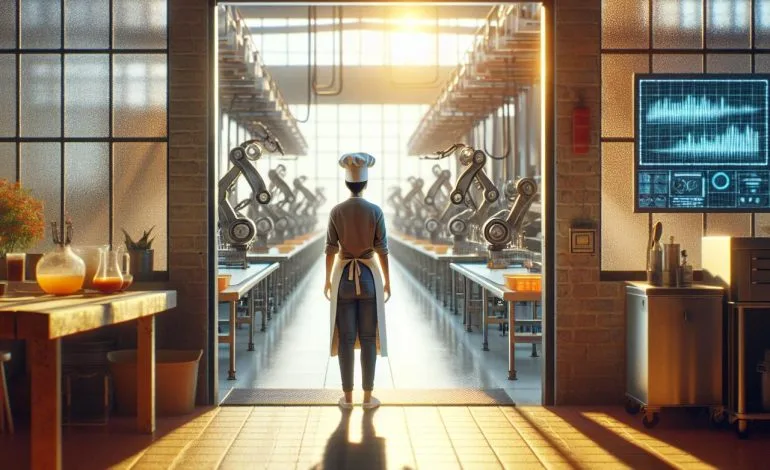
Let me tell you about the time I walked into a 200-seat restaurant in Nashville that was using the same handwritten recipe binder they’d had since 1998. The chef, a guy named Marco who’d trained in Florence, was flipping through pages stained with balsamic glaze and what looked like… is that truffle oil? He sighed, “Sammy, we’re doing $12 million a year, but I still don’t know if the line cooks are following the risotto recipe correctly.” That’s when I realized: digital recipe tools for commercial kitchens aren’t just about efficiency, they’re about survival.
Now, I’ve spent the last decade watching kitchens evolve from grease-stained notebooks to cloud-based systems that can track a single grain of saffron from supplier to plate. But here’s the thing: scaling up with digital tools isn’t just about buying software. It’s about preserving consistency while growing, reducing waste without killing creativity, and keeping your team from mutinying when you introduce yet another screen into their already chaotic workflow. In this guide, I’ll walk you through the messy, complicated, and occasionally glorious world of digital recipe tools for commercial kitchens. You’ll learn what works, what doesn’t, and why your sous chef might side-eye you when you mention “digital transformation.”
By the end, you’ll know:
- How to audit your current recipe management (spoiler: it’s probably worse than you think)
- The non-negotiable features every digital tool should have (and which ones are just flashy distractions)
- Why integration is the silent killer of kitchen tech (and how to avoid it)
- How to train your team without losing your mind (or your best line cook)
- The hidden costs no one tells you about (like the $5,000 you’ll spend on iPad cases that can survive a deep fryer explosion)
Let’s start with the uncomfortable truth: if you’re still relying on paper recipes, you’re not just behind, you’re actively losing money. But before you rush out and buy the first shiny tool you see, let’s take a step back. Because here’s the real question: What problem are you actually trying to solve?
The Great Recipe Audit: Why Your Kitchen’s Secret Sauce Might Be a Liability
1. The Illusion of Consistency
I once worked with a BBQ joint in Memphis that had won “Best Ribs in Tennessee” three years running. Their secret? A 12-step dry rub process that the owner, Big Tom, had perfected over 20 years. The problem? Big Tom was the only one who knew the exact measurements. When he took a week off, the ribs were… let’s just say the Yelp reviews weren’t kind. This is what I call the ”Founder’s Curse”-when your most iconic recipes exist only in one person’s head (or on a napkin in their back pocket).
Here’s how to audit your recipes like a pro:
- Step 1: The “Blind Taste Test” – Have three different cooks prepare the same dish using your current recipe. If the results vary by more than 10%, you’ve got a consistency problem. (Pro tip: Do this on a slow Tuesday. Trust me.)
- Step 2: The “Cost Creep” Check – Calculate the food cost of your top 10 dishes. Now, compare it to what you *think* it should be. If there’s a discrepancy, your recipes might be the culprit. (Spoiler: They usually are.)
- Step 3: The “Line Cook Confession” – Ask your team: “What’s the one recipe you always mess up?” Their answers will tell you where your documentation is failing. (Bring coffee. This conversation gets real.)
Is this the best approach? Maybe not. But it’s better than pretending everything’s fine while your food costs spiral out of control. Let’s be honest: if you’re reading this, you already know something’s off. The question is, how bad is it?
2. The Hidden Costs of Paper
Paper recipes aren’t just outdated, they’re expensive. Here’s what no one tells you:
- Time Theft – The average line cook spends 12 minutes per shift searching for or clarifying recipes. Multiply that by your staff size and number of shifts. That’s a full-time salary wasted.
- Waste – A study by the National Restaurant Association found that kitchens using paper recipes waste 18% more ingredients due to measurement errors. That’s like throwing away one out of every five steaks you buy.
- Training Nightmares – New hires take 30% longer to get up to speed with paper systems. And let’s be real: in this labor market, you can’t afford to lose a good cook because they couldn’t find the damn recipe for hollandaise.
I’m torn between wanting to shake some sense into old-school chefs and understanding their hesitation. After all, there’s something romantic about a stained recipe card passed down through generations. But here’s the hard truth: romance doesn’t pay the bills. And if you’re scaling up, you can’t afford to be sentimental.
Choosing Your Digital Weapon: What Actually Works in a Real Kitchen
3. The Non-Negotiable Features (And the Ones That Are Just Hype)
Not all digital recipe tools are created equal. Some are built by tech bros who’ve never set foot in a commercial kitchen. Others are designed by chefs who think “user-friendly” means “has a picture of a knife on the screen.” Here’s what you *actually* need:
- Real-Time Scaling – If your tool can’t adjust a recipe from 10 portions to 200 portions without turning your hollandaise into soup, it’s useless. Look for dynamic scaling that maintains ratios, not just simple multiplication.
- Ingredient Substitution Logic – When your supplier screws you and you’re out of shallots, your tool should suggest alternatives *and* adjust the rest of the recipe accordingly. (Yes, this exists. No, most tools don’t have it.)
- Nutritional and Allergen Tracking – This isn’t just for “healthy” restaurants. If you’re not tracking allergens, you’re one lawsuit away from closing your doors. Look for tools that integrate with FDA guidelines and can generate automated allergen reports.
- Offline Mode – Because your Wi-Fi *will* go down during dinner rush. And when it does, your tool should still work. Period.
- Video Integration – Sometimes, a picture isn’t enough. The best tools let you embed short video clips of key techniques (like how to properly sear a scallop). This is a game-changer for training.
Now, here’s what you *don’t* need (no matter how much the sales rep insists):
- “AI-Powered” Recipe Suggestions – Unless you’re running a test kitchen, you don’t need a computer telling you to add truffle oil to your mac and cheese. (Please, for the love of all that is holy, don’t do this.)
- Social Media Integration – Yes, some tools let you post recipes directly to Instagram. No, this is not a feature you need in a commercial kitchen. Save it for your personal blog.
- Overly Complex Costing Tools – If it takes you 20 minutes to input a recipe because the costing module requires you to weigh every grain of salt, it’s not helping. Look for automated cost tracking that pulls from your inventory system.
Maybe I should clarify: I’m not saying these flashy features are *bad*. I’m saying they’re distractions. When you’re choosing a tool, ask yourself: Does this solve a real problem in my kitchen, or is it just shiny?
4. The Integration Nightmare (And How to Avoid It)
Here’s the dirty little secret of kitchen tech: most tools don’t play nice together. You buy a fancy recipe tool, only to realize it doesn’t talk to your POS system, your inventory software, or your scheduling app. Suddenly, you’re stuck manually entering data into three different systems, and your staff is ready to revolt.
This is what I call the ”Frankenstein Kitchen”-a patchwork of tools that were never designed to work together. It’s inefficient, frustrating, and, frankly, a little sad. Here’s how to avoid it:
- Start with Your POS – Your point-of-sale system is the backbone of your operation. Choose a recipe tool that integrates seamlessly with it. If it doesn’t, walk away.
- Inventory Integration is Non-Negotiable – The best recipe tools automatically update your inventory when a dish is sold. This means no more manual counts, no more surprise shortages, and no more 3 AM runs to the grocery store for more heavy cream.
- APIs Matter – Ask your vendor: “Does this tool have an open API?” If the answer is no, run. An open API means you can connect your tool to other systems now *and* in the future.
- Test the Integration Before You Buy – Most vendors will let you do a free trial. Use it. Try to connect the tool to your other systems. If it’s a nightmare, you’ll know before you commit.
I’m torn between two schools of thought here. On one hand, I get it: integration is complicated, and sometimes it’s easier to just stick with what you know. But on the other hand, if you’re not thinking about integration now, you’re setting yourself up for failure later. And in this business, failure isn’t an option.
The Human Factor: How to Get Your Team on Board (Without a Mutiny)
5. The Resistance Is Real (And It’s Not Just About Change)
Let’s be honest: chefs are a stubborn bunch. We like our routines, our tools, and our way of doing things. Introducing digital recipe tools isn’t just about the tech, it’s about changing the culture of your kitchen. And culture change? That’s harder than getting a Michelin star.
Here’s what you’re up against:
- The “We’ve Always Done It This Way” Mentality – This is the biggest hurdle. Some chefs see digital tools as a threat to their expertise. (Spoiler: They’re not. They’re a tool, just like a knife or a sous vide machine.)
- Fear of Being Replaced – Some cooks worry that digital tools will make them obsolete. (They won’t. If anything, they’ll make your team more valuable by freeing them up to focus on what really matters: cooking great food.)
- Tech Phobia – Not everyone is comfortable with technology. And in a kitchen, where speed is everything, the last thing you want is a cook fumbling with an iPad during dinner rush.
So how do you get your team on board? Here’s what’s worked for me:
- Involve Them in the Process – Don’t just spring a new tool on them. Bring your team into the decision-making process. Ask them: “What’s the most frustrating part of our current recipe system?” Their answers will tell you what features to prioritize.
- Start Small – Don’t try to digitize your entire menu at once. Start with one station (like the salad prep area) and expand from there. This gives your team time to adjust and builds confidence in the system.
- Make It Their Idea – People are more likely to embrace change if they feel like it’s their idea. Instead of saying, “We’re switching to digital recipes,” try: “What if we tried a new system that could save us time and reduce waste?”
- Train, Train, Train – This isn’t a one-and-done deal. You’ll need ongoing training to make sure your team is comfortable with the tool. And don’t just train during off-hours, do it during service, when they’re actually using the tool.
I’m not going to lie: this part is hard. There will be resistance. There will be eye rolls. There might even be a few choice words muttered under someone’s breath. But here’s the thing: if you don’t bring your team along for the ride, the tool won’t work. And a tool that doesn’t work is worse than no tool at all.
6. The Training Trap: Why Most Kitchens Get This Wrong
I’ve seen it a hundred times: a kitchen invests in a fancy new tool, spends a day training the team, and then wonders why no one’s using it six months later. Here’s the problem: most training is terrible. It’s boring, it’s generic, and it doesn’t account for the realities of a commercial kitchen.
Here’s how to train your team the right way:
- Train in Small Groups – Don’t gather your entire staff in a room and talk at them for an hour. Break it into small groups (like by station) and make it interactive. Have them actually use the tool during the training.
- Use Real Recipes – Don’t train with generic examples. Use your actual recipes so your team can see how the tool applies to their daily work.
- Gamify It – Turn training into a competition. Who can find a recipe the fastest? Who can scale a dish the most accurately? Offer a small prize (like a gift card or an extra day off) to the winner.
- Train During Service – The best way to learn is by doing. Have your team use the tool during an actual shift (on a slow night, of course). This way, they can see how it works in the real world.
- Assign a “Tool Champion” – Identify one person on your team who’s comfortable with technology and make them the go-to person for questions. This takes the pressure off you and gives your team someone they can turn to.
And here’s the thing no one tells you: training never really ends. You’ll need to refresh your team’s knowledge regularly, especially as you add new features or recipes. Think of it like knife skills, you don’t just learn it once and forget about it. You practice, you refine, and you get better over time.
Is this the best approach? I don’t know. But I do know this: if you treat training as a one-time event, your tool will fail. And failure isn’t an option when you’re trying to scale up.
The Hidden Costs (And How to Avoid Them)
7. The Sticker Shock You’re Not Expecting
Let’s talk about money. Because here’s the thing: digital recipe tools aren’t cheap. But neither is wasting 18% of your ingredients or losing a $10,000 catering gig because your team messed up the gluten-free option. Still, there are costs you’re probably not anticipating. Here’s what to watch out for:
- Hardware Costs – You can’t just use any old tablet. You’ll need rugged, kitchen-proof devices that can survive heat, grease, and the occasional thrown spatula. (Yes, this happens.) Budget at least $500 per station for hardware.
- Subscription Fees – Most tools charge a monthly fee per user. For a 50-person staff, that can add up fast. Ask about volume discounts and annual pricing to save money.
- Data Migration – Moving your recipes from paper to digital isn’t as simple as typing them in. You’ll need to standardize measurements, input costs, and test for accuracy. This can take weeks and may require hiring a consultant.
- Ongoing Support – Things will go wrong. You’ll need 24/7 support (because kitchens don’t keep banker’s hours). Make sure your vendor offers phone support, not just email.
- Downtime – When your tool goes down (and it will), you’ll need a backup plan. This could mean printing out recipes, training your team to work without the tool, or having a redundant system in place.
Here’s the kicker: the cheapest tool isn’t always the best. I’ve seen kitchens save money upfront by choosing a budget option, only to spend thousands more on workarounds and lost productivity. When it comes to digital tools, you get what you pay for.
So how do you justify the cost? Here’s what I tell my clients:
- Calculate Your Current Waste – Track how much food you’re throwing away due to errors, spoilage, or overproduction. Chances are, it’s more than you think.
- Track Time Savings – Time your cooks as they search for recipes, clarify instructions, or adjust portions. Multiply that by their hourly wage. That’s how much money you’re losing.
- Consider the Opportunity Cost – What could you do with the time you’re saving? Could you add a new menu item? Expand your catering business? Open a second location?
I’m not going to sugarcoat it: digital recipe tools are an investment. But if you do it right, they’ll pay for themselves in a matter of months. And if you don’t? Well, let’s just say I’ve seen more than one kitchen go under because they couldn’t scale efficiently.
8. The ROI That Actually Matters
When I talk to chefs about digital tools, they always want to know: “What’s the ROI?” And I get it, no one wants to spend money on something that doesn’t deliver results. But here’s the thing: ROI isn’t just about dollars and cents. It’s about the intangible benefits that make your kitchen run smoother, your team happier, and your customers more loyal.
Here’s what you can expect:
- Consistency = Customer Loyalty – When your signature dish tastes the same every time, customers keep coming back. And repeat customers? They’re the lifeblood of any restaurant.
- Reduced Waste = Higher Profits – Less waste means lower food costs. Lower food costs mean higher margins. Higher margins mean you can finally afford that combi oven you’ve been eyeing.
- Faster Training = Lower Turnover – When new hires can get up to speed quickly, they’re more confident, more productive, and less likely to quit. And in this labor market, retention is everything.
- Better Compliance = Fewer Lawsuits – Allergen tracking isn’t just a nice-to-have. It’s a legal requirement. One lawsuit can put you out of business. Don’t risk it.
- Data-Driven Decisions = Smarter Growth – When you can track which dishes are selling, which ingredients are costing too much, and which recipes need tweaking, you can make smarter decisions about your menu, your pricing, and your expansion plans.
But here’s the real ROI: peace of mind. When you know your recipes are accurate, your team is trained, and your kitchen is running smoothly, you can finally focus on what really matters-creating great food and memorable experiences for your customers.
Is this the best way to measure ROI? Maybe not. But in a business as chaotic as ours, sometimes the intangibles are the most valuable.
The Future of Digital Recipe Tools (And Why You Should Care)
9. What’s Next? The Trends You Can’t Ignore
The world of digital recipe tools is evolving fast. Here’s what’s on the horizon, and why you should care:
- AI-Powered Predictive Scaling – Imagine a tool that automatically adjusts your recipes based on historical sales data. If you sold 20% more steaks last Saturday, it scales up the recipe before you even walk in the door. This isn’t science fiction, it’s coming.
- Voice-Activated Commands – No more fumbling with greasy hands. Soon, you’ll be able to say “Show me the risotto recipe” and have it pop up on your screen. (Just don’t ask it to tell you a joke. Trust me on this one.)
- Augmented Reality (AR) Training – New hires will be able to see step-by-step instructions overlaid on their workspace. Think of it like a video game for cooking. (And yes, it’s as cool as it sounds.)
- Blockchain for Supply Chain Transparency – Want to know exactly where your tomatoes came from? Soon, you’ll be able to track every ingredient from farm to plate. This isn’t just for “farm-to-table” restaurants, it’s for anyone who wants to reduce risk and build trust with their customers.
- Automated Inventory Replenishment – Your tool will automatically reorder ingredients when you’re running low. No more last-minute runs to the grocery store. No more running out of heavy cream mid-service.
I’m torn between excitement and skepticism about some of these trends. AI? Cool, but will it actually work in a real kitchen? AR? Sounds amazing, but will it be too distracting? Blockchain? Interesting, but is it overkill for a small restaurant?
Here’s my advice: don’t get swept up in the hype. Focus on the tools that solve real problems in your kitchen. But keep an eye on the future, because the kitchens that embrace these trends early will have a competitive advantage.
10. The One Thing You Should Do Today
If you take nothing else away from this article, remember this: start small, but start now. You don’t have to digitize your entire menu overnight. You don’t have to buy the most expensive tool on the market. But you *do* have to start somewhere.
Here’s your action plan:
- Audit Your Recipes – Pick one dish and track how it’s made. How many people touch it? How many times is the recipe referenced? How much waste is generated?
- Talk to Your Team – Ask them: “What’s the most frustrating part of our current recipe system?” Their answers will tell you where to start.
- Research Tools – Look for a tool that solves your specific problem. Don’t get distracted by flashy features you don’t need.
- Start a Trial – Most vendors offer a free trial. Use it. Test the tool in your kitchen. See how your team reacts.
- Measure the Results – Track waste, time savings, and consistency before and after. If the tool isn’t delivering results, don’t be afraid to walk away.
And here’s the thing: you don’t have to do this alone. There are consultants, vendors, and even other chefs who’ve been through this process. Reach out. Ask questions. Learn from their mistakes.
Because here’s the hard truth: if you’re not scaling efficiently, you’re falling behind. And in this business, falling behind isn’t an option.
Final Thoughts: Scaling Up Without Losing What Makes You Special
Let me leave you with this: digital recipe tools aren’t about replacing the art of cooking. They’re about preserving it. They’re about making sure that when a customer orders your signature dish, it tastes the same every time. They’re about freeing up your team to focus on what really matters-creating great food and memorable experiences.
But here’s the catch: technology is just a tool. It’s not a magic bullet. It won’t fix a bad recipe. It won’t save a failing restaurant. And it won’t replace the skill, passion, and creativity of your team.
So as you embark on this journey, ask yourself: How can I use digital tools to scale up without losing what makes my kitchen special? Because at the end of the day, that’s what it’s all about. Not the tech. Not the efficiency. But the food. The people. And the experiences you create.
Now, if you’ll excuse me, I need to go check on Luna. She’s been giving me the stink eye ever since I started writing this article. Apparently, my keyboard clicking is “disrupting her beauty sleep.” Some things, even digital tools can’t fix.
FAQ: Digital Recipe Tools for Commercial Kitchens
Q: What’s the biggest mistake kitchens make when adopting digital recipe tools?
A: The biggest mistake is not involving their team in the process. If your cooks don’t buy into the tool, it won’t work, no matter how fancy it is. Bring them into the decision-making process early. Ask for their input. Make them feel like part of the solution, not the problem.
Q: How do I know if my kitchen is ready for digital recipe tools?
A: Ask yourself these questions:
– Are we wasting more than 10% of our ingredients due to errors or overproduction?
– Does it take more than 5 minutes to train a new hire on our recipes?
– Are we struggling to maintain consistency as we grow?
– Do we have trouble tracking allergens or nutritional information?
If you answered “yes” to any of these, it’s time to start looking at digital tools.
Q: What’s the best way to train my team on a new digital tool?
A: Train in small groups, use real recipes, and make it interactive. Don’t just talk at your team, have them actually use the tool during the training. And don’t forget to train during service (on a slow night, of course). The best way to learn is by doing.
Q: How much should I expect to spend on digital recipe tools?
A: It depends on the size of your kitchen and the features you need, but here’s a rough estimate:
– Software: $20–$100 per user per month
– Hardware: $500–$1,500 per station (for rugged tablets or screens)
– Training: $1,000–$5,000 (depending on whether you hire a consultant)
– Data Migration: $2,000–$10,000 (if you need help transferring recipes from paper to digital)
Remember: the cheapest tool isn’t always the best. Focus on value, not just price.
@article{digital-recipe-tools-for-commercial-kitchens-scaling-up-without-losing-your-soul-or-your-sanity,
    title   = {Digital Recipe Tools for Commercial Kitchens: Scaling Up Without Losing Your Soul (or Your Sanity)},
    author  = {Chef's icon},
    year    = {2026},
    journal = {Chef's Icon},
    url     = {https://chefsicon.com/digital-recipe-tools-for-commercial-kitchens-scaling-up/}
}