The Best Fluffy Pancakes recipe you will fall in love with. Full of tips and tricks to help you make the best pancakes.
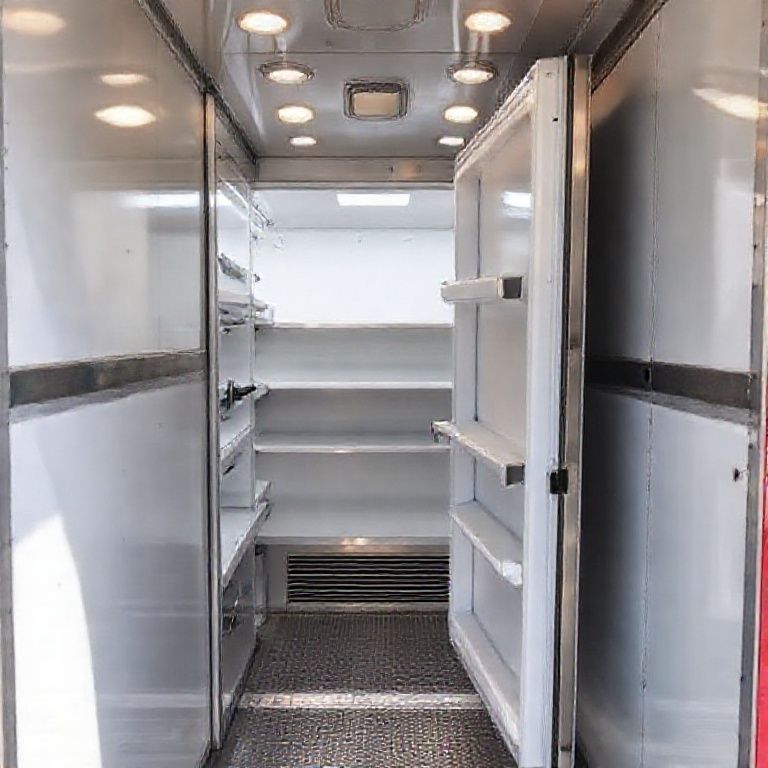
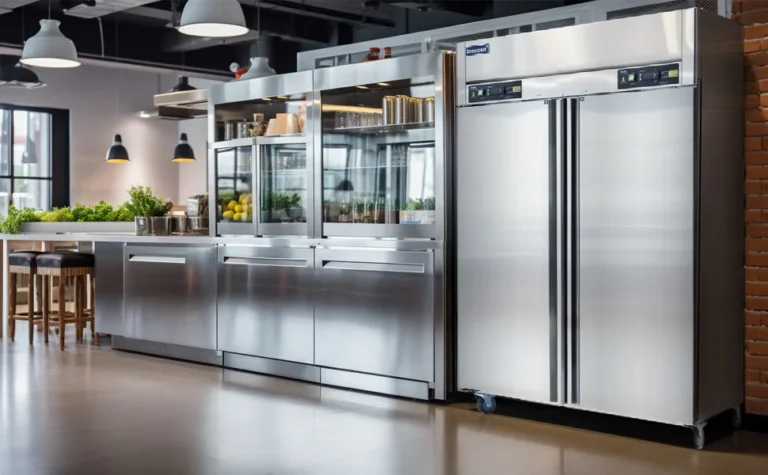
Let me tell you about the time I nearly spent $12,000 on a commercial reach-in refrigerator that would’ve been completely wrong for my friend’s Nashville food truck park. The specs looked perfect online, stainless steel, digital controls, even had that sleek European design everyone raves about. But when the unit arrived? The door swing cleared the counter by exactly three inches. Three. Inches. In a space where every millimeter counted, this was the difference between a functional kitchen and a very expensive paperweight.
That’s the thing about choosing commercial refrigeration: it’s not just about BTUs or cubic feet or even the price tag. It’s about how that hulking metal box interacts with your space, your workflow, and, let’s be honest, your sanity when it’s 95°F in the kitchen and the compressor decides to take a coffee break. This guide isn’t just a dry rundown of specs (though we’ll cover those). It’s the conversation I wish I’d had before that near-disaster, complete with the questions I didn’t know to ask, the mistakes I’ve seen repeated in a dozen kitchens, and the weird little details that separate “good enough” from “I’d buy this again in a heartbeat.”
By the end, you’ll know how to:
- Match refrigeration types to your actualeeds (not just what the sales rep pushes)
- Avoid the “hidden costs” that turn a $5K unit into a $10K money pit
- Decode the jargon, what really matters in those spec sheets
- Future-proof your purchase for energy codes, menu changes, and the inevitable “we’re expanding!” moment
- Spot the red flags in warranties and service contracts (hint: “lifetime” rarely means what you think)
And because I’ve spent the last year talking to chefs, equipment techs, and, yes, a few very patient HVAC engineers, I’ll also share the “unofficial” ranking of what matters most. Spoiler: It’s not the brand name.
-
The 10 Commandments of Choosing Commercial Refrigeration (And Which Ones You Can Break)
1. Start with the Space, Not the Specs
I get it, you want to talk about compressor types and defrost cycles. But first, grab a tape measure and a notepad. Here’s what you’re mapping:
- Clearances: Not just width/depth/height, but door swing radius (add 6” to the depth for hinges), ventilation space (most units need 3–6” behind and above), and floor load capacity (a fully loaded walk-in can weigh over 2,000 lbs). I’ve seen kitchens where a beautiful new prep table had to be returned because the floor joists couldn’t handle the weight.
- Traffic flow: Where’s the hot line? Where do servers stage plates? If your reach-in blocks the expediter’s view of the pass, you’ve just created a bottleneck. Sketch your kitchen’s “heat map” during rush hour, where do people actually stand? Move? Collide?
- Utilities: 110V vs. 220V? Dedicated circuit? Drain location? I once watched a restaurant delay opening by a week because their shiny new undercounter fridge needed a drain, and the nearest floor drain was 15 feet away.
Pro tip: Use painter’s tape to outline the footprint of potential units on the floor. Live with it for a day. You’ll quickly realize if that “perfect” 48” unit actually belongs in the corner or if it’s going to turn your kitchen into a game of Tetris.
2. The Great Refrigeration Identity Crisis: What Are You Really Storing?
Not all cold is created equal. Here’s how the pros categorize needs:
| Temperature Range | What It’s For | Equipment Types | Watch Out For… |
|---|---|---|---|
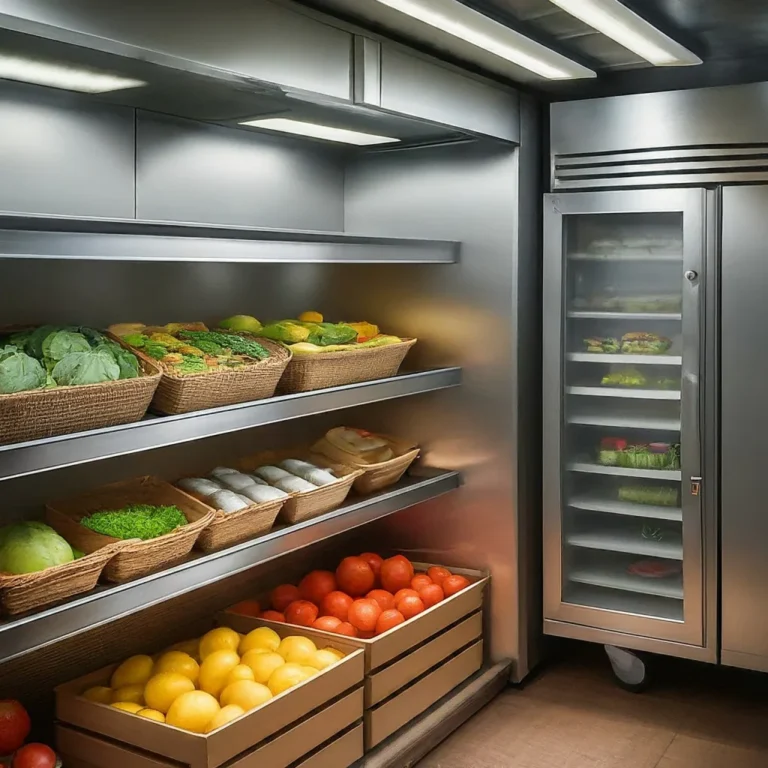
| 33–38°F | General refrigeration (produce, dairy, prepped ingredients) | Reach-ins, roll-ins, walk-ins, undercounter | Humidity control, lettuce wilts fast at 33°F but bacteria grows above 40°F |
| 28–32°F | Meat/fish storage (slows bacterial growth without freezing) | Low-boy refrigerators, meat cases | Frost buildup, manual defrost vs. auto-defrost tradeoffs |
| 0–10°F | Frozen storage (long-term) | Chest freezers, upright freezers, blast chillers | Freezer burn, airflow and packaging matter more than you think |
| -10–0°F | Ice cream, sorbet, some specialty seafood | Hardening cabinets, ice cream dipping cabinets | Compressor duty cycle, these run constantly in summer |
| 38–45°F | Beverage/beer storage (kegs, bottles, cans) | Back-bar coolers, kegerators, bottle coolers | Glass doors vs. solid, UV light degrades hops in beer |
Here’s where most people mess up: They buy a general refrigeration unit for everything. But if you’re storing both leafy greens and raw chicken, you’re creating a food safety nightmare. Separate units (or at least dedicated shelves with proper airflow) aren’t just nice, they’re required by most health codes. And if you’re dealing with high-moisture items (like herbs or berries), you’ll want to look for humidity-controlled drawers or even a dedicated produce prep fridge.
I’m torn between recommending specialization vs. flexibility. On one hand, a combo unit (refrigerator + freezer) saves space. On the other, I’ve seen too many kitchens where the freezer side ices over because the fridge side is opened 50 times a day, throwing off the temp balance. Maybe the real question is: How often does your menu change? If you’re a seasonal farm-to-table spot, flexibility wins. If you’re a burger joint, specialize.
3. The Compressor Conundrum: Top-Mount vs. Bottom-Mount vs. Remote
This is where the engineering nerds start arguing, so let’s break it down:
- Top-mount compressors:
- Pros: Easier to clean underneath, better airflow in tight spaces, often quieter (vibrations travel down less).
- Cons: Harder to service (tech has to climb on top), can collect dust/debris on coils if not maintained.
- Best for: Reach-ins, undercounter units in clean environments.
- Bottom-mount compressors:
- Pros: Easier maintenance access, less likely to overheat in hot kitchens (heat rises).
- Cons: Dust bunnies love them, can be louder (vibrations transfer to the floor), and if your kitchen floods… well, you’ve got bigger problems.
- Best for: High-traffic kitchens, walk-ins, or anywhere floor space isn’t premium.
- Remote compressors:
- Pros: Quiet (compressor is outside or in a mechanical room), no heat in the kitchen, longer lifespan (less stress from ambient temps).
- Cons: Expensive to install (requires refrigerant lines), needs professional maintenance, and if the compressor is far away, you might lose efficiency.
- Best for: Large operations, kitchens in hot climates, or anywhere noise is a concern (open kitchens, fine dining).
Here’s the kicker: Most manufacturers won’t tell you this, but the location of the compressor affects the duty cycle-how often it runs. In a hot kitchen, a bottom-mount might cycle on every 10 minutes, while a remote could go 30. That’s a huge difference in energy costs and wear-and-tear. If you’re in a place like Arizona or Florida, I’d strongly consider remote, even if it’s pricier upfront.
4. The Energy Efficiency Lie (And How to Spot It)
Every unit claims to be “energy efficient.” But what does that actually mean? Here’s how to cut through the marketing:
- ENERGY STAR® certification: A good start, but not enough. Some ENERGY STAR units are only 10% more efficient than the federal minimum. Look for the yellow EnergyGuide label-it’ll show you the estimated annual cost to run.
- Compressor type:
- Reciprocating: Older tech, cheaper, but less efficient. Think of it like a car engine, lots of moving parts = more wear.
- Scroll: More efficient, quieter, but pricier. These are the “Toyota Camry” of compressors, reliable but not flashy.
- Variable-speed: The Ferrari. Adjusts output based on demand, saving energy. Overkill for a small operation, but a game-changer for large kitchens.
- Defrost type:
- Manual: Cheaper upfront, but someone has to remember to do it. Miss a defrost cycle, and your energy use skyrockets as ice builds up.
- Auto-defrost: Convenient, but uses heaters to melt ice, which, ironically, adds to energy use. Look for “adaptive defrost” systems that only run when needed.
- Frost-free: Not the same as auto-defrost! These use airflow to prevent ice buildup. More efficient but often pricier.
- Insulation: Thicker = better, but also heavier and more expensive. Polyurethane foam is the gold standard (R-value of ~7 per inch). Avoid fiberglass, it sags over time and loses efficiency.
- Door seals: A tiny gap can increase energy use by 20%. Test them with the “dollar bill test”-close the door on a bill, then pull. If it slides out easily, the seal is shot.
Here’s the dirty secret: The biggest energy drain isn’t the unit, it’s how you use it. Every time you open the door, cold air spills out, and the compressor has to work harder to recover. In a busy kitchen, that can add up to thousands in extra costs per year. Solutions?
- Train staff to organize by use frequency-milk and eggs in the front, backstock in the back.
- Consider glass doors for high-traffic areas (but weigh the tradeoff, glass loses cold faster).
- Use strip curtains on walk-ins to reduce air exchange.
- Invest in a door alarm if you’ve got a walk-in. $50 now vs. $500 in spoiled food later.
I’m still not sure how to feel about “smart” refrigeration, units with Wi-Fi and apps that track temps. On one hand, it’s great for compliance logs. On the other, do you really want another device on your network that could get hacked? Maybe stick to a good old min/max thermometer with a USB logger for now.
5. The Walk-In Dilemma: Build vs. Buy vs. Rent
Walk-ins are where the big money is, both in cost and in potential savings (or losses). Let’s break it down:
Buying a pre-fab walk-in:
- Pros: Faster install (days vs. weeks), relocatable, often cheaper upfront.
- Cons: Limited customization, can feel “flimsy” compared to built-in, resale value is low.
- Best for: Food trucks, pop-ups, or anyone who might move locations.
Building a custom walk-in:
- Pros: Perfect fit for your space, higher insulation values, can be designed for specific workflows (e.g., rolling racks, built-in shelves).
- Cons: Expensive ($15K–$50K+), permanent, requires permits and inspections.
- Best for: Established restaurants, high-volume operations, or weirdly shaped spaces.
Renting/leasing:
- Pros: No upfront cost, includes maintenance, flexible terms.
- Cons: You’re locked into a contract, and over 5 years, you’ll often pay more than the unit’s worth. Also, you don’t own the asset, no tax depreciation.
- Best for: Startups, seasonal businesses, or testing a new location.
Here’s what no one tells you: The floor matters. If you’re putting a walk-in on a concrete slab, you’re losing cold through the floor. Solution? Insulated floor panels or, if you’re really committed, a raised floor with refrigeration underneath (yes, that’s a thing). Also, think about door placement. A walk-in with the door facing the hot line is a disaster. You want it near the prep area, where staff can grab and go without crossing traffic.
And about those rolling racks-they’re a game-changer for efficiency, but only if your walk-in is deep enough. I’ve seen kitchens where the racks barely fit, and staff had to play Jenga with cases of chicken just to get to the back. Measure your racks with product loaded, then add 12” for maneuvering.
6. The Material Matters: Stainless Steel vs. Aluminum vs. Plastic
You’d think this would be straightforward, but no, even the metal your fridge is made of is a debate.
- Stainless steel (304 grade):
- Pros: Durable, easy to clean, resists corrosion, looks professional.
- Cons: Expensive, shows fingerprints, can dent if hit hard.
- Best for: High-end kitchens, anywhere hygiene is critical (seafood, butcher shops).
- Aluminum:
- Pros: Lighter, cheaper, good heat transfer (helps with efficiency).
- Cons: Dents easily, can corrode with certain cleaners, not as “premium” looking.
- Best for: Budget-conscious operations, mobile units (food trucks).
- Plastic-coated steel:
- Pros: Cheapest, lightweight, comes in colors (if you care).
- Cons: Peels over time, hard to sanitize (seams trap bacteria), looks cheap.
- Best for: Break rooms, low-use areas, or places where aesthetics don’t matter.
- Copper (yes, some high-end units use it):
- Pros: Naturally antimicrobial, excellent heat transfer, looks gorgeous.
- Cons: $$$, requires special cleaners (no acid!), patinas over time.
- Best for: Showpiece kitchens (think open-concept sushi bars).
Here’s the thing about stainless: Not all stainless is created equal. Look for 304-grade (18/8 or 18/10 chromium/nickel). Some cheaper units use 430-grade, which is magnetic and more prone to rust. Test it with a magnet, if it sticks, it’s not 304.
And while we’re talking materials-shelving matters too. Wire shelves are great for airflow but terrible for small items (ever tried to balance a tray of cupcakes on wire?). Solid shelves are easier to clean but can block airflow. Some units offer adjustable shelf heights, worth the upgrade if you switch between tall cambros and shallow pans.
7. The Warranty Shell Game (And How to Win)
Warranties are where manufacturers hide the gotchas. Here’s how to read between the lines:
- “Lifetime” warranties: Usually only apply to the cabinet or door handles, not the compressor, seals, or electronics. And “lifetime” often means “as long as you own it,” not the actual lifespan of the unit.
- Parts vs. labor: A 5-year parts warranty is useless if labor is only covered for 1 year. Compressor replacement can cost $800–$1,500 in labor alone.
- Pro-rated warranties: Common after year 1. You might get 100% coverage in year 1, but only 50% in year 3. Read the fine print!
- Registration requirements: Some warranties are void if you don’t register the unit within 30 days. Set a calendar reminder.
- Commercial vs. residential use: If you buy a “commercial” unit but use it in a home kitchen, the warranty might not apply. Yes, they check.
Here’s my rule: If the warranty is less than 3 years on parts and labor, walk away. And always ask: “Who performs the warranty service?” Some brands have their own techs; others farm it out to third parties. If it’s the latter, ask for references, some repair companies are notoriously slow.
Also, consider an extended service contract. For $200–$500/year, you can often get priority repairs, annual maintenance, and even loaner units if yours breaks down. In a high-volume kitchen, that’s cheap insurance.
8. The Noise Factor: Why Your Kitchen Sounds Like a Jet Engine
Noise is one of those things you don’t think about until it’s too late. Here’s the breakdown:
- Decibel (dB) ratings:
- <50 dB: Quiet (like a refrigerator hum).
- 50–60 dB: Moderate (normal conversation).
- >60 dB: Loud (you’ll notice it during service).
- Sources of noise:
- Compressor: The biggest offender. Remote compressors are quieter.
- Fans: High-velocity fans move air better but are louder.
- Vibrations: Check if the unit has vibration dampeners.
- Defrost cycles: Some units sound like a jackhammer when defrosting.
- Solutions:
- Look for units with sound-dampening insulation.
- Place noisy units away from customer areas (or use a sound blanket-yes, that’s a thing).
- Consider variable-speed fans that ramp up/down as needed.
- If noise is critical (e.g., open kitchen), test the unit in person. Bring a decibel meter app.
I once consulted for a brewery where the walk-in compressor was right next to the taproom. Every 20 minutes, the compressor would kick on, and conversation stopped. They ended up building a little “doghouse” around it with acoustic panels. Problem solved, but it was an extra $2K they hadn’t budgeted for.
9. The Hidden Costs That’ll Make You Cry
You’ve budgeted for the unit. Great! Now here’s what you forgot:
- Installation: $500–$2,000 for electrical/plumbing adjustments. Need a new circuit? That’s another $1K. Remote compressor? Add $1,500–$3,000 for refrigerant lines.
- Delivery fees: Especially for walk-ins. Some companies charge by the mile after 50 miles. Always ask for a flat-rate delivery quote.
- Permits: Walk-ins often require electrical, plumbing, and sometimes even structural permits. Budget $200–$1,000 depending on your locality.
- Floor reinforcement: That 2,000-lb walk-in might need extra support. A structural engineer’s stamp can cost $500–$1,500.
- Ventilation: If your unit isn’t self-contained, you might need a hood or exhaust fan. Another $1K–$3K.
- First maintenance service: Even new units need a checkup after 3 months. Budget $150–$300.
- Downtime: If you’re replacing an old unit, how long can you go without it? Rental units cost $200–$500/week.
- Disposal fees: Getting rid of the old unit? Some cities charge $100–$300 for refrigerant recovery.
Pro tip: Always ask for a total landed cost quote. That means:
“Give me the price including delivery, installation, permits, and any required modifications to my space.”
If they can’t or won’t provide that, find another vendor.
10. The Future-Proofing Checklist (Because Your Menu Will Change)
You might be a burger joint now, but what if you add milkshakes next year? Or charcuterie? Here’s how to buy for the kitchen you’ll have in 3 years:
- Modularity: Can you add shelves, racks, or even another unit later? Some brands offer “stackable” units that share a compressor.
- Temperature flexibility: Some units can switch between fridge and freezer modes. Handy if you’re not sure what you’ll need.
- Energy code compliance: The DOE’s 2023 standards are stricter than ever. If you buy a barely-compliant unit now, it might be obsolete (and illegal to sell) in 5 years.
- Smart features: Even if you don’t need Wi-Fi now, consider units with upgradeable controls. Adding a temp monitor later is easier if the unit has a port for it.
- Resale value: Some brands (like Traulsen, True, Hoshizaki) hold value better than others. Check Facebook Marketplace or auction sites to see what used units sell for.
- Service network: If you’re in a rural area, make sure there’s a certified tech within 50 miles. Some brands only service major cities.
- Menu expansion: If you might add frozen desserts, look for a fridge that can handle shock freezing (rapid freezing to preserve texture).
And here’s the hard question: Are you buying for the kitchen you have, or the kitchen you want? I’ve seen too many operators underbuy because they’re bootstrapping, only to spend twice as much upgrading later. If you’re planning to grow, consider leasing a larger unit now, then buy it outright in 2 years when cash flow is better.
-
The Final Verdict: What I’d Buy (And What I’d Avoid)
After all this, you’re probably wondering: “Just tell me what to buy, Sammy!” Fine. Here’s my personal ranking based on real-world performance (not just specs):
Best Overall Workhorse: True Manufacturing T-49 (reach-in)
- Why? Stainless steel inside and out, top-mount compressor (easy to clean under), and their service network is everywhere. The door seals last forever, and parts are cheap. Downside? Heavy. But that’s because it’s built like a tank.
Best for Small Spaces: Turbo Air TSF-49SD
- Why? Slim depth (24”), self-contained, and the “Smart Defrost” system actually works. I’ve seen these in food trucks where space is at a premium.
Best Walk-In: Nor-Lake Outdoor Walk-In (if you need outdoor placement)
- Why? The insulation is ridiculous (5” thick), and it’s rated for -20°F to 120°F ambient temps. If you’re in a hot climate or need outdoor storage (like for a beer garden), this is the one.
Best for High Humidity: Traulsen G-Series
- Why? Their “EcoFresh” system controls humidity better than anything else I’ve tested. Perfect for produce-heavy kitchens.
Best Budget Pick: Beverage Air BM23
- Why? It’s not fancy, but it’s NSF-certified, has a bottom-mount compressor (easier to service), and parts are widely available. For a small café or break room, it’s a steal.
Avoid (Unless You Have a Good Reason):
- Residential-style “commercial” units: Brands like Samsung or LG market “commercial” fridges, but they’re not built for 100+ door openings a day. The compressors burn out fast.
- No-name brands from overseas: Unless you have a very good warranty and local service, skip it. Parts can take months to arrive.
- Glass-door units without UV protection: If you’re storing beer or wine, UV light degrades quality. Look for low-E glass.
- Units with “proprietary” parts: Some brands design parts that only they can replace. That $200 door seal becomes $800 when you’re forced to buy from them.
But here’s the thing: The “best” unit is the one that fits your space, workflow, and budget. I’ve seen Michelin-starred kitchens running on 20-year-old True fridges and food trucks thriving with Turbo Airs. The key is matching the tool to the job.
So, before you click “buy,” ask yourself:
- What’s the one thing that would make this purchase a disaster? (e.g., “If it breaks during dinner service, we’re screwed.”)
- What’s my exit strategy? (Will I resell it? Scrap it? Move it to a new location?)
- What’s the worst-case scenario for maintenance? (e.g., “If the compressor dies, can I get a replacement in 24 hours?”)
If you can answer those, you’re ready to pull the trigger.
-
FAQ: The Questions You’re Too Embarrassed to Ask
Q: “Can I just use a residential fridge in my commercial kitchen? It’s way cheaper.”
A: Technically, yes. Practically, no. Residential units aren’t built for the abuse of a commercial kitchen, constant door openings, high ambient temps, and heavy loads will burn out the compressor in 1–2 years. Plus, most health departments require NSF-certified or ETL-sanctioned equipment for commercial use. If you’re really pinching pennies, look for a used commercial unit on RestaurantEquipment.bid or local auctions. You’ll save money in the long run.
Q: “How often should I clean the coils? And how?”
A: Every 3 months for reach-ins, 6 months for walk-ins (unless you’re in a dusty environment, then monthly). Use a coil brush (not a vacuum, it can damage the fins) and a foaming coil cleaner (like Nu-Calgon). Rinse with water, then let dry. Pro tip: Do this before your health inspection. Inspectors love to check coils.
Q: “My fridge is frosting up like crazy. What’s wrong?”
A: Three likely culprits:
- Door seals: Test with the dollar bill trick. Replace if they’re worn.
- Defrost system: If it’s auto-defrost, the heater or sensor might be faulty. If manual, you’re overdue for a defrost.
- Overloading: Blocking airflow causes cold spots and frost buildup. Leave 2–3” around vents.
If it’s still happening, check the refrigerant level-you might have a leak.
Q: “Is it worth paying extra for a ‘smart’ fridge with Wi-Fi?”
A: Maybe. If you’re in a high-volume operation where HACCP logs are critical, the automation can save labor costs. But for most small kitchens, a $20 digital min/max thermometer with a USB logger does 90% of the same thing. The only “smart” feature I’d splurge on is remote temp alerts-getting a text at 3 AM because your walk-in is at 50°F is worth the $100 upgrade.
-
Final Thought: The Refrigeration Paradox
Here’s what I’ve learned after years of watching kitchens succeed (and fail): The best commercial refrigeration is the kind you don’t notice. It’s not the flashiest or the most expensive, it’s the one that:
- Fits seamlessly into your workflow
- Doesn’t break down during Friday night service
- Doesn’t send your energy bill through the roof
- And, most importantly, lets you focus on cooking, not troubleshooting
So here’s your challenge: Before you buy, spend a day mapping your kitchen’s rhythm. Where do people stand? What do they reach for most? When does the fridge get opened the most? Then-and only then-start matching those patterns to equipment.
And if you’re still unsure? Buy the simplest, most reliable unit you can afford, and put the rest of your budget into maintenance. A $5K fridge with a great service contract will outlast a $10K fridge with no support every time.
Now go forth and chill, literally.
@article{choosing-the-right-commercial-refrigeration-a-no-nonsense-guide-for-2025-and-why-i-almost-bought-the-wrong-one,
    title   = {Choosing the Right Commercial Refrigeration: A No-Nonsense Guide for 2025 (And Why I Almost Bought the Wrong One)},
    author  = {Chef's icon},
    year    = {2025},
    journal = {Chef's Icon},
    url     = {https://chefsicon.com/choosing-the-right-commercial-refrigeration/}
}