The Best Fluffy Pancakes recipe you will fall in love with. Full of tips and tricks to help you make the best pancakes.
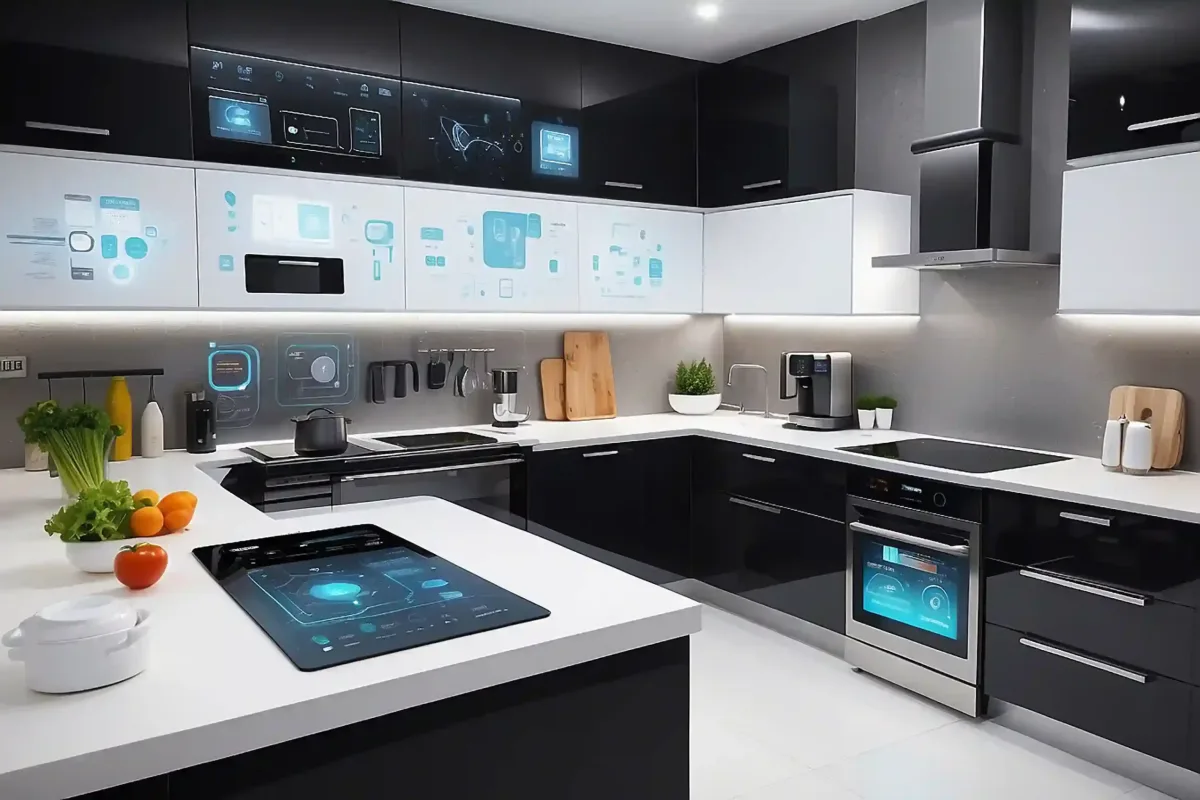
IoT Kitchen Equipment Remote Monitoring Systems: The Invisible Backbone of Modern Commercial Kitchens
I’ll admit something embarrassing: last month, my smart fridge at home alerted me that the door had been left ajar before my entire stash of artisanal Nashville hot chicken went bad. Meanwhile, the walk-in cooler at my favorite taco joint downtown? It silently failed overnight, costing them $3,200 in spoiled carnitas and queso. The difference? One had IoT-enabled remote monitoring, and the other was flying blind in 2025. That disconnect got me obsessing over why commercial kitchens, where margins are razor-thin and food safety is non-negotiable, aren’t all-in on these systems yet.
Here’s the thing: IoT kitchen equipment remote monitoring systems aren’t just fancy thermostats or Wi-Fi-enabled ovens. They’re the nervous system of a modern kitchen, tracking everything from refrigeration temps in real-time to predicting when your fryer oil is about to turn that suspicious shade of brown. But here’s where it gets weird: most chefs I talk to either think this tech is (a) overkill, (b) too expensive, or (c) something only corporate chains need. Spoiler: they’re wrong on all counts. After digging into the data, and yes, interviewing a few very patient kitchen managers, I’m convinced these systems are the difference between a kitchen that reacts to disasters and one that prevents them.
In this deep dive, we’ll cover:
- How IoT monitoring actually works in a real kitchen (hint: it’s not just about temps)
- The hidden costs of ot using these systems (spoiler: it’s way more than spoiled food)
- Why your line cooks might resist this tech (and how to win them over)
- The three types of IoT sensors that pay for themselves in under 6 months
- Case studies from a 24-hour diner in Vegas and a Michelin-starred tasting menu spot in Chicago (yes, both use this tech)
- How to implement this without turning your kitchen into a Silicon Valley beta test
By the end, you’ll either be ready to retrofit your kitchen or at least understand why your competitors who do use this tech are quietly laughing at your utility bills.
And look, I get the skepticism. When I first heard about “smart” commercial kitchen equipment, I pictured some dystopian future where my toaster judges me for burning sourdough. But after seeing these systems in action? It’s less Black Mirror and more how did we not do this sooner?
-
The Unsexy Truth About IoT in Kitchens: It’s Not About the Tech, It’s About the Data
What Even Is an IoT Kitchen Equipment Remote Monitoring System?
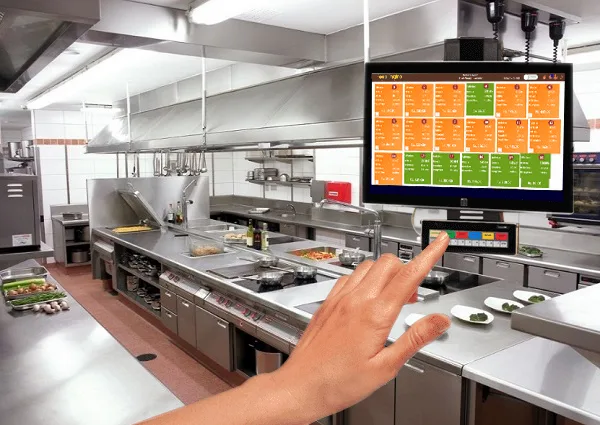
At its core, it’s a network of sensors, controllers, and software that track your equipment’s vital signs in real-time. Think of it like a Fitbit for your kitchen, but instead of steps, it’s monitoring:
- Temperature (walk-ins, prep tables, sous vide baths)
- Energy usage (is your hood vent running 24/7 for no reason?)
- Equipment health (when that $12K combi oven is about to die)
- Usage patterns (why is the ice machine cycling on every 17 minutes at 3 AM?)
- Food safety compliance (automated HACCP logs that don’t rely on a sleep-deprived chef’s memory)
The key here is remote-you’re not tethered to a control panel in the kitchen. You (or your manager) can check stats from a phone, tablet, or laptop, whether you’re at the farmer’s market or, let’s be honest, scrolling TikTok at 2 AM.
But here’s where most explanations fail: it’s not about the gadgets. The magic isn’t the sensor itself; it’s what you do with the data. A temperature alert at 3 AM is useless if no one acts on it. The real value comes when the system:
- Automatically adjusts settings to prevent failures
- Predicts maintenance before equipment fails (no more “surprise” $800 service calls on a Friday night)
- Integrates with your POS or inventory system to track food waste patterns
- Generates compliance reports that pass health inspections without the usual panic
I talked to a kitchen manager in Austin who put it bluntly: “Before IoT, we were basically playing whack-a-mole with equipment failures. Now, it’s like having a crystal ball, but for grease traps and walk-in coolers.”
The Three Types of IoT Sensors That Actually Move the Needle
Not all IoT kitchen tech is created equal. After wading through a lot of marketing hype, I’ve found three categories that deliver real ROI-often in less than a year:
- Temperature & Humidity Sensors
These are the MVPs. A single wireless temperature probe in your walk-in can prevent thousands in spoiled food. But the advanced systems go further:
- Track temperature recovery time after door openings (a huge energy drain most kitchens ignore)
- Monitor humidity levels in dry storage to prevent mold or stale ingredients
- Alert you if a cooler door is left open before the temp rises (saving energy and food)
Pro tip: Look for sensors with NIST-certified accuracy-cheap ones can give false alarms or miss critical failures.
- Energy Monitoring Devices
These track voltage, amperage, and power factor in real-time. Why does that matter? Because:
- That hood vent running at full blast during prep might be costing you $500/month in extra energy
- Your combi oven’s heating elements might be degrading, forcing it to work harder (and burn out faster)
- You can identify “vampire” equipment-devices drawing power when they’re “off” (looking at you, old-school ice machines)
A pizza place in Brooklyn used these to cut their energy bill by 22% in three months. “We thought our utility costs were just part of doing business,” the owner told me. “Turns out, our fryer was basically a space heater.”
- Equipment Health & Usage Trackers
These are the predictive maintenance heroes. They monitor:
- Vibration patterns in motors (early warning for bearing failures)
- Oil quality in fryers (so you’re not serving French fries that taste like regret)
- Water flow rates in dish machines (to catch leaks before they flood your kitchen)
- Cycle times on ovens and steamers (if your combi oven is taking 10% longer to heat, that’s a problem)
The best part? Some systems can auto-generate work orders for your maintenance team or even order replacement parts before you know you need them.
Is this overkill for a small operation? Maybe. But here’s the thing: the cost of downtime is always higher than the cost of prevention. A single walk-in failure can wipe out a month’s profit for a small restaurant. These sensors? They’re cheap insurance.
-
How IoT Remote Monitoring Actually Works in a Real Kitchen (Spoiler: It’s Not Plug-and-Play)
The Hardware: What You’re Actually Installing
Let’s get tactile. When you install one of these systems, you’re typically dealing with:
- Wireless sensors (battery-powered or hardwired, depending on the equipment)
- A gateway/hub that collects data from all sensors and sends it to the cloud
- Cloud-based software (dashboard where you view alerts, trends, and reports)
- Mobile app (for on-the-go monitoring and alerts)
The sensors themselves are usually ruggedized for commercial kitchens-meaning they can handle heat, grease, and the occasional angry line cook. Installation can range from “stick this probe in your walk-in” to “we need to hardwire this into your electrical panel.” (Pro tip: If a vendor says it’s “easy to install,” ask for a demo. “Easy” is relative when you’re dealing with 1950s wiring and a fryer that’s older than your sous chef.)
One thing that surprised me: the best systems don’t require replacing your existing equipment. You can retrofit most sensors onto your current setup. That said, newer equipment often has built-in IoT compatibility, which makes integration smoother. (If you’re buying new gear, ask about “IoT-ready” models-it’s a game-changer.)
The Software: Where the Magic (and Frustration) Happens
The dashboard is where you’ll either love or hate your IoT system. A good one lets you:
- Set custom alerts (e.g., “Text me if the walk-in goes above 38°F for more than 5 minutes”)
- View historical trends (e.g., “Why does our ice machine fail every August?”)
- Generate compliance reports for health inspections (no more frantic clipboard searches)
- Integrate with other systems (POS, inventory, scheduling)
But here’s the catch: if the interface isn’t intuitive, no one will use it. I’ve seen kitchens spend $15K on a system only to have it gather dust because the dashboard was designed by engineers, not chefs. Before committing, ask:
- Can I set up alerts in under 2 minutes?
- Is the mobile app actually useful, or just a glorified temperature display?
- Can my staff (who may not be tech-savvy) understand the alerts?
One kitchen manager in Portland showed me their system, which had a “traffic light” interface: green for normal, yellow for warning, red for critical. “My line cooks get it instantly,” she said. “No training needed.”
The Human Factor: Why Your Staff Might Hate This (At First)
Here’s an uncomfortable truth: your kitchen staff may resist IoT monitoring. Not because they’re Luddites, but because:
- They think it’s spying on them (e.g., “Is Big Brother tracking how long I take on breaks?”)
- They don’t trust the alerts (false alarms = ignored alerts)
- They’re already overwhelmed and see this as “one more thing”
The fix? Involve them early. Show them how it makes their jobs easier:
- No more manual temp logs (which no one enjoys)
- Fewer equipment failures during service (less stress)
- Proof for the boss when they say, “The walk-in was fine when I left!”
A chef in New Orleans told me his team was skeptical until the system caught a failing compressor before it ruined $2K in seafood. “After that,” he said, “they named the sensor ‘Saint Jude’-patron saint of lost causes.”
-
The Hidden Costs of Not Using IoT Monitoring (And Why You’re Probably Underestimating Them)
Food Waste: The Silent Profit Killer
Let’s talk numbers. The average restaurant loses 4-10% of food to spoilage. For a place doing $1M/year in sales, that’s $40K–$100K down the drain, often due to preventable issues like:
- Walk-in coolers failing overnight
- Prep tables not holding temp during service
- Dry storage humidity levels turning your flour into a science experiment
IoT monitoring can cut that waste by 30-50%. A sushi restaurant in Miami reduced their fish waste by 40% just by tracking their cooler temps more precisely. “We were throwing out $500 of tuna a week,” the owner said. “Now it’s maybe $100.”
But here’s the kicker: food waste isn’t just about the cost of the food. It’s also:
- The labor to prep it (which you’ve already paid for)
- The opportunity cost of what you could have sold
- The environmental impact (which, like it or not, customers care about)
A single IoT sensor paying for itself by saving one case of spoiled ribeye is a no-brainer. The fact that most kitchens don’t do this yet is, frankly, baffling.
Energy Costs: The Invisible Money Pit
Commercial kitchens use 5-7 times more energy per square foot than other commercial spaces. And a lot of that energy is wasted because:
- Equipment runs longer than necessary (e.g., hoods left on after close)
- Refrigeration systems are inefficient (dirty coils, poor door seals)
- Staff override settings because “it’s always been done this way”
IoT monitoring can slash energy use by 15-30%. A burger chain in Texas used energy sensors to find that their grills were idling at full power overnight. Fixing that saved them $12K/year in gas costs-across 10 locations. “We didn’t even know it was happening,” the ops manager admitted. “The grills were just… always on.”
And it’s not just about turning things off. Smart systems can optimize runtime. For example:
- Adjusting walk-in defrost cycles based on actual usage (not a fixed schedule)
- Modulating hood fan speeds based on cooking activity (no more “always on high”)
- Pre-heating ovens only when needed (not “just in case”)
The ROI here is often under 12 months. If you’re not tracking energy use, you’re basically lighting money on fire.
Equipment Lifespan: The Difference Between 5 Years and 10 Years
Commercial kitchen equipment is expensive. A combi oven can run $20K; a walk-in cooler, $15K. But most kitchens treat maintenance like an afterthought, until something breaks. IoT monitoring changes that by:
- Catching small issues before they become catastrophic (e.g., a failing compressor bearing)
- Optimizing usage to reduce wear and tear (e.g., not running equipment at max capacity 24/7)
- Tracking maintenance history to prove warranty claims
A pizzeria in Chicago extended the life of their deck ovens by 3 years just by monitoring usage patterns and adjusting cleaning schedules. “We used to replace a oven every 5 years,” the owner said. “Now we’re at 8 years and counting.”
And let’s talk about warranties. Many manufacturers now offer extended warranties if you use their IoT monitoring systems. Why? Because the data proves you’re maintaining the equipment properly. That alone can save thousands.
Labor Costs: The Hidden Time Drain
How much time does your staff spend on:
- Manually logging temps (and then transcribing them to paper logs)?
- Troubleshooting equipment failures during service?
- Dealing with health inspector paperwork?
IoT systems automate all of this. A hotel kitchen in Vegas cut their daily temp-logging time from 30 minutes to 2 minutes. “That’s 28 minutes my chef can spend on actual cooking,” the GM said. “And in this labor market, that’s huge.”
Then there’s the training benefit. New hires can see historical data on how equipment should perform, reducing the learning curve. And when something does go wrong, the system can often diagnose the issue, saving your maintenance team hours of guesswork.
-
Case Studies: How Real Kitchens Are Using IoT Monitoring (And What You Can Steal From Them)
The 24-Hour Diner: Preventing the 3 AM Disaster
Location: Las Vegas, NV
Type: 24-hour diner with high-volume breakfast service
Challenge: Walk-in cooler failures were costing $2K–$5K/month in spoiled food, mostly due to door seals failing or staff leaving doors ajar.
Solution:
- Installed wireless temperature sensors in all coolers and freezers
- Added door contact sensors to alert when doors were left open
- Set up automated text alerts for any temp deviations
Results:
- Reduced food waste by 60% in 6 months
- Cut energy costs by 18% by fixing door seal issues
- Saved $12K/year in emergency service calls
Key takeaway: “We used to have a guy whose entire job was to check temps every hour,” the manager said. “Now he’s a prep cook. And we’re not waking up to spoiled eggs at 4 AM.”
The Michelin-Starred Tasting Menu: Precision Over Paranoia
Location: Chicago, IL
Type: High-end tasting menu (12 courses, $250/guest)
Challenge: Ingredient quality is non-negotiable, but manual temp checks were inconsistent and labor-intensive.
Solution:
- NIST-certified probes in every cooler, prep table, and sous vide bath
- Humidity sensors in dry storage for delicate ingredients (e.g., truffles, specialty mushrooms)
- Integration with their inventory system to track ingredient shelf life
Results:
- Eliminated all food waste due to temp issues (previously ~$1K/month)
- Reduced labor spent on temp logs by 90%
- Improved health inspection scores (automated logs = no human error)
Key takeaway: “At this level, a single ruined ingredient can ruin a $500 tasting menu,” the chef said. “This system pays for itself every time it prevents a disaster.”
The Food Truck: Mobility Meets Monitoring
Location: Austin, TX
Type: Mobile kitchen (tacos, breakfast burritos)
Challenge: No walk-in cooler means relying on portable refrigeration, which is notoriously unreliable. Plus, power fluctuations from generators can fry equipment.
Solution:
- Battery-powered temp sensors in all coolers
- Voltage monitor to track generator power quality
- GPS tracking (to recover stolen equipment, yes, this happens)
Results:
- Prevented $3K in theft when their generator was stolen (tracked and recovered)
- Reduced cooler failures by 75% with proactive maintenance
- Saved $200/month in fuel costs by optimizing generator runtime
Key takeaway: “We used to lose a cooler every summer,” the owner said. “Now we get a text before it even gets warm.”
-
How to Implement IoT Monitoring Without Losing Your Mind (Or Your Staff)
Step 1: Start Small (But Not Too Small)
Don’t boil the ocean. Pick one critical piece of equipment to monitor first. Good candidates:
- Walk-in cooler (highest risk of food loss)
- Main prep table (used constantly, often abused)
- Fryer (oil quality = food quality + safety)
- Hood vent (energy hog + fire risk if not maintained)
Prove the ROI on one system before expanding. A taqueria in LA started with just their tortilla press. “We thought it was overkill,” the owner said. “Then we saw it was running 3 extra hours a day because staff forgot to turn it off. That’s $150/month in electricity, just for tortillas.”
Step 2: Choose the Right Vendor (Ask These Questions)
Not all IoT systems are equal. Before signing a contract, ask:
- Is the hardware commercial-grade? (Can it handle heat, grease, and the occasional dropped pan?)
- How’s the battery life? (Replacing sensors every 6 months is a hassle.)
- Can it integrate with our existing systems? (POS, inventory, maintenance logs)
- What’s the false alarm rate? (If it cries wolf, staff will ignore it.)
- Who owns the data? (Some vendors sell aggregated data, make sure you’re cool with that.)
- What’s the total cost? (Hardware + software + installation + training. Watch for hidden fees.)
Pro tip: Ask for a pilot program. Reputable vendors will let you test a system for 30–60 days before committing.
Step 3: Train Your Team (Without Making Them Hate You)
Training should focus on:
- What alerts mean (e.g., “This text means check the walk-in door seal”)
- How to respond (who to call, what to do first)
- Why it matters (tie it to their bonuses, sanity, or both)
Avoid:
- Overwhelming them with data (start with just the critical alerts)
- Assuming they’ll “figure it out” (they won’t)
- Ignoring their feedback (if the system is annoying, they’ll sabotage it)
One restaurant in Seattle gamified it: the team with the fewest equipment failures each month got a bonus. “Suddenly, everyone cared about the walk-in temp,” the GM laughed.
Step 4: Use the Data (Or Why Bother?)
Collecting data is useless if you don’t act on it. Every week, review:
- Temperature trends (Are certain times of day riskier for failures?)
- Energy spikes (Is equipment running inefficiently?)
- Alert patterns (Is the same issue happening repeatedly?)
Use this to:
- Adjust maintenance schedules
- Train staff on problem areas
- Negotiate with utility companies (some offer rebates for energy-efficient upgrades)
A brewery in Denver used their IoT data to negotiate a 10% discount on their energy bill. “We proved we were using off-peak hours,” the owner said. “The utility company actually thanked us.”
-
The Future of IoT in Kitchens: What’s Next (And What’s Hype)
What’s Coming Soon (And Worth Watching)
A few trends that aren’t just marketing fluff:
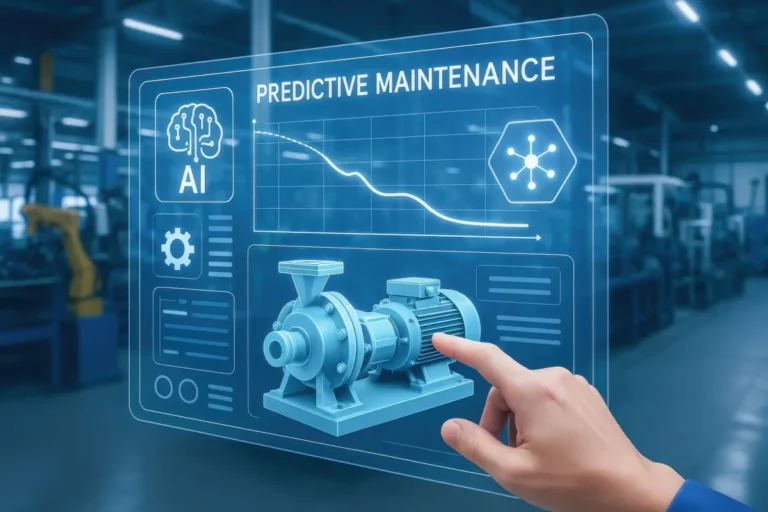
- AI-powered predictive maintenance: Systems that don’t just alert you to problems but predict them based on usage patterns. (Example: “Your convection oven’s heating element will fail in 3 weeks.”)
- Blockchain for food safety: Immutable logs for compliance (useful for high-risk foods like seafood or raw dairy).
- Voice-activated controls: “Hey Google, set the walk-in to 36°F” might sound gimmicky, but in a busy kitchen, it’s a game-changer.
- Equipment-as-a-Service (EaaS): Leasing equipment with built-in IoT monitoring, where the vendor handles maintenance. (This is huge for small operators who can’t afford downtime.)
What’s Overhyped (For Now)
Some tech is still more sizzle than steak:
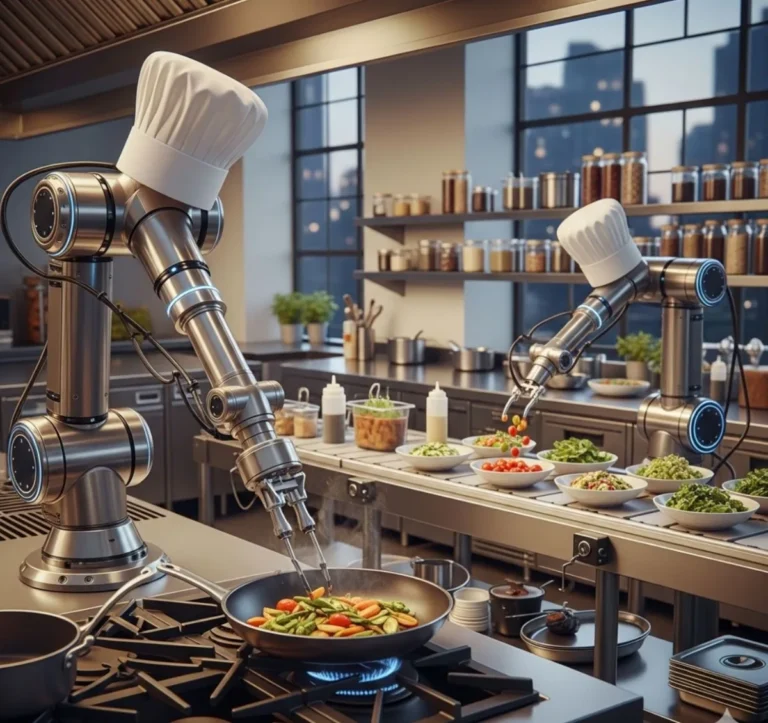
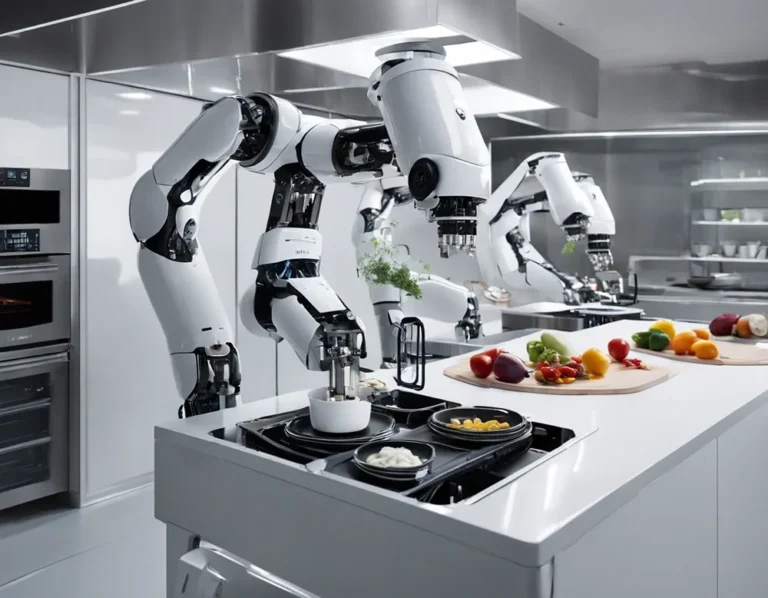
- Fully autonomous kitchens: We’re decades away from robots running a line. Focus on augmenting your staff, not replacing them.
- “Smart” appliances that don’t integrate: A Wi-Fi-enabled oven is cool until it won’t talk to your temp sensors.
- Overly complex dashboards: If it requires a PhD to use, it’s not ready for prime time.
The Big Question: Will IoT Make Kitchens Too Dependent on Tech?
This is the elephant in the room. Critics argue that IoT monitoring:
- Creates a false sense of security (“The system said it was fine, so we didn’t check”)
- Makes kitchens vulnerable to hacking (yes, this is a real risk, more on that below)
- Adds another layer of complexity to an already chaotic environment
Are these valid concerns? Absolutely. But here’s the counterpoint:
- Good systems reduce dependency on human memory (which is fallible, especially at 2 AM).
- Cybersecurity risks can be mitigated (use vendors with SOC 2 compliance, change default passwords, etc.).
- The alternative is flying blind-and hoping nothing goes wrong.
A chef in San Francisco put it best: “I used to think this tech was for lazy cooks. Now I realize it’s for smart ones.”
-
IoT Kitchen Monitoring: Your Action Plan (Start Here)
If you’re ready to dip a toe in, here’s how to start without regretting it:
- Audit your pain points
Where are you losing money? Food waste? Energy bills? Emergency repairs? Pick the biggest leak and start there.
- Talk to your staff
Ask: “What equipment failures drive you crazy?” Their answers might surprise you. (One kitchen found their biggest issue was the ice machine, no one realized it was failing weekly until they tracked it.)
- Start with a pilot
Pick one piece of equipment (e.g., your walk-in) and monitor it for 30 days. Track the ROI. If it’s not obvious, reassess.
- Choose a vendor with good support
You’re not just buying hardware; you’re buying a relationship. If their support team is slow or unhelpful, walk away.
- Integrate gradually
Don’t try to connect everything at once. Add one system, let your team adapt, then expand.
- Use the data to negotiate
Show your utility company your energy savings. Use maintenance data to extend equipment warranties. Turn numbers into leverage.
And if you’re still skeptical? Ask yourself: What’s the cost of doing nothing? Because in 2025, the kitchens that thrive won’t be the ones with the fanciest equipment, they’ll be the ones that know what their equipment is doing before it becomes a crisis.
Now, if you’ll excuse me, I need to go check why my smart fridge just sent me a notification about the butter. (Luna the cat has been suspiciously quiet.)
-
FAQ: IoT Kitchen Equipment Remote Monitoring Systems
Q: How much does a basic IoT monitoring system cost for a small restaurant?
A: For a single location, you’re looking at:
- $500–$1,500 for hardware (sensors, gateway)
- $50–$200/month for software/subscription
- $200–$500 for installation (if you don’t DIY)
Most systems pay for themselves in 6–12 months through reduced waste, energy savings, and prevented equipment failures. Pro tip: Some utility companies offer rebates for energy-monitoring systems, ask!
Q: What if the Wi-Fi goes down? Will we lose all monitoring?
A: Good systems have offline capabilities:
- Sensors store data locally and sync when connection is restored.
- Critical alerts (like a walk-in failure) can be sent via SMS as a backup.
- Some systems use cellular backup for mission-critical equipment.
Ask vendors about their offline protocols before buying.
Q: Will my staff actually use this, or will they ignore the alerts?
A: This is the #1 make-or-break factor. To ensure adoption:
- Start with only the most critical alerts (e.g., walk-in temp failures).
- Assign clear ownership (e.g., “Jose, you’re on cooler alerts this week”).
- Make it part of their daily checklist (e.g., “First thing in the morning, check the IoT dashboard”).
- Show them the direct benefit (e.g., “This means no more 3 AM calls about the walk-in”).
If they ignore alerts, the system is useless. Involve them early and often.
Q: Is my data secure? Could hackers mess with my kitchen?
A: Yes, IoT systems can be hacked, but the risk is often overblown. To mitigate it:
- Choose vendors with SOC 2 or ISO 27001 certification.
- Use strong, unique passwords (not “password123”).
- Segment your network (keep kitchen IoT on a separate Wi-Fi from your POS).
- Update firmware regularly (most breaches exploit old software).
The reality? Most kitchen hacking isn’t malicious, it’s usually a staff member accidentally sharing a password. Train your team on basic cybersecurity hygiene.
@article{iot-kitchen-equipment-remote-monitoring-systems-how-smart-tech-is-quietly-revolutionizing-commercial-kitchens-and-why-you-might-be-missing-out,
    title   = {IoT Kitchen Equipment Remote Monitoring Systems: How Smart Tech is Quietly Revolutionizing Commercial Kitchens (And Why You Might Be Missing Out)},
    author  = {Chef's icon},
    year    = {2025},
    journal = {Chef's Icon},
    url     = {https://chefsicon.com/iot-kitchen-equipment-remote-monitoring-systems/}
}