The Best Fluffy Pancakes recipe you will fall in love with. Full of tips and tricks to help you make the best pancakes.
Streamlining Order Flow with Kitchen Display Systems: Why Your Kitchen Might Be Begging for an Upgrade
Let me paint you a picture, it’s Friday night, the dinner rush is in full swing, and your kitchen is a symphony of chaos. Tickets are piling up, the printer is spitting out orders faster than your line cooks can keep up, and somewhere in the madness, a ticket gets lost. Not misplaced, not delayed, just *gone*. The server is tapping their foot, the customer is getting impatient, and your chef is muttering under their breath about “the good old days when we just yelled orders.” Sound familiar?
I’ve been there. Not just as an observer, but as someone who’s spent years dissecting what makes commercial kitchens tick, or, more often, sputter. And here’s the thing: streamlining order flow with kitchen display systems (KDS) isn’t just about slapping a screen on the wall and calling it a day. It’s about rethinking how information moves through your kitchen, how decisions are made in real time, and how you can turn that Friday night chaos into something that feels almost… dare I say, *effortless*.
But is it really that simple? Can a piece of tech truly transform the way your kitchen operates? I’m torn between skepticism and excitement here. On one hand, I’ve seen kitchens where a KDS turned a disorganized mess into a well-oiled machine. On the other, I’ve watched restaurants invest in fancy systems only to see them gather dust because no one bothered to train the staff properly. So, let’s dig in. By the end of this, you’ll know:
- What a kitchen display system actually is (and why it’s not just a glorified TV)
- The hidden bottlenecks in your current order flow that you might not even notice
- How to choose a KDS that fits your kitchen’s unique rhythm (and budget)
- The unexpected ways a KDS can improve not just speed, but food quality and staff morale
- Common pitfalls to avoid when implementing a new system
Maybe I should clarify something upfront: I’m not here to sell you on a specific brand or product. I’ve got no skin in that game. What I *do* have is a deep curiosity about how technology intersects with the messy, beautiful world of food service. And if there’s one thing I’ve learned, it’s that the best solutions aren’t always the flashiest, they’re the ones that solve real problems in ways no one else has thought of. So, let’s start with the basics.
The Anatomy of a Kitchen Display System: More Than Meets the Eye
What Exactly Is a Kitchen Display System?
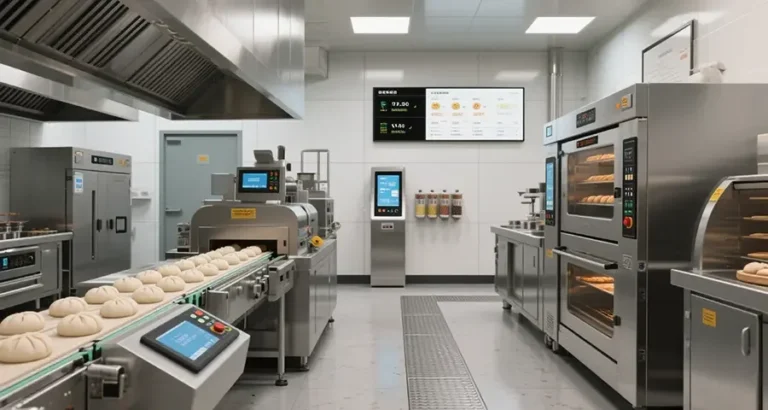
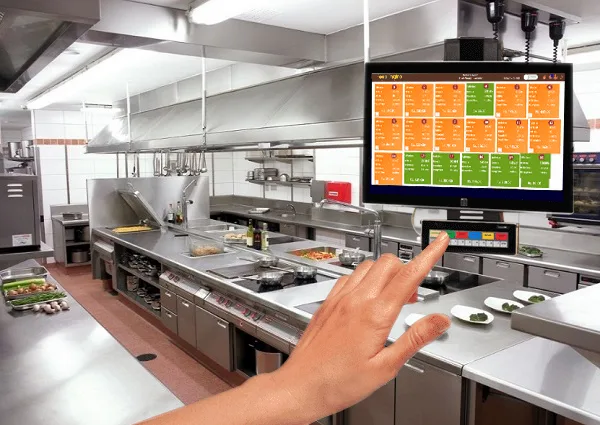
At its core, a kitchen display system (KDS) is a digital alternative to the traditional paper ticket system. Instead of printing orders on thermal paper and clipping them to a rail, orders are sent directly from your point-of-sale (POS) system to a screen (or multiple screens) in the kitchen. But that’s like saying a smartphone is just a fancy phone. A good KDS does so much more than replace paper, it reorganizes, prioritizes, and optimizes the flow of information in ways that paper never could.
Here’s what a typical KDS setup might include:
- Display screens: Mounted in strategic locations (e.g., above the grill, near the prep station, or at the expo station). These can be touchscreens or non-interactive displays, depending on your needs.
- KDS software: The brain of the operation, which integrates with your POS system to receive, sort, and display orders. Some systems also include features like order routing, color-coding, and real-time updates.
- Bump bars or touch interfaces: Used by kitchen staff to mark orders as “in progress” or “completed.” These are especially useful in high-volume kitchens where speed is critical.
- Expediter (expo) station: A dedicated screen where the expo can see all orders at once, track their status, and coordinate between the kitchen and front-of-house.
- Kitchen printers (optional): Some kitchens keep a backup printer for redundancy, but the goal is to eventually phase these out.
But here’s where things get interesting. Not all KDS setups are created equal. Some are bare-bones, designed for small cafes or food trucks where simplicity is key. Others are highly customizable, with features like:
- Automatic order routing: Sending specific items to the right stations (e.g., salads to the cold prep station, burgers to the grill).
- Priority sorting: Flagging orders based on urgency (e.g., VIP guests, large parties, or orders that have been waiting too long).
- Recipe integration: Displaying step-by-step instructions for complex dishes, reducing the need for staff to memorize recipes.
- Time tracking: Showing how long an order has been in progress, helping staff prioritize tasks and identify bottlenecks.
- Inventory alerts: Notifying the kitchen when certain ingredients are running low, preventing last-minute scrambles.
Is this the best approach for every kitchen? Let’s consider the alternatives. If you’re running a tiny diner with a single cook and a handful of tables, a KDS might feel like overkill. But if you’re juggling multiple stations, a bar, and a takeout window, the benefits start to add up fast. The question isn’t just *whether* you need a KDS, it’s *how* you can tailor it to your kitchen’s specific needs.
How a KDS Differs from Traditional Ticket Systems
I’ll admit, I used to be a paper ticket purist. There’s something satisfying about the *snap* of a ticket being torn off the printer and slapped onto the rail. It’s tactile. It’s immediate. And for decades, it worked just fine. So why fix what isn’t broken?
Because, as it turns out, paper tickets *are* broken, we’ve just gotten used to the cracks. Here’s what a traditional ticket system looks like under the microscope:
- Physical limitations: Tickets can get lost, smudged, or buried under newer orders. Ever had a server accidentally grab the wrong ticket and deliver the wrong dish? Yeah, me too.
- No real-time updates: If a customer changes their order after it’s been sent to the kitchen, the server has to physically run back and swap out the ticket. In a busy kitchen, that’s a recipe for mistakes.
- Limited visibility: The expo has to physically scan the rail to see what’s in progress, what’s ready, and what’s falling behind. There’s no bird’s-eye view of the entire kitchen’s workflow.
- Waste: Thermal paper isn’t cheap, and it’s not exactly eco-friendly. Multiply that by hundreds of tickets a day, and you’re looking at a lot of unnecessary waste.
- Communication breakdowns: Ever seen a cook yell “HEARD!” only for the ticket to get lost in the shuffle? Paper tickets rely on verbal confirmation, which is prone to miscommunication.
Now, let’s compare that to a KDS:
- Digital accuracy: Orders are sent directly from the POS to the kitchen, eliminating the risk of lost or misplaced tickets. Changes? No problem, they’re updated in real time.
- Automated prioritization: The system can sort orders based on prep time, table number, or even customer VIP status. No more guessing which order to tackle next.
- Centralized control: The expo (or even the chef) can see the status of every order at a glance, making it easier to coordinate between stations.
- Reduced waste: No more paper tickets means less clutter and lower costs over time. Some systems even let you go completely paperless.
- Better communication: Orders can be marked as “in progress,” “ready,” or “delayed” with a single tap, reducing the need for shouting across the kitchen.
But here’s the kicker: a KDS isn’t just about replacing paper. It’s about reimagining how your kitchen communicates. Think of it like upgrading from a walkie-talkie to a smartphone. Sure, the walkie-talkie gets the job done, but the smartphone opens up a world of possibilities you never knew you needed.
The Psychology of Order Flow: Why Speed Isn’t Everything
I’ll be honest, when I first started researching KDS, I assumed the biggest benefit would be speed. Faster orders, faster service, faster turnover. And while that’s certainly part of it, I’ve come to realize that the real magic of a KDS lies in something less tangible: clarity.
In a busy kitchen, information is currency. The more clearly it’s communicated, the smoother everything runs. But here’s the thing: humans are terrible at processing information under pressure. We forget things. We mishear things. We prioritize the wrong things. A KDS doesn’t just speed up the flow of information, it organizes it in a way that makes sense to the human brain.
Let’s break this down:
- Visual cues: A KDS can use color-coding to highlight urgent orders, special requests, or allergens. For example, red might mean “this order has been waiting too long,” while yellow could indicate a dietary restriction. These visual cues help staff make split-second decisions without having to read every detail of an order.
- Reduced cognitive load: In a paper ticket system, cooks have to remember which orders are in progress, which are ready, and which are falling behind. With a KDS, that information is displayed on the screen, freeing up mental bandwidth for actually cooking.
- Consistency: Ever had a cook who insists on doing things “their way”? A KDS can standardize processes by displaying recipes, portion sizes, and plating instructions. This isn’t about stifling creativity, it’s about ensuring that every dish meets your restaurant’s standards, every time.
- Accountability: When orders are tracked digitally, it’s easier to identify bottlenecks. Is the grill station consistently falling behind? Are appetizers taking too long to get out? A KDS gives you the data to address these issues head-on.
But here’s where I start to second-guess myself. Is all this really necessary? I mean, restaurants have been operating for centuries without digital systems. Do we really need another screen in the kitchen?
Maybe not. But then I think about the last time I dined out and watched a server frantically scribble down a modification, only to have the kitchen miss it entirely. Or the time I saw a cook accidentally overcook a steak because they misread the ticket. These aren’t just minor inconveniences, they’re missed opportunities to deliver a better experience. And in an industry where margins are tight and competition is fierce, those opportunities add up.
Identifying the Bottlenecks in Your Current Order Flow
The Hidden Inefficiencies You’re Probably Ignoring
Before you can streamline your order flow, you need to understand where it’s breaking down. And I’m not just talking about the obvious stuff, like tickets getting lost or orders taking too long. I’m talking about the subtle, systemic inefficiencies that quietly drain your kitchen’s productivity, day after day.
Let’s start with a question: How long does it take for an order to go from the moment a customer places it to the moment it hits the table? If you’re not sure, you’re not alone. Most restaurant owners and managers have a rough idea, but few have actually timed it. And that’s a problem, because you can’t improve what you don’t measure.
Here are some common bottlenecks that might be lurking in your kitchen:
- The printer lag: In many kitchens, the printer is the first point of failure. Orders pile up in the queue, and if the printer jams or runs out of paper, everything grinds to a halt. Even when it’s working, the time it takes for a ticket to print and get clipped to the rail adds up.
- Station overload: Ever notice how one station in your kitchen is always swamped, while another sits idle? This is often due to poor order routing. For example, if all appetizers and entrees go to the same station, that station becomes a bottleneck, while the rest of the kitchen twiddles its thumbs.
- Communication gaps: In a paper-based system, communication relies on verbal cues. The server tells the expo, the expo tells the cook, the cook tells the sous chef, and somewhere in that chain, something gets lost. Maybe it’s a modification, maybe it’s a priority order, but the result is the same: delays and mistakes.
- Lack of visibility: Without a centralized system, it’s hard to see the big picture. The expo might not realize that the grill is backed up until it’s too late, or the chef might not notice that appetizers are taking longer than usual. This lack of visibility leads to reactive decision-making instead of proactive problem-solving.
- Manual prioritization: In a busy kitchen, deciding which order to tackle next is a constant juggling act. Do you prioritize the VIP table? The large party? The order that’s been waiting the longest? Without a system to automate this, cooks are left to make these decisions on the fly, which can lead to inconsistencies and frustration.
But here’s the thing: these bottlenecks aren’t always obvious. You might think your kitchen is running smoothly, only to realize that your staff is constantly putting out fires behind the scenes. So how do you identify them?
Start by observing. Spend a shift just watching how orders move through your kitchen. Where do they get stuck? Where do mistakes happen? Where does communication break down? You might be surprised by what you find. For example, I once watched a kitchen where the real bottleneck wasn’t the grill or the fryer, it was the expo station. The expo was so overwhelmed with coordinating between the front and back of house that orders were getting delayed before they even hit the line.
Another approach is to time your orders. Pick a few random tickets and track how long it takes for each step of the process: from the moment the order is placed to when it’s sent to the kitchen, from when it’s received to when it’s started, and from when it’s started to when it’s ready. You’ll likely find that some steps take far longer than they should.
How a KDS Addresses These Bottlenecks
So, how does a KDS help? Let’s go back to those bottlenecks and see how a digital system can address them:
- Eliminating printer lag: With a KDS, orders are sent directly to the kitchen screens, bypassing the printer entirely. No more waiting for tickets to print, no more paper jams, no more lost tickets. Just instant, digital communication.
- Automated order routing: A KDS can automatically send specific items to the right stations. For example, salads go to the cold prep station, burgers go to the grill, and desserts go to the pastry station. This ensures that no single station is overwhelmed, and the kitchen runs more efficiently.
- Improved communication: With a KDS, modifications and special requests are displayed directly on the screen. No more relying on verbal cues or scribbled notes. The expo can see the status of every order at a glance, making it easier to coordinate between stations.
- Real-time visibility: A KDS gives you a bird’s-eye view of your kitchen’s workflow. You can see which orders are in progress, which are ready, and which are falling behind. This allows you to anticipate problems before they happen, rather than reacting to them after the fact.
- Automated prioritization: A KDS can sort orders based on prep time, table number, or even customer VIP status. This takes the guesswork out of prioritization, ensuring that the most urgent orders are always tackled first.
But here’s where I start to hesitate. Is a KDS really the silver bullet for all these problems? Or is it just another tool that, if used incorrectly, could create more issues than it solves?
I think the answer lies in how you implement it. A KDS isn’t a magic wand, it’s a tool. And like any tool, its effectiveness depends on how you use it. If you just slap a screen on the wall and call it a day, you’re not going to see much improvement. But if you take the time to customize the system to your kitchen’s unique needs, train your staff properly, and continuously monitor and adjust, the results can be transformative.
Choosing the Right Kitchen Display System for Your Kitchen
The Key Features to Look For (And the Ones You Can Skip)
Alright, let’s say you’re sold on the idea of a KDS. Now what? With so many options on the market, how do you choose the right one for your kitchen? It’s easy to get overwhelmed by flashy features and marketing jargon, so let’s break it down into the must-haves and the nice-to-haves.
First, let’s talk about the non-negotiables. These are the features that every KDS should have, regardless of your kitchen’s size or style:
- POS integration: This is the foundation of any KDS. The system needs to seamlessly integrate with your point-of-sale (POS) system to receive orders in real time. Without this, you’re just looking at a fancy screen with no data. Make sure the KDS you choose is compatible with your existing POS, or be prepared to switch to a new one.
- Real-time updates: Orders should appear on the screen the moment they’re placed, and any changes (like modifications or cancellations) should be reflected immediately. Lag time is the enemy of efficiency.
- Order routing: The system should be able to automatically send specific items to the right stations. For example, if a customer orders a salad and a steak, the salad should go to the cold prep station and the steak should go to the grill. This keeps your kitchen running smoothly and prevents bottlenecks.
- Priority sorting: The KDS should be able to sort orders based on urgency. This could mean prioritizing large parties, VIP guests, or orders that have been waiting too long. Without this, your staff is left to make these decisions on the fly, which can lead to inconsistencies.
- User-friendly interface: If your staff can’t figure out how to use the system, it’s not going to do you any good. Look for a KDS with an intuitive, easy-to-navigate interface. Touchscreens are a plus, as they make it easier for staff to mark orders as “in progress” or “completed.”
- Reliability: This one might seem obvious, but it’s worth emphasizing. Your KDS needs to be rock-solid. Downtime isn’t an option in a busy kitchen, so look for a system with a strong track record of uptime and customer support.
Now, let’s talk about the nice-to-haves. These are features that aren’t essential but can add a lot of value, depending on your kitchen’s needs:
- Recipe integration: Some KDS platforms can display step-by-step recipes for complex dishes, reducing the need for staff to memorize every detail. This is especially useful for training new employees or ensuring consistency across multiple locations.
- Time tracking: A KDS can track how long each order has been in progress, helping staff prioritize tasks and identify bottlenecks. Some systems even send alerts if an order is taking too long, so the expo can step in and troubleshoot.
- Inventory alerts: Some KDS platforms can integrate with your inventory management system to alert the kitchen when certain ingredients are running low. This prevents last-minute scrambles and ensures you never run out of a key ingredient during service.
- Mobile alerts: Want to keep an eye on your kitchen even when you’re not on-site? Some KDS platforms offer mobile alerts, so you can receive notifications if an order is delayed or if there’s an issue with the system.
- Customizable views: The ability to customize how orders are displayed can be a game-changer. For example, you might want to see all appetizers on one screen, all entrees on another, and all desserts on a third. This makes it easier for staff to focus on their specific tasks.
- Reporting and analytics: A KDS can generate reports on everything from order times to station efficiency. This data can help you identify trends, optimize your workflow, and make informed decisions about staffing and menu design.
But here’s where I start to get overwhelmed. With so many options, how do you know which features are worth the investment? I’m torn between wanting the most advanced system possible and not wanting to overcomplicate things. Maybe I should clarify: the best KDS isn’t the one with the most features, it’s the one that solves your specific problems.
For example, if your kitchen struggles with consistency, a KDS with recipe integration might be worth the extra cost. If you’re constantly running out of ingredients, inventory alerts could save you a lot of headaches. And if your expo is overwhelmed with coordinating between stations, a system with customizable views and real-time updates could be a lifesaver.
Hardware vs. Software: What You Really Need
When it comes to KDS, there are two main components to consider: hardware and software. Both are important, but they serve different purposes. Let’s break it down.
Hardware: The Physical Setup
The hardware is what your staff will interact with on a daily basis. This includes the screens, bump bars, and any other physical components of the system. Here’s what to look for:
- Screen size and resolution: Bigger isn’t always better, but you do want screens that are large enough to display multiple orders at once without feeling cluttered. A resolution of at least 1080p is ideal for readability.
- Touchscreen vs. non-touchscreen: Touchscreens make it easier for staff to mark orders as “in progress” or “completed,” but they’re not always necessary. If your kitchen is high-volume and fast-paced, touchscreens can save time. If you’re on a tight budget, non-touchscreen displays with bump bars can work just as well.
- Mounting options: Think about where the screens will be placed. Do you need wall-mounted displays, countertop stands, or something else? Make sure the hardware you choose is compatible with your kitchen’s layout.
- Durability: Kitchens are tough environments. Screens need to be able to withstand heat, grease, and the occasional accidental splash. Look for hardware that’s designed for commercial use and has a good track record of durability.
- Redundancy: What happens if a screen goes down? Some KDS setups include backup screens or printers to ensure that service isn’t interrupted. This is especially important for high-volume kitchens where downtime isn’t an option.
Software: The Brain of the Operation
The software is what makes the hardware useful. It’s the system that receives, sorts, and displays orders, and it’s where you’ll find most of the advanced features. Here’s what to look for:
- Integration with your POS: The software needs to seamlessly integrate with your POS system to receive orders in real time. Without this, the KDS is useless. Make sure the software you choose is compatible with your existing POS, or be prepared to switch to a new one.
- Customization options: Every kitchen is different, so the software should be flexible enough to adapt to your specific needs. Look for a system that allows you to customize how orders are displayed, routed, and prioritized.
- User permissions: Not everyone in your kitchen needs access to the same features. For example, you might want to restrict certain settings to managers or the expo. Look for software that allows you to set user permissions to keep things secure and organized.
- Reporting and analytics: The best KDS platforms offer robust reporting tools that can help you track everything from order times to station efficiency. This data can be invaluable for identifying trends and optimizing your workflow.
- Customer support: Even the best software can have issues, so it’s important to choose a provider with strong customer support. Look for a company that offers 24/7 support, regular software updates, and a dedicated account manager.
But here’s the thing: hardware and software are only as good as the people using them. No matter how advanced your KDS is, it won’t do you any good if your staff doesn’t know how to use it. That’s why training is so important, and we’ll get to that in a bit.
Budget Considerations: How Much Should You Spend?
Let’s talk money. Because as much as we’d all love to have the latest and greatest KDS, budget is always a factor. The good news is that there’s a KDS for every budget, from basic setups for small cafes to enterprise-level systems for large chains. The bad news? It’s easy to overspend on features you don’t need or underspend on a system that doesn’t meet your needs.
So, how much should you budget for a KDS? Here’s a rough breakdown:
- Basic KDS ($1,000 – $3,000): This is a good option for small kitchens or food trucks. You’ll get a single screen, basic order routing, and integration with your POS. Features like recipe integration and advanced reporting might be limited, but it’s a solid starting point.
- Mid-range KDS ($3,000 – $10,000): This is where most restaurants fall. You’ll get multiple screens, advanced order routing, priority sorting, and some customization options. This is a good balance between affordability and functionality.
- High-end KDS ($10,000+): This is for large kitchens or multi-location restaurants. You’ll get all the bells and whistles: recipe integration, inventory alerts, mobile alerts, advanced reporting, and more. This is a significant investment, but it can pay off in terms of efficiency and scalability.
But here’s the thing: the upfront cost is only part of the equation. You also need to consider the long-term costs, like:
- Subscription fees: Some KDS platforms charge a monthly or annual subscription fee for software updates and customer support. Make sure you factor this into your budget.
- Maintenance and repairs: Hardware can break, and software can have bugs. Budget for regular maintenance and occasional repairs to keep your system running smoothly.
- Training: A KDS is only as good as the people using it. Budget for staff training to ensure everyone knows how to use the system effectively.
- Upgrades: Technology evolves quickly, and you’ll likely need to upgrade your hardware or software at some point. Budget for these upgrades to avoid unexpected costs down the road.
I’ll be honest, this is where I start to second-guess myself. Is a KDS really worth the investment? I mean, restaurants have been operating for decades without them. But then I think about the time and money wasted on lost tickets, miscommunication, and inefficiencies. When you add it all up, a KDS can actually save you money in the long run.
But how do you justify the cost to your stakeholders? Here’s a tip: focus on the ROI. A KDS can help you:
- Reduce waste: Fewer lost tickets and mistakes mean less food waste, which can add up to significant savings over time.
- Improve speed: Faster order processing means faster table turnover, which means more customers served and more revenue.
- Enhance accuracy: Fewer mistakes mean happier customers and fewer comped meals.
- Boost staff morale: A well-organized kitchen is a happier kitchen. When staff can focus on cooking instead of managing tickets, they’re more likely to stick around.
So, is a KDS worth the investment? I think so. But it’s not a decision to be made lightly. Do your research, talk to other restaurant owners, and most importantly, test the system before you buy. Many KDS providers offer free trials or demos, so take advantage of these to see how the system works in your kitchen.
Implementing a Kitchen Display System: A Step-by-Step Guide
Step 1: Assess Your Kitchen’s Needs
Before you even start shopping for a KDS, you need to understand your kitchen’s unique needs. This isn’t a one-size-fits-all solution, what works for a fast-casual chain might not work for a fine-dining restaurant, and what works for a food truck might not work for a hotel kitchen.
Start by asking yourself a few questions:
- What are your biggest pain points? Is it lost tickets? Slow order processing? Miscommunication between stations? Identify the specific problems you’re trying to solve.
- How complex is your menu? If you have a simple menu with a few items, a basic KDS might be all you need. If your menu is complex with multiple modifications and special requests, you’ll need a more advanced system.
- How many stations do you have? The more stations you have, the more screens and customization options you’ll need. A single-screen setup might work for a small kitchen, but a large kitchen with multiple stations will need a more robust system.
- What’s your budget? Be realistic about what you can afford. Remember, the upfront cost is only part of the equation, you also need to budget for training, maintenance, and upgrades.
- What’s your timeline? Do you need a system up and running in a few weeks, or can you take your time to research and test different options?
Once you’ve answered these questions, you’ll have a better idea of what you’re looking for in a KDS. Maybe I should clarify: this step isn’t about finding the perfect system, it’s about finding the right system for your kitchen.
Step 2: Research and Compare KDS Options
Now that you know what you’re looking for, it’s time to start researching. There are a lot of KDS options on the market, so it’s important to do your homework. Here’s how to narrow down your choices:
- Read reviews: Look for reviews from other restaurant owners and managers. What do they like about the system? What do they wish was different? Pay attention to any recurring themes or complaints.
- Talk to vendors: Reach out to KDS providers and ask for demos or free trials. This is your chance to see how the system works in action and ask any questions you have.
- Compare features: Make a list of the features that are most important to you, and compare how different systems stack up. Don’t just focus on the flashy features, pay attention to the basics, like POS integration and order routing.
- Consider scalability: If you plan to expand your restaurant in the future, make sure the KDS you choose can grow with you. Look for a system that can handle multiple locations, advanced reporting, and other scalability features.
- Check for compatibility: Make sure the KDS you choose is compatible with your existing POS system. If it’s not, you’ll need to factor in the cost of switching to a new POS.
But here’s where I start to get overwhelmed. There are so many options, and it’s hard to know which one is the best fit. I’m torn between wanting the most advanced system possible and not wanting to overcomplicate things. Maybe I should take a step back and focus on the must-haves first.
For example, if your biggest pain point is lost tickets, look for a system with strong order routing and real-time updates. If your expo is overwhelmed with coordinating between stations, look for a system with customizable views and priority sorting. And if you’re on a tight budget, focus on the basics, don’t get distracted by flashy features you don’t need.
Step 3: Test the System Before You Buy
Once you’ve narrowed down your options, it’s time to test the system. Many KDS providers offer free trials or demos, so take advantage of these to see how the system works in your kitchen. Here’s what to look for:
- Ease of use: Is the interface intuitive and easy to navigate? Can your staff figure out how to use it without extensive training?
- Performance: Does the system run smoothly, or does it lag or crash? Pay attention to how quickly orders appear on the screen and how responsive the system is to changes.
- Customization: Can you customize how orders are displayed, routed, and prioritized? Does the system adapt to your kitchen’s unique workflow?
- Integration: Does the system integrate seamlessly with your POS? Are there any compatibility issues or glitches?
- Support: How responsive is the customer support team? Do they offer 24/7 support, or are you limited to business hours?
But here’s the thing: a demo is just a snapshot. It’s not the same as using the system in a real-world setting. So, if possible, ask the provider if you can pilot the system in your kitchen for a few days. This will give you a better idea of how the system performs under pressure.
I’ll be honest, this step is where I start to get nervous. What if the system doesn’t work as advertised? What if my staff hates it? What if it ends up causing more problems than it solves? These are valid concerns, but they’re also why testing is so important. The last thing you want is to invest in a system that doesn’t meet your needs.
Step 4: Train Your Staff (And Yourself)
Alright, you’ve chosen a KDS. Now what? The next step is to train your staff. And I can’t emphasize this enough: training is everything. A KDS is only as good as the people using it, so if your staff doesn’t know how to use it effectively, it’s not going to do you any good.
Here’s how to approach training:
- Start with the basics: Before you dive into advanced features, make sure your staff understands the fundamentals. How do orders appear on the screen? How do they mark orders as “in progress” or “completed”? How do they handle modifications or special requests?
- Hands-on practice: The best way to learn is by doing. Set up a training session where your staff can practice using the system in a simulated environment. This could be during a slow period or after hours.
- Role-specific training: Not everyone in your kitchen needs to know how to use every feature. Tailor the training to each role. For example, cooks need to know how to mark orders as “in progress,” while the expo needs to know how to prioritize orders and coordinate between stations.
- Ongoing support: Training shouldn’t be a one-time event. Make sure your staff knows who to turn to if they have questions or run into issues. This could be a designated “KDS champion” in your kitchen or the customer support team from the KDS provider.
- Feedback loop: Encourage your staff to share their feedback on the system. What do they like? What do they find confusing? What features do they wish the system had? This feedback can help you fine-tune the system and improve its effectiveness.
But here’s where I start to worry. What if my staff resists the change? What if they prefer the old paper ticket system? Change can be hard, especially in a fast-paced environment like a kitchen. So, how do you get buy-in from your team?
Here’s a tip: involve your staff in the process. Before you even choose a KDS, ask for their input. What problems do they see with the current system? What features would make their jobs easier? When your staff feels like they’re part of the decision-making process, they’re more likely to embrace the change.
And remember: it’s okay to take things slow. You don’t have to implement the KDS all at once. Start with one station, get your staff comfortable with the system, and then gradually roll it out to the rest of the kitchen. This can help ease the transition and reduce resistance.
Step 5: Roll Out the System Gradually
Speaking of taking things slow, let’s talk about the rollout. Implementing a KDS isn’t something you want to do all at once. Instead, take a gradual approach to minimize disruption and give your staff time to adjust.
Here’s how to do it:
- Start with one station: Choose one station (e.g., the grill or the cold prep station) to pilot the KDS. This allows you to test the system in a real-world setting without overwhelming your entire kitchen.
- Monitor and adjust: Keep a close eye on how the system is performing. Are orders being processed faster? Are there any glitches or issues? Use this time to fine-tune the system and address any problems.
- Expand to other stations: Once you’re confident that the system is working well, gradually roll it out to other stations. This could be one station at a time or all at once, depending on your kitchen’s needs.
- Phase out paper tickets: As you become more comfortable with the KDS, start phasing out paper tickets. This could mean reducing the number of tickets you print or eliminating them entirely. Just make sure your staff is on board before you make the switch.
But here’s the thing: even with a gradual rollout, there’s bound to be some disruption. Orders might take a little longer at first, and there might be a few hiccups along the way. That’s normal. The key is to stay patient and keep communicating with your staff. Remind them that the temporary inconvenience is worth the long-term benefits.
I’ll be honest, this is where I start to doubt myself. What if the system doesn’t work as well in practice as it did in the demo? What if my staff struggles to adapt? What if it ends up slowing us down instead of speeding us up? These are valid concerns, but they’re also why a gradual rollout is so important. It gives you the flexibility to adjust and fine-tune the system as you go.
Step 6: Monitor and Optimize
Once the KDS is up and running, your work isn’t done. In fact, it’s just beginning. A KDS isn’t a set-it-and-forget-it solution, it’s a tool that requires ongoing monitoring and optimization to ensure it’s delivering the results you want.
Here’s how to keep your KDS running smoothly:
- Track key metrics: Use the KDS’s reporting tools to track key metrics like order times, station efficiency, and error rates. This data can help you identify trends and areas for improvement.
- Address bottlenecks: If you notice that one station is consistently falling behind, dig into the data to figure out why. Is it a staffing issue? A training issue? A workflow issue? Use the data to address the root cause.
- Fine-tune the system: As you become more familiar with the KDS, you’ll likely find ways to optimize it. Maybe you need to adjust the order routing, or maybe you need to customize the views to better suit your kitchen’s workflow. Don’t be afraid to experiment and make changes.
- Gather feedback: Regularly check in with your staff to see how the system is working for them. What do they like? What do they find frustrating? What features would make their jobs easier? Use this feedback to make continuous improvements.
- Stay up to date: Technology evolves quickly, and KDS providers are constantly releasing updates and new features. Make sure you’re staying up to date with the latest developments and taking advantage of any improvements that could benefit your kitchen.
But here’s where I start to get overwhelmed. There’s so much data, and it’s hard to know what to focus on. Do I really need to track every single metric, or can I just focus on the ones that matter most to my kitchen? I’m torn between wanting to optimize every aspect of the system and not wanting to get bogged down in the details.
Maybe I should clarify: the goal isn’t to track every possible metric, it’s to track the right metrics. For example, if your biggest pain point is slow order processing, focus on order times. If your expo is overwhelmed with coordinating between stations, focus on station efficiency. And if you’re constantly dealing with mistakes, focus on error rates. The key is to focus on the metrics that align with your kitchen’s goals.
The Unexpected Benefits of a Kitchen Display System
Beyond Speed: How a KDS Can Improve Food Quality and Staff Morale
When I first started researching KDS, I assumed the biggest benefit would be speed. Faster orders, faster service, faster turnover. And while that’s certainly part of it, I’ve come to realize that the real magic of a KDS lies in something less tangible: the way it transforms the culture of your kitchen.
Let’s start with food quality. In a paper ticket system, mistakes are inevitable. Maybe a cook misreads a ticket, or maybe a modification gets lost in the shuffle. With a KDS, these mistakes are far less likely. Orders are displayed clearly on the screen, with modifications and special requests highlighted for easy reference. This means fewer mistakes, fewer comped meals, and happier customers.
But it’s not just about reducing mistakes, it’s also about consistency. A KDS can display step-by-step recipes for complex dishes, ensuring that every dish meets your restaurant’s standards. This is especially useful for training new employees or ensuring consistency across multiple locations. No more guessing how long to cook a steak or how much sauce to use, just follow the recipe on the screen.
And then there’s staff morale. Let’s be honest: working in a busy kitchen is stressful. There’s a lot of pressure to get orders out quickly and accurately, and when things go wrong, it’s easy to feel overwhelmed. A KDS can help reduce that stress by organizing the chaos. When orders are displayed clearly on the screen, when modifications are highlighted, and when the expo can see the status of every order at a glance, it’s easier for staff to focus on what they do best: cooking.
But here’s the thing: a KDS isn’t just about making life easier for your staff, it’s also about empowering them. When staff can see the big picture, when they can track the status of every order, and when they can make informed decisions about prioritization, they feel more in control. And when they feel more in control, they’re more likely to take ownership of their work and strive for excellence.
I’ll be honest, this is where I start to get emotional. Because at the end of the day, a kitchen isn’t just a place where food is made. It’s a community. It’s a group of people working together to create something special. And when you give them the tools they need to succeed, when you empower them to do their best work, the results can be truly magical.
The Environmental and Financial Impact of Going Paperless
Let’s talk about something that doesn’t get enough attention: the environmental impact of paper tickets. I’ll admit, I never really thought about it until I started researching KDS. But when you consider how many tickets a busy restaurant goes through in a single day, it adds up fast.
Here’s a quick breakdown:
- Waste: Thermal paper isn’t recyclable, so every ticket you print ends up in a landfill. Multiply that by hundreds of tickets a day, and you’re looking at a lot of unnecessary waste.
- Cost: Paper tickets aren’t free. Between the cost of the paper, the ink, and the printer maintenance, it adds up. And let’s not forget the cost of replacing lost or smudged tickets.
- Energy: Printers use electricity, and the production of thermal paper has its own environmental footprint. By going paperless, you’re reducing your kitchen’s energy consumption.
But here’s the thing: going paperless isn’t just good for the environment, it’s also good for your bottom line. When you eliminate paper tickets, you’re not just saving money on paper and ink, you’re also saving money on waste and inefficiency. Fewer lost tickets mean fewer comped meals. Faster order processing means faster table turnover. And happier customers mean more repeat business.
I’ll be honest, this is where I start to feel a little guilty. Because let’s face it: most of us don’t think about the environmental impact of our kitchens. We’re too busy focusing on the day-to-day operations to consider the bigger picture. But when you add it all up, the impact is significant. And the good news is that going paperless with a KDS is an easy way to reduce that impact.
But here’s where I start to hesitate. Is going paperless really that simple? What about the transition period? What about the cost of implementing a KDS? These are valid concerns, but they’re also why it’s important to weigh the long-term benefits against the short-term costs. Yes, there’s an upfront investment, but the savings over time can be substantial. And yes, there’s a learning curve, but the environmental and financial benefits make it worth the effort.
Common Pitfalls to Avoid When Implementing a KDS
Overcomplicating the System: Less Is Often More
I’ll admit, I’m guilty of this one. When I first started researching KDS, I was blown away by all the advanced features, recipe integration, inventory alerts, mobile notifications, you name it. And I thought, “Wow, this is amazing! I need all of this!” But then I talked to a few restaurant owners who had implemented KDS, and they told me something I didn’t want to hear: sometimes, less is more.
Here’s the thing: a KDS is a tool, not a magic wand. It’s not going to solve all your problems overnight, and it’s not going to make your kitchen run perfectly if you don’t put in the work. In fact, if you try to implement too many features at once, you might end up overcomplicating the system and making things worse.
So, what’s the solution? Start simple. Focus on the core features that will have the biggest impact on your kitchen’s workflow. For example:
- Order routing: Automatically send specific items to the right stations.
- Priority sorting: Sort orders based on urgency (e.g., large parties, VIP guests, or orders that have been waiting too long).
- Real-time updates: Ensure that orders appear on the screen the moment they’re placed, and that changes are reflected immediately.
Once you’ve mastered these basics, you can start exploring more advanced features. But don’t try to do everything at once. Remember: the goal is to streamline your order flow, not to create a system that’s so complex no one can use it.
I’ll be honest, this is where I start to second-guess myself. What if I’m missing out on a feature that could revolutionize my kitchen? What if I choose a system that’s too basic and regret it later? These are valid concerns, but they’re also why it’s important to start small and scale up. You can always add more features later, but you can’t un-complicate a system that’s already too complex.
Underestimating the Importance of Training
This is the big one. The mistake that I see time and time again. Restaurant owners invest in a fancy KDS, install it in their kitchen, and then… nothing. They assume that their staff will figure it out on their own, or that the system is so intuitive that training isn’t necessary. And then they wonder why the system isn’t delivering the results they expected.
Here’s the hard truth: training is everything. A KDS is only as good as the people using it, and if your staff doesn’t know how to use it effectively, it’s not going to do you any good. In fact, it might even make things worse.
So, what’s the solution? Invest in training. And I don’t just mean a quick demo during a slow period, I mean comprehensive, ongoing training that gives your staff the skills they need to succeed. Here’s how to do it:
- Start with the basics: Before you dive into advanced features, make sure your staff understands the fundamentals. How do orders appear on the screen? How do they mark orders as “in progress” or “completed”? How do they handle modifications or special requests?
- Hands-on practice: The best way to learn is by doing. Set up a training session where your staff can practice using the system in a simulated environment. This could be during a slow period or after hours.
- Role-specific training: Not everyone in your kitchen needs to know how to use every feature. Tailor the training to each role. For example, cooks need to know how to mark orders as “in progress,” while the expo needs to know how to prioritize orders and coordinate between stations.
- Ongoing support: Training shouldn’t be a one-time event. Make sure your staff knows who to turn to if they have questions or run into issues. This could be a designated “KDS champion” in your kitchen or the customer support team from the KDS provider.
- Feedback loop: Encourage your staff to share their feedback on the system. What do they like? What do they find confusing? What features do they wish the system had? This feedback can help you fine-tune the system and improve its effectiveness.
But here’s where I start to worry. What if my staff resists the change? What if they prefer the old paper ticket system? Change can be hard, especially in a fast-paced environment like a kitchen. So, how do you get buy-in from your team?
Here’s a tip: involve your staff in the process. Before you even choose a KDS, ask for their input. What problems do they see with the current system? What features would make their jobs easier? When your staff feels like they’re part of the decision-making process, they’re more likely to embrace the change.
And remember: it’s okay to take things slow. You don’t have to implement the KDS all at once. Start with one station, get your staff comfortable with the system, and then gradually roll it out to the rest of the kitchen. This can help ease the transition and reduce resistance.
Ignoring the Human Element: Why Communication Still Matters
I’ll admit, I’m a bit of a tech enthusiast. I love the idea of using technology to solve problems, and I’m always on the lookout for the next big thing. But when it comes to kitchens, I’ve learned that technology is only part of the equation. The other part? People.
Here’s the thing: a KDS can do a lot of things, but it can’t replace human communication. It can’t replace the expo’s ability to coordinate between stations, or the chef’s ability to make split-second decisions, or the server’s ability to build rapport with customers. And if you ignore the human element, you’re missing out on the full potential of the system.
So, how do you strike the right balance? Here are a few tips:
- Use the KDS as a tool, not a crutch: A KDS is designed to enhance communication, not replace it. Encourage your staff to use the system to stay organized, but don’t let it replace face-to-face interactions.
- Encourage collaboration: A KDS can help streamline communication, but it’s still up to your staff to work together. Encourage them to communicate openly, share feedback, and support each other.
- Empower your expo: The expo is the glue that holds your kitchen together. Give them the tools they need to succeed, and encourage them to take ownership of the order flow.
- Foster a culture of continuous improvement: A KDS is just one piece of the puzzle. Encourage your staff to share ideas for improving the kitchen’s workflow, and be open to trying new things.
But here’s where I start to get philosophical. Because at the end of the day, a kitchen isn’t just a place where food is made. It’s a community. It’s a group of people working together to create something special. And when you give them the tools they need to succeed, when you empower them to do their best work, the results can be truly magical.
So, don’t forget the human element. A KDS can help streamline your order flow, but it’s your staff who make the magic happen.
Conclusion: Is a Kitchen Display System Right for You?
Alright, let’s bring this full circle. We’ve covered a lot of ground, what a KDS is, how it differs from traditional ticket systems, the bottlenecks it can address, how to choose the right system, and the common pitfalls to avoid. But the big question remains: Is a kitchen display system right for you?
I’ll be honest, I’m still torn. On one hand, I’ve seen kitchens where a KDS transformed a chaotic mess into a well-oiled machine. On the other, I’ve watched restaurants invest in fancy systems only to see them gather dust because no one bothered to train the staff properly. So, how do you decide?
Here’s my take: If your kitchen is struggling with inefficiency, miscommunication, or mistakes, a KDS is worth considering. But it’s not a decision to be made lightly. You need to do your research, test the system, train your staff, and be prepared for a learning curve. And most importantly, you need to focus on the human element. A KDS can help streamline your order flow, but it’s your staff who make the magic happen.
So, where do you go from here? Here’s a challenge: Spend a shift observing your kitchen’s order flow. Where do orders get stuck? Where do mistakes happen? Where does communication break down? Once you’ve identified the bottlenecks, ask yourself: Could a KDS help?
If the answer is yes, start researching. Talk to other restaurant owners, test different systems, and involve your staff in the process. And remember: the goal isn’t to find the most advanced system, it’s to find the right system for your kitchen.
And if the answer is no? That’s okay too. A KDS isn’t a one-size-fits-all solution, and it’s not the right choice for every kitchen. But if you’re looking for a way to streamline your order flow, improve efficiency, and reduce mistakes, it’s definitely worth exploring.
At the end of the day, the best kitchen is the one that works for you. Whether that’s with a KDS, a paper ticket system, or something in between, the key is to keep learning, keep improving, and keep striving for excellence. Because in this industry, there’s always room to grow.
FAQ
Q: How much does a kitchen display system cost?
A: The cost of a KDS can vary widely depending on the features, hardware, and software you choose. Basic systems can start around $1,000, while high-end setups can cost $10,000 or more. It’s important to consider not just the upfront cost, but also the long-term savings in terms of reduced waste, improved efficiency, and happier customers.
Q: Can a KDS integrate with my existing POS system?
A: Most KDS platforms are designed to integrate with popular POS systems, but compatibility can vary. Before you choose a KDS, make sure it’s compatible with your existing POS, or be prepared to switch to a new one. Many KDS providers offer free trials or demos, so take advantage of these to test the integration before you buy.
Q: How long does it take to implement a KDS?
A: The implementation timeline can vary depending on the complexity of the system and the size of your kitchen. For a small kitchen with a basic setup, you might be up and running in a few days. For a large kitchen with multiple stations and advanced features, it could take a few weeks. The key is to take a gradual approach, starting with one station and gradually rolling out the system to the rest of the kitchen.
Q: What’s the biggest mistake restaurants make when implementing a KDS?
A: The biggest mistake is underestimating the importance of training. A KDS is only as good as the people using it, so if your staff doesn’t know how to use it effectively, it’s not going to deliver the results you expect. Invest in comprehensive, ongoing training to ensure your staff is comfortable with the system and knows how to use it to its full potential.
@article{streamlining-order-flow-with-kitchen-display-systems-the-ultimate-guide-to-faster-smarter-kitchens,
    title   = {Streamlining Order Flow with Kitchen Display Systems: The Ultimate Guide to Faster, Smarter Kitchens},
    author  = {Chef's icon},
    year    = {2026},
    journal = {Chef's Icon},
    url     = {https://chefsicon.com/streamlining-order-flow-with-kitchen-display-systems/}
}