The Best Fluffy Pancakes recipe you will fall in love with. Full of tips and tricks to help you make the best pancakes.
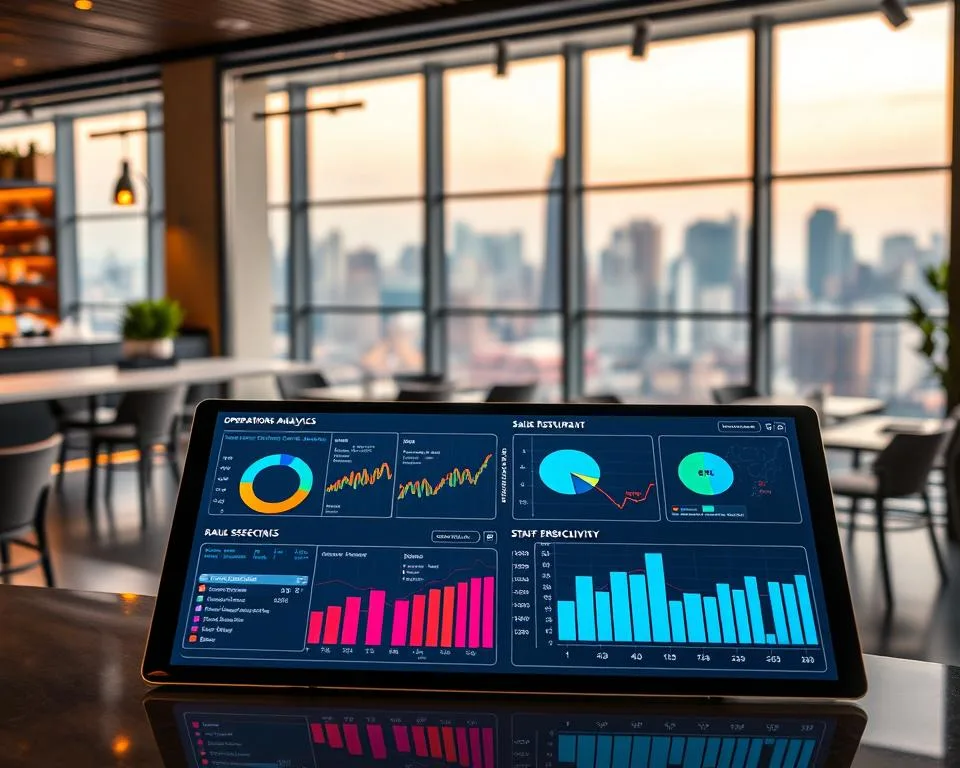
Let’s be real for a second, running a restaurant is like juggling flaming torches while riding a unicycle. You’ve got staff to manage, inventory to track, customers to please, and somehow, you’re also supposed to make a profit? It’s exhausting. And if you’re like most restaurant owners I’ve talked to, you’re probably relying on gut instinct, spreadsheets that haven’t been updated since 2020, or worse, *nothing at all* to make decisions. But here’s the thing: data analytics isn’t just for Silicon Valley tech bros or corporate chains with bottomless budgets. It’s for *you*. And if you’re not using it, you’re leaving money on the table, literally.
I remember the first time I walked into a restaurant that was actually using data well. It was a small, family-owned Italian place in Nashville, the kind of spot where the owner greets you by name and the pasta is made fresh every morning. At first glance, it looked like any other cozy neighborhood joint. But then I noticed the little things: the way the menu was laid out, the timing of the specials, even the way the hostess seated people. It wasn’t random. It was strategic. And when I asked the owner about it, he pulled out his phone, showed me a dashboard with real-time sales data, and said, “I don’t guess anymore. I *know*.” That’s when it clicked for me. Data isn’t about replacing the soul of your restaurant, it’s about giving you the tools to make the soul *thrive*.
So, what’s in this for you? By the end of this article, you’ll understand:
- Why most restaurants fail at data (and how to avoid those mistakes)
- The key metrics you *should* be tracking (spoiler: it’s not just sales)
- How to turn raw data into actionable insights (without needing a degree in statistics)
- Real-world examples of restaurants that boosted profits by 20%+ using data
- How to get started *today*, even if you’re on a tight budget
Is this going to be easy? No. Is it worth it? Absolutely. Let’s dive in.
The Dirty Little Secret About Restaurant Data (And Why Most Owners Get It Wrong)
Here’s the uncomfortable truth: most restaurants *think* they’re using data, but they’re not. They’re collecting numbers, sales reports, inventory counts, customer feedback, but they’re not analyzing them. They’re not asking *why* things happen, and they’re definitely not using that information to make smarter decisions. It’s like having a treasure map but never following the X. You’ve got the data, but you’re not digging for the gold.
I’ve seen this play out in so many ways. Take inventory management, for example. Most restaurants track what they have in stock, but how many actually use that data to predict what they’ll *need* next week? Or how many look at their food wasteumbers and think, “Huh, we throw out a lot of avocados on Tuesdays. Maybe we should adjust our orders”? Not many. And that’s a problem because waste is profit. Every dollar you save on over-ordering or spoilage goes straight to your bottom line.
Then there’s the issue of customer behavior. You probably have a POS system that tracks what people order, but are you using that data to figure out *why* they order it? For example, do your customers prefer the salmon on Fridays because it’s fresh, or because they’re coming in after work and want something lighter? Are your happy hour specials actually driving more sales, or are people just ordering the same old thing and paying less for it? These are the kinds of questions that data can answer, but only if you’re asking them.
And let’s talk about staffing. This is where I see restaurants mess up *all the time*. You’ve got your busiest shifts, sure, but do you know *exactly* when the rush starts and ends? Or are you just guessing based on how busy it *feels*? I’ve worked with restaurants that cut staff too early because they *thought* the rush was over, only to get slammed with a wave of customers and end up with long wait times and pissed-off guests. Data can tell you the *exact* moment you need to call in reinforcements. No more guessing. No more wasted labor costs. Just precision.
So why aren’t more restaurants doing this? A few reasons:
- Overwhelm: Data can feel like drinking from a firehose. Where do you even start?
- Fear of complexity: “I’m not a numbers person” is something I hear *all the time*. But here’s the thing, you don’t need to be. You just need to know what questions to ask.
- Short-term thinking: It’s easy to focus on putting out fires (literally, sometimes) rather than building systems that prevent them.
- Lack of tools: Some restaurants don’t have the right software, or they’re using tools that don’t talk to each other. (More on this later.)
But here’s the good news: you don’t need to be a data scientist to make this work. You just need to start small, focus on the right metrics, and build from there. And that’s exactly what we’re going to cover.
The 7 Restaurant Metrics That Actually Move the Needle (And How to Track Them)
Alright, let’s get into the nitty-gritty. If you’re going to use data to boost profits, you need to know *what* to track. But here’s the thing-ot all metrics are created equal. Some are just vanity numbers (looking at you, Instagram followers). Others are game-changers. So which ones matter? After working with dozens of restaurants, I’ve narrowed it down to seven core metrics that actually move the needle. Let’s break them down.
1. Food Cost Percentage (And Why It’s Your New Best Friend)
If you’re not tracking your food cost percentage, you’re basically flying blind. This is the number that tells you how much of your revenue is going toward the cost of ingredients. And if it’s too high, you’re either over-ordering, underpricing, or dealing with waste, all of which are eating into your profits.
Here’s how to calculate it:
Food Cost Percentage = (Beginning Inventory + Purchases – Ending Inventory) / Food Sales
For example, if you start the week with $5,000 in inventory, buy $3,000 more, and end the week with $4,000, your cost of goods sold (COGS) is $4,000. If your food sales for the week were $10,000, your food cost percentage is 40%. Is that good? It depends on your restaurant type, but generally, you want to aim for 28-35% for full-service restaurants and 25-30% for quick-service spots.
But here’s where most restaurants mess up: they calculate this *once a month* (if that) and then forget about it. Big mistake. Food costs fluctuate. Prices change. Waste happens. If you’re not tracking this weekly, or even daily, you’re missing opportunities to adjust on the fly. For example, if you notice your food cost percentage creeping up, you might:
- Negotiate better prices with suppliers
- Adjust portion sizes (without sacrificing quality)
- Swap out high-cost ingredients for cheaper alternatives (e.g., seasonal produce)
- Run a special to push high-margin items
I worked with a BBQ joint in Texas that was struggling with food costs. They were at 42%, which was killing their margins. After digging into the data, we realized they were over-ordering brisket, one of their most expensive ingredients, because they were afraid of running out. But when we looked at sales data, we saw that brisket sales dropped *significantly* on Mondays and Tuesdays. So we adjusted their orders for those days, and within a month, their food cost percentage dropped to 34%. That’s thousands of dollars back in their pocket.
Is this the most exciting metric? No. But is it one of the most important? Absolutely.
2. Prime Cost: The 800-Pound Gorilla of Restaurant Profits
If you only track one thing, make it prime cost. This is the combination of your food cost *and* labor cost, and it typically makes up 60-70% of your total expenses. If you can get this number under control, you’re well on your way to profitability.
Here’s the formula:
Prime Cost = Food Cost + Labor Cost
Most restaurants aim to keep prime cost under 60% of total sales. If you’re above that, you’ve got some work to do. The good news? Small tweaks here can have a *huge* impact. For example:
- Optimize staffing: Use sales data to predict busy times and schedule accordingly. No more overstaffing on slow nights or understaffing during rushes.
- Cross-train employees: If your bartender can also run food, you’re not paying for two people when one will do.
- Automate where possible: Self-ordering kiosks, online reservations, and inventory management software can reduce labor costs without sacrificing service.
I’ll never forget the first time I showed a restaurant owner their prime cost. They were a high-end seafood spot in San Francisco, and they were convinced their food costs were the problem. But when we crunched the numbers, we realized their labor costs were *through the roof*. They were overstaffing during slow periods because they didn’t trust their sales data. Once they started using historical data to schedule, their prime cost dropped from 72% to 58% in three months. That’s life-changing money.
So ask yourself: Do you know your prime cost? If not, it’s time to find out.
3. Table Turnover Rate: The Silent Profit Killer
Here’s a question: How many times does a table turn over during a shift at your restaurant? If you don’t know, you’re missing out on one of the easiest ways to boost revenue. Table turnover rate is the number of times a table is seated, served, and cleared during a given period. And the faster you turn tables, the more money you make.
Here’s how to calculate it:
Table Turnover Rate = Number of Parties Served / Number of Tables
For example, if you have 20 tables and serve 60 parties in a night, your turnover rate is 3. Is that good? It depends on your restaurant type. Fast-casual spots might aim for 4-5 turns per night, while fine dining might only get 1-2. But the key is to optimize your rate without sacrificing the customer experience.
How do you do that? A few ways:
- Speed up service: Look at your POS data to see where bottlenecks happen. Is it the kitchen? The bar? The host stand? Once you identify the slowdown, you can fix it.
- Encourage faster dining: Offer a happy hour menu for early diners or a “quick bite” section on your menu for lunch crowds.
- Improve seating efficiency: Use data to see which tables are underutilized. Maybe you’re seating parties of two at four-tops, or maybe your bar seating is empty when it could be full.
I worked with a diner in Chicago that was struggling with long wait times and lost revenue. When we looked at their data, we realized their table turnover rate was only 1.5 per night. After making a few tweaks, like adding a “lunch express” menu and optimizing their seating layout, they got it up to 2.5. That might not sound like a lot, but it added $12,000 a month to their bottom line. Not bad for a few small changes.
So ask yourself: How many times are your tables turning? And more importantly, how can you turn them *faster*?
4. Customer Lifetime Value (CLV): The Metric That Gets Ignored (But Shouldn’t)
Here’s a metric that most restaurants *completely* overlook: customer lifetime value (CLV). This is the average amount a customer spends at your restaurant over their entire relationship with you. And it’s *crucial* because it tells you how much you can afford to spend on marketing, loyalty programs, and customer retention.
Here’s how to calculate it:
CLV = Average Sale per Customer × Number of Visits per Year × Average Customer Lifespan
For example, if the average customer spends $30 per visit, comes in 10 times a year, and stays loyal for 5 years, their CLV is $1,500. That’s a *lot* of money. And it’s why retaining customers is so much cheaper than acquiring new ones.
But here’s the thing: most restaurants don’t track this. They focus on one-time sales instead of long-term relationships. And that’s a mistake because increasing CLV is one of the easiest ways to boost profits. How? A few ways:
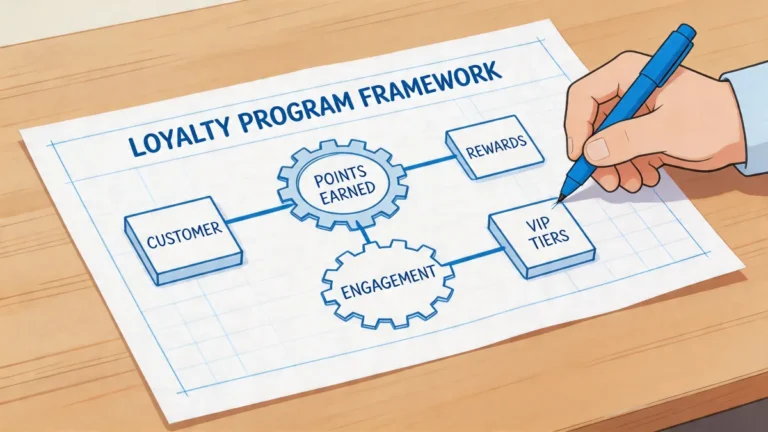
- Loyalty programs: Offer rewards for repeat visits. Even something simple like a “buy 9, get the 10th free” punch card can work.
- Personalized marketing: Use your POS data to send targeted offers. If a customer always orders the burger, send them a coupon for a free side of fries.
- Improve the customer experience: Happy customers come back. Unhappy ones don’t. Use feedback data to fix pain points (e.g., slow service, inconsistent food).
I worked with a pizzeria in Brooklyn that was spending a fortune on Facebook ads to attract new customers. But when we calculated their CLV, we realized they were only making $12 per customer on the first visit, but $300 over the lifetime of a loyal customer. So we shifted their strategy to focus on retention. They started a loyalty program, sent personalized offers to repeat customers, and even added a “birthday freebie” for regulars. Within six months, their CLV increased by 40%, and their marketing costs dropped by 30%.
So ask yourself: How much is a loyal customer worth to you? And are you doing enough to keep them coming back?
5. Menu Engineering: The Science of Making More Money (Without Raising Prices)
Your menu isn’t just a list of food, it’s a profit-generating machine. And if you’re not using data to optimize it, you’re leaving money on the table. Menu engineering is the process of analyzing your menu items to see which ones are making you money and which ones are dragging you down. And it’s one of the easiest ways to boost profits *without* raising prices or adding new dishes.
Here’s how it works:
- Calculate the profitability of each item: This is your food cost percentage for each dish. If a dish has a 40% food cost, it’s more profitable than one with a 60% food cost.
- Track the popularity of each item: How many times is each dish ordered? If a dish is popular but unprofitable, you might need to adjust the price or portion size.
- Categorize your items: Use a matrix to sort your dishes into four categories:
- Stars: High profitability, high popularity (keep these!)
Example: A signature burger that’s always ordered and has a low food cost. - Plow Horses: Low profitability, high popularity (tweak these)
Example: A popular pasta dish that’s expensive to make. Maybe you can reduce the portion size or swap out an ingredient. - Puzzles: High profitability, low popularity (promote these)
Example: A high-margin seafood special that no one orders. Maybe it needs better placement on the menu or a description tweak. - Dogs: Low profitability, low popularity (cut these)
Example: A salad that’s rarely ordered and has a high food cost. Time to say goodbye.
- Stars: High profitability, high popularity (keep these!)
Once you’ve categorized your items, you can make data-driven decisions about what to keep, what to tweak, and what to cut. For example:
- Highlight your stars: Put them in the top-right corner of the menu (where people’s eyes naturally go) or use a box to draw attention.
- Tweak your plow horses: Can you reduce the portion size? Swap out an expensive ingredient? Raise the price slightly?
- Promote your puzzles: Train your staff to upsell these items or feature them as specials.
- Cut your dogs: Free up space on your menu for more profitable items.
I worked with a Mexican restaurant in Austin that was struggling with low profits. When we did a menu engineering analysis, we found that their most popular dish, a beef burrito, was also one of their least profitable. It had a 55% food cost because of the expensive cut of meat. So we swapped out the beef for a cheaper cut (still high-quality, just less expensive) and adjusted the portion size slightly. The dish was still popular, but now it had a 35% food cost. That one change added $8,000 a month to their bottom line.
So ask yourself: Is your menu working for you or against you? And are you using data to make it better?
6. Labor Cost Percentage: The Balancing Act Between Service and Profit
Labor is one of the biggest expenses for any restaurant, and if you’re not tracking your labor cost percentage, you’re basically throwing money away. This metric tells you how much of your revenue is going toward paying your staff. And while you don’t want to skimp on labor (bad service = unhappy customers), you also don’t want to overstaff and kill your profits.
Here’s how to calculate it:
Labor Cost Percentage = Total Labor Cost / Total Sales
Most restaurants aim for a labor cost percentage of 20-30%, depending on the type of restaurant. Fine dining might be on the higher end, while quick-service spots should aim for the lower end. But the key is to optimize your labor costs without sacrificing service.
How do you do that? A few ways:
- Use sales data to schedule: Look at your POS data to see when your busiest times are. Schedule more staff during peaks and fewer during slow periods.
- Cross-train employees: If your bartender can also run food, you’re not paying for two people when one will do.
- Automate where possible: Self-ordering kiosks, online reservations, and inventory management software can reduce labor costs without sacrificing service.
- Monitor overtime: Overtime is a profit killer. Use your scheduling software to track overtime hours and adjust accordingly.
I worked with a café in Portland that was struggling with high labor costs. They were at 35%, which was eating into their profits. When we looked at their data, we realized they were overstaffing on weekday mornings because they *thought* it was busy. But when we dug into the numbers, we saw that their peak hours were actually 7-9 AM, and then it dropped off sharply. So we adjusted their schedule to have more staff during the rush and fewer during the slow periods. Within a month, their labor cost percentage dropped to 25%. That’s thousands of dollars back in their pocket.
So ask yourself: Are you scheduling based on data or gut instinct? And are you doing everything you can to optimize labor costs?
7. Customer Acquisition Cost (CAC): The Hidden Metric That’s Draining Your Budget
Here’s a metric that most restaurants *completely* ignore: customer acquisition cost (CAC). This is the amount of money you spend to get a new customer in the door. And if you’re not tracking it, you’re probably wasting a *ton* of money on marketing that isn’t working.
Here’s how to calculate it:
CAC = Total Marketing Spend / Number of New Customers
For example, if you spend $1,000 on Facebook ads and get 100 new customers, your CAC is $10. Is that good? It depends on your customer lifetime value (CLV). If your CLV is $300, then a $10 CAC is great. But if your CLV is $20, you’re losing money on every new customer.
Most restaurants don’t track this, and it’s a *huge* mistake. They throw money at ads, promotions, and discounts without knowing if they’re actually working. And that’s a recipe for disaster. Instead, you should:
- Track where your customers come from: Use your POS system to ask customers how they heard about you. Was it an ad? A referral? A Google search?
- Focus on high-ROI marketing: If most of your customers come from word-of-mouth, double down on referral programs. If they come from Instagram, invest in social media marketing.
- Retarget existing customers: It’s cheaper to get a repeat customer than a new one. Use email marketing, loyalty programs, and personalized offers to keep them coming back.
I worked with a food truck in Nashville that was spending $500 a month on Facebook ads but wasn’t tracking their CAC. When we crunched the numbers, we realized they were spending $25 to acquire each new customer, but their average sale was only $12. They were *losing money* on every new customer. So we shifted their strategy to focus on retention. They started a loyalty program, sent personalized offers to repeat customers, and even added a “refer a friend” discount. Within three months, their CAC dropped to $5, and their profits skyrocketed.
So ask yourself: How much are you spending to get a new customer? And is it worth it?
How to Turn Raw Data Into Actionable Insights (Without a Data Science Degree)
Alright, so you’ve got all these metrics. Now what? The problem with data is that it’s only as good as what you *do* with it. And if you’re not turning those numbers into actionable insights, you’re just spinning your wheels. So how do you actually *use* this stuff? Let’s break it down.
Step 1: Start Small (Seriously, Just Pick One Thing)
I get it, data can feel overwhelming. There are *so* many numbers, and it’s easy to get paralyzed. But here’s the thing: you don’t need to track everything at once. Start with *one* metric that’s causing you pain. Maybe it’s food waste. Maybe it’s labor costs. Maybe it’s table turnover. Pick *one* thing, track it for a month, and see what happens. Once you’ve got that under control, you can move on to the next thing.
For example, I worked with a sushi restaurant that was struggling with food waste. They were throwing out hundreds of dollars’ worth of fish every week because they were over-ordering. So we started tracking their waste daily. Within a month, they’d reduced waste by 30%-just by paying attention to one metric. That’s $2,000 a month back in their pocket. Not bad for a small change.
So ask yourself: What’s the one metric that’s causing you the most pain? Start there.
Step 2: Use the Right Tools (And No, Excel Doesn’t Count)
If you’re still using Excel to track your restaurant data, I’ve got bad news: you’re doing it wrong. Excel is great for basic stuff, but it’s not built for the kind of deep analysis you need to run a profitable restaurant. You need tools that can:
- Automate data collection: No more manual entry. No more human error.
- Aggregate data from multiple sources: Your POS, inventory, scheduling, and marketing tools should all talk to each other.
- Provide real-time insights: You need to see what’s happening *now*, not a week from now.
- Visualize data in a way that’s easy to understand: Dashboards, charts, and graphs > spreadsheets.
Here are a few tools I recommend:
- Toast: A POS system built for restaurants, with built-in analytics for sales, labor, and inventory.
- Upserve: Another great POS system with deep analytics and reporting.
- MarketMan: A inventory management tool that integrates with your POS and helps you track food costs.
- 7shifts: A scheduling tool that uses sales data to optimize your labor costs.
- Tableau: A data visualization tool that can help you make sense of all your numbers.
I know what you’re thinking: “Sammy, these tools cost money.” And you’re right, they do. But here’s the thing: they pay for themselves. If a $100-a-month tool saves you $2,000 a month in food waste or labor costs, is it worth it? Absolutely.
So ask yourself: Are you using the right tools to track your data? If not, it’s time to upgrade.
Step 3: Ask the Right Questions (And Don’t Stop at the Surface)
Data is only as good as the questions you ask. If you’re just looking at sales numbers and thinking, “Cool, we made $10,000 today,” you’re missing the point. You need to dig deeper. You need to ask *why*.
For example:
- Why did sales drop on Tuesday?
- Was it the weather?
- Was it a slow day for the neighborhood?
- Was there a competing event?
- Why is the chicken dish more popular than the steak?
- Is it the price?
- Is it the description on the menu?
- Is it the way it’s plated?
- Why are we throwing out so much bread?
- Are we over-ordering?
- Are customers not finishing their meals?
- Is it going stale before we can use it?
The key is to connect the dots. Don’t just look at one metric in isolation. Look at how they relate to each other. For example, if your sales drop on Tuesdays, is it because you’re understaffed? Or is it because your specials aren’t appealing? Or is it because your regulars are going somewhere else? The only way to know is to dig into the data.
I worked with a burger joint in Denver that was struggling with slow Tuesday sales. When we looked at the data, we noticed that their Tuesday special, a veggie burger, wasn’t selling well. But when we dug deeper, we realized that their regulars (who were mostly meat-eaters) were skipping Tuesday because they didn’t like the special. So we changed the special to a “build-your-own burger” deal, and sales jumped by 25%. All because we asked *why*.
So ask yourself: What questions are you not asking? And how can data help you find the answers?
Step 4: Turn Insights Into Action (And Don’t Just Sit on the Data)
Here’s the biggest mistake I see restaurants make: they collect data, they analyze it, and then… they do nothing. They sit on the insights and keep doing things the same way. And that’s a *huge* waste of time and money.
Data is only valuable if you act on it. So once you’ve got your insights, you need to turn them into action. For example:
- If you notice that your food waste is high, adjust your orders or run a special to use up excess inventory.
- If you see that your labor costs are too high, optimize your schedule or cross-train your staff.
- If you realize that your table turnover rate is low, speed up service or improve seating efficiency.
- If you find that your customer acquisition cost is too high, shift your marketing strategy to focus on retention.
The key is to start small. Don’t try to change everything at once. Pick *one* thing, make a change, and see what happens. Then adjust and repeat.
I worked with a coffee shop in Seattle that was struggling with high labor costs. When we looked at their data, we realized they were overstaffing on weekday afternoons. So we adjusted their schedule to have fewer baristas during those times. Within a week, their labor costs dropped by 15%. That’s $1,500 a month back in their pocket. All because they took action.
So ask yourself: What’s one thing you can change *today* based on your data? Do it. Then measure the results and adjust.
Step 5: Rinse and Repeat (Because Data Is a Never-Ending Process)
Here’s the thing about data: it’s not a one-and-done thing. It’s a *process*. You need to track your metrics consistently, analyze them regularly, and adjust your strategies as needed. Because the restaurant industry is always changing. Customer preferences shift. Costs fluctuate. New competitors pop up. And if you’re not staying on top of your data, you’re going to get left behind.
So how do you make data a habit? A few tips:
- Set aside time each week: Block off an hour every Monday to review your data. Look at what worked, what didn’t, and what you can improve.
- Assign a data champion: If you’ve got a manager or chef who’s good with numbers, put them in charge of tracking and analyzing data.
- Use dashboards: Set up a dashboard that shows your key metrics in real-time. That way, you can spot trends and issues as they happen.
- Hold regular data meetings: Get your team together once a month to review the data and brainstorm solutions. Make it a collaborative process.
I worked with a steakhouse in Dallas that made data a core part of their culture. They held weekly data meetings, assigned a “data champion” to track metrics, and even set up a TV in the back of the house that showed real-time sales and labor data. Within a year, their profits increased by 30%. All because they made data a priority.
So ask yourself: Are you treating data as a one-time project or an ongoing process? If it’s the former, it’s time to change your mindset.
Real-World Examples: How Restaurants Boosted Profits by 20%+ Using Data
Alright, enough theory. Let’s talk about real restaurants that used data to dramatically boost their profits. These aren’t hypotheticals, they’re real businesses that saw real results. And if they can do it, so can you.
Case Study 1: The BBQ Joint That Cut Food Waste by 40% (And Saved $5,000 a Month)
This one’s close to my heart because it’s a BBQ spot in my hometown of Nashville. They were struggling with high food costs, and when we dug into the data, we realized they were throwing out *thousands* of dollars’ worth of meat every month. Why? Because they were over-ordering and not using their inventory efficiently.
Here’s what we did:
- Tracked waste daily: We set up a simple system where the kitchen staff logged what they threw out each day. No more guessing.
- Analyzed sales data: We looked at what was selling and what wasn’t. Turns out, their brisket sales dropped *significantly* on Mondays and Tuesdays.
- Adjusted orders: We reduced their brisket orders for those days and ran a “brisket sandwich special” to use up excess inventory.
- Optimized portion sizes: We realized they were giving out *huge* portions, which led to waste. So we slightly reduced the size (without sacrificing quality) and added a “small” option to the menu.
The result? Their food waste dropped by 40%, and they saved $5,000 a month. That’s $60,000 a year. And all it took was a little data and some small adjustments.
So ask yourself: How much money are you throwing away? And how can data help you stop?
Case Study 2: The Café That Optimized Labor Costs (And Added $3,000 a Month to Their Bottom Line)
This was a café in Portland that was struggling with high labor costs. They were at 35%, which was eating into their profits. When we looked at their data, we realized they were overstaffing on weekday mornings because they *thought* it was busy. But when we dug into the numbers, we saw that their peak hours were actually 7-9 AM, and then it dropped off sharply.
Here’s what we did:
- Analyzed sales data: We looked at their POS data to see when their busiest times were.
- Optimized the schedule: We adjusted their schedule to have more staff during the rush and fewer during the slow periods.
- Cross-trained employees: We trained their baristas to also run the register and bus tables, so they didn’t need as many people on the floor.
- Monitored overtime: We set up alerts in their scheduling software to flag overtime hours before they happened.
The result? Their labor cost percentage dropped to 25%, and they added $3,000 a month to their bottom line. And the best part? Their service *improved* because they weren’t understaffed during the rush.
So ask yourself: Are you scheduling based on data or gut instinct? And how much money are you leaving on the table?
Case Study 3: The Pizzeria That Increased CLV by 40% (And Cut Marketing Costs by 30%)
This was a pizzeria in Brooklyn that was spending a fortune on Facebook ads to attract new customers. But when we calculated their customer lifetime value (CLV), we realized they were only making $12 per customer on the first visit, but $300 over the lifetime of a loyal customer. They were *losing money* on every new customer.
Here’s what we did:
- Shifted focus to retention: We stopped spending so much on ads and started focusing on keeping their existing customers happy.
- Launched a loyalty program: We set up a simple “buy 9, get the 10th free” punch card system.
- Sent personalized offers: We used their POS data to send targeted offers. If a customer always ordered pepperoni, we sent them a coupon for a free order of garlic knots.
- Added a birthday freebie: We sent a free dessert to customers on their birthday, which encouraged them to come back.
The result? Their CLV increased by 40%, and their marketing costs dropped by 30%. That’s $10,000 a month in additional profit. And all it took was a shift in strategy.
So ask yourself: How much is a loyal customer worth to you? And are you doing enough to keep them coming back?
Case Study 4: The Mexican Restaurant That Boosted Profits by $8,000 a Month (With One Menu Change)
This was a Mexican restaurant in Austin that was struggling with low profits. When we did a menu engineering analysis, we found that their most popular dish, a beef burrito, was also one of their least profitable. It had a 55% food cost because of the expensive cut of meat.
Here’s what we did:
- Analyzed food costs: We looked at the profitability of each menu item.
- Identified the problem: The beef burrito was popular but unprofitable.
- Made a small change: We swapped out the beef for a cheaper cut (still high-quality, just less expensive) and adjusted the portion size slightly.
- Kept it popular: We made sure the dish was still delicious and satisfying.
The result? The dish was still popular, but now it had a 35% food cost. That one change added $8,000 a month to their bottom line. And all it took was a little data and a willingness to make a small adjustment.
So ask yourself: Is your menu working for you or against you? And how can data help you make it better?
How to Get Started With Data Analytics (Even If You’re on a Tight Budget)
Alright, I know what you’re thinking: “Sammy, this all sounds great, but I don’t have the time, money, or expertise to do this.” And I get it. Running a restaurant is hard enough without adding “data analyst” to your list of job titles. But here’s the thing: you don’t need a big budget or a data science degree to get started. You just need to start small, focus on the right things, and build from there. So let’s talk about how to do this *without* breaking the bank.
Step 1: Start With What You’ve Got (And No, You Don’t Need Fancy Software)
You don’t need to drop thousands of dollars on fancy software to get started with data analytics. In fact, you probably already have the tools you need. Here’s what I recommend:
- Your POS system: Most modern POS systems (like Toast, Square, or Clover) have built-in analytics. Start by digging into those reports.
- Google Sheets or Excel: If you’re not ready for a full-blown analytics tool, start by tracking your key metrics in a spreadsheet. It’s not fancy, but it works.
- Free tools: There are plenty of free or low-cost tools out there, like Google Data Studio (for dashboards) or Canva (for visualizing data).
I worked with a food truck in Nashville that was on a tight budget. They didn’t have the money for fancy software, so we started with their POS data and a simple Google Sheet. Within a month, they’d identified a few key areas where they could cut costs and boost profits. And all it took was a little time and effort.
So ask yourself: What tools do you already have that you’re not using to their full potential? Start there.
Step 2: Focus on the Low-Hanging Fruit (And Ignore the Rest for Now)
When you’re just starting out, it’s easy to get overwhelmed by all the data. But here’s the thing: you don’t need to track everything at once. Focus on the low-hanging fruit-the metrics that are easiest to track and have the biggest impact on your profits. For most restaurants, that means starting with:
- Food cost percentage: Track this weekly and look for trends.
- Labor cost percentage: Optimize your schedule based on sales data.
- Food waste: Log what you throw out each day and look for patterns.
- Table turnover rate: See how many times your tables turn each night and look for ways to speed up service.
Once you’ve got those under control, you can move on to more advanced metrics like customer lifetime value and menu engineering. But for now, just focus on the basics.
I worked with a diner in Chicago that was struggling with low profits. They were tracking *everything*-sales, labor, inventory, customer feedback, but they weren’t doing anything with the data. So we narrowed their focus to just three metrics: food cost percentage, labor cost percentage, and table turnover rate. Within a month, they’d identified a few key areas where they could cut costs and boost profits. And all it took was focusing on the right things.
So ask yourself: What are the 2-3 metrics that will have the biggest impact on your profits? Start there.
Step 3: Automate Where You Can (Because You Don’t Have Time for Manual Data Entry)
Here’s the thing about data: it’s only useful if it’s accurate and up-to-date. And if you’re manually entering numbers into a spreadsheet, you’re going to make mistakes. Plus, it’s a *huge* time-suck. So automate where you can.
Here are a few ways to do that:
- Use your POS system: Most modern POS systems can automatically track sales, labor, and inventory data. Make sure yours is set up to do that.
- Integrate your tools: If you’re using multiple tools (e.g., a POS system, a scheduling tool, an inventory management tool), make sure they’re integrated so data flows automatically between them.
- Set up alerts: Use your tools to set up alerts for key metrics. For example, if your food cost percentage goes above 35%, you’ll get an email.
- Use dashboards: Set up a dashboard that shows your key metrics in real-time. That way, you can spot trends and issues as they happen.
I worked with a coffee shop in Seattle that was spending *hours* each week manually entering data into a spreadsheet. We set up their POS system to automatically track sales and labor data, and we integrated it with their scheduling tool. Within a week, they’d saved *10 hours* of manual work. And all it took was a little setup.
So ask yourself: Where are you wasting time on manual data entry? Automate it.
Step 4: Make Data a Habit (Because It’s Not a One-Time Thing)
Here’s the thing about data: it’s not a one-time project. It’s a *habit*. You need to track your metrics consistently, analyze them regularly, and adjust your strategies as needed. Because the restaurant industry is always changing. Customer preferences shift. Costs fluctuate. New competitors pop up. And if you’re not staying on top of your data, you’re going to get left behind.
So how do you make data a habit? A few tips:
- Set aside time each week: Block off an hour every Monday to review your data. Look at what worked, what didn’t, and what you can improve.
- Assign a data champion: If you’ve got a manager or chef who’s good with numbers, put them in charge of tracking and analyzing data.
- Use dashboards: Set up a dashboard that shows your key metrics in real-time. That way, you can spot trends and issues as they happen.
- Hold regular data meetings: Get your team together once a month to review the data and brainstorm solutions. Make it a collaborative process.
I worked with a steakhouse in Dallas that made data a core part of their culture. They held weekly data meetings, assigned a “data champion” to track metrics, and even set up a TV in the back of the house that showed real-time sales and labor data. Within a year, their profits increased by 30%. All because they made data a priority.
So ask yourself: Are you treating data as a one-time project or an ongoing process? If it’s the former, it’s time to change your mindset.
Step 5: Don’t Be Afraid to Experiment (Because Data Is About Testing, Not Guessing)
Here’s the thing about data: it’s not about having all the answers. It’s about asking the right questions and testing your assumptions. So don’t be afraid to experiment. Try new things. See what works. And adjust as needed.
For example:
- Test new menu items: Try out a new dish and track its sales and profitability. If it’s a hit, keep it. If not, cut it.
- Experiment with pricing: Try raising or lowering the price of a dish and see how it affects sales.
- Try new marketing strategies: Test different ads, promotions, and loyalty programs to see what works best.
- Optimize your staffing: Try different scheduling strategies and see how they affect labor costs and service.
The key is to track your results. If something works, keep doing it. If it doesn’t, try something else. And don’t be afraid to fail. Because even failure is data, it tells you what *doesn’t* work, so you can move on to the next thing.
I worked with a burger joint in Denver that was struggling with slow Tuesday sales. They *thought* their veggie burger special was the problem, but they weren’t sure. So we ran an experiment: we changed the special to a “build-your-own burger” deal and tracked the results. Sales jumped by 25%. All because we tested our assumptions.
So ask yourself: What assumptions are you making about your restaurant? And how can data help you test them?
Final Thoughts: The Data-Driven Restaurant of the Future (And How to Get There)
Alright, let’s bring this home. We’ve covered a *lot* of ground, from the metrics that matter to the tools you need to the real-world examples of restaurants that used data to boost profits. But here’s the thing: data isn’t just about numbers. It’s about people. It’s about understanding your customers, your staff, and your business on a deeper level. It’s about making smarter decisions that lead to happier customers, more efficient operations, and, yes, higher profits.
But here’s the catch: data alone won’t save your restaurant. You’ve got to *use* it. You’ve got to turn those numbers into action. You’ve got to make data a *habit*, not a one-time project. And that’s where most restaurants fail. They collect the data, they analyze it, and then they go back to doing things the way they’ve always done them. And that’s a *huge* mistake.
So here’s my challenge to you: Pick one metric. Track it for a month. And make one change based on what you learn. That’s it. Just one thing. Because if you can do that, you’re already ahead of 90% of restaurants out there. And once you’ve got that down, you can move on to the next thing. And the next. And the next. Until data isn’t just something you *do*-it’s something you *are*.
Is this going to be easy? No. Is it worth it? Absolutely. Because at the end of the day, running a restaurant isn’t about guessing. It’s about knowing. And data is how you get there.
So what’s your next move? Are you going to keep flying blind, or are you going to start using data to take your restaurant to the next level? The choice is yours. But if you ask me, there’s only one right answer.
FAQ: Your Burning Questions About Restaurant Data Analytics
Q: I’m not a numbers person. Can I really do this?
A: Absolutely. You don’t need to be a data scientist to use analytics in your restaurant. Start small, pick one metric (like food cost percentage) and track it for a month. Use tools like your POS system or a simple spreadsheet to make it easy. The key is to focus on the *insights*, not the numbers. For example, if your food cost percentage is high, ask yourself *why*. Is it waste? Over-ordering? Underpricing? Once you’ve got the answer, you can make a change. And remember: data is just a tool. It’s not about being perfect, it’s about making better decisions.
Q: How much does it cost to get started with data analytics?
A: It depends on how you do it. If you’re on a tight budget, you can start with free tools like Google Sheets or your POS system’s built-in analytics. If you’ve got a little more to spend, you can invest in tools like Toast ($69/month), Upserve ($59/month), or MarketMan ($99/month). But here’s the thing: these tools pay for themselves. If a $100-a-month tool saves you $2,000 a month in food waste or labor costs, is it worth it? Absolutely. So don’t let cost be an excuse. Start small, and scale up as you see results.
Q: How do I get my team on board with using data?
A: This is a big one. If your team doesn’t buy into the idea of using data, it’s not going to work. So how do you get them on board? A few tips:
- Make it about them: Show your team how data can make their jobs easier. For example, if you’re using data to optimize scheduling, explain how it will reduce overtime and make their shifts more manageable.
- Involve them in the process: Get your team’s input on what metrics to track and how to improve them. Make it a collaborative effort.
- Show them the results: When you make a change based on data and it works, share the results with your team. For example, “Hey, we reduced food waste by 30% this month. Great job, everyone!”
- Lead by example: If you’re not taking data seriously, your team won’t either. Make it a priority, and they’ll follow your lead.
I worked with a restaurant in Nashville where the staff was resistant to using data. They thought it was just a way for management to “spy” on them. But when we started using data to optimize scheduling and reduce overtime, they saw how it benefited them. Within a month, they were fully on board.
Q: What’s the biggest mistake restaurants make when using data?
A: The biggest mistake is ot acting on the data. They collect the numbers, they analyze them, and then they go back to doing things the way they’ve always done them. And that’s a *huge* waste of time and money. Data is only valuable if you use it. So once you’ve got your insights, you need to turn them into action. For example:
- If your food waste is high, adjust your orders or run a special to use up excess inventory.
- If your labor costs are too high, optimize your schedule or cross-train your staff.
- If your table turnover rate is low, speed up service or improve seating efficiency.
- If your customer acquisition cost is too high, shift your marketing strategy to focus on retention.
The key is to start small. Don’t try to change everything at once. Pick *one* thing, make a change, and see what happens. Then adjust and repeat. And remember: data is a *process*, not a one-time project. You need to track your metrics consistently, analyze them regularly, and adjust your strategies as needed. Because the restaurant industry is always changing, and if you’re not staying on top of your data, you’re going to get left behind.
@article{how-data-analytics-can-transform-your-restaurants-profits-and-why-youre-probably-overlooking-it,
    title   = {How Data Analytics Can Transform Your Restaurant’s Profits (And Why You’re Probably Overlooking It)},
    author  = {Chef's icon},
    year    = {2026},
    journal = {Chef's Icon},
    url     = {https://chefsicon.com/using-data-analytics-to-boost-restaurant-profits/}
}