The Best Fluffy Pancakes recipe you will fall in love with. Full of tips and tricks to help you make the best pancakes.
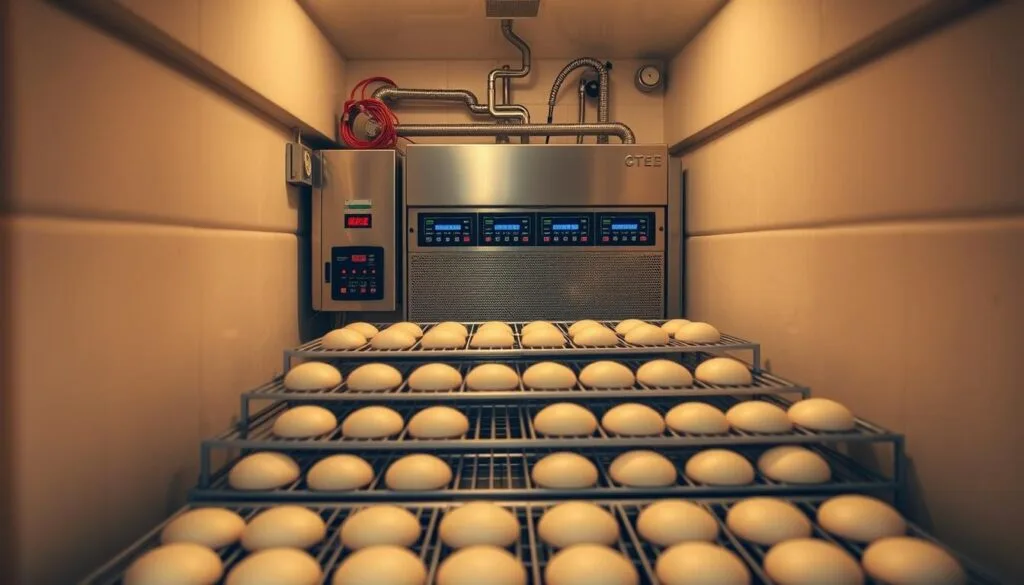
How to Calibrate Commercial Fridges for Optimal Yeast Fermentation: Because Your Dough Deserves Better
Let me tell you about the time I nearly ruined a batch of sourdough starter because my fridge was lying to me. It was 2023, my first winter in Nashville, and I’d just upgraded to a shiny new commercial undercounter fridge for my home bakery experiments. The thing looked like it belonged in a Michelin-starred kitchen, but when I pulled out my starter after a 12-hour cold ferment, it had the personality of a deflated whoopee cushion. The yeast was sluggish, the rise was pathetic, and I was left staring at my thermometer like it had personally betrayed me. Turns out, the fridge’s temperature display was off by nearly 5°F, enough to turn my artisanal dreams into a dense, sad loaf.
If you’ve ever pulled a dough out of cold storage only to watch it fail to rise like a disappointed soufflé, you know the frustration. Yeast fermentation is equal parts science and sorcery, and temperature is the wand that either makes magic happen or turns your dough into a brick. Commercial fridges, despite their industrial-grade promises, aren’t always the precision instruments we assume they are. Calibrating them for optimal yeast fermentation isn’t just about dialing in a number, it’s about understanding the delicate dance between yeast metabolism, ambient conditions, and the quirks of your equipment. In this guide, I’ll walk you through how to turn your fridge from a temperature guesser into a fermentation powerhouse. You’ll learn why your fridge might be sabotaging your dough, how to test and adjust it like a pro, and the little tricks that separate the bakers who cross their fingers from the ones who nail it every time.
By the end of this, you’ll know:
- Why even high-end commercial fridges can drift out of calibration, and how to spot the signs before your dough suffers.
- The exact temperature sweet spots for different types of yeast fermentation (spoiler: it’s not just “cold”).
- How to test your fridge’s accuracy without fancy tools (though we’ll cover those too).
- Step-by-step calibration methods for walk-ins, undercounters, and reach-ins, including the sneaky settings most people overlook.
- How to maintain consistency once you’ve nailed the perfect setup, because calibration isn’t a one-and-done deal.
Fair warning: This isn’t a “set it and forget it” kind of process. Calibrating a commercial fridge for yeast fermentation is more like tuning a guitar than flipping a switch. You’ll need patience, a willingness to geek out over thermometers, and maybe a little trial and error. But if you’re serious about baking, whether you’re running a small-batch operation or a full-scale commercial kitchen, the payoff is worth it. Few things are as satisfying as pulling a perfectly proofed dough out of the fridge, knowing your setup is dialed in so precisely that the yeast did exactly what you wanted, when you wanted. Let’s get started.
Why Your Fridge Might Be Lying to You (And How to Catch It)
The Myth of the “Set It and Forget It” Fridge
I used to think commercial fridges were like those “smart” thermostats, you punch in a number, and they just… stay there. Forever. Reliably. Like a robot butler for your perishables. Then I learned the hard way that fridges, even the fancy ones, are more like mood rings. They react to everything: the ambient temperature of your kitchen, how often you open the door, whether someone left a hot tray of cookies on top of them (guilty), and even the phase of the moon (okay, maybe not that last one). The point is, the number on the display is often more of a suggestion than a promise.
Here’s the kicker: Most commercial fridges are calibrated at the factory, but that calibration assumes a set of ideal conditions that rarely match the chaos of a real kitchen. The factory test might have been done in a climate-controlled lab with the door closed and no one breathing on it. In your kitchen, the fridge is fighting against heat from ovens, the body heat of your staff, and the fact that someone *always* leaves the door ajar while they chat with the line cook. Over time, sensors drift, compressors wear out, and that once-accurate display starts to fib. For yeast fermentation, where a difference of 2°F can mean the difference between a light, airy crumb and a dense, gummy mess, those little lies add up.
So how do you know if your fridge is fibbing? Start by asking yourself these questions:
- Have you ever pulled a dough out of cold storage and thought, “This doesn’t look right”? Maybe it’s overproofed, underproofed, or just… off. That’s your first clue.
- Do you notice inconsistencies in your fermentation times? If Monday’s batch proofs in 12 hours but Wednesday’s takes 16, your fridge might be the culprit.
- Does the temperature on the display match what your thermometer says? If not, how much is it off? A degree or two is one thing, but if it’s consistently 5°F or more, you’ve got a problem.
- Does the fridge cycle on and off more frequently than it used to? That could be a sign of a struggling compressor or a sensor that’s lost its marbles.
If any of these sound familiar, it’s time to put your fridge to the test. But before you break out the tools, let’s talk about why yeast is so picky about temperature in the first place.
Yeast Metabolism 101: Why Temperature Is Everything
Yeast is a living organism, and like all living things, it has a Goldilocks zone where it thrives. Too cold, and it goes dormant, like a bear in hibernation. Too hot, and it burns through its food supply too quickly, leaving your dough flat and lifeless. The ideal temperature for yeast fermentation depends on what you’re trying to achieve, but for most breads, you’re looking at a range between 38°F and 50°F for cold fermentation. Here’s why those numbers matter:
- Below 38°F: Yeast activity slows to a crawl. This is great if you want to pause fermentation for a long, slow rise (like in sourdough or overnight baguettes), but if you go too cold, the yeast might not wake up at all. Ever pulled a dough out of the fridge and had it refuse to rise? This is probably why.
- 38°F to 45°F: The sweet spot for most cold fermentation. Yeast is active but sluggish, which gives the dough time to develop flavor and structure without overproofing. This is where you want to be for things like pizza dough, brioche, or artisan loaves that benefit from a slow rise.
- 45°F to 50°F: Yeast is more active here, so fermentation happens faster. This is good for shorter cold proofs (like a few hours) or for doughs that need a little more oomph, like enriched doughs with eggs or butter. But push it too far, and you risk overproofing.
- Above 50°F: Yeast starts to party hard. Fermentation speeds up, and if you’re not careful, your dough can overproof before you even get it into the oven. This is why most bakers avoid storing dough at room temperature for long periods.
But here’s the thing: Those ranges aren’t set in stone. Different strains of yeast (commercial yeast vs. wild yeast in sourdough, for example) have different temperature preferences. The type of dough matters too, enriched doughs with sugar and fat ferment differently than lean doughs. And then there’s the humidity factor, which we’ll get into later. For now, just know that if your fridge isn’t holding steady in your target range, your yeast is either sleeping on the job or burning out too fast.
So how do you figure out if your fridge is in the right zone? You test it. And not just once, you test it like you’re a scientist running an experiment, because that’s exactly what you are.
Testing Your Fridge’s Accuracy: The DIY Approach
Tools of the Trade (Or: What You Actually Need)
Before you start poking around in your fridge’s settings, you’ll need a few tools. The good news? You probably already have most of them. The bad news? If you don’t, you’ll need to invest in a couple of things. Trust me, it’s cheaper than throwing out batches of ruined dough.
Here’s what you’ll need:
- Digital thermometer with a probe: This is non-negotiable. The little dial thermometers that come with some fridges are about as accurate as a weather forecast from 1985. Get a digital thermometer with a probe that you can place inside the fridge. Look for one with a resolution of at least 0.1°F and an accuracy of ±1°F. Brands like ThermoWorks or Taylor make good ones that won’t break the bank.
- Glass of water: Sounds silly, but water is a great way to test the fridge’s temperature because it holds heat (or cold) more steadily than air. Fill a glass with tap water and let it sit at room temperature for a few hours before testing.
- Notebook or spreadsheet: You’re going to be taking a lot of notes. Trust me, you won’t remember the details later. Write down the date, time, fridge setting, actual temperature (from your thermometer), and any other variables (like how many times the door was opened).
- Timer: You’ll need to check the temperature at regular intervals. A phone timer works, but if you’re like me and tend to ignore phone alarms, a dedicated kitchen timer is better.
- Optional but helpful: A second thermometer to cross-check your readings. If you’re really serious, a data logger (like the ones from MadgeTech) can track temperature over time and give you a graph of how your fridge behaves.
Now, let’s talk about where to place your thermometer. This is important because fridges aren’t uniform, there are hot spots and cold spots, and where you put your probe can make a big difference in your readings.
Where to Place Your Thermometer (And Why It Matters)
If you’ve ever noticed that the milk at the back of the fridge is colder than the stuff in the door, you’ve experienced the joys of fridge temperature stratification. Commercial fridges are no different. The air near the cooling coils is colder, the air near the door is warmer, and if you’ve got a fan, the air near it is more evenly distributed (but not always). For accurate testing, you need to place your thermometer in the spot where you’ll actually be storing your dough.
Here’s how to do it:
- Find the sweet spot: If you’re storing dough in the main compartment (not the door), place your thermometer probe in the center of the shelf where you’ll be keeping your dough. If you’re using a walk-in, pick a shelf that’s not too close to the floor or ceiling, and not right next to the door.
- Avoid the edges: Don’t place the probe right next to the walls or cooling coils. These areas are colder and will give you a false sense of security. You want to know the temperature where your dough is actually sitting.
- Use a glass of water: Place your thermometer probe in the glass of water (the one you let sit at room temperature earlier) and put the glass in your chosen spot. Water holds temperature more steadily than air, so this will give you a more accurate reading of how your dough will actually feel.
- Let it sit: Close the fridge door and let the thermometer sit for at least 30 minutes. Fridges take time to stabilize, especially if the door has been opened recently. Don’t rush this part.
Once your thermometer has had time to acclimate, check the reading. Compare it to the temperature displayed on the fridge. If they match (or are within 1°F), congratulations, your fridge is telling the truth. If not, it’s time to dig deeper.
How to Test Your Fridge Like a Pro
Testing your fridge isn’t just about taking one reading and calling it a day. To really understand how your fridge behaves, you need to test it under different conditions. Here’s how to do it:
- Baseline test: Start with the fridge empty and the door closed. Set the fridge to your target temperature (let’s say 40°F for this example) and let it run for 24 hours. Check the thermometer every hour for the first 6 hours, then every 3 hours after that. Note the temperature each time. This will tell you how stable the fridge is when it’s not being disturbed.
- Door test: Now, open the door for 30 seconds every hour for 6 hours. This simulates real-world use. Check the temperature after each opening. How quickly does the fridge recover? Does the temperature spike and then drop, or does it stay elevated for a while?
- Load test: Fill the fridge with containers of water (to simulate dough) and repeat the baseline test. A full fridge behaves differently than an empty one, so this will give you a more realistic idea of how the fridge performs when it’s actually in use.
- Ambient test: If your kitchen gets hot during the day (like mine does in Nashville summers), test the fridge at different times of day. Note the ambient temperature in the kitchen and see how it affects the fridge’s performance. You might find that your fridge struggles to maintain temperature when the kitchen is hot, even if it’s fine in the morning.
As you’re testing, keep an eye out for these red flags:
- Temperature swings: If the temperature bounces around by more than 2°F, your fridge isn’t stable enough for yeast fermentation. Yeast is sensitive to fluctuations, and inconsistent temperatures can lead to inconsistent results.
- Slow recovery: If the fridge takes more than 30 minutes to return to its set temperature after the door is opened, it’s not keeping up. This is especially problematic in a busy kitchen where the door is opened frequently.
- Hot spots/cold spots: If you notice that one area of the fridge is consistently warmer or colder than the rest, you’ll need to adjust where you store your dough or consider rearranging the fridge’s contents to improve airflow.
If your fridge passes these tests with flying colors, great! You can skip ahead to the calibration section. But if it’s failing (or if you’re just curious), let’s talk about why fridges drift out of calibration in the first place.
Why Fridges Drift Out of Calibration (And How to Fix It)
The Usual Suspects: What’s Messing With Your Fridge?
Fridges don’t just decide to lie to you one day. There’s always a reason, and usually, it’s one of these:
- Dirty or failing condenser coils: The condenser coils are the unsung heroes of your fridge. They’re responsible for dissipating heat, and if they’re covered in dust or grease (which they often are in a kitchen), they can’t do their job. When the coils are dirty, the fridge has to work harder to stay cold, which can lead to temperature fluctuations and inaccurate readings. Cleaning the coils is one of the easiest ways to improve your fridge’s performance. Just unplug the fridge, locate the coils (usually at the back or bottom), and vacuum or brush them off. Do this every 6 months, or more often if your kitchen is particularly dusty or greasy.
- Worn-out door seals: The door seals (or gaskets) are what keep the cold air in and the warm air out. If they’re cracked, dirty, or just plain old, they can let warm air sneak in, which forces the fridge to work harder to maintain temperature. To test your seals, close the door on a dollar bill. If you can pull the bill out easily, the seal isn’t tight enough. Replace the seals if they’re damaged, and clean them regularly with warm, soapy water to keep them pliable.
- Faulty sensors or thermostats: The sensor is the fridge’s brain. It tells the compressor when to turn on and off based on the temperature inside. If the sensor is dirty, damaged, or just plain old, it can give inaccurate readings, which means the fridge won’t maintain the correct temperature. Some fridges have adjustable sensors, while others need to be replaced entirely. We’ll get into how to calibrate or replace sensors later.
- Compressor issues: The compressor is the heart of the fridge. If it’s failing, the fridge won’t be able to maintain temperature, no matter how well-calibrated the sensor is. Signs of a failing compressor include the fridge running constantly, strange noises (like clicking or humming), or the fridge not getting cold enough. If you suspect compressor issues, it’s time to call in a professional.
- Poor airflow: Fridges need good airflow to maintain even temperatures. If the vents are blocked by food or containers, or if the fridge is overpacked, the air can’t circulate properly, leading to hot spots and cold spots. Make sure there’s at least an inch of space between items, and avoid blocking the vents.
- Power fluctuations: If the power in your kitchen is unstable (common in older buildings or areas with frequent brownouts), it can affect the fridge’s performance. A surge protector can help, but if the problem is severe, you might need to invest in a voltage stabilizer.
- Ambient temperature: Fridges are designed to work within a certain range of ambient temperatures. If your kitchen is too hot (like mine gets in the summer) or too cold, the fridge might struggle to maintain temperature. Most commercial fridges are rated for ambient temperatures between 50°F and 90°F. If your kitchen is outside this range, you might need a fridge with a wider operating range.
Before you start tinkering with calibration, address these issues first. There’s no point in calibrating a fridge that’s fighting against dirty coils or a failing compressor. Once you’ve ruled out (or fixed) these problems, you can move on to calibration.
How to Calibrate Your Fridge: A Step-by-Step Guide
Calibrating a commercial fridge isn’t as scary as it sounds. Most fridges have a calibration setting that lets you adjust the temperature up or down to match the actual reading from your thermometer. The exact process varies depending on the make and model of your fridge, so the first step is to dig out the manual. If you don’t have it, a quick Google search for “[your fridge model] calibration instructions” should turn up something useful. If all else fails, call the manufacturer, they’re usually happy to help.
Here’s a general step-by-step guide to calibrating most commercial fridges:
- Locate the calibration setting: This is usually hidden behind a panel or inside the control box. On some fridges, you’ll need to press and hold a combination of buttons to access the calibration mode. Check the manual for specifics.
- Enter calibration mode: Once you’ve found the calibration setting, follow the instructions to enter calibration mode. This usually involves pressing and holding a button (like the “set” or “mode” button) for a few seconds.
- Adjust the offset: In calibration mode, you’ll see a number that represents the current offset. This is how much the fridge is currently adjusting the temperature to match the sensor’s reading. If your thermometer says the fridge is 2°F warmer than the set temperature, you’ll need to adjust the offset by -2°F. If it’s 2°F colder, adjust by +2°F. Use the up and down buttons to make the adjustment.
- Save the setting: Once you’ve made the adjustment, save the setting (usually by pressing the “set” button again). The fridge will exit calibration mode and return to normal operation.
- Test the adjustment: Wait a few hours for the fridge to stabilize, then check the temperature again with your thermometer. If it’s still not right, repeat the process until it is.
Here’s an example to make this clearer. Let’s say your fridge is set to 40°F, but your thermometer says it’s actually 42°F. That means the fridge is running 2°F warmer than it should be. To fix this, you’d enter calibration mode and adjust the offset by -2°F. After saving the setting, the fridge will compensate by running 2°F colder, bringing the actual temperature down to 40°F.
If your fridge doesn’t have a calibration setting, or if the calibration setting doesn’t seem to be working, you might need to replace the sensor. This is a bit more involved, but it’s still doable for most people. Here’s how:
- Locate the sensor: The sensor is usually a small, cylindrical or rectangular device mounted on the back wall of the fridge, near the evaporator coils. It’s often held in place by a clip or screw.
- Disconnect the power: Unplug the fridge or turn off the circuit breaker before you start working.
- Remove the old sensor: Gently pull the sensor away from the wall and disconnect the wiring harness. Take a photo of the wiring before you disconnect it so you can remember how to reconnect it later.
- Install the new sensor: Connect the new sensor to the wiring harness and mount it in the same location as the old one. Make sure it’s secure and not touching the evaporator coils (this can cause inaccurate readings).
- Reconnect the power: Plug the fridge back in or turn the circuit breaker back on.
- Test the fridge: Wait a few hours for the fridge to stabilize, then check the temperature with your thermometer. If it’s still not right, you might need to calibrate the new sensor (if your fridge has a calibration setting).
If you’re not comfortable replacing the sensor yourself, don’t worry, most HVAC technicians can do it for you. Just make sure to tell them that you need the fridge calibrated for yeast fermentation, so they understand the importance of precision.
Walk-Ins, Undercounters, and Reach-Ins: Calibration Differences
Not all fridges are created equal. The type of fridge you’re using can affect how you calibrate it, so let’s break it down by category.
Walk-In Fridges
Walk-in fridges are the heavyweights of the commercial kitchen. They’re great for large-scale operations, but they can be tricky to calibrate because of their size. Here’s what you need to know:
- Temperature stratification: Walk-ins are big, and that means there’s more room for temperature differences between the top and bottom shelves. To combat this, use multiple thermometers placed at different heights and locations. This will give you a better idea of the fridge’s overall performance.
- Airflow: Walk-ins rely on good airflow to maintain even temperatures. Make sure the evaporator fan is working properly, and avoid blocking the vents with food or containers. If the airflow is poor, you might need to install additional fans or rearrange the contents of the fridge.
- Door seals: Walk-in doors are heavy, and the seals can wear out over time. Check the seals regularly and replace them if they’re damaged. A poorly sealed door can let in warm air, which forces the fridge to work harder and can lead to temperature fluctuations.
- Calibration: Walk-ins often have more complex control systems than smaller fridges. The calibration process might involve adjusting multiple sensors or zones. Check the manual for specifics, and don’t be afraid to call in a professional if you’re not comfortable with the process.
Undercounter Fridges
Undercounter fridges are compact and convenient, but their small size can make them more sensitive to ambient temperature and door openings. Here’s how to calibrate them:
- Location matters: Undercounter fridges are often tucked under counters or in tight spaces, which can restrict airflow. Make sure there’s at least a few inches of clearance around the fridge, especially near the vents. If the fridge is too close to a wall or another appliance, it might not cool properly.
- Door openings: Because undercounter fridges are small, every time the door is opened, a significant amount of cold air escapes. This can cause the temperature to spike, so it’s important to minimize door openings and close the door quickly when you do open it.
- Calibration: Undercounter fridges usually have a simple calibration process. Follow the steps outlined earlier, but be aware that these fridges might need more frequent calibration because of their sensitivity to ambient conditions.
Reach-In Fridges
Reach-in fridges are the workhorses of most commercial kitchens. They’re versatile, reliable, and (usually) easy to calibrate. Here’s what to keep in mind:
- Shelf placement: The temperature can vary between shelves, so place your thermometer on the shelf where you’ll be storing your dough. Avoid the top shelf (it’s often warmer) and the bottom shelf (it’s often colder).
- Door seals: Like all fridges, reach-ins rely on good door seals to maintain temperature. Check the seals regularly and replace them if they’re damaged. A dollar bill test (as described earlier) is a quick way to check the seals.
- Calibration: Reach-ins usually have a straightforward calibration process. Follow the steps outlined earlier, but be aware that some models might have separate calibration settings for the fridge and freezer compartments.
No matter what type of fridge you’re using, the key to successful calibration is patience. It might take a few tries to get it right, but once you do, you’ll be rewarded with consistent, reliable fermentation.
Maintaining Consistency: Because Calibration Isn’t a One-Time Thing
How Often Should You Recalibrate?
Here’s the thing about calibration: It’s not a “set it and forget it” kind of deal. Fridges drift. Sensors age. Compressors wear out. Ambient conditions change. If you want to keep your yeast fermentation on point, you need to recalibrate your fridge regularly. But how often is “regularly”?
There’s no one-size-fits-all answer, but here’s a rough guideline:
- Every 3 months: This is a good starting point for most commercial fridges. Mark it on your calendar and make it part of your routine. If you’re in a busy kitchen with frequent door openings or extreme ambient temperatures, you might need to do it more often.
- After major changes: If you move the fridge, change the ambient temperature (like turning on the AC in the summer), or notice a sudden change in performance, recalibrate. Even small changes can throw off your fridge’s accuracy.
- After repairs: If you’ve had to repair or replace any part of the fridge (like the compressor, sensor, or door seals), recalibrate. Repairs can affect the fridge’s performance, and you want to make sure it’s still dialed in.
- When in doubt: If you’re noticing inconsistencies in your fermentation times or dough quality, recalibrate. It’s better to be safe than sorry.
I’ll be honest: Recalibrating your fridge every few months can feel like a chore. But think of it this way, every time you recalibrate, you’re investing in the quality of your dough. And that’s an investment that pays off in every loaf, pizza, or pastry you bake.
Keeping a Fermentation Log: Your Secret Weapon
If you’re serious about consistent fermentation, you need to keep a log. I know, I know, it sounds tedious. But trust me, it’s one of the most valuable tools in your baking arsenal. A fermentation log is simply a record of your dough’s journey from mixing to baking. It helps you track what works, what doesn’t, and where your fridge might be letting you down.
Here’s what to include in your log:
- Date and time: When did you mix the dough? When did you put it in the fridge? When did you take it out?
- Dough details: What type of dough was it? What was the hydration level? What kind of yeast did you use (commercial or sourdough starter)?
- Fridge details: What was the fridge set to? What was the actual temperature (from your thermometer)? How full was the fridge? How many times was the door opened?
- Ambient conditions: What was the temperature and humidity in the kitchen? Was the AC or heat on?
- Results: How did the dough perform? Did it rise as expected? Was the crumb structure good? Did it taste the way you wanted?
- Notes: Anything unusual happen? Did you notice any issues with the fridge? Did you make any adjustments to the recipe or process?
You can keep your log in a notebook, a spreadsheet, or even an app (like Google Sheets or a dedicated baking app). The key is to be consistent. The more data you collect, the easier it will be to spot patterns and make adjustments.
Here’s an example of how a fermentation log can help. Let’s say you notice that your dough is consistently overproofing on Fridays. You check your log and see that the fridge was set to 42°F on those days, even though you thought it was set to 40°F. Aha! The fridge must have drifted out of calibration. You recalibrate it, and suddenly, your Friday dough is perfect again. Without the log, you might have spent weeks (or months) blaming the yeast, the flour, or even the weather.
Troubleshooting Common Issues
Even with the best calibration and maintenance, things can go wrong. Here are some common issues and how to troubleshoot them:
- Dough not rising: If your dough isn’t rising at all, the fridge might be too cold. Check the temperature with your thermometer. If it’s below 38°F, adjust the fridge setting or recalibrate. Also, make sure the yeast is still active, if it’s old or stored improperly, it might not work.
- Dough overproofing: If your dough is rising too quickly or collapsing, the fridge might be too warm. Check the temperature and adjust as needed. Also, make sure the dough isn’t sitting in a hot spot in the fridge (like near the door or under a vent).
- Inconsistent results: If your dough is hit or miss, the fridge might be fluctuating. Check the temperature at different times of day and under different conditions (like when the kitchen is hot or the door is opened frequently). If the temperature is unstable, you might need to recalibrate, clean the coils, or replace the sensor.
- Fridge not cooling: If the fridge isn’t getting cold enough, check the condenser coils, door seals, and evaporator fan. If those are all fine, the compressor might be failing, and it’s time to call in a professional.
- Fridge freezing dough: If your dough is freezing in the fridge, the temperature is too low. Adjust the fridge setting or recalibrate. Also, make sure the dough isn’t sitting in a cold spot (like near the evaporator coils).
If you’re still having issues after troubleshooting, don’t be afraid to call in a professional. Sometimes, the problem is more complex than a simple calibration or cleaning. A good HVAC technician can diagnose and fix issues that are beyond the scope of a DIY fix.
The Role of Humidity in Yeast Fermentation (And How to Control It)
Why Humidity Matters
When we talk about yeast fermentation, temperature usually gets all the attention. But humidity plays a crucial role too, especially in cold fermentation. Here’s why:
- Prevents drying: If the air in your fridge is too dry, the surface of your dough can dry out, forming a skin that prevents it from rising properly. This is especially problematic for doughs with high hydration (like ciabatta or sourdough) or doughs that ferment for a long time.
- Affects yeast activity: Yeast needs moisture to thrive. If the air is too dry, the yeast can become sluggish, leading to slow or uneven fermentation. On the other hand, if the air is too humid, the dough can become sticky and hard to handle.
- Influences crust formation: If you’re cold-fermenting dough that will be baked directly (like pizza dough), the humidity in the fridge can affect how the crust forms in the oven. Too dry, and the crust can become tough. Too humid, and it can become gummy.
The ideal humidity for yeast fermentation is around 70-80%. Most commercial fridges don’t have built-in humidity controls, but there are ways to manage it.
How to Control Humidity in Your Fridge
If your fridge is too dry, here’s how to add moisture:
- Use a humidifier: A small, portable humidifier can be placed inside the fridge to add moisture. Just make sure it’s food-safe and won’t leak. You can also use a bowl of water, but it won’t be as effective.
- Cover your dough: Always cover your dough with plastic wrap, a damp towel, or a lid to trap moisture. This is especially important for long ferments.
- Store dough in containers: Instead of leaving dough on a tray, store it in a sealed container. This traps moisture and prevents the dough from drying out.
- Add a tray of water: Place a shallow tray of water in the fridge. As the water evaporates, it will add moisture to the air. This is a simple and effective way to increase humidity.
If your fridge is too humid, here’s how to reduce moisture:
- Use a dehumidifier: A small, portable dehumidifier can be placed inside the fridge to remove excess moisture. Just make sure it’s food-safe and won’t leak.
- Improve airflow: Good airflow helps reduce humidity. Make sure the fridge’s vents aren’t blocked, and consider adding a small fan to circulate the air.
- Avoid covering dough too tightly: If the dough is too wet, covering it too tightly can trap moisture and make the problem worse. Use a breathable cover (like a damp towel) instead of plastic wrap.
- Check for leaks: If the fridge is too humid, there might be a leak in the door seals or a problem with the defrost system. Check the seals and call a professional if you suspect a leak.
Monitoring humidity is just as important as monitoring temperature. A hygrometer (a device that measures humidity) is a worthwhile investment if you’re serious about fermentation. Place it in the fridge near your dough to get an accurate reading.
Humidity and Different Types of Dough
Not all doughs have the same humidity needs. Here’s a quick guide:
- Lean doughs (like baguettes or pizza dough): These doughs have a low fat and sugar content, so they’re more prone to drying out. Aim for 75-80% humidity to keep them moist during fermentation.
- Enriched doughs (like brioche or challah): These doughs have a higher fat and sugar content, which helps retain moisture. They can handle slightly lower humidity (70-75%).
- Sourdough: Sourdough is a bit of a diva. It benefits from higher humidity (75-80%) during fermentation to prevent the surface from drying out. However, if the humidity is too high, the dough can become sticky and hard to handle.
- High-hydration doughs (like ciabatta): These doughs are very wet and prone to drying out. Aim for 80% humidity to keep them from forming a skin.
Experiment with different humidity levels to see what works best for your dough. Keep notes in your fermentation log so you can track the results.
Advanced Tips for Precision Fermentation
Using Data Loggers for Next-Level Control
If you’re ready to take your fermentation game to the next level, a data logger is a game-changer. These devices track temperature (and sometimes humidity) over time and give you a detailed graph of how your fridge behaves. This is especially useful for identifying issues like temperature swings, slow recovery after door openings, or hot spots.
Here’s how to use a data logger:
- Choose a logger: Look for a data logger that’s designed for food storage. Brands like MadgeTech, Onset, and Testo make good ones. Make sure it has a resolution of at least 0.1°F and can log data for at least 24 hours.
- Set it up: Place the logger in the fridge near your dough. If you’re using a walk-in, place loggers at different heights and locations to get a complete picture of the fridge’s performance.
- Start logging: Turn on the logger and let it run for at least 24 hours. If you’re testing under different conditions (like with the door open or closed), run separate tests for each scenario.
- Analyze the data: After the test is complete, download the data to your computer and look at the graph. Are there temperature spikes? Does the fridge take a long time to recover after the door is opened? Are there hot spots or cold spots?
- Make adjustments: Use the data to fine-tune your fridge’s calibration and settings. For example, if you notice that the temperature spikes every time the door is opened, you might need to adjust the fridge’s defrost cycle or improve airflow.
Data loggers aren’t cheap, but they’re worth the investment if you’re serious about precision fermentation. They take the guesswork out of troubleshooting and give you the data you need to make informed decisions.
Adjusting for Ambient Conditions
Your fridge doesn’t exist in a vacuum, it’s affected by the ambient temperature and humidity of your kitchen. If your kitchen is hot and humid (like mine gets in the summer), your fridge will have to work harder to maintain temperature. If it’s cold and dry, the fridge might struggle to keep things from freezing. Here’s how to adjust for ambient conditions:
- Summer adjustments: If your kitchen gets hot in the summer, your fridge might run warmer than usual. To compensate, lower the fridge setting by 1-2°F. Also, make sure the condenser coils are clean and the door seals are tight. If the fridge is struggling, consider adding a small fan to improve airflow around the coils.
- Winter adjustments: If your kitchen gets cold in the winter, your fridge might run colder than usual. To compensate, raise the fridge setting by 1-2°F. Also, make sure the fridge isn’t sitting in a draft (like near a door or window). If the fridge is too cold, consider adding a small space heater to the kitchen to raise the ambient temperature.
- Humidity adjustments: If your kitchen is humid, the fridge might struggle to remove moisture from the air. To compensate, improve airflow in the fridge and consider using a dehumidifier. If the kitchen is dry, the fridge might dry out your dough. To compensate, add moisture to the fridge (like a tray of water or a humidifier).
Keep an eye on your fermentation log and adjust as needed. If you notice that your dough is behaving differently in the summer vs. the winter, it’s probably due to ambient conditions. Small adjustments can make a big difference.
Experimenting with Different Fermentation Temperatures
Once you’ve got your fridge dialed in, it’s time to experiment. Different fermentation temperatures can produce different results, and small changes can have a big impact on flavor, texture, and rise. Here are a few experiments to try:
- Cold vs. warm fermentation: Try fermenting the same dough at different temperatures (e.g., 38°F vs. 45°F) and compare the results. How does the flavor differ? The texture? The rise?
- Long vs. short fermentation: Try fermenting the same dough for different lengths of time (e.g., 12 hours vs. 24 hours) at the same temperature. How does the flavor develop? Does the dough overproof if left too long?
- Temperature ramping: Try fermenting the dough at a lower temperature for the first half of the time, then raising the temperature for the second half. This can help develop flavor while still giving the dough a good rise.
- Different yeast strains: Try fermenting the same dough with different types of yeast (e.g., commercial yeast vs. sourdough starter) at the same temperature. How does the yeast affect the flavor and texture?
Keep detailed notes in your fermentation log so you can track the results. Over time, you’ll develop a better understanding of how temperature affects your dough, and you’ll be able to fine-tune your process for the best results.
Wrapping Up: Your Fridge, Your Rules
Calibrating a commercial fridge for optimal yeast fermentation isn’t just about turning a dial and hoping for the best. It’s about understanding the quirks of your equipment, the needs of your dough, and the variables that can throw everything off. It’s about testing, adjusting, and testing again until you find the sweet spot where your yeast thrives and your dough rises like a dream. And let’s be real, it’s also about accepting that perfection is a moving target. Even the best-calibrated fridge will have its off days, and even the most experienced bakers will occasionally pull a dough out of the fridge and think, “Huh, that’s not what I expected.”
But here’s the thing: Every time you test your fridge, every time you adjust the calibration, every time you jot down a note in your fermentation log, you’re getting better. You’re turning what was once a source of frustration into a tool you can rely on. And that’s the real magic of baking, it’s not just about following a recipe. It’s about understanding the science, embracing the variables, and using that knowledge to create something delicious. So go ahead, give your fridge the attention it deserves. Your dough (and your customers) will thank you.
Now, if you’ll excuse me, I’ve got a batch of sourdough starter in the fridge that’s been fermenting at 40°F for the past 12 hours, and I’m about to find out if all this calibration work paid off. Wish me luck, and may your dough always rise just the way you want it to.
FAQ
Q: How do I know if my fridge is cold enough for yeast fermentation?
A: The best way to know is to test it with a digital thermometer. Place the thermometer in a glass of water and put it in the fridge where you’ll be storing your dough. Let it sit for at least 30 minutes, then check the reading. For most yeast fermentation, you want the temperature to be between 38°F and 50°F. If it’s outside this range, you’ll need to adjust the fridge setting or recalibrate it.
Q: Can I use a regular thermometer to calibrate my fridge, or do I need a special one?
A: You can use a regular digital thermometer, but it needs to be accurate and have a resolution of at least 0.1°F. The little dial thermometers that come with some fridges aren’t precise enough for yeast fermentation. Look for a thermometer with an accuracy of ±1°F, like the ones from ThermoWorks or Taylor. If you’re serious about precision, a data logger is even better.
Q: My fridge has a digital display, but the temperature still seems off. What’s going on?
A: Even fridges with digital displays can drift out of calibration. The display might be showing the set temperature, but the actual temperature inside the fridge could be different. This is why it’s important to test the fridge with a separate thermometer. If the actual temperature doesn’t match the display, you’ll need to recalibrate the fridge or replace the sensor.
Q: How often should I clean my fridge to keep it running optimally for yeast fermentation?
A: You should clean your fridge at least once a month to keep it running smoothly. This includes wiping down the shelves, cleaning the door seals, and vacuuming the condenser coils. The coils should be cleaned every 6 months (or more often if your kitchen is dusty or greasy). A clean fridge is a happy fridge, and a happy fridge means happy yeast.
@article{how-to-calibrate-commercial-fridges-for-optimal-yeast-fermentation-a-bakers-precision-guide,
    title   = {How to Calibrate Commercial Fridges for Optimal Yeast Fermentation: A Baker’s Precision Guide},
    author  = {Chef's icon},
    year    = {2026},
    journal = {Chef's Icon},
    url     = {https://chefsicon.com/how-to-calibrate-commercial-fridges-for-optimal-yeast-fermentation/}
}