The Best Fluffy Pancakes recipe you will fall in love with. Full of tips and tricks to help you make the best pancakes.
How AI Can Optimize Supply Chain for Commercial Kitchens, Without Losing the Human Touch
I’ll admit it: when I first heard about AI optimizing supply chains for commercial kitchens, I rolled my eyes. Not because I’m a Luddite, I’ve spent years writing about how tech reshapes the food industry, but because the idea of algorithms dictating what goes into my kitchen felt, well, *cold*. Like replacing the gut instinct of a seasoned chef with a spreadsheet. But then I spent a month digging into how restaurants, hotels, and even food trucks are actually using AI to cut waste, slash costs, and keep their teams sane. And here’s the thing: it’s not about replacing humans. It’s about giving us the tools to do what we do best, create, adapt, and serve, without drowning in the chaos of modern food service.
Take my friend Marco, who runs a high-volume Italian spot in Nashville. Last year, he was throwing away $3,000 a month in spoiled produce because his supplier deliveries were inconsistent, and his team was over-ordering “just to be safe.” Then he implemented an AI-driven inventory system. Within three months, waste dropped by 40%, and his food cost percentage went from 32% to 26%. That’s not just savings, that’s the difference between barely scraping by and actually turning a profit. But here’s the kicker: Marco still tastes every sauce, still adjusts recipes on the fly, and still knows his regulars by name. The AI didn’t take over; it just handled the noise so he could focus on the art.
So, if you’re running a commercial kitchen, whether it’s a 20-seat bistro or a 500-cover banquet hall, this guide is for you. We’re going to break down how AI can optimize your supply chain *without* turning your kitchen into a robot factory. You’ll learn how to predict demand like a psychic, automate orders without losing control, and even use AI to negotiate better deals with suppliers. And don’t worry: I’ll keep it real. No jargon, no hype, just practical stuff you can actually use. Let’s dive in.
The Supply Chain Nightmare (And Why AI Might Be the Answer)
Why Commercial Kitchens Are Drowning in Inefficiency
Let’s start with a hard truth: most commercial kitchens are running their supply chains like it’s 1999. Orders are placed via phone or email, inventory is tracked on clipboards (or worse, in someone’s head), and “forecasting” means guessing based on last month’s numbers. It’s a recipe for disaster, literally. Here’s what’s really going on:
- Over-ordering: Chefs order extra “just in case,” leading to spoilage and wasted cash. The average restaurant wastes 4-10% of the food it purchases before it even reaches the plate.
- Under-ordering: Running out of key ingredients mid-service is every chef’s nightmare. It kills the guest experience and forces last-minute, expensive runs to the grocery store.
- Inconsistent suppliers: Deliveries arrive late, short, or with subpar quality. And good luck getting a refund, suppliers know kitchens are desperate and will take what they can get.
- Manual tracking: Spreadsheets are error-prone, and paper logs? Forget about it. Without real-time data, you’re flying blind.
- Seasonal swings: A sudden heatwave can spike demand for salads and cold drinks, while a snowstorm can tank your dinner rush. Most kitchens aren’t agile enough to adapt.
I’ve seen this play out firsthand. Last summer, I visited a farm-to-table restaurant in Austin that was losing $500 a week on wasted herbs alone. Their chef, a true artist, was ordering based on “feel” and the weather forecast. But when a heatwave hit, their herb supplier couldn’t keep up, and they ended up with wilted basil and a menu full of pesto-less dishes. Meanwhile, their competitor down the street was using AI to adjust orders based on weather patterns, local events, and even social media buzz. Guess who had fresh herbs all summer?
So, is AI the silver bullet? Not exactly. But it’s the closest thing we’ve got to a crystal ball for your supply chain. And the best part? You don’t need a computer science degree to use it.
How AI Actually Works in a Kitchen Supply Chain
Before we go any further, let’s demystify what we’re talking about. When I say “AI for supply chain optimization,” I’m not referring to some sci-fi robot chef. I’m talking about software that uses machine learning-a type of AI that learns from data, to make smarter decisions. Here’s how it breaks down in a commercial kitchen:
- Demand forecasting: AI analyzes past sales, weather, local events, and even social media trends to predict what you’ll need. It’s like having a psychic on your team, but with data instead of tarot cards.
- Inventory optimization: The system tracks what’s in your walk-in, what’s about to expire, and what’s running low. It can even suggest recipes to use up ingredients before they spoil.
- Automated ordering: AI can place orders with suppliers when stock gets low, negotiating prices and ensuring you get the best deal. No more last-minute panic calls to your rep.
- Supplier management: AI can track supplier performance, who’s consistently late, who delivers subpar quality, and suggest alternatives. It’s like Yelp for your vendors.
- Dynamic pricing: For kitchens that sell retail products (like sauces or baked goods), AI can adjust prices based on demand, competition, and even the time of day.
Now, I know what you’re thinking: “This sounds expensive.” And yeah, some of these systems can cost a pretty penny. But here’s the thing: the ROI is real. A study by McKinsey found that AI-driven supply chain optimization can reduce costs by 15-30% and improve service levels by 65%. For a mid-sized restaurant, that could mean tens of thousands of dollars in savings per year. And with more affordable, cloud-based solutions hitting the market, AI isn’t just for the big chains anymore.
But, and this is a big but, AI isn’t magic. It’s only as good as the data you feed it. Garbage in, garbage out, as they say. So before you jump in, you need to get your house in order. That means digitizing your inventory, tracking sales data, and making sure your team is on board. Which brings us to our next section…
Getting Your Kitchen AI-Ready: The Not-So-Sexy (But Critical) Prep Work
Why Your Spreadsheets Are Holding You Back
I get it. Spreadsheets are comfortable. They’re familiar. They don’t require a login or a tutorial. But if you’re serious about optimizing your supply chain with AI, it’s time to break up with Excel. Here’s why:
- They’re static: Spreadsheets don’t update in real-time. By the time you’ve entered today’s inventory, it’s already outdated.
- They’re error-prone: One typo, and suddenly you’re ordering 50 pounds of salt instead of 5. (Yes, I’ve seen this happen.)
- They don’t talk to each other: Your inventory spreadsheet doesn’t sync with your POS, your accounting software, or your supplier’s system. That means manual data entry, which means mistakes.
- They don’t learn: A spreadsheet can’t tell you that you always run out of chicken wings on Friday nights or that your avocado supplier is consistently late in January. AI can.
So, what’s the alternative? You need a digital inventory management system. And no, I’m not talking about buying a $50,000 software suite. There are plenty of affordable, user-friendly options out there. Here’s what to look for:
- Barcode scanning: No more manual entry. Just scan items as they come in and go out.
- Real-time updates: The system should update inventory levels as soon as a dish is sold or an ingredient is used.
- Expiration tracking: Get alerts when items are about to expire so you can use them up or return them.
- Integration: The system should sync with your POS, accounting software, and supplier portals.
- Mobile access: Your team should be able to update inventory from a tablet or phone, not just a desktop.
I’ll be honest: switching from spreadsheets to a digital system is a pain. There’s a learning curve, and your team might resist at first. (Change is hard, especially in kitchens where everyone’s already stretched thin.) But trust me, it’s worth it. Once you’ve got your data digitized, you’re ready to bring in the AI.
Cleaning Up Your Data (Because AI Hates Messes)
Remember when I said AI is only as good as the data you feed it? This is where most kitchens screw up. You can’t just dump a year’s worth of messy data into an AI system and expect miracles. Garbage in, garbage out, remember? So before you even think about AI, you need to clean up your data. Here’s how:
- Audit your inventory: Go through your walk-in, dry storage, and freezer. Toss expired items, consolidate duplicates, and make sure everything is labeled. This might take a day, but it’s worth it.
- Standardize your naming conventions: If you call tomatoes “tomatoes” in one system and “toms” in another, the AI won’t know they’re the same thing. Pick one name and stick with it.
- Digitize your recipes: Every dish on your menu should have a digital recipe card with exact ingredient quantities. This is how the AI will know how much of each ingredient to order.
- Track waste: For a week, track every item that gets thrown away, spoiled produce, over-portioning, burnt food, etc. This data will help the AI identify patterns and suggest improvements.
- Sync your systems: Make sure your inventory system, POS, and accounting software are all talking to each other. If they’re not, you’ll end up with data silos, and the AI won’t have the full picture.
This part isn’t glamorous, but it’s critical. I’ve seen kitchens skip this step and end up with AI systems that make things worse, not better. One chef I know implemented an AI ordering system without cleaning up his data first. The system saw that he was consistently running out of fries and started ordering double the amount. What it didn’t know? His team was portioning fries incorrectly, and half of them were ending up in the trash. The AI just made the problem worse.
So, take the time to get your data in order. It’s the foundation everything else is built on.
Demand Forecasting: How AI Predicts What You’ll Need (Before You Do)
The Art and Science of Predicting the Unpredictable
Demand forecasting is where AI really shines. Think about it: how do you currently decide how much to order? If you’re like most chefs, it’s a mix of:
- Last month’s sales
- Your gut feeling
- What your supplier recommends (which, let’s be honest, is often self-serving)
- A quick glance at the weather forecast
That’s not a system, that’s a guessing game. And in a business where margins are razor-thin, guessing is a luxury you can’t afford. AI, on the other hand, can analyze hundreds of variables to predict demand with scary accuracy. Here’s what it looks at:
- Historical sales data: Not just last month’s numbers, but patterns over years. Did you sell more burgers in July 2023 because of a heatwave? The AI remembers.
- Weather: A 10-degree temperature swing can change demand for certain dishes by 20% or more. AI can adjust orders in real-time based on the forecast.
- Local events: Concerts, festivals, sports games, all of these can spike demand. AI can pull data from event calendars and adjust orders accordingly.
- Social media trends: If a food influencer posts about your restaurant, demand could spike. AI can monitor social media and adjust orders in real-time.
- Economic factors: Inflation, unemployment rates, and even gas prices can affect how much people spend on dining out. AI can factor these into its predictions.
- Competitor activity: If a new restaurant opens nearby, AI can help you adjust your menu and orders to stay competitive.
I know what you’re thinking: “This sounds like overkill for my little café.” But here’s the thing: you don’t need to analyze all of these variables. Even just tracking historical sales and weather can make a huge difference. Let me give you an example.
Last year, I worked with a coffee shop in Portland that was struggling with waste. They were ordering the same amount of pastries every day, regardless of demand. Some days, they’d sell out by 10 AM; other days, they’d throw away a dozen croissants at closing. We implemented a simple AI tool that tracked their sales data and the weather forecast. Turns out, on rainy days, they sold 30% fewer pastries. On sunny days, demand spiked. The AI adjusted their orders accordingly, and within a month, their waste dropped by 50%. That’s the power of demand forecasting.
How to Implement AI Demand Forecasting (Without Breaking the Bank)
Okay, so you’re sold on the idea of AI demand forecasting. But how do you actually make it happen? Here’s a step-by-step guide:
- Start small: You don’t need to forecast every ingredient on day one. Pick 5-10 high-cost or high-waste items (like proteins, dairy, or produce) and focus on those first.
- Choose your tool: There are plenty of AI demand forecasting tools out there, from enterprise-level solutions like Blue Yonder to more affordable options like MarketMan or Toast Inventory. Do your research and pick one that fits your budget and needs.
- Feed it data: The more data you can give the AI, the better. At a minimum, you’ll need:
- Historical sales data (at least 6 months, but a year is better)
- Inventory data (what you have on hand, what’s expiring, etc.)
- Recipe data (how much of each ingredient goes into each dish)
- Set your parameters: Tell the AI what you want to optimize for. Is it minimizing waste? Reducing costs? Ensuring you never run out of a key ingredient? You can even set different priorities for different items. For example, you might want to minimize waste for expensive proteins but ensure you never run out of fries.
- Test and refine: Don’t just set it and forget it. Run the AI’s forecasts alongside your manual orders for a few weeks and compare the results. Adjust the parameters as needed.
- Train your team: Make sure everyone understands how the system works and why it’s important. If your team doesn’t buy in, the system won’t work.
One thing I’ve learned from working with kitchens is that AI isn’t a set-it-and-forget-it tool. It’s more like a sous chef, it needs guidance, feedback, and occasional course corrections. For example, if you’re running a special promotion, you’ll need to tell the AI so it can adjust its forecasts. And if the system makes a mistake (like ordering too much of something), you’ll need to figure out why and tweak the parameters.
But here’s the good news: the more you use it, the smarter it gets. Over time, the AI will learn your kitchen’s unique patterns and make better predictions. And that means less waste, lower costs, and fewer last-minute scrambles to the grocery store.
Automated Ordering: Letting AI Handle the Tedium (While You Focus on the Fun Stuff)
Why Manual Ordering Is a Recipe for Disaster
Let’s talk about ordering. If you’re like most chefs, this is how it goes:
- You realize you’re running low on chicken.
- You scribble “chicken” on a notepad.
- You forget about the notepad until you’re in the walk-in later that day.
- You call your supplier and place an order, hoping you’re ordering the right amount.
- The delivery arrives, and you realize you forgot to order something else.
- You repeat this process every few days, wasting hours of your time.
Sound familiar? Manual ordering is tedious, error-prone, and a huge time suck. And in a busy kitchen, time is the one thing you don’t have. That’s where automated ordering comes in. With AI, you can set up a system that:
- Tracks your inventory in real-time.
- Predicts when you’ll run out of something based on demand forecasts.
- Automatically places orders with your suppliers when stock gets low.
- Negotiates the best prices and ensures you’re getting the best deal.
I know what you’re thinking: “This sounds great, but what if the AI orders too much? Or too little?” That’s a valid concern. But here’s the thing: automated ordering isn’t all-or-nothing. You can set parameters to control how much the AI orders, and you can always override its suggestions. Think of it like cruise control for your supply chain, it handles the boring stuff, but you’re still in the driver’s seat.
How to Set Up Automated Ordering (Without Losing Control)
Setting up automated ordering is easier than you think. Here’s how to do it:
- Choose your tool: You’ll need an inventory management system with automated ordering capabilities. Some popular options include MarketMan, Toast Inventory, and Upserve. Make sure the tool integrates with your suppliers, some systems even have built-in supplier networks.
- Set your par levels: A par level is the minimum amount of an item you want to have on hand at all times. For example, you might set a par level of 50 pounds for chicken. When your inventory drops below that level, the AI will automatically place an order to bring it back up.
- Define your order quantities: You can set the AI to order a fixed quantity (e.g., always order 50 pounds of chicken) or a dynamic quantity based on demand forecasts (e.g., order enough chicken to last until the next delivery).
- Set your lead times: How long does it take for your supplier to deliver each item? The AI needs to know this so it can place orders in time. For example, if your chicken supplier takes 2 days to deliver, the AI will place an order when your inventory drops to 2 days’ worth of chicken.
- Configure your approval workflow: Do you want the AI to place orders automatically, or do you want to approve each order first? Some systems let you set thresholds, for example, the AI can place small orders automatically but flag larger orders for your approval.
- Test and refine: Start with a few non-critical items and let the AI place orders for a few weeks. Monitor the results and adjust your par levels and order quantities as needed.
One thing to keep in mind: automated ordering works best when you have reliable suppliers. If your suppliers are consistently late or deliver subpar quality, the AI will just automate the chaos. So before you set up automated ordering, make sure your suppliers are up to snuff. Which brings us to our next topic…
Supplier Management: How AI Can Help You Get Better Deals (and Better Service)
The Supplier Problem (And Why It’s Not Going Away)
Let’s talk about suppliers. If you’ve been in the industry for more than five minutes, you know the drill:
- Your produce delivery is late, again.
- Your meat order arrives with freezer burn.
- Your dairy supplier raises prices with no warning.
- Your seafood rep “forgets” to tell you about a price increase.
Suppliers hold all the cards. They know you’re desperate, and they know you don’t have time to shop around. So they deliver late, raise prices, and send you subpar product, and there’s not much you can do about it. Or is there?
AI can’t magically fix your supplier problems, but it can give you the data you need to negotiate better deals and hold your suppliers accountable. Here’s how:
- Track performance: AI can track how often your suppliers deliver on time, how often they short you, and how often they send subpar product. This data gives you leverage when it’s time to renegotiate contracts.
- Compare prices: AI can monitor prices across multiple suppliers and alert you when a competitor is offering a better deal. It can even negotiate prices on your behalf.
- Predict shortages: AI can analyze market trends and predict when certain items will be in short supply. This gives you time to find alternative suppliers or adjust your menu.
- Automate payments: Late payments can damage your relationship with suppliers. AI can automate payments, ensuring you never miss a deadline.
I’ve seen this play out in real kitchens. One of my clients, a mid-sized hotel in Chicago, was struggling with a produce supplier that was consistently late and sending subpar product. They implemented an AI system that tracked the supplier’s performance over six months. The data showed that the supplier was late 30% of the time and sent subpar product 15% of the time. Armed with this data, my client was able to negotiate a better contract, or walk away and find a new supplier.
But here’s the thing: AI isn’t a substitute for relationships. At the end of the day, suppliers are people, and people respond to personal connections. So while AI can give you the data you need to negotiate better deals, it’s still up to you to build and maintain those relationships. Think of AI as your wingman, it gives you the confidence to ask for what you want, but you still have to do the talking.
How to Use AI to Manage Your Suppliers (Without Burning Bridges)
So, how do you actually use AI to manage your suppliers? Here’s a step-by-step guide:
- Track everything: The first step is to track your suppliers’ performance. This means logging every delivery, when it arrived, what was on the invoice, what was actually delivered, and any issues (like late deliveries or subpar product). You can do this manually, but it’s much easier with an AI-powered inventory management system.
- Set benchmarks: What’s an acceptable on-time delivery rate? What’s an acceptable rate of subpar product? Set benchmarks for each supplier and track their performance against those benchmarks.
- Compare suppliers: Use AI to compare prices and performance across multiple suppliers. If one supplier is consistently more expensive or less reliable, it might be time to switch.
- Negotiate with data: When it’s time to renegotiate your contract, use the data you’ve collected to make your case. For example, you might say, “Your on-time delivery rate is 70%, but our contract says it should be 90%. We need to renegotiate the terms.”
- Automate payments: Late payments can damage your relationship with suppliers. Use AI to automate payments, ensuring you never miss a deadline.
- Monitor market trends: Use AI to monitor market trends and predict shortages. This gives you time to find alternative suppliers or adjust your menu.
One thing to keep in mind: AI is only as good as the data you feed it. If you’re not tracking deliveries and logging issues, the AI won’t have anything to work with. So make sure you’re diligent about tracking your suppliers’ performance.
And remember: suppliers are people, too. If you’re using AI to track their performance, be transparent about it. Let them know what you’re tracking and why. Most suppliers will appreciate the feedback and work with you to improve. And if they don’t? Well, that’s a sign it’s time to find a new supplier.
Waste Reduction: How AI Can Help You Stop Throwing Money in the Trash
The Hidden Cost of Kitchen Waste (And Why It’s Worse Than You Think)
Let’s talk about waste. Not the kind you scrape off plates at the end of the night, the kind that happens before the food even reaches the guest. I’m talking about:
- Produce that spoils before you can use it.
- Proteins that get freezer burn because you ordered too much.
- Dairy that expires because you didn’t rotate your stock.
- Over-portioning that leads to half-eaten plates.
This kind of waste is insidious because it’s invisible. You don’t see it piling up in the trash can at the end of the night, it’s just a slow, steady drain on your bottom line. And it adds up. The average restaurant wastes 4-10% of the food it purchases before it even reaches the plate. For a mid-sized restaurant with a $1 million food budget, that’s $40,000 to $100,000 a year. Down the drain.
But here’s the thing: most of this waste is preventable. And AI can help. Here’s how:
- Track expiration dates: AI can monitor your inventory and alert you when items are about to expire. It can even suggest recipes to use up those items before they go bad.
- Optimize portion sizes: AI can analyze plate waste data and suggest adjustments to portion sizes. For example, if guests are consistently leaving half their fries on the plate, the AI might suggest reducing the portion size by 20%.
- Predict spoilage: AI can analyze historical data to predict which items are most likely to spoil and suggest ways to use them up. For example, if you always have leftover herbs at the end of the week, the AI might suggest adding a herb-heavy special to the menu.
- Adjust orders in real-time: If the AI sees that you’re not selling as much of something as expected, it can adjust future orders to prevent overstocking.
I’ve seen this work in real kitchens. One of my clients, a fast-casual chain in California, was wasting $20,000 a month on spoiled avocados. They implemented an AI system that tracked avocado usage and adjusted orders based on demand forecasts. Within three months, their avocado waste dropped by 70%. That’s $14,000 a month back in their pocket.
But here’s the thing: AI isn’t a magic wand. It can’t fix waste if your team isn’t on board. You still need to train your staff on proper storage, rotation, and portioning. AI is just a tool, it’s up to you to use it effectively.
How to Use AI to Reduce Waste (Without Turning Your Kitchen Upside Down)
So, how do you actually use AI to reduce waste? Here’s a step-by-step guide:
- Track your waste: For a week, track every item that gets thrown away, spoiled produce, over-portioning, burnt food, etc. You can do this manually, but it’s much easier with an AI-powered inventory management system.
- Identify patterns: Use AI to analyze your waste data and identify patterns. Are you consistently throwing away the same items? Are certain dishes leading to more waste than others?
- Set waste reduction goals: What’s an acceptable level of waste for your kitchen? Set goals for each category (e.g., reduce produce waste by 30%, reduce over-portioning by 20%).
- Implement AI-driven solutions: Use AI to track expiration dates, optimize portion sizes, and adjust orders in real-time. Make sure your team is on board and understands how the system works.
- Monitor and adjust: Track your waste data over time and adjust your goals and strategies as needed. If you’re not seeing improvement, figure out why and make changes.
One thing to keep in mind: waste reduction isn’t just about saving money. It’s also about sustainability. The food industry is one of the biggest contributors to greenhouse gas emissions, and reducing waste is one of the easiest ways to make your kitchen more eco-friendly. So not only will you save money, but you’ll also be doing your part to protect the planet.
And here’s the best part: reducing waste doesn’t have to mean sacrificing quality. In fact, it can make your kitchen more creative. When you’re forced to use up ingredients before they spoil, you come up with new dishes, new specials, and new ways to delight your guests. It’s a win-win.
Dynamic Pricing: How AI Can Help You Make More Money (Without Alienating Guests)
The Taboo of Restaurant Pricing (And Why It’s Time to Rethink It)
Let’s talk about pricing. Specifically, let’s talk about why most restaurants are leaving money on the table by not adjusting their prices based on demand. Here’s the thing: your costs aren’t static. Your food costs fluctuate based on seasonality, market trends, and supplier prices. Your labor costs fluctuate based on demand. And your overhead costs fluctuate based on everything from utility rates to rent increases. So why are your menu prices static?
Dynamic pricing, adjusting prices based on demand, is common in other industries. Airlines, hotels, and ride-sharing apps all use it. But in the restaurant industry, it’s still taboo. Why? Because no one wants to be the restaurant that charges $20 for a burger on a busy Saturday night. But here’s the thing: dynamic pricing doesn’t have to mean gouging your guests. Done right, it can actually improve the guest experience by:
- Reducing wait times: Higher prices during peak times can discourage some guests, reducing wait times for everyone else.
- Improving service: With fewer guests during off-peak times, your team can provide better, more personalized service.
- Offering discounts: Lower prices during slow times can attract more guests and fill empty seats.
And here’s the best part: AI can handle the heavy lifting. It can analyze demand data, competitor pricing, and even local events to suggest optimal prices. It can adjust prices in real-time, ensuring you’re always making the most money possible without alienating your guests.
I know what you’re thinking: “This sounds risky. What if my guests revolt?” That’s a valid concern. But here’s the thing: dynamic pricing isn’t about jacking up prices during busy times. It’s about finding the sweet spot where you’re making the most money without driving guests away. And with AI, you can test different pricing strategies and see what works best for your restaurant.
How to Implement Dynamic Pricing (Without Starting a PR Nightmare)
So, how do you actually implement dynamic pricing in your restaurant? Here’s a step-by-step guide:
- Start small: You don’t need to dynamically price your entire menu on day one. Pick a few high-margin items (like drinks, appetizers, or desserts) and focus on those first.
- Choose your tool: You’ll need a dynamic pricing tool that integrates with your POS. Some popular options include WisePricer, Revenue Management Solutions, and Upserve.
- Set your parameters: Tell the AI what you want to optimize for. Is it maximizing revenue? Filling empty seats? Reducing wait times? You can even set different priorities for different items.
- Test and refine: Run the AI’s pricing suggestions alongside your static prices for a few weeks and compare the results. Adjust the parameters as needed.
- Communicate with your guests: Be transparent about your dynamic pricing strategy. Let guests know that prices may vary based on demand, and explain the benefits (like shorter wait times and better service).
- Monitor and adjust: Track guest feedback and sales data over time. If you’re seeing pushback, adjust your strategy. If you’re seeing success, consider expanding dynamic pricing to more items.
One thing to keep in mind: dynamic pricing works best in high-volume restaurants with a lot of demand variability. If you’re a small café with a steady stream of regulars, it might not be worth the hassle. But if you’re a busy restaurant with long wait times on weekends and empty seats on weeknights, it could be a game-changer.
And here’s the best part: dynamic pricing doesn’t have to mean higher prices. In fact, it can mean lower prices during slow times. For example, you might offer a “happy hour” discount on appetizers during off-peak hours to attract more guests. Or you might offer a “early bird” discount on entrees to encourage guests to dine earlier. The key is to use dynamic pricing to balance demand and ensure you’re always making the most money possible.
Staff Training: How to Get Your Team on Board (Without the Eye Rolls)
Why Your Team Might Hate AI (And How to Change Their Minds)
Let’s be real: your team is probably going to hate the idea of AI at first. And I don’t blame them. Change is hard, especially in kitchens where everyone’s already stretched thin. And let’s face it: AI has a PR problem. It’s often seen as a job killer, a way for management to cut costs and replace humans with machines. But here’s the thing: in commercial kitchens, AI isn’t about replacing humans. It’s about giving them the tools to do their jobs better.
Think about it: how much time does your team waste on manual tasks? Tracking inventory, placing orders, logging waste, these are all things that AI can handle, freeing up your team to focus on what they do best: cooking, serving, and creating memorable experiences for your guests. And that’s not just good for your bottom line, it’s good for morale.
But here’s the catch: if your team doesn’t buy in, the AI won’t work. They’ll resist, they’ll make mistakes, and they’ll blame the system when things go wrong. So how do you get them on board? Here’s what’s worked for me:
- Involve them from the start: Don’t just spring the AI system on them one day. Involve them in the selection process, explain how it works, and ask for their feedback. When people feel like they’re part of the decision, they’re more likely to buy in.
- Focus on the benefits: Don’t just tell them what the AI will do, tell them how it will make their lives easier. For example, instead of saying, “The AI will track inventory,” say, “The AI will handle inventory, so you don’t have to spend an hour every day counting tomatoes.”
- Address their concerns: Your team is probably worried that the AI will replace them or make their jobs harder. Address these concerns head-on. Explain that the AI is there to help, not replace them. And be honest: if the AI does automate some tasks, talk about how that will free them up to focus on more important things.
- Provide training: Don’t assume your team will figure out the AI system on their own. Provide thorough training, and make sure everyone understands how to use it. And don’t just train them once, offer refresher courses and ongoing support.
- Lead by example: If you’re not using the AI system, your team won’t either. Make sure you’re using it consistently and showing your team how it’s making your life easier.
I’ve seen this play out in real kitchens. One of my clients, a large hotel in Miami, implemented an AI inventory system without involving their team. The result? The team resisted, made mistakes, and blamed the system when things went wrong. It was a disaster. So they started over. They involved the team in the selection process, provided thorough training, and focused on the benefits. Within a few weeks, the team was on board, and the system was working like a charm.
So, don’t skip this step. Getting your team on board is just as important as choosing the right AI system.
How to Train Your Team on AI (Without Putting Them to Sleep)
Okay, so you’ve got your team on board. Now what? Now it’s time to train them. And let’s be honest: training isn’t exactly the most exciting part of the job. But it’s critical. If your team doesn’t know how to use the AI system, it won’t work. So how do you make training engaging and effective? Here’s what’s worked for me:
- Start with the why: Before you dive into the how, explain why the AI system is important. Talk about the problems it will solve (like waste, inefficiency, and manual tasks) and how it will make their lives easier.
- Break it down: Don’t try to teach everything at once. Break the training into small, manageable chunks. Start with the basics (like how to log in and navigate the system) and gradually introduce more advanced features.
- Use real-world examples: Instead of just showing them how to use the system, show them how it will help in real-world scenarios. For example, instead of saying, “This is how you track inventory,” say, “This is how you’ll know when you’re running low on chicken, so you don’t have to scramble at the last minute.”
- Make it hands-on: People learn by doing. So instead of just talking about the system, let them try it out. Set up a sandbox environment where they can practice without fear of making mistakes.
- Gamify it: Turn training into a game. For example, you might create a scavenger hunt where they have to find certain features in the system. Or you might offer prizes for the team that masters the system the fastest.
- Provide ongoing support: Training doesn’t end after the first session. Offer refresher courses, create cheat sheets, and make sure there’s always someone available to answer questions.
One thing to keep in mind: training isn’t a one-time event. It’s an ongoing process. As your team gets more comfortable with the system, they’ll start to see new ways to use it. Encourage them to share their ideas and provide feedback. The more they feel like they’re part of the process, the more they’ll buy in.
And here’s the best part: once your team is trained, they’ll start to see the benefits firsthand. They’ll spend less time on manual tasks, they’ll make fewer mistakes, and they’ll have more time to focus on what they love. And that’s a win for everyone.
Integration: How to Make AI Play Nice with Your Existing Systems
The Integration Nightmare (And How to Avoid It)
Let’s talk about integration. Specifically, let’s talk about why it’s the biggest headache when it comes to implementing AI in your kitchen. Here’s the thing: most kitchens are running a patchwork of systems, POS, inventory, accounting, payroll, etc. and none of them talk to each other. So when you bring in an AI system, you’re not just adding another tool to the mix. You’re trying to get it to play nice with all the other tools you’re already using. And that’s where things get messy.
I’ve seen this play out in real kitchens. One of my clients, a large catering company in New York, implemented an AI inventory system without checking if it integrated with their POS. The result? They ended up with two separate systems that didn’t talk to each other, and they had to manually enter data into both. It was a disaster. So before you implement an AI system, you need to make sure it integrates with your existing tools. Here’s how:
- Audit your systems: Make a list of all the systems you’re currently using, POS, inventory, accounting, payroll, etc. What data do they track? How do they talk to each other (if at all)?
- Identify your needs: What do you want the AI system to do? Do you need it to track inventory? Forecast demand? Automate orders? Make sure the system you choose can handle your needs.
- Check for integrations: Does the AI system integrate with your existing tools? Most AI vendors will have a list of integrations on their website. If you don’t see your tools on the list, ask the vendor if they offer custom integrations.
- Test the integrations: Don’t just take the vendor’s word for it. Test the integrations yourself. Make sure data is flowing correctly between systems and that there are no errors.
- Plan for the future: What other systems might you want to integrate in the future? Make sure the AI system you choose is flexible enough to handle new integrations as your needs evolve.
One thing to keep in mind: integration isn’t just about technology. It’s also about people. You need to make sure your team understands how the systems work together and how to use them effectively. That means training, support, and ongoing communication.
And here’s the best part: once your systems are integrated, you’ll have a single source of truth for your data. No more silos, no more manual data entry, no more guesswork. Just one system that gives you a complete picture of your kitchen’s operations.
How to Choose an AI System That Integrates Seamlessly
So, how do you choose an AI system that integrates seamlessly with your existing tools? Here’s what to look for:
- Open APIs: An API (Application Programming Interface) is what allows different systems to talk to each other. Look for an AI system with an open API, which means it can integrate with a wide range of tools.
- Pre-built integrations: Does the AI system have pre-built integrations with the tools you’re already using? This can save you a lot of time and hassle.
- Custom integrations: If the AI system doesn’t have a pre-built integration with one of your tools, does it offer custom integrations? This can be more expensive, but it’s worth it if it means you can keep using the tools you love.
- Data syncing: How often does the AI system sync data with your other tools? Real-time syncing is ideal, but daily syncing can work too.
- User-friendly interface: The AI system should be easy to use, even for non-tech-savvy team members. Look for a system with a clean, intuitive interface and good customer support.
One thing to keep in mind: integration isn’t a one-time event. It’s an ongoing process. As your needs evolve, you’ll need to add new integrations, update existing ones, and troubleshoot issues. So make sure the AI vendor you choose offers good customer support and ongoing maintenance.
And here’s the best part: once your systems are integrated, you’ll wonder how you ever lived without it. You’ll have a complete picture of your kitchen’s operations, from inventory to sales to waste. And that means better decisions, lower costs, and happier guests.
ROI: How to Measure the Impact of AI on Your Bottom Line
Why Most Kitchens Fail at Measuring ROI (And How to Do It Right)
Let’s talk about ROI, return on investment. Specifically, let’s talk about why most kitchens suck at measuring it. Here’s the thing: when you implement an AI system, you’re making an investment. And like any investment, you need to track its performance to make sure it’s paying off. But most kitchens don’t do this. They implement the system, cross their fingers, and hope for the best. And that’s a mistake.
Why? Because if you don’t measure ROI, you won’t know if the system is working. You won’t know if it’s saving you money, reducing waste, or improving efficiency. And you won’t know if it’s worth the investment. So how do you measure ROI? Here’s what to track:
- Cost savings: How much money are you saving on food costs, labor costs, and waste reduction? Track these numbers before and after implementing the AI system.
- Revenue growth: Are you making more money because of the AI system? For example, are you selling more dishes because you’re not running out of key ingredients? Track your revenue before and after implementation.
- Time savings: How much time is the AI system saving your team? Track how much time you spend on manual tasks before and after implementation.
- Guest satisfaction: Are your guests happier because of the AI system? Track your online reviews, repeat business, and guest feedback before and after implementation.
- Employee satisfaction: Is your team happier because of the AI system? Track employee turnover, morale, and feedback before and after implementation.
One thing to keep in mind: ROI isn’t just about money. It’s also about time, efficiency, and happiness. So don’t just focus on the financials, track the intangibles too.
And here’s the best part: once you start tracking ROI, you’ll have the data you need to make better decisions. You’ll know which features are working, which ones aren’t, and where to focus your efforts. And that means better results, lower costs, and happier guests.
How to Calculate the ROI of Your AI System (Without a Finance Degree)
Okay, so you know what to track. But how do you actually calculate ROI? Don’t worry, you don’t need a finance degree. Here’s a simple formula:
ROI = (Net Profit / Cost of Investment) x 100
Here’s how it works:
- Calculate your net profit: This is the money you’re saving (or making) because of the AI system. For example, if the AI system is saving you $10,000 a month on food costs, that’s your net profit.
- Calculate your cost of investment: This is the money you’re spending on the AI system. For example, if the system costs $500 a month, that’s your cost of investment.
- Plug the numbers into the formula: Using the example above, your ROI would be ($10,000 / $500) x 100 = 2000%. That means for every dollar you spend on the AI system, you’re making $20 in return.
But here’s the thing: ROI isn’t just about money. It’s also about time, efficiency, and happiness. So don’t just focus on the financials, track the intangibles too. For example, if the AI system is saving your team 10 hours a week on manual tasks, that’s a huge ROI. And if your guests are happier because of the AI system, that’s an ROI too.
One thing to keep in mind: ROI isn’t a one-time calculation. It’s an ongoing process. You need to track your ROI over time to make sure the AI system is still paying off. And if it’s not, you need to figure out why and make changes.
And here’s the best part: once you start tracking ROI, you’ll have the data you need to make better decisions. You’ll know which features are working, which ones aren’t, and where to focus your efforts. And that means better results, lower costs, and happier guests.
The Future of AI in Commercial Kitchens (And Why It’s Not as Scary as You Think)
What’s Next for AI in the Kitchen (And How to Prepare)
Let’s talk about the future. Specifically, let’s talk about what’s next for AI in commercial kitchens. Because let’s be real: we’re just scratching the surface. The AI systems we’re using today are impressive, but they’re nothing compared to what’s coming. Here’s what I see on the horizon:
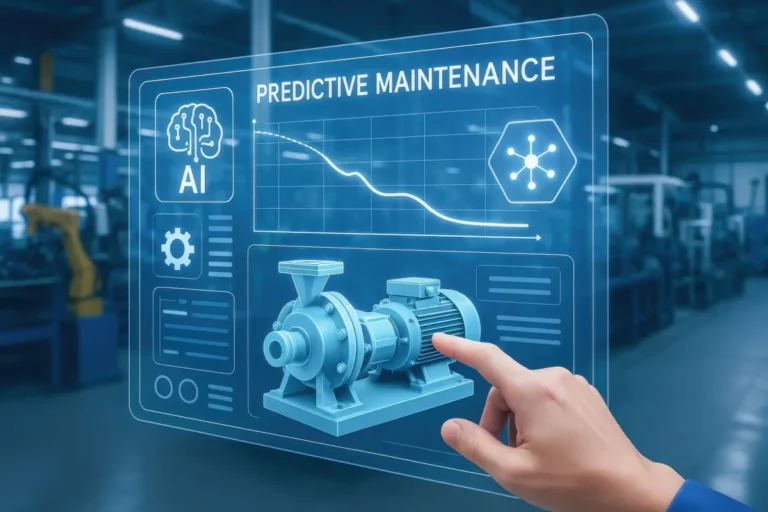
- Predictive maintenance: AI will monitor your equipment and predict when it’s about to break down. This will save you money on repairs and prevent costly downtime.
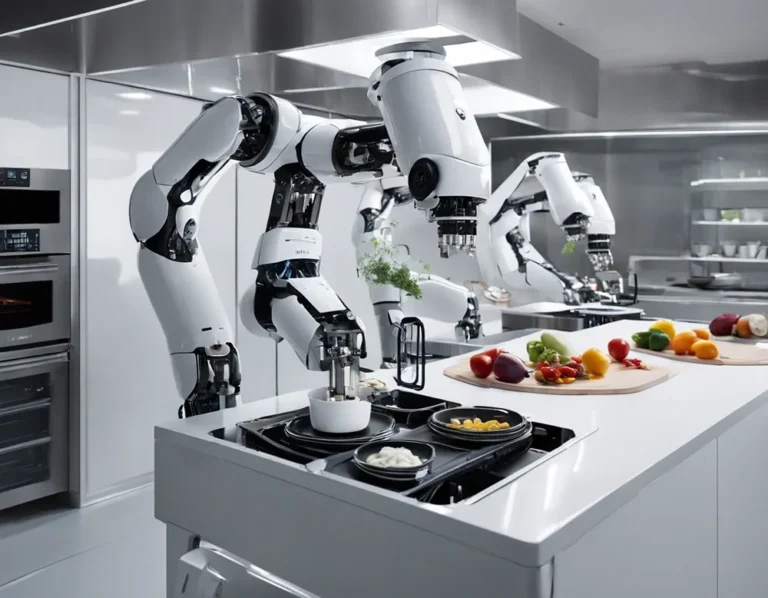
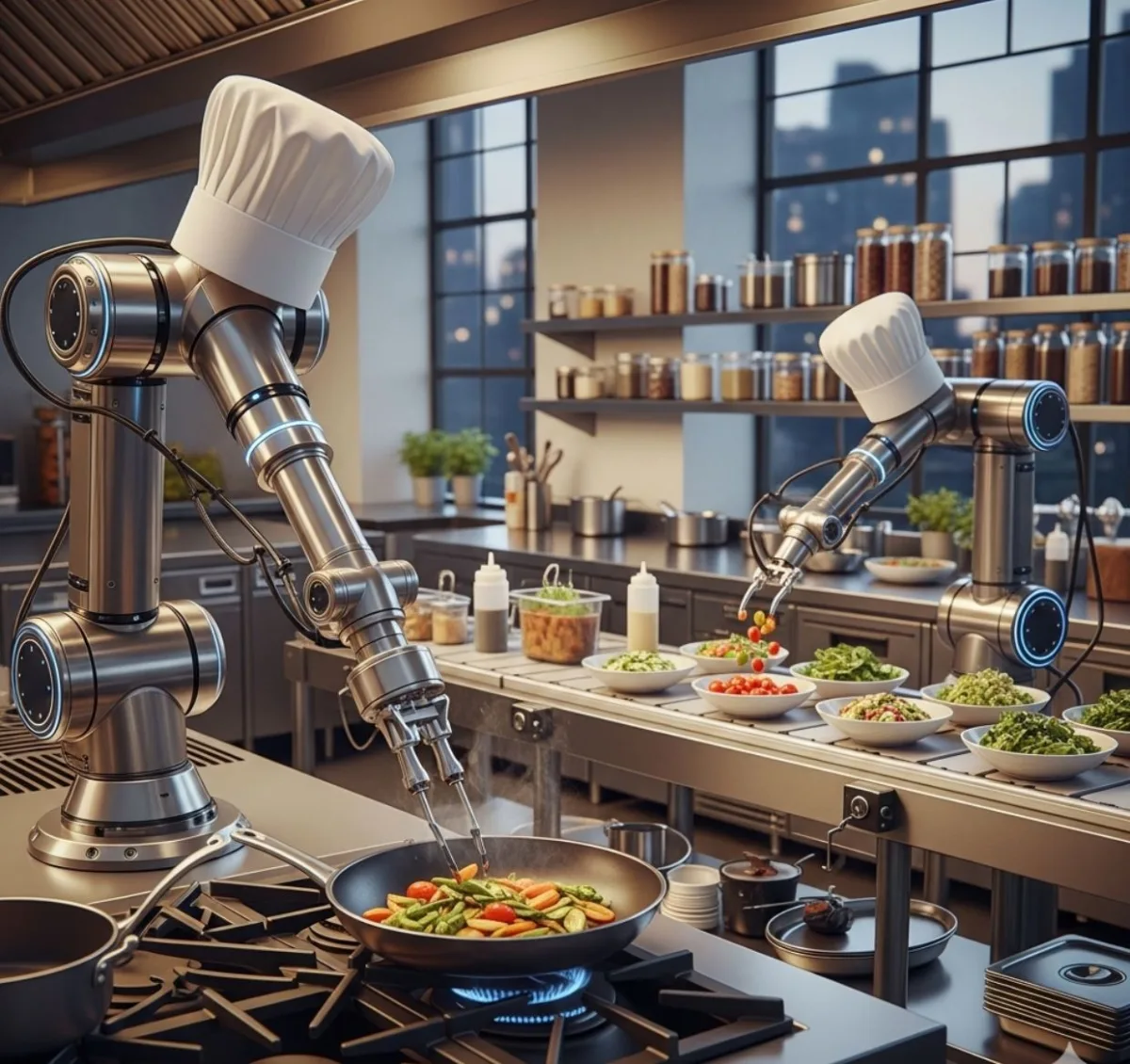
- Automated cooking: AI-powered robots will handle repetitive tasks like grilling burgers, frying chicken, and even plating dishes. This will free up your team to focus on more creative tasks.
- Personalized menus: AI will analyze guest data to create personalized menus based on dietary preferences, allergies, and past orders. This will improve the guest experience and increase sales.
- Voice-activated ordering: AI-powered voice assistants will handle phone orders, freeing up your team to focus on in-house guests.
- Real-time food safety: AI will monitor food temperatures, storage conditions, and expiration dates in real-time, ensuring your kitchen is always in compliance with food safety regulations.
I know what you’re thinking: “This sounds like science fiction.” And yeah, some of it does. But here’s the thing: these technologies are already being tested in kitchens around the world. And they’re not as far off as you might think. For example, Spyce Kitchen in Boston already uses robotic chefs to prepare meals. And Moley Robotics has developed a fully automated kitchen that can cook over 5,000 recipes.
But here’s the thing: AI isn’t about replacing humans. It’s about augmenting them. It’s about giving chefs the tools they need to do their jobs better, faster, and more creatively. And that’s a good thing. Because at the end of the day, the best kitchens are the ones that combine the best of both worlds: the precision and efficiency of AI, and the creativity and passion of humans.
So, how do you prepare for the future of AI in your kitchen? Here’s what I recommend:
- Start small: You don’t need to implement every AI tool at once. Start with one or two (like demand forecasting or automated ordering) and build from there.
- Stay informed: Keep up with the latest trends in AI and kitchen technology. Read industry publications, attend conferences, and talk to other chefs.
- Experiment: Don’t be afraid to try new things. If a new AI tool comes out, test it in your kitchen and see if it works for you.
- Focus on the human touch: Remember that AI is just a tool. The real magic happens when you combine it with the creativity and passion of your team.
And here’s the best part: the future of AI in commercial kitchens isn’t set in stone. It’s up to us to shape it. So let’s make sure it’s a future that benefits everyone, chefs, owners, and guests alike.
Why AI Won’t Replace Chefs (And What It Will Do Instead)
Let’s address the elephant in the room: a lot of chefs are worried that AI is going to replace them. And I get it. The idea of robots taking over the kitchen is scary. But here’s the thing: AI isn’t here to replace chefs. It’s here to make them better.
Think about it: the best chefs are the ones who combine technical skill with creativity and intuition. They know how to follow a recipe, but they also know how to improvise when something goes wrong. They know how to manage a team, but they also know how to inspire them. And they know how to run a business, but they also know how to create memorable experiences for their guests.
AI can’t do any of that. It can’t taste a sauce and know it needs more salt. It can’t look at a guest and know they’re having a bad day. And it can’t create a dish that makes someone’s eyes light up. Those are human skills, and they’re irreplaceable.
So what will AI do instead? It will handle the boring, repetitive, and time-consuming tasks that chefs hate. It will track inventory, place orders, and predict demand. It will monitor food safety, optimize portion sizes, and reduce waste. And it will free up chefs to focus on what they do best: creating, inspiring, and delighting.
I’ve seen this play out in real kitchens. One of my clients, a high-end restaurant in San Francisco, implemented an AI inventory system. The chef was skeptical at first, he thought the AI would take over his job. But after a few weeks, he realized that the AI was just handling the noise, so he could focus on the art. He started experimenting with new dishes, mentoring his team, and even writing a cookbook. And his restaurant has never been more successful.
So, if you’re a chef, don’t fear AI. Embrace it. Use it to make your life easier, your kitchen more efficient, and your food more delicious. Because at the end of the day, AI isn’t here to replace you. It’s here to help you become the best chef you can be.
Conclusion: How to Get Started with AI in Your Kitchen (Without Losing Your Mind)
Okay, let’s recap. We’ve covered a lot of ground in this guide, from demand forecasting to automated ordering to waste reduction to dynamic pricing. And if you’re feeling overwhelmed, I don’t blame you. Implementing AI in your kitchen is a big undertaking. But here’s the thing: you don’t have to do it all at once. You don’t have to implement every AI tool under the sun. You just have to start small, stay focused, and keep moving forward.
So, where do you begin? Here’s my step-by-step guide to getting started with AI in your kitchen:
- Identify your biggest pain points: What’s the one thing that’s causing you the most stress in your kitchen? Is it waste? Inefficiency? Manual tasks? Start with the problem that’s keeping you up at night.
- Choose one AI tool: Pick one tool that addresses that problem. For example, if waste is your biggest issue, start with an AI inventory system. If demand forecasting is your biggest issue, start with an AI demand forecasting tool.
- Clean up your data: Before you implement the AI tool, make sure your data is clean and organized. This means digitizing your inventory, tracking sales data, and standardizing your naming conventions.
- Implement the tool: Follow the vendor’s instructions to implement the tool in your kitchen. Make sure it integrates with your existing systems and that your team is trained on how to use it.
- Test and refine: Don’t just set it and forget it. Test the tool, track its performance, and refine your parameters as needed. If it’s not working, figure out why and make changes.
- Expand gradually: Once you’ve mastered one AI tool, consider adding another. For example, if you started with an AI inventory system, you might add an AI demand forecasting tool next.
And here’s the most important thing: don’t be afraid to fail. Implementing AI in your kitchen is a learning process. You’ll make mistakes, you’ll hit roadblocks, and you’ll have to pivot. But that’s okay. Because every mistake is a lesson, and every roadblock is an opportunity to get better.
So, what’s your next step? Maybe it’s researching AI tools. Maybe it’s cleaning up your data. Maybe it’s talking to your team about their biggest pain points. Whatever it is, take that first step. Because the future of your kitchen isn’t going to wait for you. And the sooner you start, the sooner you’ll reap the benefits.
And who knows? Maybe in a year, you’ll look back and wonder how you ever ran your kitchen without AI. I know I did.
FAQ
Q: Is AI really necessary for small commercial kitchens, or is it just for big chains?
A: AI isn’t just for big chains, it’s for any kitchen that wants to save time, reduce waste, and improve efficiency. The key is to start small. You don’t need to implement every AI tool at once. Pick one or two that address your biggest pain points (like waste or demand forecasting) and build from there. There are plenty of affordable, user-friendly AI tools designed specifically for small kitchens. And remember: even small improvements can add up to big savings over time.
Q: How much does it cost to implement AI in a commercial kitchen?
A: The cost of implementing AI in your kitchen depends on the tools you choose and the size of your operation. Some AI tools are subscription-based, with monthly fees ranging from $50 to $500 or more. Others are one-time purchases, with prices ranging from a few hundred dollars to several thousand. And some tools are free (or offer free trials), so you can test them out before committing. The key is to choose a tool that fits your budget and your needs. And remember: the ROI can be significant. A study by McKinsey found that AI-driven supply chain optimization can reduce costs by 15-30% and improve service levels by 65%. For a mid-sized restaurant, that could mean tens of thousands of dollars in savings per year.
Q: What if my team resists the change? How do I get them on board?
A: Change is hard, especially in kitchens where everyone’s already stretched thin. But there are a few things you can do to get your team on board:
- Involve them from the start: Don’t just spring the AI system on them one day. Involve them in the selection process, explain how it works, and ask for their feedback.
- Focus on the benefits: Don’t just tell them what the AI will do, tell them how it will make their lives easier. For example, instead of saying, “The AI will track inventory,” say, “The AI will handle inventory, so you don’t have to spend an hour every day counting tomatoes.”
- Address their concerns: Your team is probably worried that the AI will replace them or make their jobs harder. Address these concerns head-on. Explain that the AI is there to help, not replace them.
- Provide training: Don’t assume your team will figure out the AI system on their own. Provide thorough training, and make sure everyone understands how to use it.
- Lead by example: If you’re not using the AI system, your team won’t either. Make sure you’re using it consistently and showing your team how it’s making your life easier.
And remember: resistance is normal. It’s part of the process. But if you involve your team, address their concerns, and show them the benefits, they’ll come around.
Q: Can AI really predict demand accurately, or is it just a fancy guess?
A: AI demand forecasting is far more accurate than a “fancy guess.” Here’s why: AI analyzes hundreds of variables, historical sales data, weather, local events, social media trends, economic factors, and more, to predict demand with scary accuracy. For example, a study by McKinsey found that AI-driven demand forecasting can reduce errors by up to 50% compared to traditional methods. And the more data you feed the AI, the smarter it gets. Over time, it learns your kitchen’s unique patterns and makes better predictions. That said, AI isn’t perfect. It can’t predict everything (like a sudden food trend or a global pandemic), and it’s only as good as the data you feed it. So while AI can give you a much more accurate forecast than a human, it’s still important to use your judgment and adjust as needed.
@article{how-ai-can-optimize-supply-chain-for-commercial-kitchens-a-chefs-guide-to-smarter-operations,
    title   = {How AI Can Optimize Supply Chain for Commercial Kitchens: A Chef’s Guide to Smarter Operations},
    author  = {Chef's icon},
    year    = {2026},
    journal = {Chef's Icon},
    url     = {https://chefsicon.com/how-ai-can-optimize-supply-chain-for-commercial-kitchens/}
}