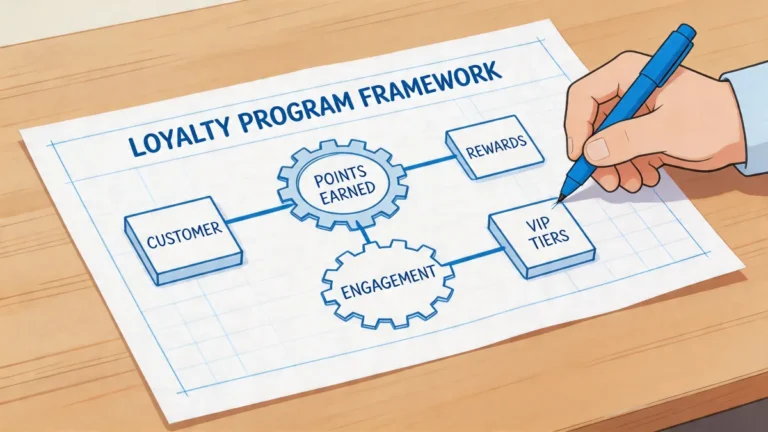
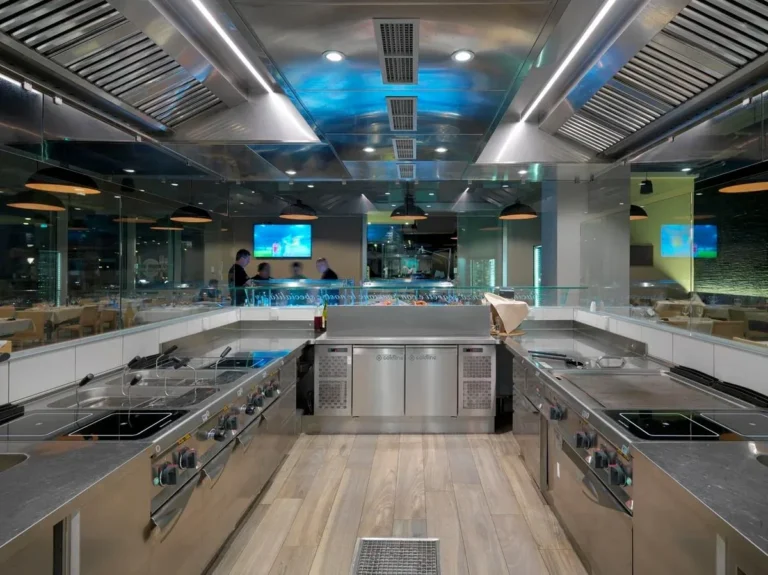
The Best Fluffy Pancakes recipe you will fall in love with. Full of tips and tricks to help you make the best pancakes.
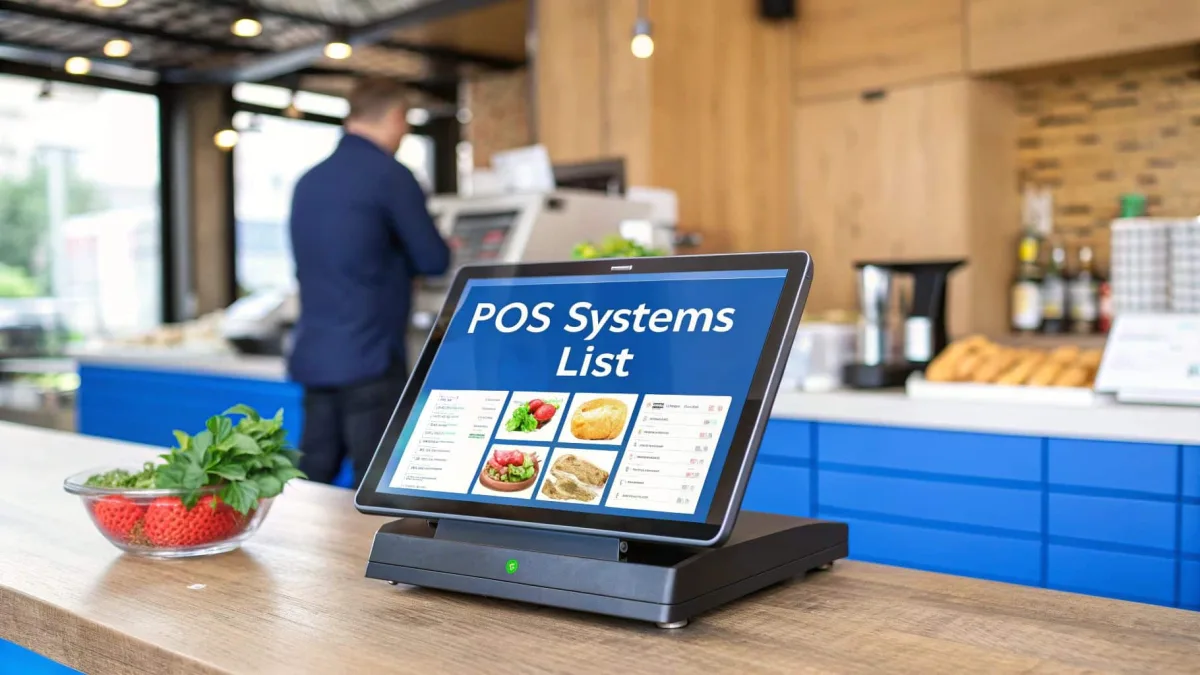
Let me tell you about the time I nearly ruined a friend’s pop-up dinner event. It wasn’t the food, though, full disclosure, my attempt at a deconstructed ceviche was… ambitious. No, the disaster was the point-of-sale system. We’d rented a tablet-based POS for the night, thinking it’d be simple. But when the Wi-Fi cut out mid-service, the system froze, orders vanished into digital limbo, and what should’ve been a seamless flow of tickets turned into a chaotic game of telephone between the kitchen and the front of house. By the end of the night, we were scribbling orders on napkins and manually tallying checks. It was a mess, and it cost us more than just time, it cost us trust with the guests.
That experience stuck with me. Since then, I’ve made it my mission to understand the ins and outs of restaurant POS systems. Not just as a food enthusiast, but as someone who’s seen firsthand how the wrong choice can derail even the most well-intentioned operation. Whether you’re running a food truck, a cozy café, or a full-service restaurant, your POS isn’t just a tool, it’s the backbone of your business. It’s where orders are taken, payments are processed, inventory is tracked, and customer relationships are built. Get it wrong, and you’re setting yourself up for headaches. Get it right, and you’re giving yourself the freedom to focus on what really matters: the food, the service, and the experience.
In this guide, we’re going to break down everything you need to know about restaurant POS systems compared. We’ll dive into the features that matter most, compare pricing models, and explore the pros and cons of the top systems on the market. By the end, you’ll have a clear roadmap for choosing a POS that fits your business like a well-worn chef’s knife, reliable, efficient, and perfectly suited to the task at hand. Let’s get started.
The Evolution of Restaurant POS Systems: From Cash Registers to Cloud-Based Powerhouses
Remember the old-school cash registers? The ones that made that satisfying *cha-ching* sound every time the drawer opened? Those were simple times. You punched in the order, took the cash, and called it a day. But restaurants today aren’t just about taking orders and making change, they’re about data, speed, and seamless integration. Modern POS systems do more than process transactions; they’re the central nervous system of your restaurant, connecting everything from inventory management to customer loyalty programs.
So how did we get here? The first electronic POS systems emerged in the 1980s, but they were clunky, expensive, and required dedicated hardware. Fast forward to the 2000s, and the rise of cloud computing changed everything. Suddenly, POS systems could be accessed from anywhere, updated in real-time, and integrated with other software like accounting tools and online ordering platforms. Today, the best POS systems are mobile-friendly, scalable, and packed with features that would’ve seemed like science fiction a few decades ago.
But here’s the thing: not all POS systems are created equal. Some are built for quick-service restaurants, others for full-service dining, and some are tailored for niche businesses like food trucks or ghost kitchens. The key is understanding what your business *actually* needs, not just what the sales rep is pitching. Is a cloud-based system better for you, or do you need something that works offline? Do you need table management features, or is a simple countertop setup enough? These are the questions we’ll tackle as we dive deeper.
Why Your Choice of POS System Matters More Than You Think
I’ll be honest: when I first started researching POS systems, I thought it was just about processing payments. Boy, was I wrong. Your POS system touches nearly every aspect of your restaurant’s operations, and the ripple effects of choosing the wrong one can be costly, time-consuming, and frustrating. Here’s why it’s such a big deal:
- Speed and Efficiency: A slow or glitchy POS can bring your service to a crawl. Long wait times for orders to process? That’s a recipe for unhappy customers and lost revenue.
- Accuracy: Manual order-taking is prone to errors. A good POS system reduces mistakes by sending orders directly to the kitchen, splitting checks automatically, and even flagging potential issues (like allergens) before they become problems.
- Data and Insights: The best POS systems don’t just process transactions, they collect data. Sales trends, peak hours, best-selling items, customer preferences, this information is gold when it comes to making informed decisions about your menu, staffing, and marketing.
- Customer Experience: A smooth, modern POS system can enhance the dining experience. Think contactless payments, digital receipts, and loyalty programs that keep customers coming back.
- Scalability: If you’re planning to grow your business, whether by adding locations, expanding your menu, or offering catering, a POS system that can scale with you is non-negotiable.
- Cost: POS systems aren’t cheap, and the wrong choice can drain your budget with hidden fees, unnecessary features, or hardware that becomes obsolete too quickly.
So, where do you even start? Let’s break it down.
Key Features to Look for in a Restaurant POS System
Not all POS systems are built the same, and the features you need depend on the type of restaurant you’re running. A food truck has different requirements than a fine-dining establishment, and a café with a simple menu won’t need the same level of complexity as a restaurant with a rotating seasonal menu. That said, there are some core features that every restaurant POS should have, as well as some ice-to-have extras that can take your operations to the next level. Here’s what to look for:
1. Order Management: The Heart of Your POS
At its core, a POS system is about taking and managing orders. But how it does that can vary widely. Here’s what to consider:
- Tablet vs. Countertop: Tablet-based systems (like iPads) are popular because they’re portable and can be used for tableside ordering. Countertop systems, on the other hand, are more traditional and often more durable. Which one is right for you? It depends on your service style. If you’re a full-service restaurant, tablets can speed up service and reduce errors. If you’re a quick-service spot, a countertop system might be all you need.
- Kitchen Display Systems (KDS): A KDS replaces paper tickets by sending orders directly to a screen in the kitchen. This reduces errors, speeds up service, and eliminates the need for handwritten tickets. Some systems even prioritize orders based on prep time or course, which is a game-changer for busy kitchens.
- Modifiers and Customizations: If your menu includes items that can be customized (think burgers with different toppings or salads with dressing on the side), your POS needs to handle modifiers seamlessly. Look for a system that allows for easy customization without slowing down the ordering process.
- Split Checks and Tabs: Splitting the bill is a common request, and a good POS system should make it easy. Some systems even allow customers to split their own checks via a mobile app or kiosk, which can save your staff time and reduce errors.
Is this the best approach? Let’s consider the alternatives. Some restaurants still rely on handwritten tickets, and while that might work for a small, low-volume operation, it’s not scalable. On the other end of the spectrum, some POS systems offer AI-powered order suggestions based on customer history, which can boost sales but might feel a bit too “big brother” for some diners. Ultimately, the right balance depends on your restaurant’s vibe and volume.
2. Payment Processing: Speed, Security, and Flexibility
Payment processing is where the rubber meets the road. A slow or unreliable payment system can frustrate customers and cost you sales. Here’s what to look for:
- Multiple Payment Options: Customers expect flexibility, so your POS should accept credit cards, debit cards, mobile payments (like Apple Pay and Google Pay), and even contactless payments. Some systems also support gift cards and loyalty points as payment methods.
- EMV Compliance: EMV (Europay, Mastercard, and Visa) chip cards are the standard for secure payments. If your POS isn’t EMV-compliant, you could be on the hook for fraudulent charges. This isn’t just a nice-to-have, it’s a must.
- Offline Mode: What happens if your internet goes down? Some POS systems can process payments offline and sync the data once the connection is restored. This is a lifesaver for restaurants in areas with spotty internet or during peak hours when the network is slow.
- Tipping Support: For full-service restaurants, tipping is a big part of the culture. Look for a POS system that makes it easy for customers to add tips, whether it’s a percentage of the bill or a custom amount. Some systems even allow for pre-authorized tips, which can speed up the payment process.
- PCI Compliance: The Payment Card Industry Data Security Standard (PCI DSS) is a set of security standards designed to protect cardholder data. Your POS system should be PCI-compliant to ensure that customer payment information is secure.
I’m torn between the convenience of mobile payments and the security of traditional methods. On one hand, mobile payments are fast and convenient, but they also come with risks, like data breaches or fraud. On the other hand, cash is still king for some customers, but it’s a hassle to manage and secure. Maybe I should clarify: the best POS systems strike a balance between convenience and security, offering multiple payment options while keeping customer data safe.
3. Inventory Management: Keeping Track of What Matters
Inventory management is one of those behind-the-scenes tasks that can make or break your restaurant. Run out of a key ingredient during a dinner rush, and you’re scrambling. Overorder, and you’re wasting money on food that spoils. A good POS system can help you strike the right balance by tracking inventory in real-time, alerting you when stock is low, and even generating purchase orders automatically. Here’s what to look for:
- Real-Time Tracking: The best POS systems update your inventory levels in real-time as orders are placed. This means you always know what’s in stock and what needs to be reordered.
- Low-Stock Alerts: Set up alerts to notify you when inventory levels drop below a certain threshold. This can help you avoid running out of popular items during peak hours.
- Ingredient-Level Tracking: Some systems track inventory at the ingredient level, which is especially useful for restaurants with complex menus. For example, if you run out of avocados, the system can flag all dishes that use avocados as unavailable.
- Vendor Management: Some POS systems integrate with your vendors, allowing you to place orders directly from the system. This can save time and reduce errors.
- Waste Tracking: Tracking waste can help you identify inefficiencies in your kitchen. Some systems allow you to log wasted items, which can then be used to adjust your inventory orders.
- Recipe Costing: Some advanced POS systems can calculate the cost of each dish based on ingredient prices. This can help you price your menu items more accurately and identify opportunities to reduce costs.
I’ll admit, I used to think inventory management was just about counting what’s in the fridge. But after talking to a few restaurant owners, I realized it’s so much more than that. It’s about predicting demand, reducing waste, and maximizing profits. A good POS system can turn inventory management from a chore into a strategic advantage.
4. Reporting and Analytics: Turning Data into Dollars
Data is the new oil, and your POS system is the refinery. The best systems don’t just process orders, they collect data that can help you make smarter decisions about your business. Here’s what to look for in a reporting and analytics tool:
- Sales Reports: Track sales by day, week, month, or year. Look for systems that can break down sales by item, category, or even server. This can help you identify your best-selling items and adjust your menu accordingly.
- Labor Reports: Track labor costs and productivity. Some systems can even help you schedule staff based on predicted sales, which can save you money on labor.
- Customer Reports: Track customer spending, visit frequency, and preferences. This data can be used to create targeted marketing campaigns and loyalty programs.
- Inventory Reports: Track inventory levels, waste, and usage. This can help you identify inefficiencies and reduce costs.
- Custom Reports: Some systems allow you to create custom reports based on your specific needs. This can be especially useful for restaurants with unique requirements.
- Real-Time Dashboards: Some POS systems offer real-time dashboards that give you a snapshot of your business at a glance. This can be especially useful for multi-location restaurants.
Maybe I should clarify: not all data is created equal. It’s easy to get overwhelmed by the sheer volume of information a POS system can collect. The key is to focus on the metrics that matter most to your business. For example, if you’re a quick-service restaurant, you might care more about average order value and peak hours. If you’re a full-service restaurant, you might focus on table turnover and server performance. The best POS systems make it easy to customize your reports so you’re only looking at the data that’s relevant to you.
5. Customer Relationship Management (CRM): Building Loyalty and Repeat Business
Repeat customers are the lifeblood of any restaurant. A good POS system can help you build and maintain relationships with your customers by tracking their preferences, visit history, and spending habits. Here’s what to look for in a CRM tool:
- Customer Profiles: Create profiles for your customers that include their contact information, visit history, and preferences. This can help you personalize their experience and build loyalty.
- Loyalty Programs: Some POS systems include built-in loyalty programs that allow you to reward customers for repeat visits. This can be as simple as a punch card or as complex as a points-based system.
- Email and SMS Marketing: Some systems integrate with email and SMS marketing tools, allowing you to send targeted promotions to your customers. This can help you drive repeat business and boost sales.
- Feedback and Reviews: Some POS systems allow customers to leave feedback or reviews directly from the payment screen. This can help you identify areas for improvement and build social proof.
- Reservation Management: If you take reservations, look for a POS system that integrates with your reservation software. This can help you manage your bookings more efficiently and reduce no-shows.
I’ll be honest: I used to think loyalty programs were just a gimmick. But after seeing how effective they can be for restaurants, I’ve changed my tune. A well-designed loyalty program doesn’t just reward customers, it builds a community. And in an industry where competition is fierce, that community can be the difference between a one-time visitor and a lifelong fan.
6. Integrations: Connecting Your POS to the Rest of Your Business
Your POS system doesn’t exist in a vacuum. It needs to integrate with the other tools you use to run your business, from accounting software to online ordering platforms. Here’s what to look for in an integration-friendly POS system:
- Accounting Software: Integrating your POS with your accounting software can save you time and reduce errors. Look for systems that integrate with popular tools like QuickBooks, Xero, or Sage.
- Online Ordering: If you offer online ordering, look for a POS system that integrates with your online ordering platform. This can help you manage orders more efficiently and reduce errors.
- Delivery Platforms: If you partner with third-party delivery services like Uber Eats or DoorDash, look for a POS system that integrates with these platforms. This can help you manage orders and track delivery performance.
- Payroll Software: Some POS systems integrate with payroll software, allowing you to track labor costs and process payroll more efficiently.
- Marketing Tools: Some systems integrate with marketing tools like Mailchimp or Constant Contact, allowing you to send targeted promotions to your customers.
- API Access: If you have custom needs, look for a POS system that offers API access. This can allow you to build custom integrations with other tools.
Is this the best approach? Let’s consider the alternatives. Some restaurants use separate systems for everything, one for POS, one for accounting, one for online ordering, and then spend hours manually transferring data between them. It’s a recipe for errors and inefficiency. On the other hand, some POS systems offer so many integrations that they become bloated and difficult to use. The key is to find a system that offers the integrations you actually need, without overwhelming you with options you’ll never use.
Restaurant POS Systems Compared: Top Contenders in 2026
Now that we’ve covered the key features to look for, let’s dive into some of the top restaurant POS systems on the market in 2026. I’ve spent hours researching, talking to restaurant owners, and even testing a few systems myself (though, full disclosure, I’m not running a restaurant, just a very enthusiastic home cook with a rescue cat who judges my plating). Here’s what I found:
1. Toast: The All-in-One Powerhouse
Best for: Full-service restaurants, bars, and multi-location businesses.
Toast is one of the most popular POS systems for restaurants, and for good reason. It’s cloud-based, user-friendly, and packed with features designed specifically for the restaurant industry. Here’s what sets it apart:
- Hardware: Toast offers a range of hardware options, including countertop terminals, handheld devices, and kitchen display systems. Their hardware is durable and designed to withstand the rigors of a busy restaurant.
- Software: Toast’s software is intuitive and easy to use, with features like tableside ordering, menu management, and real-time reporting. It also includes built-in tools for online ordering, delivery management, and loyalty programs.
- Pricing: Toast uses a subscription-based pricing model, with plans starting at around $69 per month for the basic package. Hardware costs extra, and payment processing fees apply (typically around 2.49% + $0.15 per transaction).
- Integrations: Toast integrates with a wide range of third-party tools, including accounting software, payroll systems, and delivery platforms.
- Customer Support: Toast offers 24/7 customer support, which is a lifesaver for restaurants that operate outside of traditional business hours.
Pros:
- Designed specifically for restaurants, with features tailored to the industry.
- User-friendly interface that’s easy to learn and use.
- Strong customer support and training resources.
- Scalable for businesses of all sizes.
Cons:
- Pricing can be on the higher side, especially for small businesses.
- Some users report that the system can be slow during peak hours.
- Hardware is proprietary, so you’re locked into Toast’s ecosystem.
I’m torn between Toast’s robust feature set and its pricing. On one hand, it’s one of the most comprehensive POS systems on the market, with everything a restaurant could need built right in. On the other hand, the costs can add up quickly, especially for small businesses. Ultimately, I think Toast is a great choice for full-service restaurants and multi-location businesses, but it might be overkill for a small café or food truck.
2. Square for Restaurants: The Flexible and Affordable Option
Best for: Quick-service restaurants, cafés, food trucks, and small businesses.
Square is a household name in the payments industry, and its restaurant POS system is a popular choice for small businesses. Here’s what makes it stand out:
- Hardware: Square offers a range of hardware options, including countertop terminals, handheld devices, and kitchen printers. Their hardware is sleek, modern, and designed to work seamlessly with their software.
- Software: Square’s software is simple and intuitive, with features like tableside ordering, menu management, and real-time reporting. It also includes built-in tools for online ordering, delivery management, and loyalty programs.
- Pricing: Square uses a subscription-based pricing model, with plans starting at $0 per month for the basic package (you only pay processing fees, which are typically around 2.6% + $0.10 per transaction). Hardware costs extra, and higher-tier plans offer additional features.
- Integrations: Square integrates with a wide range of third-party tools, including accounting software, payroll systems, and delivery platforms.
- Customer Support: Square offers 24/7 customer support, as well as a robust knowledge base and community forum.
Pros:
- Affordable pricing, with a free plan available for small businesses.
- User-friendly interface that’s easy to learn and use.
- Flexible hardware options that work with a variety of devices.
- Strong customer support and training resources.
Cons:
- Limited features compared to more specialized restaurant POS systems.
- Some users report that the system can be slow during peak hours.
- Not as scalable as some other options, which could be an issue for growing businesses.
Square is a great choice for small businesses, quick-service restaurants, and food trucks. Its affordability and flexibility make it an attractive option, but it might not have all the features a larger restaurant needs. I’ll admit, I’m a fan of Square’s pricing model, it’s hard to beat a free plan, especially for businesses just starting out. But is it the right choice for everyone? Probably not. If you’re running a full-service restaurant with complex needs, you might find Square’s feature set a bit lacking.
3. Clover: The Customizable Contender
Best for: Bars, breweries, and restaurants with unique needs.
Clover is a versatile POS system that’s popular with bars, breweries, and restaurants that need a high degree of customization. Here’s what sets it apart:
- Hardware: Clover offers a range of hardware options, including countertop terminals, handheld devices, and kitchen printers. Their hardware is sleek and modern, with a focus on customization.
- Software: Clover’s software is highly customizable, with features like tableside ordering, menu management, and real-time reporting. It also includes built-in tools for online ordering, delivery management, and loyalty programs.
- Pricing: Clover uses a subscription-based pricing model, with plans starting at around $14.95 per month for the basic package. Hardware costs extra, and payment processing fees apply (typically around 2.3% + $0.10 per transaction).
- Integrations: Clover integrates with a wide range of third-party tools, including accounting software, payroll systems, and delivery platforms. It also offers an app marketplace where you can find additional integrations.
- Customer Support: Clover offers 24/7 customer support, as well as a robust knowledge base and community forum.
Pros:
- Highly customizable, with a wide range of apps and integrations.
- User-friendly interface that’s easy to learn and use.
- Flexible hardware options that work with a variety of devices.
- Strong customer support and training resources.
Cons:
- Pricing can be confusing, with multiple plans and add-ons.
- Some users report that the system can be slow during peak hours.
- Hardware is proprietary, so you’re locked into Clover’s ecosystem.
Clover is a great choice for bars, breweries, and restaurants with unique needs. Its customization options are a major selling point, but the pricing can be a bit confusing. I’m torn between Clover’s flexibility and its complexity. On one hand, it’s great to have so many options for customization. On the other hand, all those choices can be overwhelming, especially for small businesses. Maybe I should clarify: Clover is a great option if you have specific needs that aren’t met by other POS systems, but it might not be the best choice for everyone.
4. Lightspeed Restaurant: The International Favorite
Best for: Full-service restaurants, hotels, and multi-location businesses.
Lightspeed is a popular POS system for restaurants, especially in Europe and Canada. It’s known for its robust feature set and scalability. Here’s what sets it apart:
- Hardware: Lightspeed offers a range of hardware options, including countertop terminals, handheld devices, and kitchen display systems. Their hardware is durable and designed to withstand the rigors of a busy restaurant.
- Software: Lightspeed’s software is feature-rich, with tools for tableside ordering, menu management, inventory tracking, and real-time reporting. It also includes built-in tools for online ordering, delivery management, and loyalty programs.
- Pricing: Lightspeed uses a subscription-based pricing model, with plans starting at around $69 per month for the basic package. Hardware costs extra, and payment processing fees apply (typically around 2.6% + $0.10 per transaction).
- Integrations: Lightspeed integrates with a wide range of third-party tools, including accounting software, payroll systems, and delivery platforms.
- Customer Support: Lightspeed offers 24/7 customer support, as well as a robust knowledge base and community forum.
Pros:
- Feature-rich software with tools for every aspect of restaurant management.
- User-friendly interface that’s easy to learn and use.
- Strong customer support and training resources.
- Scalable for businesses of all sizes.
Cons:
- Pricing can be on the higher side, especially for small businesses.
- Some users report that the system can be slow during peak hours.
- Hardware is proprietary, so you’re locked into Lightspeed’s ecosystem.
Lightspeed is a great choice for full-service restaurants, hotels, and multi-location businesses. Its robust feature set and scalability make it a strong contender, but the pricing might be a barrier for small businesses. I’ll admit, I’m impressed by Lightspeed’s international presence, it’s a testament to its reliability and versatility. But is it the right choice for everyone? Probably not. If you’re running a small café or food truck, you might find Lightspeed’s feature set a bit overwhelming.
5. Revel Systems: The Enterprise Solution
Best for: Large restaurants, chains, and enterprise-level businesses.
Revel Systems is a POS system designed for large restaurants and chains. It’s known for its scalability and enterprise-level features. Here’s what sets it apart:
- Hardware: Revel offers a range of hardware options, including countertop terminals, handheld devices, and kitchen display systems. Their hardware is durable and designed to withstand the rigors of a busy restaurant.
- Software: Revel’s software is feature-rich, with tools for tableside ordering, menu management, inventory tracking, and real-time reporting. It also includes built-in tools for online ordering, delivery management, and loyalty programs.
- Pricing: Revel uses a subscription-based pricing model, with plans starting at around $99 per month for the basic package. Hardware costs extra, and payment processing fees apply (typically around 2.49% + $0.15 per transaction).
- Integrations: Revel integrates with a wide range of third-party tools, including accounting software, payroll systems, and delivery platforms.
- Customer Support: Revel offers 24/7 customer support, as well as a robust knowledge base and community forum.
Pros:
- Enterprise-level features designed for large restaurants and chains.
- User-friendly interface that’s easy to learn and use.
- Strong customer support and training resources.
- Scalable for businesses of all sizes.
Cons:
- Pricing can be on the higher side, especially for small businesses.
- Some users report that the system can be slow during peak hours.
- Hardware is proprietary, so you’re locked into Revel’s ecosystem.
Revel is a great choice for large restaurants, chains, and enterprise-level businesses. Its scalability and enterprise-level features make it a strong contender, but the pricing might be a barrier for small businesses. I’ll admit, I’m impressed by Revel’s focus on large businesses, it’s clear that they’ve designed their system with scalability in mind. But is it the right choice for everyone? Probably not. If you’re running a small café or food truck, you might find Revel’s feature set a bit overwhelming.
Restaurant POS System Pricing: What to Expect and How to Budget
Let’s talk money. POS systems aren’t cheap, and the costs can add up quickly. But here’s the thing: the right POS system can save you money in the long run by improving efficiency, reducing errors, and boosting sales. The key is understanding the pricing models and hidden costs so you can budget accordingly. Here’s what to expect:
1. Subscription Fees: The Recurring Cost
Most modern POS systems use a subscription-based pricing model, where you pay a monthly fee for access to the software. These fees can range from $0 (for basic plans) to $300 or more per month (for enterprise-level plans). Here’s a breakdown of what you might expect:
- Basic Plans: Typically start at $0 to $69 per month. These plans usually include core features like order management, payment processing, and basic reporting. They’re a good option for small businesses or restaurants with simple needs.
- Mid-Tier Plans: Typically range from $69 to $150 per month. These plans usually include additional features like inventory management, loyalty programs, and advanced reporting. They’re a good option for full-service restaurants or businesses with more complex needs.
- Enterprise Plans: Typically start at $150 per month and can go up to $300 or more. These plans usually include enterprise-level features like multi-location management, custom reporting, and API access. They’re a good option for large restaurants, chains, or businesses with unique needs.
I’m torn between the affordability of basic plans and the features of higher-tier plans. On one hand, it’s tempting to go with the cheapest option, especially if you’re just starting out. On the other hand, skimping on features now could cost you more in the long run if you outgrow your system too quickly. Maybe I should clarify: the best approach is to choose a plan that meets your current needs while leaving room for future growth. Don’t pay for features you don’t need, but don’t skimp on the essentials either.
2. Hardware Costs: The Upfront Investment
In addition to subscription fees, you’ll also need to budget for hardware. The cost of hardware can vary widely depending on the type of system you choose and the number of devices you need. Here’s a breakdown of what you might expect:
- Countertop Terminals: Typically range from $500 to $1,500 per terminal. These are the traditional POS systems that sit on your counter and include a touchscreen, card reader, and receipt printer.
- Handheld Devices: Typically range from $300 to $800 per device. These are portable tablets or smartphones that can be used for tableside ordering or mobile payments.
- Kitchen Display Systems (KDS): Typically range from $500 to $1,500 per screen. These replace paper tickets by sending orders directly to a screen in the kitchen.
- Receipt Printers: Typically range from $200 to $500 per printer. These print receipts for customers and can also be used to print kitchen tickets.
- Cash Drawers: Typically range from $100 to $300 per drawer. These store cash and coins and are usually integrated with your POS system.
- Barcode Scanners: Typically range from $100 to $300 per scanner. These are used to scan barcodes on products or loyalty cards.
Is this the best approach? Let’s consider the alternatives. Some POS systems offer hardware bundles that include everything you need for a discounted price. Others allow you to use your own devices, which can save you money upfront but might not be as reliable. The key is to choose hardware that’s durable, reliable, and compatible with your POS system. Don’t skimp on quality, cheap hardware can cost you more in the long run if it breaks down or becomes obsolete too quickly.
3. Payment Processing Fees: The Hidden Cost
Payment processing fees are one of the hidden costs of POS systems. These fees are charged every time a customer pays with a credit or debit card, and they can add up quickly. Here’s what to expect:
- Flat-Rate Pricing: Some POS systems use a flat-rate pricing model, where you pay a fixed percentage of each transaction (e.g., 2.6% + $0.10 per transaction). This is a simple and predictable pricing model, but it can be more expensive for high-volume businesses.
- Interchange-Plus Pricing: Some POS systems use an interchange-plus pricing model, where you pay the actual cost of processing the transaction plus a small markup. This can be more cost-effective for high-volume businesses, but it’s also more complex and harder to predict.
- Tiered Pricing: Some POS systems use a tiered pricing model, where transactions are categorized into different tiers (e.g., qualified, mid-qualified, and non-qualified) with different fees for each tier. This can be confusing and unpredictable, so it’s generally not recommended.
I’ll admit, I used to think payment processing fees were just a necessary evil. But after talking to a few restaurant owners, I realized they’re a major expense that can eat into your profits. The key is to choose a POS system with transparent pricing and competitive rates. Don’t be afraid to negotiate, some providers will lower their rates if you process a high volume of transactions.
4. Installation and Training: The Often Overlooked Cost
Installation and training are two costs that are often overlooked when budgeting for a POS system. But they’re important to consider, especially if you’re switching from an older system or implementing a POS for the first time. Here’s what to expect:
- Installation: Some POS systems offer professional installation, where a technician comes to your restaurant and sets up the system for you. This can be a good option if you’re not tech-savvy or if you have a complex setup. Installation fees typically range from $500 to $2,000, depending on the complexity of your system.
- Training: Training is essential to ensure that your staff knows how to use the POS system effectively. Some POS systems offer on-site training, where a trainer comes to your restaurant and teaches your staff how to use the system. Others offer online training, where your staff can learn at their own pace. Training fees typically range from $200 to $1,000, depending on the level of training required.
Maybe I should clarify: installation and training aren’t just about getting the system up and running. They’re about ensuring that your staff is comfortable with the system and maximizing its potential. A poorly trained staff can lead to errors, inefficiencies, and lost sales. Don’t skimp on training, it’s an investment that will pay off in the long run.
5. Maintenance and Support: The Ongoing Cost
Maintenance and support are ongoing costs that you’ll need to budget for. These costs can vary widely depending on the POS system you choose and the level of support you need. Here’s what to expect:
- Software Updates: Most POS systems release regular software updates to fix bugs, add new features, and improve security. Some systems include these updates in your subscription fee, while others charge extra.
- Hardware Maintenance: Hardware can break down or become obsolete over time. Some POS systems offer hardware warranties or maintenance plans that cover repairs and replacements. These plans typically range from $20 to $100 per month, depending on the level of coverage.
- Customer Support: Customer support is essential for troubleshooting issues and getting help when you need it. Some POS systems offer 24/7 support, while others have limited hours. Support fees can range from $0 (included in your subscription) to $100 or more per month.
I’m torn between the convenience of included support and the cost of premium plans. On one hand, it’s nice to have 24/7 support included in your subscription. On the other hand, premium support plans can be expensive, especially for small businesses. The key is to choose a POS system with reliable support that fits your budget. Don’t assume that included support is enough, make sure you understand what’s covered and what’s not.
How to Choose the Right Restaurant POS System for Your Business
Choosing the right POS system is a big decision, and it’s not one to take lightly. The wrong choice can cost you time, money, and sanity. The right choice can streamline your operations, boost your sales, and give you the freedom to focus on what you do best: running your restaurant. Here’s a step-by-step guide to help you make the right choice:
1. Assess Your Needs: What Do You Really Need?
The first step in choosing a POS system is to assess your needs. What features are essential for your business? What’s nice to have but not necessary? Here are some questions to ask yourself:
- What type of restaurant do you run? (Quick-service, full-service, food truck, etc.)
- How many locations do you have?
- What’s your average order volume?
- Do you need tableside ordering?
- Do you need inventory management?
- Do you need loyalty programs or CRM tools?
- Do you need online ordering or delivery management?
- What’s your budget for hardware and software?
I’ll admit, this step can be overwhelming. It’s easy to get caught up in the excitement of all the features a POS system can offer. But the key is to focus on what you actually need, not what you think you need. Don’t pay for features you won’t use, it’s a waste of money and can make your system more complex than it needs to be.
2. Research Your Options: What’s Out There?
Once you’ve assessed your needs, it’s time to research your options. There are dozens of POS systems on the market, each with its own strengths and weaknesses. Here’s how to narrow down your choices:
- Read Reviews: Look for reviews from other restaurant owners. What do they like about the system? What do they dislike? Are there any common complaints?
- Watch Demos: Most POS providers offer free demos or trials. Take advantage of these to get a feel for the system and see if it’s a good fit for your business.
- Talk to Other Restaurant Owners: Reach out to other restaurant owners in your network. What POS system do they use? Would they recommend it?
- Compare Features: Make a list of the features you need and compare them across different POS systems. Which systems offer the best value for your needs?
Maybe I should clarify: not all reviews are created equal. Some reviews are written by people who have never used the system, while others are written by people with a vested interest in promoting a particular product. The key is to look for detailed, honest reviews from people who have actually used the system in a real-world setting.
3. Compare Pricing: What’s the Total Cost?
Once you’ve narrowed down your options, it’s time to compare pricing. But don’t just look at the monthly subscription fee, consider the total cost of ownership, including hardware, payment processing fees, installation, training, and support. Here’s how to do it:
- Get Quotes: Contact the POS providers and ask for a detailed quote. Make sure the quote includes all the costs, not just the subscription fee.
- Calculate the Total Cost: Add up the costs of hardware, software, payment processing, installation, training, and support. This will give you a better idea of the total cost of ownership.
- Compare Value: Don’t just compare prices, compare value. Which system offers the best features for the price? Which system will save you the most time and money in the long run?
I’m torn between the affordability of some systems and the features of others. On one hand, it’s tempting to go with the cheapest option. On the other hand, skimping on features now could cost you more in the long run. The key is to find a system that offers the best value for your needs, not just the lowest price.
4. Test the System: Does It Work for You?
Before you commit to a POS system, it’s important to test it out. Most providers offer free demos or trials, take advantage of these to see if the system works for you. Here’s what to look for:
- Ease of Use: Is the system intuitive and easy to use? Can your staff learn it quickly?
- Speed: Is the system fast and responsive? Does it slow down during peak hours?
- Reliability: Is the system stable and reliable? Does it crash or freeze often?
- Customer Support: Is customer support responsive and helpful? Can you get help when you need it?
Is this the best approach? Let’s consider the alternatives. Some restaurant owners skip the demo and go straight to purchasing the system. This can be a costly mistake, if the system doesn’t work for you, you’re stuck with it. On the other hand, some providers offer money-back guarantees or free trials, which can give you peace of mind. The key is to test the system thoroughly before you commit.
5. Make Your Decision: What’s the Best Fit?
After you’ve assessed your needs, researched your options, compared pricing, and tested the system, it’s time to make your decision. Here’s how to do it:
- Weigh the Pros and Cons: Make a list of the pros and cons of each system. Which system offers the best balance of features, pricing, and ease of use?
- Consider Your Long-Term Goals: Think about where your business is headed. Will the system grow with you, or will you outgrow it too quickly?
- Trust Your Gut: At the end of the day, you know your business better than anyone else. Trust your instincts and choose the system that feels like the best fit.
I’ll admit, this step can be nerve-wracking. It’s a big decision, and it’s easy to second-guess yourself. But remember: no system is perfect. The key is to choose the system that meets your needs, fits your budget, and works for your team. Don’t overthink it, trust your research and go with your gut.
Final Thoughts: The POS System That Fits Like a Glove
Choosing the right POS system is a lot like choosing the right pair of shoes. You want something that’s comfortable, durable, and perfectly suited to your needs. Too tight, and it’ll pinch. Too loose, and you’ll trip over yourself. But get it right, and you’ll barely notice it’s there, it’ll just work, day in and day out, supporting you every step of the way.
In this guide, we’ve covered everything you need to know about restaurant POS systems compared. We’ve explored the key features to look for, compared the top systems on the market, and broken down the pricing models so you can budget accordingly. We’ve also walked through the step-by-step process of choosing the right system for your business, from assessing your needs to making the final decision.
So, what’s next? It’s time to take action. Start by assessing your needs, researching your options, and testing out a few systems. Don’t rush the process, take your time and choose the system that’s the best fit for your business. And remember: the right POS system isn’t just a tool, it’s a partner in your success. Choose wisely, and it’ll pay dividends for years to come.
Now, if you’ll excuse me, I need to go check on Luna. She’s been giving me the stink eye ever since I started writing about payment processing fees. I think she’s jealous of all the attention I’ve been giving to POS systems. Or maybe she just wants a treat. Either way, I’ll see you on the other side.
FAQ: Restaurant POS Systems Compared
Q: What’s the difference between a restaurant POS system and a retail POS system?
A: Great question! While both types of POS systems process payments, restaurant POS systems are designed with unique features tailored to the food service industry. These include tableside ordering, kitchen display systems (KDS), menu management, split checks, and inventory tracking for perishable ingredients. Retail POS systems, on the other hand, are optimized for inventory management of non-perishable goods, barcode scanning, and customer loyalty programs that focus on product-based rewards. If you’re running a restaurant, a retail POS system won’t cut it, you need a system built for the fast-paced, dynamic environment of food service.
Q: How much should I expect to pay for a restaurant POS system?
A: The cost of a restaurant POS system can vary widely depending on your needs, but here’s a general breakdown of what to expect:
- Subscription Fees: $0 to $300+ per month, depending on the plan and features.
- Hardware Costs: $500 to $3,000+ for a full setup, including terminals, handheld devices, and kitchen displays.
- Payment Processing Fees: Typically 2.3% to 2.6% + $0.10 to $0.15 per transaction, depending on the provider.
- Installation and Training: $500 to $2,000, depending on the complexity of your setup.
- Maintenance and Support: $0 to $100+ per month, depending on the level of support you need.
For a small café or food truck, you might spend as little as $1,000 to $2,000 upfront, with ongoing costs of $50 to $150 per month. For a full-service restaurant or multi-location business, you could spend $5,000 to $10,000 or more upfront, with ongoing costs of $200 to $500 per month. The key is to choose a system that fits your budget while meeting your needs.
Q: Can I use my existing hardware with a new POS system?
A: It depends on the POS system and the hardware you’re using. Some POS systems are hardware-agnostic, meaning they can work with a variety of devices, including iPads, Android tablets, and even your existing computers. Others require proprietary hardware, which means you’ll need to purchase their specific terminals, handheld devices, and kitchen displays. Before you commit to a new POS system, check with the provider to see if your existing hardware is compatible. If it’s not, factor in the cost of new hardware when budgeting for your system.
Q: What’s the best POS system for a food truck?
A: Food trucks have unique needs when it comes to POS systems. You need something that’s portable, durable, and works offline (since Wi-Fi can be spotty on the road). Here are a few of the best options for food trucks:
- Square for Restaurants: Square is a great choice for food trucks because it’s affordable, easy to use, and works with a variety of hardware. Their handheld devices are perfect for taking orders on the go, and their offline mode ensures you can still process payments even if you lose your connection.
- Toast Go: Toast’s handheld device, Toast Go, is designed specifically for mobile businesses like food trucks. It’s durable, water-resistant, and includes features like tableside ordering and contactless payments.
- Clover Flex: Clover’s handheld device, Clover Flex, is another great option for food trucks. It’s small, portable, and includes features like barcode scanning and inventory management.
When choosing a POS system for your food truck, look for something that’s easy to set up, works offline, and integrates with your other tools (like your online ordering platform or accounting software). Don’t forget to factor in the cost of hardware, food trucks can be tough on equipment, so you’ll want something durable and reliable.
@article{restaurant-pos-systems-compared-features-pricing-and-how-to-choose-the-right-one-for-your-business,
    title   = {Restaurant POS Systems Compared: Features, Pricing, and How to Choose the Right One for Your Business},
    author  = {Chef's icon},
    year    = {2026},
    journal = {Chef's Icon},
    url     = {https://chefsicon.com/restaurant-pos-systems-compared-features-pricing/}
}