The Best Fluffy Pancakes recipe you will fall in love with. Full of tips and tricks to help you make the best pancakes.
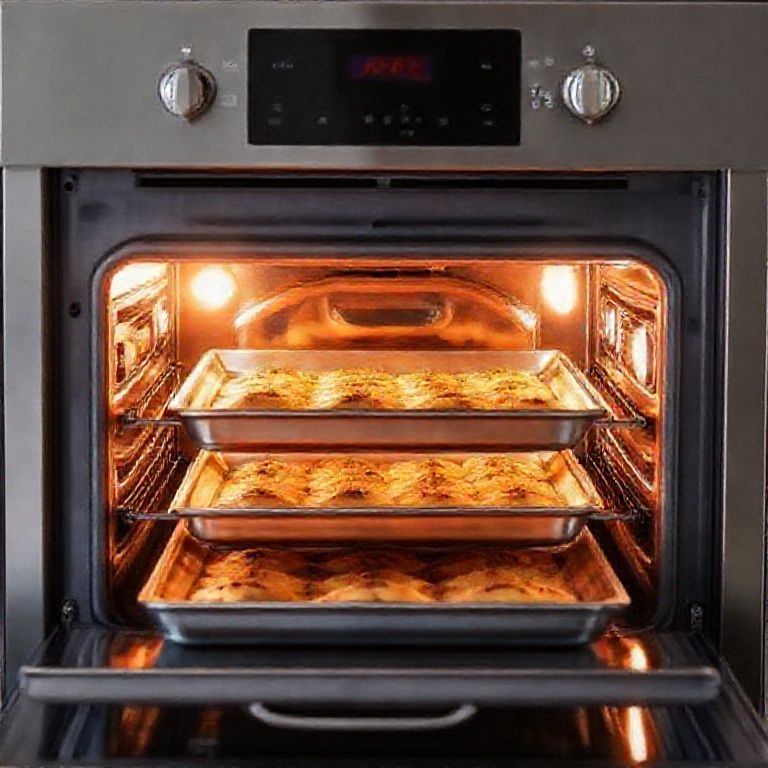
I’ll admit it, I used to treat my Vulcan convection oven like some kind of invincible kitchen workhorse. You know the type: the kind of equipment you assume will just *keep going* no matter how much abuse you throw at it. Then, one Tuesday afternoon in the middle of a 200-cover lunch rush, the damn thing decided to throw error code E3 at me like it was some kind of cryptic haiku. The fans spun like they were possessed, the temperature swung wildly, and I stood there, sweating through my chef’s jacket, realizing I had no clue how to fix it.
That was three years ago. Since then, I’ve spent more time than I’d like to admit knee-deep in Vulcan service manuals, talking to techs who sound like they’re reciting Shakespeare when they describe thermal couplers, and, let’s be honest, yelling at inanimate objects in a way that probably concerns my neighbors. But here’s the thing: most Vulcan convection oven issues aren’t rocket science. They’re usually a mix of overlooked maintenance, operator error (yes, I’m looking at *you*, line cook who keeps slamming the door), or parts that wear out predictably if you know where to look.
This guide isn’t just a rehashed list of error codes you could Google in 10 seconds. It’s the stuff I wish someone had told *me* when I was staring down a dead oven with a dining room full of hangry customers. We’ll cover the most common failures (and why they happen), how to diagnose them without a PhD in electrical engineering, and, maybe most importantly, how to tell when you’re in over your head and need to call in a pro. Because let’s face it: some battles aren’t worth fighting with a multimeter and a prayer.
Fair warning: I’m going to get a little opinionated here. There are “official” ways to troubleshoot, and then there are the *real* ways, the ones that involve jiggling wires, cursing under your breath, and accepting that sometimes, the oven just has a bad day. I’ll mark the “textbook” solutions and the “Sammy’s been there, done that” workarounds so you can decide which path to take. And if you’re a purist who thinks I’m heresy for suggesting you can sometimes *gently* tap a relay back to life? Well, you might want to close this tab now.
The 10 Most Common Vulcan Convection Oven Problems (And How to Fix Them)
1. The Dreaded “E3” Error: When Your Oven Thinks It’s a Therapist
Ah, E3. The error code that haunts my dreams. Officially, it means “open thermocouple or high-limit switch trip.” Unofficially, it means your oven has decided to stage a mutiny. Here’s what’s *actually* happening:
The thermocouple (that little metal probe that looks like it belongs in a mad scientist’s lab) measures the oven’s temperature. If it stops sending a signal, or if the oven gets *too* hot and trips the high-limit safety switch, you get E3. The oven shuts down faster than a bartender at last call.
How to fix it:
- First, reset the oven. Turn it off at the circuit breaker for 30 seconds, then power it back up. If E3 disappears, you might’ve just had a temporary glitch. (Yes, this is the IT equivalent of “did you try turning it off and on again?” But it works *way* more often than it should.)
- Check the thermocouple. Unplug the oven, locate the thermocouple (usually near the back wall), and gently wiggle the connector. If it’s loose or corroded, that’s your culprit. A new thermocouple costs about $40 and takes 10 minutes to replace, if you’ve ever changed a car’s spark plug, you can handle this.
- Inspect the high-limit switch. This is the oven’s “oh crap, we’re about to start a fire” failsafe. If it’s tripped, the switch might need to be reset (some have a little red button) or replaced. Pro tip: If the switch keeps tripping, your oven is *actually* overheating, which means you’ve got bigger problems, like a faulty relay or a clogged vent.
- Test the wiring. Grab a multimeter (or borrow one from your HVAC guy) and check for continuity in the thermocouple circuit. No continuity? Replace the thermocouple. Still got E3? The control board might be fried, which, unfortunately, is a $300+ fix.
Sammy’s reality check: If you’re getting E3 *constantly*, don’t just keep resetting it. That’s like ignoring the “check engine” light until your car bursts into flames. Either the thermocouple is dead, the high-limit switch is faulty, or, worst case, the control board is on its way out. And if you’re in a commercial kitchen, don’t let this linger. A dead oven during service is a revenue killer.
2. The Oven Won’t Heat Up (But the Fan’s Spinning Like a Tornado)
Scenario: You set the oven to 350°F, the fan kicks on like it’s auditioning for a heavy metal band, but the temperature barely crawls past 100°F. Congratulations, you’ve got a heating element or relay issue.
First, let’s rule out the obvious:
- Is the oven *actually* plugged in? (Don’t laugh. I’ve seen it.)
- Is the circuit breaker tripped? Commercial ovens draw a lot of power, if you’re sharing a circuit with a deep fryer, you might be overloading it.
- Is the door sealing properly? A bad gasket can let heat escape faster than the oven can generate it.
If those check out, here’s the real troubleshooting:
The heating element is the coil (or coils, depending on your model) that glows red when it’s working. If it’s not glowing *at all*, it’s either dead or not getting power. Unplug the oven, locate the element (usually at the back or bottom), and:
- Visually inspect it for breaks or blisters. If it looks like it’s been through a war, replace it. Elements are cheap ($50–$150) and easy to swap.
- Test for continuity with a multimeter. No continuity? Dead element.
- If the element *is* getting power but not heating, the relay on the control board might be stuck open. Relays are the switches that tell the element when to turn on. You can *sometimes* tap the relay gently to unstick it (yes, really), but if it’s failed, you’ll need to replace the board or the relay itself.
Pro tip: If your oven has *two* elements (like the Vulcan VC4 series), test both. I’ve seen kitchens replace one element only to realize the second was also dead. Also, if you’re replacing an element, take a photo of the wiring first. Trust me.
3. The Oven’s Too Hot (And Not in a “Well-Done Steak” Kind of Way)
An oven that runs hot is like a line cook with a caffeine IV, it’s going to burn *everything*. If your Vulcan is consistently overshooting its set temperature by 50°F or more, you’ve got a calibration issue, a bad thermostat, or a runaway relay.
Step 1: Calibrate the oven. Most Vulcan models let you adjust the temperature calibration by ±50°F. Check your manual for the exact steps (usually involves holding down a button while powering on), but the gist is:
- Set the oven to 350°F.
- Use an oven-safe thermometer (not the built-in one) to check the actual temp.
- If it’s off by more than 25°F, recalibrate. If it’s *way* off (like 100°F+), calibration won’t cut it, you’ve got a hardware problem.
Step 2: Test the thermostat. The thermostat (or temperature sensor) tells the control board when to cut power to the heating element. If it’s faulty, the oven might keep heating indefinitely. To test it:
- Unplug the oven.
- Locate the thermostat (usually a small metal rod near the heating element).
- Disconnect it and test resistance with a multimeter. At room temp, it should read around 1100 ohms. If it’s open (infinite resistance) or shorted (0 ohms), replace it.
Step 3: Check the relay. If the thermostat is fine but the oven still overheats, the relay might be welded shut, keeping the element on constantly. This is a fire hazard, so if you suspect this, unplug the oven and call a tech. Relays aren’t user-serviceable in most models.
Sammy’s two cents: If your oven is *just* a little hot (like 10–20°F off), recalibration is fine. But if it’s consistently 50°F+ over, don’t mess around. Overheating can damage food, waste energy, and, worst case, start a fire. I’ve seen kitchens try to “live with it” by adjusting recipes, but that’s a Band-Aid on a bullet wound.
4. The Fan Sounds Like a Dying Robot (Or Won’t Spin at All)
The fan in a convection oven is the unsung hero. It’s what makes the heat *convection*-circulating it evenly so your sheet pans don’t cook like they’re in a solar flare on one side and a fridge on the other. If the fan’s making grinding, squealing, or rattling noises, or if it’s not spinning at all, you’ve got issues.
Noisy fan? That’s usually:
- A worn bearing. Over time, the fan motor’s bearings dry out and start screaming like a banshee. Lubricating them *might* buy you time, but usually, you’ll need to replace the motor.
- A loose fan blade. If the blade is wobbling, tighten the set screw. If it’s warped or cracked, replace it.
- Debris in the fan housing. I’ve pulled everything from broken oven mitts to *actual forks* out of fan assemblies. Turn off the oven, remove the back panel, and check for obstructions.
Fan not spinning? That’s more serious:
- Check the fan motor for power. If it’s getting juice but not running, the motor’s dead.
- Test the capacitor (if your model has one). A bad capacitor can prevent the motor from starting. It’ll look like a little cylinder, if it’s bulging or leaking, replace it.
- Inspect the wiring between the control board and the fan. A loose or burnt wire can kill power to the motor.
Cost reality: Fan motors aren’t cheap, expect to pay $150–$300 for a replacement. But if the fan dies, your oven becomes a *very* expensive toaster. Prioritize this repair.
5. Error Code E1: The “I Don’t Know What’s Wrong But I’m Mad About It” Code
E1 is Vulcan’s way of saying, *“Something’s wrong, but I’m not telling you what.”* Officially, it’s a general control board error, which is about as helpful as a fortune cookie that says “something will happen.” Here’s how to narrow it down:
First, reset the oven. Yeah, again. Turn it off at the breaker for a full minute, then power it back up. If E1 disappears, it was a glitch. If it comes back:
Check the obvious:
- Is the door closing properly? A misaligned door can trigger safety switches that confuse the control board.
- Are all the knobs and buttons responding? If a button is stuck or the display is flickering, the control board might be failing.
- Is the oven *actually* plugged in all the way? (Seriously. Loose power connections can cause weird errors.)
If that doesn’t work:
- Inspect the control board for burnt components or bulging capacitors. If it looks like it survived a small fire, it’s toast.
- Test the transformer (if your model has one). A bad transformer can send wonky power to the board, causing E1. Use a multimeter to check the output voltage, it should match the spec in your manual.
- Check the wiring harness. Loose or corroded connections between the board and other components can trigger false errors.
Hard truth: If you’ve ruled out everything else and E1 persists, the control board is likely fried. Replacements run $300–$600, depending on the model. If your oven’s more than 10 years old, ask yourself: Is it worth repairing, or should you start shopping for a new one?
6. The Display Is Blank or Acting Possessed
A dead display is like a chef with no palate, it’s not *technically* broken, but it’s useless. If your Vulcan’s display is blank, flickering, or showing gibberish, here’s the drill:
First, check the power:
- Is the oven plugged in? (Yes, I’m asking again.)
- Is the circuit breaker tripped?
- Is the outlet working? Plug in a lamp or something to test it.
If power’s fine:
- Inspect the display cable. The ribbon cable connecting the display to the control board can come loose or get damaged. Unplug the oven, open the control panel, and reseat the cable.
- Test the fuse. Some models have a small fuse on the control board. If it’s blown, replace it (but find out *why* it blew, usually a short or power surge).
- Check the control board. If the display’s still dead after reseating cables and replacing fuses, the board itself is likely dead. Time for a replacement.
If the display is flickering or glitchy:
- It could be a loose connection. Vibrations from the fan or moving the oven can jostle cables loose.
- It might be moisture damage. If your oven’s in a humid environment (or if someone sprayed cleaner directly onto the control panel), corrosion can mess with the display. Try drying it out with a hairdryer on low heat.
- Or, the backlight might be dying. If you can still see faint numbers when you shine a light on the display, the backlight’s the issue. Some models let you replace just the backlight; others require a full display swap.
Sammy’s confession: I once “fixed” a flickering display by smacking the side of the oven. It worked for about a week. Then the whole board died. Don’t be like me. If the display’s acting up, address it *before* it leaves you blind mid-service.
7. The Oven Trips the Circuit Breaker Every Time You Turn It On
If your Vulcan’s turning your kitchen’s electrical panel into a disco light show, you’ve got a short circuit, ground fault, or overloaded circuit. Here’s how to diagnose it:
Step 1: Rule out the obvious.
- Is the oven on a dedicated circuit? Commercial ovens need their own circuit, sharing with a fridge or mixer can overload it.
- Is the breaker itself faulty? Try resetting it. If it trips immediately, the breaker might be bad.
- Is the outlet GFCI? Some Vulcan models don’t play nice with GFCI outlets. Try plugging into a non-GFCI outlet (temporarily) to test.
Step 2: Check for shorts.
- Unplug the oven and inspect the power cord for frayed wires or burns. If it looks damaged, replace it.
- Open the back panel and look for burnt or melted wires inside the oven. Pay special attention to the heating element connections, these are common failure points.
- Test the heating element for a short to ground. With the oven unplugged, use a multimeter to check resistance between the element terminals and the oven chassis. If it’s not infinite, the element is shorted and needs replacement.
Step 3: Consider the control board.
A failing control board can cause power surges that trip breakers. If you’ve ruled out everything else, the board might be the culprit. This is one of those cases where calling a tech is worth it-messing with high-voltage components is not a DIY job.
Pro tip: If your oven’s tripping a GFCI outlet, try plugging it into a regular outlet as a test. Some older Vulcan models have minor ground leakage that’s safe but triggers GFCIs. If that’s the case, you’ll need to install a non-GFCI outlet (but check local codes first, this isn’t always allowed in commercial kitchens).
8. The Oven Door Won’t Close (Or Won’t Stay Closed)
A door that won’t close is like a screen door on a submarine, it defeats the whole purpose. If your Vulcan’s door is sticking, sagging, or refusing to latch, here’s what’s usually wrong:
Misaligned hinges: Over time, hinges can bend or loosen, causing the door to sag. To fix it:
- Unplug the oven.
- Open the door and look at the hinges. Are they bent? Loose?
- Tighten the screws. If the hinges are bent, you *might* be able to gently bend them back (use a block of wood and a hammer to avoid damaging the finish). If they’re broken, replace them.
Worn gasket: The rubber gasket around the door creates a seal. If it’s cracked, brittle, or missing chunks, the door won’t close properly. Replace it, gaskets are cheap ($20–$50) and easy to install.
Broken latch: Some Vulcan models have a latch that engages when the door closes. If it’s bent or broken, the door won’t stay shut. Inspect the latch mechanism and replace if necessary.
Obstructed door path: Check for debris or warped metal inside the oven cavity that might be blocking the door. I’ve seen everything from melted plastic to *actual food* (how does a whole chicken wing get lodged in there?) cause this.
Sammy’s warning: Don’t ignore a door that won’t close. It’s not just an annoyance, it’s a safety hazard. A poorly sealed oven can leak heat, waste energy, and even pose a fire risk if the door sensor thinks it’s closed when it’s not.
9. The Oven Smells Like Burning Plastic (And Not in a “New Car” Way)
If your Vulcan smells like a chemical fire, shut it down immediately. Burning smells usually mean:
- Melting wire insulation. This is bad. Unplug the oven, open the back panel, and look for burnt or melted wires. If you find any, *do not use the oven* until they’re replaced.
- A failing heating element. If the element’s insulation is burning off, you’ll smell it. Replace the element ASAP.
- Plastic or food debris on the heating element. Sometimes, plastic wrap or food particles fall onto the element and burn. Turn off the oven, let it cool, and clean the element thoroughly.
- Overheating components. If the oven’s running too hot (see Section 3), other parts (like the fan motor or control board) can start to overheat and smell.
What to do:
- Turn off and unplug the oven.
- Let it cool completely.
- Inspect the interior and back panel for signs of burning.
- If you find melted wires or components, call a technician. This isn’t a DIY fix, burning smells often precede electrical fires.
Prevention tip: Clean your oven regularly. Food debris and grease buildup can drip onto heating elements and cause smells (or worse, fires). A monthly deep clean with a degreaser can save you headaches later.
10. The Oven’s Just… Old. When to Repair vs. Replace
At some point, every chef or kitchen manager faces the repair vs. replace dilemma. Vulcan ovens are built to last, but they’re not immortal. Here’s how to decide when it’s time to let go:
Repair if:
- The oven is less than 10 years old. Most Vulcan convection ovens last 10–15 years with proper maintenance.
- The repair cost is less than 50% of a new oven. For example, if a new oven costs $3,000 and the repair is $800, it’s probably worth fixing.
- The issue is a simple part replacement (thermocouple, heating element, gasket, etc.).
- You’ve got a reliable technician who knows Vulcan ovens. Some indie techs can fix things for a fraction of the OEM cost.
Replace if:
- The oven is 15+ years old. Parts get harder to find, and efficiency drops significantly.
- The repair cost is more than 50% of a new oven. At that point, you’re throwing good money after bad.
- You’re dealing with multiple major failures (control board, fan motor, heating element all at once). This is the oven’s way of saying, *“I’m done.”*
- Energy efficiency is a concern. Newer models (like the Vulcan VC4GD) are significantly more efficient, which can save you hundreds per year in utility costs.
- You’re expanding or upgrading your kitchen. If you’re redoing your lineup, it might make sense to standardize with newer equipment.
Sammy’s take: I’m usually in the “repair it” camp, I hate waste, and a well-maintained Vulcan can outlast most chefs’ careers. But if you’re patching together a 20-year-old oven with duct tape and prayers, it’s time to bite the bullet. Downtime during service costs more than a new oven in the long run.
One last thing: If you *do* replace it, don’t cheap out. A commercial convection oven is the heart of your kitchen. A $1,500 no-name brand might save you money upfront, but when it dies in 18 months, you’ll wish you’d sprung for the Vulcan (or at least a Blodgett or Southbend).
Final Thoughts: How to Keep Your Vulcan Oven Running Like a Dream
Look, I get it. Troubleshooting kitchen equipment isn’t glamorous. It’s not the reason any of us got into this industry. But here’s the thing: A well-maintained Vulcan convection oven is a revenue generator. It’s the difference between sending out perfectly cooked proteins and comping meals because half the tray is raw and the other half is charcoal.
So here’s my challenge to you: Pick one day this month to give your oven some love. Not when it’s broken, not when you’re in the weeds during Friday night service, but *before* anything goes wrong. Here’s what that looks like:
- Clean it. Pull out the racks, scrub the interior with a degreaser, and vacuum out any debris from the fan and vents. (Pro tip: Use a shop vac for this, it’s faster than a brush.)
- Inspect the gasket. If it’s cracked or brittle, replace it. A good seal saves energy and ensures even cooking.
- Test the thermocouple. Grab a multimeter (or borrow one) and check for continuity. No continuity? Replace it before it fails mid-service.
- Listen to it. Turn the oven on and listen for unusual noises, grinding fans, clicking relays, or buzzing elements. Catching these early can prevent bigger failures.
- Check the manual. I know, I know, nobody reads manuals. But skim it for the maintenance schedule. Vulcan’s manuals actually have decent troubleshooting flowcharts.
And if something *does* go wrong? Don’t panic. Nine times out of ten, it’s one of the issues we covered here. Start with the simple fixes (reset, clean, tighten), then work your way up to the bigger stuff. And if you’re ever unsure, especially with electrical components-call a tech. There’s no shame in it. The shame is in letting a fixable problem turn into a five-alarm fire (literally or metaphorically).
Finally, a philosophical question to leave you with: How much of kitchen work is actually just managing entropy? Think about it. We’re constantly fighting against chaos, food spoiling, equipment breaking, staff calling out. A well-maintained oven is one less battle you have to fight. And in this industry, every little win counts.
Now go forth and conquer that E3 error. And if all else fails? There’s always the ‘turn it off and on again’ method. It works 60% of the time, every time.
FAQ: Your Vulcan Convection Oven Questions, Answered
Q: My Vulcan oven shows “E2.” What does that mean?
A: E2 is a door switch error, meaning the oven thinks the door is open when it’s closed (or vice versa). First, check that the door is closing fully and the latch isn’t broken. If that’s fine, the door switch itself might be faulty. It’s a $20 part and takes 10 minutes to replace. If the error persists, the control board might not be reading the switch correctly, which is a bigger issue.
Q: How often should I clean my Vulcan convection oven?
A: Daily: Wipe down the interior with a damp cloth to remove food debris. Weekly: Remove and clean the racks. Monthly: Deep clean with a degreaser (I like Simple Green) and vacuum out the fan and vents. Every 6 months: Check the gasket, thermocouple, and heating element for wear. If you’re doing high-volume cooking (like a bakery or pizzeria), bump that up to quarterly deep cleans.
Q: Can I use my Vulcan convection oven for smoking or dehydrating?
A: Technically, yes, but it’s not ideal. Convection ovens circulate hot air, which is great for even cooking but not so great for low-and-slow smoking. You *can* dehydrate in them (set to the lowest temp with the door slightly ajar), but for serious smoking, you’re better off with a dedicated smoker. That said, I’ve seen chefs use convection ovens for short-term cold smoking (with a smoke generator outside the oven and a tube feeding smoke in), but it’s a hack, not a long-term solution.
Q: My oven’s temperature swings wildly. Is it the thermostat or the control board?
A: It could be either, or both. Start by testing the thermostat (see Section 3). If it’s functioning, the issue is likely the control board or a faulty relay. Here’s a quick test: Set the oven to 350°F and watch the display. If the temperature jumps erratically (like 200°F to 450°F in minutes), the control board is probably failing. If it’s a slow drift (like creeping up to 375°F over an hour), the thermostat or calibration is likely the issue.
@article{the-vulcan-convection-oven-troubleshooting-guide-youll-actually-use-2025-edition,
    title   = {The Vulcan Convection Oven Troubleshooting Guide You’ll Actually Use (2025 Edition)},
    author  = {Chef's icon},
    year    = {2025},
    journal = {Chef's Icon},
    url     = {https://chefsicon.com/vulcan-convection-oven-troubleshooting-guide/}
}