The Best Fluffy Pancakes recipe you will fall in love with. Full of tips and tricks to help you make the best pancakes.
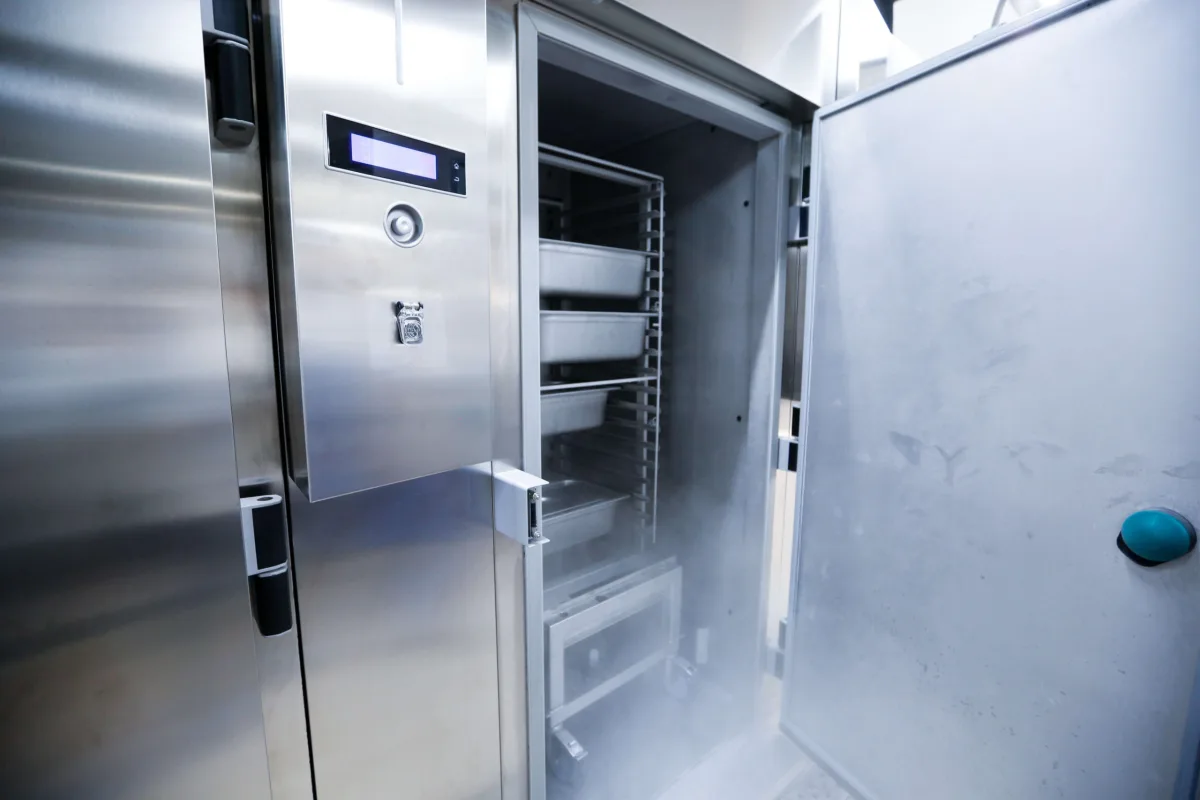
Let me tell you about the time I almost ruined a friend’s catering business. It was a sweltering Nashville summer, you know, the kind where the air feels like a wet blanket and even Luna, my rescue cat, refuses to move from her spot under the AC vent. I was helping out at a pop-up event for a chef friend who’d just landed a big contract with a local hotel. Everything was going smoothly until the health inspector walked in, thermometer in hand, and asked for the temperature logs of the walk-in cooler. My friend’s face went pale. “We’ve been checking them manually,” he said, flipping through a notebook with scribbled numbers. The inspector’s eyebrow arched. “And when was the last time you logged this?”
That moment was a wake-up call. We’d spent weeks perfecting the menu, sourcing local ingredients, and obsessing over presentation, but we’d overlooked the one thing that could bring it all crashing down: commercial refrigeration temperature monitoring systems. It’s not the sexiest topic in the culinary world, no one’s posting Instagram stories about their wireless probes or cloud-based alerts, but it’s the backbone of food safety, efficiency, and, frankly, your business’s survival. If you’re still relying on manual checks or, worse, crossing your fingers and hoping for the best, this article is for you. By the end, you’ll understand why these systems aren’t just a “nice-to-have” but a non-negotiable part of running a professional kitchen.
Here’s what we’ll cover:
- Why temperature monitoring is about more than just avoiding foodborne illnesses (though that’s a big one).
- The different types of systems available and how to choose the right one for your operation.
- The hidden costs of *not* having a system in place, spoilage, wasted labor, and the dreaded health code violation.
- How these systems integrate with the rest of your kitchen tech (and why that matters).
- Real-world stories of kitchens that saved thousands by making the switch.
- The future of refrigeration monitoring, think AI, predictive analytics, and IoT.
So, let’s dive in. And if you’re still on the fence about whether this is worth your time, ask yourself: How much is your reputation worth?
The Cold Hard Truth: Why Temperature Monitoring Isn’t Just About Compliance
I’ll admit, when I first started researching this topic, I assumed temperature monitoring was purely a regulatory hoop to jump through. You know the drill: health inspectors show up, ask for your logs, and if everything’s in order, they move on. But the more I dug into it, the more I realized it’s about so much more than ticking boxes. It’s about food quality, operational efficiency, and even your bottom line. Let me break it down.
The Domino Effect of Poor Temperature Control
Imagine this: Your walk-in cooler’s compressor starts failing on a Friday night. No one notices because the thermometer on the door still reads 38°F (3.3°C). By the time someone realizes something’s off, maybe when the milk smells sour or the lettuce is wilted, it’s too late. You’ve lost hundreds of dollars in inventory, and worse, you’ve got a kitchen full of ingredients that might not be safe to use. This isn’t a hypothetical; it’s a scenario that plays out in kitchens across the country every day.
But here’s the thing: temperature fluctuations don’t just ruin food, they ruin workflows. When your staff has to scramble to replace spoiled ingredients, it throws off prep schedules, delays service, and creates a ripple effect of stress. I’ve seen line cooks nearly come to blows over missing ingredients because the cooler failed overnight. And let’s not even talk about the customer complaints when dishes are delayed or, worse, served with subpar ingredients. One bad Yelp review about “soggy greens” or “lukewarm beer” can haunt you for months.
Then there’s the energy waste. Commercial refrigeration units are some of the biggest energy hogs in a kitchen. When they’re not running efficiently, say, because the door seal is broken or the condenser coils are dirty, they work harder, use more electricity, and cost you more money. A good temperature monitoring system doesn’t just alert you to problems; it helps you identify inefficiencies before they become costly disasters. Think of it like a check-engine light for your cooler. Would you ignore that in your car? Of course not. So why ignore it in your kitchen?
The Psychological Toll of “Hope-Based” Refrigeration
I’m going to get a little personal here. There’s a term I’ve started using in my head: *hope-based refrigeration*. It’s what happens when you cross your fingers, say a little prayer, and assume your cooler is doing its job. Maybe you check the thermometer once a day, maybe you don’t. Maybe you trust that your staff is logging temperatures religiously, or maybe you’ve caught them fudging the numbers once or twice. (Spoiler: They’re fudging them. We all have.)
The problem with hope-based refrigeration is that it creates constant low-level anxiety. Every time you open the cooler door, there’s that nagging voice in the back of your head: *Is this chicken still good? Did someone check the temps this morning? What if the health inspector shows up today?* It’s exhausting. And when you’re running a kitchen, you’ve got enough to worry about without adding “Is my food safe?” to the list.
A commercial refrigeration temperature monitoring system takes that anxiety away. It’s like having a second set of eyes, one that never blinks, never gets distracted, and never forgets to log a temperature. And let’s be real: In a high-pressure kitchen, that kind of reliability is priceless. It’s not just about avoiding fines or passing inspections; it’s about peace of mind. When you know your system is monitoring temperatures 24/7, you can focus on what really matters: cooking great food and running a great business.
Breaking Down the Systems: What’s Out There and What’s Right for You?
Okay, so you’re sold on the idea of a temperature monitoring system. Great! But now you’re staring at a sea of options, wired vs. wireless, cloud-based vs. local storage, basic alerts vs. full-on AI integration, and it’s enough to make your head spin. Let’s simplify this. Not all systems are created equal, and what works for a food truck isn’t going to cut it for a hospital kitchen. Here’s how to navigate the options.
Wired vs. Wireless: The Great Debate
First, let’s talk about connectivity. Wired systems are the old-school workhorses of the temperature monitoring world. They’re reliable, they don’t rely on Wi-Fi, and they’re often cheaper upfront. But here’s the catch: They’re a pain to install. You’re looking at running cables through walls, drilling holes, and potentially disrupting your kitchen’s workflow for days. And if you ever need to move the sensors? Good luck. Wired systems are like that one friend who’s dependable but high-maintenance.
Wireless systems, on the other hand, are the cool kids on the block. They’re easy to install, just stick the sensors where you need them, connect to Wi-Fi, and you’re done. They’re also more flexible; if you rearrange your kitchen or add a new cooler, you can move the sensors without calling in an electrician. The downside? They rely on a stable internet connection. If your Wi-Fi goes down, so does your monitoring. And let’s be honest: How many of us have rock-solid Wi-Fi in our kitchens? (If you do, I envy you.)
So which should you choose? If you’re in a small space with a reliable internet connection, say, a coffee shop or a food truck, wireless is probably the way to go. But if you’re running a large operation with spotty Wi-Fi or you just want something that’s going to work no matter what, wired might be worth the hassle. Or, if you’re like me and you hate making decisions, there’s a third option: hybrid systems. These use a mix of wired and wireless sensors, giving you the best of both worlds. They’re more expensive, but if you’ve got the budget, they’re a solid choice.
Cloud-Based vs. Local Storage: Where’s Your Data Living?
Next up: Where do you want your temperature data to live? Local storage means the data is saved on a device in your kitchen, usually a dedicated computer or a USB drive. The upside? You’ve got full control over your data, and you don’t have to worry about internet outages. The downside? If that device crashes or gets stolen, your data goes with it. And let’s be real: How many of us are diligent about backing up USB drives? (Guilty as charged.)
Cloud-based systems, on the other hand, store your data on remote servers. This means you can access it from anywhere, your phone, your laptop, even your smartwatch if you’re feeling fancy. It also means your data is safe even if your kitchen floods or catches fire (which, let’s hope, never happens). The downside? You’re relying on someone else’s servers. If the company goes out of business or gets hacked, your data could be at risk. And then there’s the cost: Cloud-based systems usually come with a monthly subscription fee, which can add up over time.
So which is better? It depends on your priorities. If you want accessibility and security, go with cloud-based. If you want control and no recurring fees, local storage might be your jam. Or, if you’re feeling indecisive, some systems let you do both, store data locally *and* back it up to the cloud. It’s like having your cake and eating it too, but with fewer calories and more data security.
Alerts and Notifications: How Do You Want to Be Told When Something’s Wrong?
Here’s a question I never thought I’d ask: How do you want to be woken up at 3 a.m. when your cooler fails? Because let’s be real, that’s when it’s going to happen. (Murphy’s Law is a jerk like that.) Different systems offer different types of alerts, and the one you choose can make the difference between catching a problem early and dealing with a full-blown disaster.
Most systems offer email and text alerts, which are great for day-to-day monitoring. But let’s say you’re in the middle of service, your phone’s on silent, and you miss the alert. That’s where audible alarms come in. These are loud, obnoxious beeps that go off in your kitchen when something’s wrong. They’re hard to ignore, but they can also be disruptive. Imagine your staff trying to take orders while a siren blares in the background. Not ideal.
Then there are app-based notifications. These are my personal favorite because they’re customizable. You can set them to only alert you for critical issues, or you can get notifications for every little fluctuation. Some apps even let you set up escalation protocols, so if you don’t respond to the first alert, it’ll notify your manager, then your chef, then your entire staff until someone takes action. It’s like a game of telephone, but with way higher stakes.
And if you’re really fancy, some systems integrate with smart home devices like Alexa or Google Home. Imagine walking into your kitchen and having your smart speaker say, “Good morning, Sammy. Your walk-in cooler is running 2 degrees warmer than usual. Would you like me to call the repair technician?” It’s like living in the future, but with more food safety.
The Hidden Costs of Skipping Temperature Monitoring (Spoiler: They’re Higher Than You Think)
Let’s talk money. Because at the end of the day, that’s what this comes down to, right? You’re running a business, and every dollar counts. So when someone tells you to invest in a commercial refrigeration temperature monitoring system, your first thought is probably, *How much is this going to cost me?* But here’s the thing: The real question isn’t *How much does it cost?* It’s *How much does it cost not to have one?*
The Obvious Costs: Spoilage and Fines
First, there’s the spoilage. Let’s say your walk-in cooler fails over the weekend, and by the time you realize it on Monday, you’ve lost $1,000 worth of inventory. That’s a hit to your bottom line, but it’s also a hit to your reputation. Customers don’t care that your cooler broke; they care that their favorite dish isn’t available or that the ingredients don’t taste as fresh as usual. And in the age of social media, one bad experience can spread like wildfire.
Then there are the fines. Health code violations aren’t just a slap on the wrist; they can cost you thousands of dollars. And if you’re a repeat offender? You could lose your license. I’ve seen it happen to restaurants that were otherwise successful. One bad inspection, one failed audit, and suddenly you’re out of business. It’s brutal, but it’s the reality of the industry.
But here’s the kicker: Fines and spoilage are just the tip of the iceberg. There are hidden costs that most people don’t even think about until it’s too late.
The Hidden Costs: Labor, Energy, and Customer Trust
Let’s start with labor. When your cooler fails, your staff has to scramble. They’re running around trying to salvage what they can, calling suppliers for last-minute deliveries, and dealing with angry customers. All of that takes time, time that could be spent cooking, serving, or prepping for the next shift. And time, as we all know, is money. A study by the Foodservice Consultants Society International found that kitchens without temperature monitoring systems spend an average of 5-10 extra hours per week dealing with refrigeration-related issues. That’s 5-10 hours of overtime, or 5-10 hours of lost productivity. Either way, it’s costing you.
Then there’s energy waste. Commercial refrigeration units are energy hogs, accounting for up to 15% of a restaurant’s total energy use. When they’re not running efficiently, they use even more power. A good temperature monitoring system can help you identify inefficiencies, like a door seal that’s not closing properly or a condenser coil that needs cleaning. Fixing those issues can save you hundreds of dollars a year on your energy bill. And in an industry with razor-thin margins, every dollar counts.
But the biggest hidden cost? Customer trust. In the food industry, trust is everything. Customers trust that you’re serving them safe, high-quality food. When that trust is broken, whether it’s because of a foodborne illness outbreak or just a string of bad reviews about “off” ingredients, it’s incredibly hard to win back. And in today’s world, where everyone’s a food critic and bad news travels fast, one mistake can haunt you for years.
The ROI of Temperature Monitoring: A Case Study
Still not convinced? Let me tell you about a friend of mine who owns a small chain of sandwich shops in Nashville. He was skeptical about investing in a temperature monitoring system, so he decided to test it out in one location before rolling it out to the others. Here’s what happened:
- Spoilage dropped by 30%. The system alerted him to a failing compressor before it became a full-blown disaster, saving him over $2,000 in lost inventory.
- Energy costs decreased by 12%. The system helped him identify a door seal that wasn’t closing properly, which was causing his cooler to work overtime. Fixing it saved him about $150 a month on his electricity bill.
- Labor hours decreased by 8 hours a week. His staff was no longer spending time manually logging temperatures or dealing with last-minute ingredient shortages.
- He passed his health inspection with flying colors. No more scrambling to fill out logs or worrying about missing data.
All told, the system paid for itself in less than six months. And that’s not even counting the intangible benefits, like peace of mind and customer trust. When he rolled it out to his other locations, he told me, “It’s the best investment I’ve ever made. I just wish I’d done it sooner.”
Integration Nation: How Temperature Monitoring Fits Into Your Kitchen’s Tech Ecosystem
Here’s where things get really interesting. A commercial refrigeration temperature monitoring system isn’t just a standalone tool; it’s part of a larger ecosystem of kitchen tech. And when it integrates seamlessly with the rest of your systems, it becomes more than just a monitoring tool, it becomes a central nervous system for your kitchen. Let’s talk about how that works.
The Rise of the Smart Kitchen
If you’ve been in the industry for a while, you’ve probably noticed that kitchens are getting smarter. We’re not talking about *The Jetsons* smart (though, let’s be honest, a robot that could chop onions would be a game-changer), but we’re getting there. Today’s kitchens are filled with IoT (Internet of Things) devices-smart ovens, connected scales, inventory management systems, and yes, temperature monitoring systems. And when these devices talk to each other, magic happens.
For example, let’s say your temperature monitoring system detects that your walk-in cooler is running warmer than usual. It sends an alert to your kitchen management software, which automatically adjusts your prep schedule to prioritize ingredients that are at risk of spoiling. At the same time, it pings your inventory system, which checks to see if you have backup ingredients on hand. If you don’t, it can even place an order with your supplier automatically. All of this happens in the background, without you lifting a finger. It’s like having a sous chef who never sleeps, never complains, and never asks for a raise.
But here’s the thing: Not all systems play well with others. Some are designed to work in isolation, which means you’re missing out on the full potential of a connected kitchen. When you’re shopping for a temperature monitoring system, look for one that offers API integrations or native compatibility with the other tools you’re using. The more seamless the integration, the more powerful the system becomes.
Inventory Management: The Unsung Hero of Kitchen Efficiency
One of the biggest benefits of integrating your temperature monitoring system with your inventory management software is that it helps you reduce waste. Here’s how it works: The system tracks the temperature of your coolers and freezers in real time. If it detects a fluctuation, it can cross-reference that data with your inventory to see which ingredients are at risk. Then, it can prioritize those ingredients in your prep schedule, so you use them up before they spoil.
But it gets even better. Some systems use predictive analytics to forecast spoilage based on historical data. For example, if your system notices that your lettuce tends to wilt after three days in the cooler, it can flag it for use on day two. It’s like having a crystal ball for your kitchen, but with way more data and way less mysticism.
And let’s not forget about supplier orders. When your inventory system knows exactly what you have on hand, and what’s at risk of spoiling, it can place more accurate orders with your suppliers. No more over-ordering (and wasting) ingredients, and no more last-minute runs to the store because you ran out of something. It’s a win-win.
Energy Management: Saving Money While Saving the Planet
I mentioned earlier that commercial refrigeration units are energy hogs. But here’s something I didn’t tell you: They don’t have to be. With the right technology, you can reduce your energy use without sacrificing performance. And a good temperature monitoring system is a big part of that.
Here’s how it works: The system tracks the temperature of your coolers and freezers in real time. If it detects that a unit is working harder than it should be, say, because the door seal is broken or the condenser coils are dirty, it can alert you to the problem. But some systems take it a step further. They integrate with energy management software to optimize your refrigeration units’ performance. For example, they can adjust the temperature settings based on usage patterns, so your units aren’t working overtime when they don’t need to be.
And the best part? It’s good for the planet. The foodservice industry is a major contributor to greenhouse gas emissions, and refrigeration is a big part of that. By reducing your energy use, you’re not just saving money; you’re doing your part to fight climate change. And in today’s world, where customers care more than ever about sustainability, that’s a selling point you can’t afford to ignore.
The Future of Refrigeration: AI, Predictive Analytics, and Beyond
If you think temperature monitoring systems are impressive now, just wait. The future is coming, and it’s bringing some seriously cool (pun intended) innovations with it. We’re talking AI, machine learning, predictive analytics, and even blockchain. Sounds like sci-fi, right? It’s not. It’s happening now, and it’s going to change the way we think about refrigeration forever.
AI and Machine Learning: The Brain Behind the System
Artificial intelligence isn’t just for self-driving cars and chatbots. It’s also making its way into commercial refrigeration temperature monitoring systems. Here’s how it works: AI-powered systems analyze historical data to identify patterns and predict problems before they happen. For example, if your system notices that your walk-in cooler tends to fail after three years of use, it can alert you to schedule maintenance before it becomes a crisis.
But it gets even smarter. Some systems use machine learning to adapt to your kitchen’s unique needs. Let’s say you run a bakery, and your system notices that your dough proofer’s temperature fluctuates more on weekends when the kitchen is busier. It can adjust its alerts to account for those fluctuations, so you’re not getting false alarms every Saturday. It’s like having a system that learns and grows with your business.
And here’s where it gets really wild: Some systems are starting to use computer vision to monitor your coolers. That’s right, cameras that can detect when your door seal is broken or when your condenser coils are dirty. They can even track inventory levels, so you know exactly how much of each ingredient you have on hand. It’s like having a pair of eyes in your cooler 24/7.
Predictive Analytics: Stopping Problems Before They Start
Predictive analytics is all about anticipating problems before they happen. And in the world of commercial refrigeration, that’s a game-changer. Here’s an example: Let’s say your system notices that your freezer’s compressor is running longer than usual. It checks the historical data and sees that this has happened before, right before the compressor failed. Instead of waiting for the failure to happen, the system alerts you to schedule maintenance. Problem solved before it even starts.
But predictive analytics isn’t just about preventing breakdowns. It’s also about optimizing performance. For example, your system might notice that your cooler runs more efficiently at night when the kitchen is less busy. It can adjust the temperature settings accordingly, so you’re not wasting energy during peak hours. It’s like having a crystal ball for your kitchen, but with way more data and way less mysticism.
And here’s the best part: Predictive analytics gets smarter over time. The more data your system collects, the better it gets at predicting problems. It’s like having a sous chef who learns from every mistake and gets better with every shift.
Blockchain: The Future of Food Safety
Okay, I know what you’re thinking: *Blockchain? Really?* Hear me out. Blockchain isn’t just for cryptocurrency; it’s also making waves in the food industry. And when it comes to commercial refrigeration temperature monitoring, it could be a game-changer.
Here’s how it works: Blockchain is a decentralized ledger that records transactions in a way that’s secure, transparent, and tamper-proof. In the context of temperature monitoring, that means every temperature reading, every alert, and every maintenance log is recorded on the blockchain. And because it’s decentralized, no one can alter the data, not even you.
Why does that matter? Because it builds trust. When your customers, suppliers, and health inspectors know that your temperature data is secure and tamper-proof, they can trust that you’re serving safe, high-quality food. And in an industry where trust is everything, that’s a big deal.
But it gets even better. Blockchain can also be used to track the entire supply chain. Let’s say you’re serving a steak that was raised on a farm in Texas, processed in Kansas, and shipped to your restaurant in Nashville. With blockchain, you can track that steak’s journey from farm to table, including every temperature reading along the way. If there’s ever a problem, say, a recall or a foodborne illness outbreak, you can trace it back to the source in seconds. It’s like having a GPS for your food.
Making the Switch: How to Choose and Implement a Temperature Monitoring System
Alright, you’re convinced. You need a commercial refrigeration temperature monitoring system. But where do you even start? With so many options out there, it’s easy to feel overwhelmed. Don’t worry, I’ve got you covered. Here’s a step-by-step guide to choosing and implementing the right system for your kitchen.
Step 1: Assess Your Needs
Before you start shopping, take a step back and ask yourself: *What do I actually need?* Here are some questions to consider:
- How many coolers and freezers do I have? If you’ve got a single reach-in cooler, your needs are going to be different than if you’ve got a walk-in cooler, a blast freezer, and a prep fridge.
- What’s my budget? Systems range from a few hundred dollars to several thousand, so it’s important to know what you can afford.
- Do I need wireless or wired sensors? If you’ve got a small space with reliable Wi-Fi, wireless might be the way to go. If you’re in a large kitchen with spotty internet, wired might be better.
- Do I want cloud-based or local storage? Cloud-based systems are more accessible, but they come with monthly fees. Local storage gives you more control, but it’s less secure.
- What kind of alerts do I want? Email and text alerts are standard, but do you want audible alarms or app-based notifications too?
- Do I need integrations with other systems? If you’re using inventory management software or energy management tools, look for a system that integrates with them.
Once you’ve answered these questions, you’ll have a better idea of what you’re looking for. And if you’re still not sure, don’t worry, most companies offer free consultations to help you figure it out.
Step 2: Do Your Research
Now that you know what you need, it’s time to start shopping. Here are some things to look for:
- Ease of use: The best system in the world is useless if you and your staff can’t figure out how to use it. Look for a system with a user-friendly interface and good customer support.
- Reliability: This is non-negotiable. Your system needs to work 24/7, without fail. Look for systems with good reviews and a track record of reliability.
- Scalability: If you’re planning to grow your business, look for a system that can grow with you. That means it should be easy to add new sensors or expand to new locations.
- Customer support: Things go wrong. When they do, you want a company that’s going to be there to help. Look for companies with 24/7 support and a good reputation for customer service.
- Cost: Don’t just look at the upfront cost; consider the long-term costs too. That includes monthly fees, maintenance costs, and the cost of any additional hardware you might need.
And don’t be afraid to ask for demos or free trials. Most companies will let you test their system before you commit. Take advantage of that, it’s the best way to see if a system is right for you.
Step 3: Get Buy-In from Your Team
Here’s something I see a lot: A kitchen manager or owner gets excited about a new system, buys it, and then… crickets. No one uses it. Why? Because they didn’t get buy-in from their team. If your staff doesn’t understand why the system is important or how to use it, they’re not going to use it. And a system that’s not being used is just a fancy paperweight.
So how do you get buy-in? Start by explaining the why. Your staff needs to understand that this system isn’t just another piece of equipment, it’s a tool to help them do their jobs better. It’s going to save them time, reduce stress, and make their lives easier. And when they see it that way, they’re more likely to embrace it.
Next, involve them in the process. Ask for their input when you’re choosing a system. Let them test out demos and give feedback. When they feel like they’re part of the decision, they’re more likely to take ownership of the system.
Finally, train them. Don’t just hand them a manual and expect them to figure it out. Schedule a training session (or several) to walk them through the system. Show them how to use it, how to respond to alerts, and how to troubleshoot common issues. And make sure they know who to contact if they have questions or problems.
Step 4: Install and Test
Once you’ve chosen a system and gotten buy-in from your team, it’s time to install it. This is where things can get a little tricky, so it’s important to take your time and do it right. Here’s how:
- Plan the installation: Work with the company to create an installation plan. That includes deciding where to place the sensors, how to run the cables (if you’re using a wired system), and how to set up the software.
- Install the hardware: This is usually the most time-consuming part. If you’re using a wired system, you’ll need to run cables through your walls and ceilings. If you’re using a wireless system, you’ll need to place the sensors and connect them to Wi-Fi.
- Set up the software: Once the hardware is installed, it’s time to set up the software. That includes configuring the alerts, setting up integrations with other systems, and customizing the dashboard.
- Test the system: Before you start using the system in earnest, test it to make sure everything’s working properly. That means triggering alerts, checking the data, and making sure the integrations are working.
And don’t be afraid to ask for help. Most companies offer installation services, and it’s often worth the extra cost to have a professional do it for you. Trust me, you don’t want to be the one crawling around in your ceiling trying to run cables.
Step 5: Monitor and Adjust
Once your system is up and running, the work isn’t over. You’ll need to monitor it regularly to make sure it’s working properly. That means checking the data, responding to alerts, and making adjustments as needed. Here are some things to keep an eye on:
- False alarms: If you’re getting a lot of false alarms, it might be a sign that your sensors are placed incorrectly or that your alert thresholds are too sensitive. Adjust them as needed.
- Data trends: Look for patterns in the data. Are there certain times of day when your coolers run warmer? Are there certain ingredients that spoil more quickly? Use that information to adjust your prep schedules and inventory orders.
- Energy use: Keep an eye on your energy bills. If you notice a spike, it might be a sign that your refrigeration units aren’t running efficiently. Use your temperature monitoring system to identify the problem and fix it.
- Staff feedback: Check in with your staff regularly to see how they’re using the system and if they have any feedback. They’re the ones using it every day, so their input is invaluable.
And don’t be afraid to make changes. If something’s not working, adjust it. The beauty of these systems is that they’re flexible, they can adapt to your needs as your business grows and changes.
Real-World Success Stories: Kitchens That Saved Big by Making the Switch
Still on the fence? I get it. Change is scary, and investing in new technology is a big decision. But don’t just take my word for it, here are some real-world stories of kitchens that saved big by switching to a commercial refrigeration temperature monitoring system.
Case Study 1: The Bakery That Cut Spoilage by 40%
Meet Sarah, the owner of a small bakery in Nashville. She was struggling with spoilage, especially with her dairy products, which have a short shelf life. She was losing hundreds of dollars a month in wasted ingredients, and it was eating into her profits. She knew she needed a better system, but she was hesitant to invest in new technology.
Finally, she decided to give a wireless temperature monitoring system a try. She installed sensors in her coolers and freezers and set up alerts to notify her when temperatures fluctuated. Within a month, she noticed a difference. The system alerted her to a failing compressor before it became a disaster, saving her over $1,000 in lost inventory. And because the system helped her identify which ingredients were at risk of spoiling, she was able to adjust her prep schedule to use them up before they went bad.
All told, Sarah cut her spoilage by 40%, saving her over $5,000 a year. And that’s not even counting the intangible benefits, like peace of mind and customer trust. “I wish I’d done this years ago,” she told me. “It’s the best investment I’ve ever made.”
Case Study 2: The Restaurant That Passed Its Health Inspection with Flying Colors
Now, let’s talk about Mark, the owner of a mid-sized restaurant in downtown Nashville. Mark was confident in his kitchen’s food safety practices, but he was always nervous when the health inspector came around. He knew his staff was logging temperatures manually, but he also knew that manual logs were prone to errors. And in the world of health inspections, errors can be costly.
Mark decided to invest in a cloud-based temperature monitoring system with automated logging. The system tracked temperatures 24/7 and stored the data in the cloud, so he always had a record of his kitchen’s compliance. When the health inspector came around, Mark was able to pull up the data on his tablet and show the inspector exactly how his coolers were performing. No more scrambling to fill out logs or worrying about missing data.
The result? Mark passed his inspection with flying colors, and the inspector even complimented him on his record-keeping. “It was the easiest inspection I’ve ever had,” Mark told me. “And it gave me peace of mind knowing that my kitchen is always in compliance.”
Case Study 3: The Hospital Kitchen That Saved $10,000 a Year on Energy Costs
Finally, let’s talk about Lisa, the foodservice director at a large hospital in Tennessee. Lisa was responsible for feeding hundreds of patients and staff every day, and she was always looking for ways to cut costs. She knew that her refrigeration units were energy hogs, but she wasn’t sure how to make them more efficient.
Lisa decided to install a temperature monitoring system with energy management integrations. The system tracked the performance of her coolers and freezers in real time and identified inefficiencies. For example, it alerted her to a door seal that wasn’t closing properly, which was causing her coolers to work overtime. It also identified a condenser coil that needed cleaning, which was reducing the unit’s efficiency.
By fixing these issues, Lisa was able to reduce her energy use by 15%, saving her over $10,000 a year on her electricity bill. And because the system helped her identify problems before they became disasters, she was also able to reduce her maintenance costs. “It’s like having a mechanic for my coolers,” she told me. “And it’s paid for itself ten times over.”
Conclusion: The Time to Act Is Now
Let’s be real: No one gets into the food industry because they’re excited about temperature monitoring. We get into it because we love food, we love feeding people, and we love the energy of a busy kitchen. But here’s the thing: You can’t have a great kitchen without great refrigeration. And you can’t have great refrigeration without a great temperature monitoring system.
I’ve seen firsthand what happens when kitchens ignore this critical piece of the puzzle. Spoilage, fines, wasted labor, and worst of all, lost customer trust. And in an industry where margins are thin and competition is fierce, you can’t afford to take those risks.
But here’s the good news: You don’t have to. With the right system in place, you can take the guesswork out of refrigeration. You can catch problems before they become disasters. You can save money, reduce waste, and maybe even sleep a little better at night. And in a world where every dollar counts, that’s a game-changer.
So here’s my challenge to you: Don’t wait until it’s too late. Don’t wait until you’ve lost thousands of dollars in spoiled inventory or failed a health inspection. Start researching commercial refrigeration temperature monitoring systems today. Talk to your team, assess your needs, and take the first step toward a safer, more efficient kitchen.
And if you’re still not sure, ask yourself this: *How much is your peace of mind worth?* Because at the end of the day, that’s what these systems are really about. They’re not just about compliance or cost savings; they’re about knowing that your kitchen is running smoothly, even when you’re not there to watch it. And in an industry as demanding as ours, that’s priceless.
FAQ: Your Burning Questions About Commercial Refrigeration Temperature Monitoring Systems
Q: How much does a commercial refrigeration temperature monitoring system cost?
A: The cost varies depending on the size of your kitchen and the features you need. Basic systems can start at a few hundred dollars, while more advanced systems with AI and predictive analytics can cost several thousand. But here’s the thing: Most systems pay for themselves within a year by reducing spoilage, energy costs, and labor hours. So while the upfront cost might seem steep, the long-term savings are well worth it.
Q: Do I really need a temperature monitoring system if I’m already checking temperatures manually?
A: Manual checks are better than nothing, but they’re not foolproof. They’re prone to human error, they’re time-consuming, and they don’t provide real-time data. A temperature monitoring system automates the process, so you’re not relying on your staff to remember to check temperatures or log the data. Plus, it gives you 24/7 monitoring, so you can catch problems before they become disasters. If you’re serious about food safety and efficiency, a monitoring system is a no-brainer.
Q: What happens if the system fails or the internet goes down?
A: It’s a valid concern, and it’s one of the reasons why it’s important to choose a reliable system. Most systems have backup batteries or local storage options, so even if the internet goes down, your data is still being recorded. And if the system itself fails, most companies offer 24/7 support to help you troubleshoot the problem. That said, no system is 100% foolproof, so it’s still a good idea to have a backup plan in place, like manual checks or a secondary monitoring system.
Q: Can I integrate a temperature monitoring system with my existing kitchen tech?
A: Absolutely! Many systems offer integrations with inventory management software, energy management tools, and even POS systems. The key is to choose a system that’s compatible with the tools you’re already using. If you’re not sure, ask the company for a demo or a free trial to see how the system works with your existing tech. And if you’re using a custom or proprietary system, look for a temperature monitoring system with an open API, so you can build your own integrations.
@article{the-hidden-lifeline-of-your-kitchen-why-commercial-refrigeration-temperature-monitoring-systems-are-the-unsung-heroes-of-food-safety,
    title   = {The Hidden Lifeline of Your Kitchen: Why Commercial Refrigeration Temperature Monitoring Systems Are the Unsung Heroes of Food Safety},
    author  = {Chef's icon},
    year    = {2026},
    journal = {Chef's Icon},
    url     = {https://chefsicon.com/commercial-refrigeration-temperature-monitoring-systems/}
}