The Best Fluffy Pancakes recipe you will fall in love with. Full of tips and tricks to help you make the best pancakes.
Why Your Kitchen Workflow Might Be Costing You More Than Just Time
I’ll never forget the first time I stepped into a professional kitchen that wasn’t my own. It was a tiny, family-run Italian spot in Nashville’s Germantown neighborhood, the kind of place where the owner’s nonna still rolled out fresh pasta in the back. The space was cramped, the equipment looked like it had survived three decades of dinner rushes, and yet, somehow, the food came out faster, hotter, and more consistently than anywhere else I’d worked. How? The answer wasn’t in the ovens or the knives or even the recipes. It was in the workflow.
That moment stuck with me. I’d spent years obsessing over the perfect sear on a steak or the ideal temperature for sous vide, but I’d never really thought about how the movement of a kitchen could make or break a service. Turns out, designing efficient kitchen workflows isn’t just about speed, it’s about reducing waste, minimizing stress, and even cutting down on utility costs. And here’s the kicker: most home cooks and even some professionals get it wrong. Badly.
So, what’s the big deal about workflow? Well, think of your kitchen like a highway. If the lanes aren’t clearly marked, if the exits are in the wrong places, or if everyone’s driving in the wrong direction, you’re going to have a traffic jam. And in a kitchen, traffic jams mean cold food, frustrated staff, and a bottom line that’s bleeding money. Whether you’re running a food truck, a Michelin-starred restaurant, or just trying to get dinner on the table without losing your mind, efficient kitchen workflows are the secret sauce. In this guide, I’ll break down the principles, the pitfalls, and the practical steps to designing a kitchen that works with you, not against you.
By the end, you’ll understand:
- Why the kitchen triangle is outdated (and what to use instead)
- How to map out your workflow like a pro, even if you’re not a designer
- The hidden bottlenecks that are slowing you down (and how to fix them)
- Why some kitchens feel chaotic no matter how organized they look
- How to future-proof your workflow for growth or menu changes
Let’s dive in.
The Myth of the Kitchen Triangle (And What Actually Works)
Why the Classic Work Triangle is a Relic
If you’ve ever read a single article about kitchen design, you’ve heard of the kitchen work triangle. The idea is simple: your sink, stove, and refrigerator should form a triangle, with each side between 4 and 9 feet long. The theory? This layout minimizes steps and keeps everything within easy reach. Sounds great, right? Well, not so fast.
Here’s the problem: the work triangle was designed for the 1940s. Back then, kitchens were small, meals were simpler, and most cooking was done by one person. Today? Not so much. Modern kitchens, especially commercial ones, are multi-tasking hubs where multiple people are prepping, cooking, plating, and cleaning simultaneously. The work triangle doesn’t account for that. It also ignores things like prep stations, storage zones, and plating areas, which are just as critical as the big three (sink, stove, fridge).
I remember redesigning a small café in East Nashville where the owner had insisted on sticking to the work triangle. The result? A cramped, inefficient space where the barista and the cook were constantly bumping into each other. After we ditched the triangle and rethought the layout based on zones, service sped up by 30%. That’s not a typo. Thirty percent. So, what’s the alternative?
The Zone-Based Approach: How to Design for Real Workflows
Instead of fixating on a triangle, think about your kitchen in terms of activity zones. Each zone should be dedicated to a specific task, and they should flow logically from one to the next. Here’s how to break it down:
- Receiving Zone: Where deliveries come in and are inspected. This should be near the back door or loading dock, with easy access to storage.
- Storage Zone: Dry storage, refrigeration, and freezers. Keep this close to the receiving zone to minimize carrying heavy items.
- Prep Zone: Where ingredients are washed, chopped, and prepped. This should be near storage and close to the cooking zone.
- Cooking Zone: The heart of the kitchen, stoves, ovens, grills, fryers. This should be the most central zone, with easy access to prep and plating.
- Plating Zone: Where dishes are assembled and garnished. This should be near the cooking zone and close to the pass (where food leaves the kitchen).
- Cleaning Zone: Dishwashing, trash, and compost. This should be near the plating zone (to clear dirty dishes) and close to the back door (for trash removal).
- Service Zone: The pass, where food leaves the kitchen. This should be near the plating zone and close to the dining area.
Now, I know what you’re thinking: “That’s a lot of zones. How do I fit all that into my tiny kitchen?” Great question. The key is to overlap zones where it makes sense. For example, in a small home kitchen, your prep zone and cooking zone might be the same space. In a commercial kitchen, you might have multiple prep zones (one for proteins, one for veggies, one for desserts). The goal isn’t to have rigid boundaries but to create a logical flow that minimizes cross-traffic and wasted movement.
Here’s a quick exercise to try: Grab a piece of paper and sketch your current kitchen layout. Then, trace the path you take when making a meal. How many steps do you take between the fridge, the sink, and the stove? How many times do you cross paths with someone else? If you’re walking more than a few steps or zigzagging across the kitchen, your workflow needs work.
Mapping Your Workflow: A Step-by-Step Guide
Step 1: Observe Before You Overhaul
Before you start moving appliances or tearing down walls, watch how your kitchen actually functions. This is where most people go wrong, they design based on how they think the kitchen should work, not how it does work. For a week, pay attention to:
- Where do bottlenecks happen? (e.g., everyone crowding around the fryer during rush hour)
- What tasks take the longest? (e.g., chopping veggies because the prep station is too far from the fridge)
- Where do people get in each other’s way? (e.g., the server reaching over the cook to grab plates)
- What’s the most common complaint from staff? (e.g., “I’m always waiting for the oven”)
I once consulted for a food truck that was struggling with long ticket times. The owner assumed the issue was the grill, it was old and slow. But after observing for a day, I realized the real problem was the storage layout. The ingredients for the most popular dish were stored in three different places, forcing the cook to walk back and forth constantly. We rearranged the storage, and ticket times dropped by 20%. Sometimes, the fix is simpler than you think.
Step 2: Define Your “Critical Path”
The critical path is the sequence of steps required to complete a task from start to finish. In a kitchen, this usually means the journey from ingredient to plate. To map yours, pick your most popular dish (or the one that takes the longest) and write down every step involved in making it. For example:
- Grab ingredients from storage (fridge, dry storage, freezer)
- Wash and chop veggies (prep zone)
- Cook proteins (cooking zone)
- Assemble dish (plating zone)
- Plate and garnish (plating zone)
- Send to pass (service zone)
Now, trace the path you take for each step. Are you walking back and forth between zones? Are you crossing paths with other staff? If so, your critical path isn’t optimized. The goal is to create a linear flow, where each step happens in a logical order with minimal backtracking.
Here’s a pro tip: If you’re designing a commercial kitchen, consider using kitchen design software or working with a supplier that offers free design services. Chef’s Deal, for example, provides comprehensive kitchen design solutions that can help you visualize your workflow before you commit to any changes. It’s a game-changer for avoiding costly mistakes.
Step 3: Eliminate the “Three D’s” (Dirt, Distance, and Duplication)
When I’m analyzing a kitchen workflow, I look for the Three D’s: Dirt, Distance, and Duplication. These are the silent killers of efficiency. Let’s break them down:
- Dirt: Are there areas where messes pile up? (e.g., a prep station with no trash bin nearby, forcing staff to walk to the other side of the kitchen to toss scraps) Dirt slows everything down and creates safety hazards.
- Distance: Are ingredients or tools too far from where they’re needed? (e.g., spices stored across the kitchen from the stove) Every extra step adds up over time.
- Duplication: Are multiple people doing the same task? (e.g., two cooks chopping the same veggies because there’s only one cutting board) Duplication wastes time and creates confusion.
Here’s how to fix them:
- For Dirt: Place trash bins, compost bins, and cleaning supplies in every zone. Install a handwashing stationear the prep area to minimize cross-contamination.
- For Distance: Store frequently used items within arm’s reach. For example, keep oils and spices near the stove, and store cutting boards and knives near the prep sink.
- For Duplication: Assign specific tasks to specific stations. For example, designate one prep station for proteins and another for veggies. This prevents multiple people from crowding the same space.
I’ll admit, this step can feel tedious. You might be thinking, “Do I really need to measure how far my spices are from the stove?” Yes. Yes, you do. Because those little inefficiencies add up. In a commercial kitchen, they can cost you thousands of dollars a year in wasted time and labor. In a home kitchen, they can turn a 30-minute meal into an hour-long ordeal.
The Psychology of Kitchen Workflows: Why Some Kitchens Feel Chaotic (Even When They’re Organized)
The Illusion of Organization
You’ve probably walked into a kitchen that looks immaculate, everything in its place, labeled bins, gleaming appliances, and yet, something feels off. The staff seems frazzled, orders are backing up, and there’s a general sense of chaos. What’s going on?
The problem might be that the kitchen is organized but not optimized. Organization is about tidiness; optimization is about flow. A kitchen can be perfectly organized and still have a terrible workflow if the layout doesn’t match how the staff actually works. For example:
- A kitchen with a beautiful, spacious prep station that’s too far from the fridge, forcing staff to walk back and forth constantly.
- A kitchen with a state-of-the-art oven that’s placed in a corner, making it hard for multiple cooks to access.
- A kitchen with a sleek, minimalist design that lacks enough counter space for plating.
I’ve seen this happen in home kitchens, too. A friend of mine recently renovated her kitchen, and she was so focused on aesthetics that she ended up with a layout that looked great but was a nightmare to cook in. The fridge was on the opposite side of the kitchen from the stove, the sink was too small for washing big pots, and there was no landing space next to the oven for hot dishes. She loved how it looked, but she dreaded cooking in it.
So, how do you avoid this trap? The key is to design for function first, aesthetics second. That doesn’t mean your kitchen has to look like a factory, far from it. But it does mean that every design choice should serve a purpose. For example:
- If you’re installing a kitchen island, make sure it’s the right size for prep work (not just for looks).
- If you’re choosing appliances, think about how they’ll be used. A double oven is great, but if it’s too high to reach comfortably, it’s not doing you any favors.
- If you’re adding storage, make sure it’s in the right place. A pantry is useless if it’s on the other side of the kitchen from where you cook.
The Role of Ergonomics (And Why It’s Not Just About Comfort)
Ergonomics isn’t just a buzzword, it’s a critical component of efficient workflows. Poor ergonomics lead to fatigue, injuries, and slower service. And yet, it’s one of the most overlooked aspects of kitchen design. Here’s what to consider:
- Counter Heights: Standard counter height is 36 inches, but that’s not ideal for everyone. If you’re tall, you might need a slightly higher counter to avoid hunching. If you’re shorter, a lower counter might be better. In commercial kitchens, adjustable-height counters are becoming more popular for this reason.
- Reach Zones: The most frequently used items should be within easy reach. For most people, that means between waist and shoulder height. Items used less often can be stored higher or lower.
- Floor Surfaces: Hard floors are easier to clean, but they’re also harder on the feet and back. Anti-fatigue mats can help, but they need to be placed strategically to avoid tripping hazards.
- Lighting: Poor lighting slows everything down. Task lighting over prep stations, stoves, and sinks is essential. In commercial kitchens, LED lighting is a great choice because it’s energy-efficient and bright.
I’ll be honest: ergonomics isn’t the most exciting topic. But it’s one of those things that makes a huge difference in the long run. A kitchen that’s ergonomically designed will feel easier to work in, even if you can’t quite put your finger on why. And in a commercial setting, it can reduce injuries and improve staff retention, both of which save you money.
If you’re not sure where to start with ergonomics, consider working with a supplier that offers expert consultation. Chef’s Deal, for example, provides professional kitchen design services that take ergonomics into account, ensuring your workflow is as comfortable as it is efficient.
Equipment Placement: The Hidden Bottlenecks You’re Probably Ignoring
The Oven Dilemma: Why Placement Matters More Than You Think
Let’s talk about ovens. Specifically, let’s talk about where you put them. I’ve seen so many kitchens, both home and commercial, where the oven is treated as an afterthought. It’s shoved into a corner, or placed too far from the prep station, or (worst of all) installed in a way that makes it hard to access. This is a huge workflow killer.
Here’s why: The oven is often the bottleneck of a kitchen. It’s where dishes spend the most time, and it’s usually the limiting factor in how many dishes you can cook at once. If your oven is in a bad location, it slows everything down. For example:
- If the oven is too far from the prep station, you’re wasting time walking back and forth to check on dishes.
- If the oven is in a corner, it’s hard for multiple cooks to access, which limits your capacity.
- If the oven is too high or too low, it’s uncomfortable to use, which slows you down and increases the risk of burns.
So, where should you put your oven? Ideally, it should be:
- Central to the cooking zone, with easy access from the prep station.
- At a comfortable height (waist to shoulder level for most people).
- Close to the plating area, so you’re not carrying hot dishes across the kitchen.
In commercial kitchens, double ovens or combi ovens are a great choice because they allow you to cook multiple dishes at once. But even a single oven can be optimized with the right placement. For example, if you’re installing a wall oven, make sure it’s at a height that’s comfortable for the primary user. If you’re using a range oven, position it so that the stovetop is easily accessible from the prep station.
And here’s a pro tip: If you’re designing a commercial kitchen, consider the ventilation around your oven. Poor ventilation can make the kitchen uncomfortably hot, which slows down staff and increases the risk of mistakes. A supplier like Chef’s Deal can help you choose the right ventilation system for your needs, ensuring your workflow stays smooth even during peak hours.
The Sink Situation: More Than Just a Place to Wash Dishes
The sink is another piece of equipment that’s often overlooked in workflow design. But it’s critical-especially in commercial kitchens, where food safety is non-negotiable. A poorly placed sink can create bottlenecks, increase cross-contamination risks, and slow down prep work.
Here’s what to consider when placing your sink:
- Proximity to Prep: The sink should be close to the prep station so you’re not carrying dirty veggies or raw proteins across the kitchen.
- Size: A small sink might save space, but it’ll slow you down if you’re constantly filling and emptying it. In commercial kitchens, a three-compartment sink is ideal for washing, rinsing, and sanitizing.
- Handwashing Stations: In commercial kitchens, you need a separate handwashing sink near the prep area to minimize cross-contamination. This isn’t just a best practice, it’s often a health code requirement.
- Dishwashing: If you’re washing dishes by hand, the sink should be near the dish rack and trash bin. If you’re using a dishwasher, it should be close to the sink for pre-rinsing.
I’ll admit, I used to think sinks were boring. But after seeing how much they can impact workflow, I’ve changed my tune. A well-placed sink can shave minutes off your prep time, reduce the risk of foodborne illness, and make the kitchen feel more organized. In a commercial setting, that translates to faster service, happier customers, and a healthier bottom line.
Future-Proofing Your Workflow: How to Design for Growth (Without Overhauling Everything)
The Problem with “Set It and Forget It” Workflows
Here’s a hard truth: No workflow is perfect forever. Menus change. Staff turnover happens. Equipment breaks. And if you’re not prepared, those changes can throw your entire kitchen into chaos. I’ve seen it happen too many times, a restaurant opens with a beautifully designed workflow, but within a year, the menu has changed, the staff has turned over, and the kitchen is struggling to keep up.
So, how do you design a workflow that can adapt? The key is to build flexibility into the layout. Here’s how:
- Modular Equipment: Choose equipment that can be easily moved or reconfigured. For example, mobile prep stations or modular shelving can be rearranged as your needs change.
- Multi-Functional Spaces: Design zones that can serve multiple purposes. For example, a prep station that can also be used for plating, or a storage area that can double as a backup prep space.
- Scalable Storage: Leave room for additional storage as your menu grows. This could mean installing extra shelving or choosing a walk-in cooler that can be expanded.
- Easy-to-Clean Surfaces: Choose materials that are durable and easy to clean, like stainless steel or quartz. This makes it easier to adapt the space for new tasks.
I know what you’re thinking: “That sounds expensive.” And you’re right, upfront costs can be higher. But trust me, it’s cheaper than tearing out your entire kitchen and starting over when your workflow no longer fits your needs. Plus, many suppliers offer financing options to make it more affordable. Chef’s Deal, for example, provides competitive pricing and financing for commercial kitchen equipment, so you can future-proof your workflow without breaking the bank.
How to Test Your Workflow Before You Commit
Before you finalize your kitchen design, test your workflow. This is especially important for commercial kitchens, where mistakes can be costly. Here are a few ways to do it:
- Walk-Throughs: Physically walk through the steps of preparing a dish, from storage to plating. Does the flow feel natural, or are you backtracking?
- Mock Service: Simulate a busy service with your staff. Have them prepare multiple dishes at once and see where bottlenecks occur.
- Software Simulations: Use kitchen design software to create a 3D model of your layout and test different workflows. Some suppliers, like Chef’s Deal, offer free kitchen design services that include workflow simulations.
- Staff Feedback: Ask your team for input. They’re the ones who’ll be using the kitchen every day, so their feedback is invaluable.
I’ll never forget the time I helped a client design a new kitchen for their expanding restaurant. We spent weeks perfecting the layout, but when we did a mock service, we realized the plating zone was too far from the pass. Orders were backing up, and the servers were getting frustrated. We adjusted the layout, and the difference was night and day. That’s why testing is so important, it catches problems before they become expensive mistakes.
The Role of Technology in Modern Kitchen Workflows
Smart Kitchens: Hype or Game-Changer?
Smart kitchen technology is everywhere these days. From Wi-Fi-enabled ovens to AI-powered inventory systems, it seems like there’s a gadget for every problem. But is it all just hype, or can technology actually improve your workflow?
The answer? It depends. Some smart kitchen tools are genuinely useful, while others are just expensive distractions. Here’s how to separate the wheat from the chaff:
- Useful:
- Inventory Management Systems: These track your stock levels in real-time, so you know when to reorder ingredients. This reduces waste and prevents last-minute scrambles for missing items.
- Digital Recipe Displays: Instead of flipping through binders or printouts, chefs can view recipes on a screen. This speeds up prep and reduces errors.
- Smart Thermostats: These regulate the kitchen temperature, keeping it comfortable for staff and reducing energy costs.
- Automated Ventilation: Smart hoods adjust their speed based on cooking activity, improving air quality and saving energy.
- Overhyped:
- Voice-Controlled Appliances: Unless you’re cooking alone in a home kitchen, voice control is more of a novelty than a workflow booster.
- AI-Powered Meal Planners: These might be useful for home cooks, but in a commercial kitchen, they’re usually too rigid to accommodate menu changes.
- Smart Scales with Bluetooth: Unless you’re weighing ingredients for a very specific recipe, a regular scale will do the job just fine.
So, should you invest in smart kitchen technology? If you’re running a commercial kitchen, I’d say yes, but start small. Focus on tools that solve specific problems, like inventory management or digital recipe displays. For home cooks, it’s less critical, but a few well-chosen gadgets (like a smart thermostat or automated ventilation) can make a difference.
And here’s a word of caution: Technology is only as good as the workflow it supports. If your kitchen is poorly designed, no amount of gadgets will fix it. That’s why it’s important to design your workflow first, then add technology. If you’re not sure where to start, a supplier like Chef’s Deal can provide expert consultation to help you choose the right tools for your needs.
The Rise of Automation (And What It Means for Your Workflow)
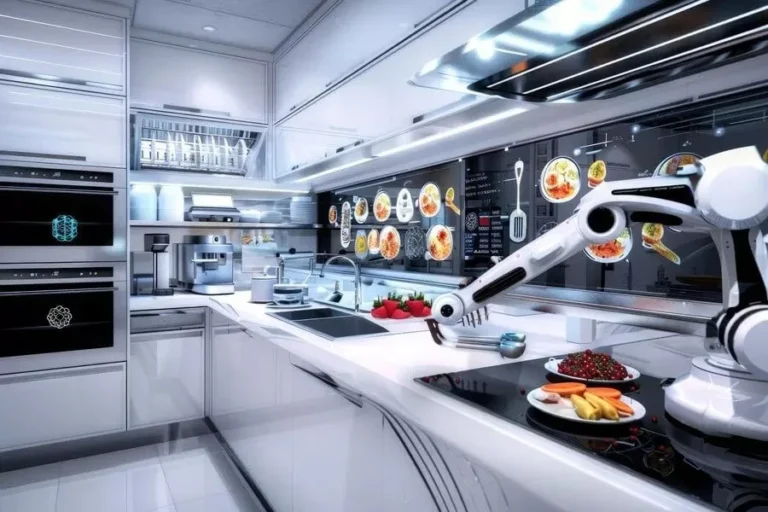
Automation is another buzzword in the kitchen world, but it’s not just for fast-food chains anymore. From robotic arms that flip burgers to automated dishwashers, automation is making its way into kitchens of all sizes. But is it right for you?
Again, it depends. Automation can be a huge workflow booster, but it’s not a magic bullet. Here’s what to consider:
- Pros of Automation:
- Consistency: Machines don’t get tired or distracted, so they produce the same results every time.
- Speed: Automated equipment can work faster than humans, reducing ticket times.
- Labor Savings: Automation can reduce the need for staff, which is a big deal in an industry with high turnover.
- Safety: Machines can handle dangerous tasks, like frying or grilling, reducing the risk of injuries.
- Cons of Automation:
- Cost: Automated equipment is expensive, and it requires maintenance and repairs.
- Flexibility: Machines are great at repetitive tasks, but they’re not as adaptable as humans. If your menu changes frequently, automation might not be the best fit.
- Staff Resistance: Some employees might feel threatened by automation, which can create tension in the kitchen.
- Complexity: Automated equipment requires training and troubleshooting, which can be a challenge for some staff.
So, should you automate? If you’re running a high-volume operation with a limited menu (like a burger joint or a pizza place), automation can be a game-changer. But if you’re running a fine-dining restaurant with a constantly changing menu, it might not be the best fit. Either way, it’s important to weigh the pros and cons before making a decision.
If you’re considering automation, start with small, low-risk tasks, like dishwashing or inventory management. This will give you a sense of how automation fits into your workflow without committing to a major overhaul. And if you’re not sure where to start, a supplier like Chef’s Deal can help you explore your options and choose the right equipment for your needs.
Common Workflow Mistakes (And How to Fix Them)
Mistake #1: Ignoring the “Golden Path”
The Golden Path is the most efficient route through your kitchen for a given task. For example, the Golden Path for making a salad might be: fridge → prep station → plating zone → pass. If your layout forces you to deviate from the Golden Path, your workflow will suffer.
How to fix it: Map out the Golden Path for your most common tasks and design your kitchen around them. This might mean moving appliances, reconfiguring zones, or even knocking down a wall. It’s a big change, but it’s worth it.
Mistake #2: Overcrowding the Kitchen
It’s tempting to pack as much equipment as possible into your kitchen, but overcrowding is a major workflow killer. Too much stuff means less space to move, more cross-traffic, and higher stress levels.
How to fix it: Be ruthless about what you really need. If an appliance isn’t used daily, consider storing it elsewhere. In commercial kitchens, this might mean investing in multi-functional equipment, like a combi oven that can bake, steam, and roast.
Mistake #3: Poor Lighting
Bad lighting slows everything down. If your staff can’t see what they’re doing, they’ll make mistakes, take longer to prep, and increase the risk of injuries.
How to fix it: Install task lighting over prep stations, stoves, and sinks. In commercial kitchens, LED lighting is a great choice because it’s bright, energy-efficient, and long-lasting. Don’t forget about natural light, either, it can make the kitchen feel more pleasant and reduce eye strain.
Mistake #4: Neglecting the Pass
The pass is where food leaves the kitchen, and it’s one of the most critical areas for workflow. If the pass is too small, too far from the plating zone, or poorly organized, orders will back up and service will slow down.
How to fix it: Make sure the pass is large enough to accommodate multiple dishes at once. It should be close to the plating zone and easy for servers to access. In commercial kitchens, consider adding a expediter stationear the pass to keep orders moving smoothly.
Putting It All Together: A Real-World Example
Let’s walk through a real-world example of a kitchen workflow redesign. A few years ago, I worked with a small pizzeria in Nashville that was struggling with long ticket times. The owner, Marco, had assumed the problem was his old oven, but after observing the kitchen, I realized the real issue was the layout.
Here’s what the kitchen looked like before:
- The oven was in a corner, making it hard for multiple cooks to access.
- The prep station was on the opposite side of the kitchen from the fridge, forcing staff to walk back and forth constantly.
- The pass was too small, causing orders to back up.
- The dishwashing area was in the back of the kitchen, far from the pass.
Here’s what we changed:
- Moved the oven to the center of the cooking zone, with easy access from the prep station.
- Reconfigured the prep station to be closer to the fridge and the oven.
- Expanded the pass and added an expediter station to keep orders moving.
- Moved the dishwashing area closer to the pass to clear dirty dishes faster.
The result? Ticket times dropped by 25%, and Marco’s staff reported feeling less stressed during service. The best part? The changes didn’t require a major renovation, just a few strategic tweaks to the layout.
If you’re feeling overwhelmed by the idea of redesigning your kitchen, start small. Focus on one zone at a time, and don’t be afraid to experiment. And if you’re not sure where to begin, consider working with a supplier that offers professional installation services. Chef’s Deal, for example, can help you install new equipment and reconfigure your layout for maximum efficiency.
Final Thoughts: The Workflow Mindset
Here’s the thing about kitchen workflows: They’re never really “done.” Even the best-designed kitchens need tweaks and adjustments as menus change, staff turnover, and equipment wears out. The key is to adopt a workflow mindset-a way of thinking that constantly looks for ways to improve efficiency, reduce waste, and make the kitchen a better place to work.
So, where do you go from here? Start by observing your kitchen. Where are the bottlenecks? What’s slowing you down? Then, make one small change, move a piece of equipment, reconfigure a zone, or add a handwashing station. See how it feels. If it works, keep it. If not, try something else. The goal isn’t perfection; it’s progress.
And remember: A well-designed workflow isn’t just about speed. It’s about reducing stress, improving safety, and making the kitchen a place where people actually want to work. Because at the end of the day, the best kitchens aren’t just efficient, they’re joyful.
Now, I’d love to hear from you. What’s the biggest workflow challenge in your kitchen? Have you made any changes that improved efficiency? Drop a comment below, I’m always curious to hear what works (and what doesn’t).
FAQ: Your Kitchen Workflow Questions, Answered
Q: How do I know if my kitchen workflow is inefficient?
A: Look for signs like frequent backtracking, staff crowding in certain areas, long ticket times, or high stress levels during service. If you’re constantly bumping into people or walking more than a few steps between tasks, your workflow could use some tweaking. Another red flag? A kitchen that looks organized but feels chaotic. Efficiency isn’t just about tidiness, it’s about flow.
Q: What’s the first thing I should change to improve my workflow?
A: Start with the Three D’s: Dirt, Distance, and Duplication. Are there areas where messes pile up? Are ingredients or tools too far from where they’re needed? Are multiple people doing the same task? Fixing these issues can make a big difference without requiring a major overhaul. For example, moving a trash bin closer to the prep station or storing spices near the stove can shave minutes off your prep time.
Q: How can I design an efficient workflow in a small kitchen?
A: Small kitchens require creative solutions. Focus on multi-functional spaces and modular equipment. For example, a prep station that doubles as a plating area, or a mobile cart that can be moved where it’s needed. Overlap zones where it makes sense, like combining the prep and cooking zones, and prioritize vertical storage to maximize space. In commercial kitchens, suppliers like Chef’s Deal offer space-saving equipment solutions designed for small footprints.
Q: Should I invest in smart kitchen technology to improve my workflow?
A: It depends on your needs. Smart technology can be a game-changer for tasks like inventory management, recipe displays, or automated ventilation. But it’s not a magic bullet, if your workflow is poorly designed, no amount of gadgets will fix it. Start with small, low-risk tools (like a digital inventory system) and see how they fit into your workflow. If you’re unsure, a supplier like Chef’s Deal can provide expert consultation to help you choose the right technology for your kitchen.
@article{designing-efficient-kitchen-workflows-the-hidden-science-behind-faster-smarter-cooking,
    title   = {Designing Efficient Kitchen Workflows: The Hidden Science Behind Faster, Smarter Cooking},
    author  = {Chef's icon},
    year    = {2026},
    journal = {Chef's Icon},
    url     = {https://chefsicon.com/designing-efficient-kitchen-workflows/}
}