The Best Fluffy Pancakes recipe you will fall in love with. Full of tips and tricks to help you make the best pancakes.
Optimizing Kitchen Workflows with KDS: The Secret Weapon Hiding in Plain Sight
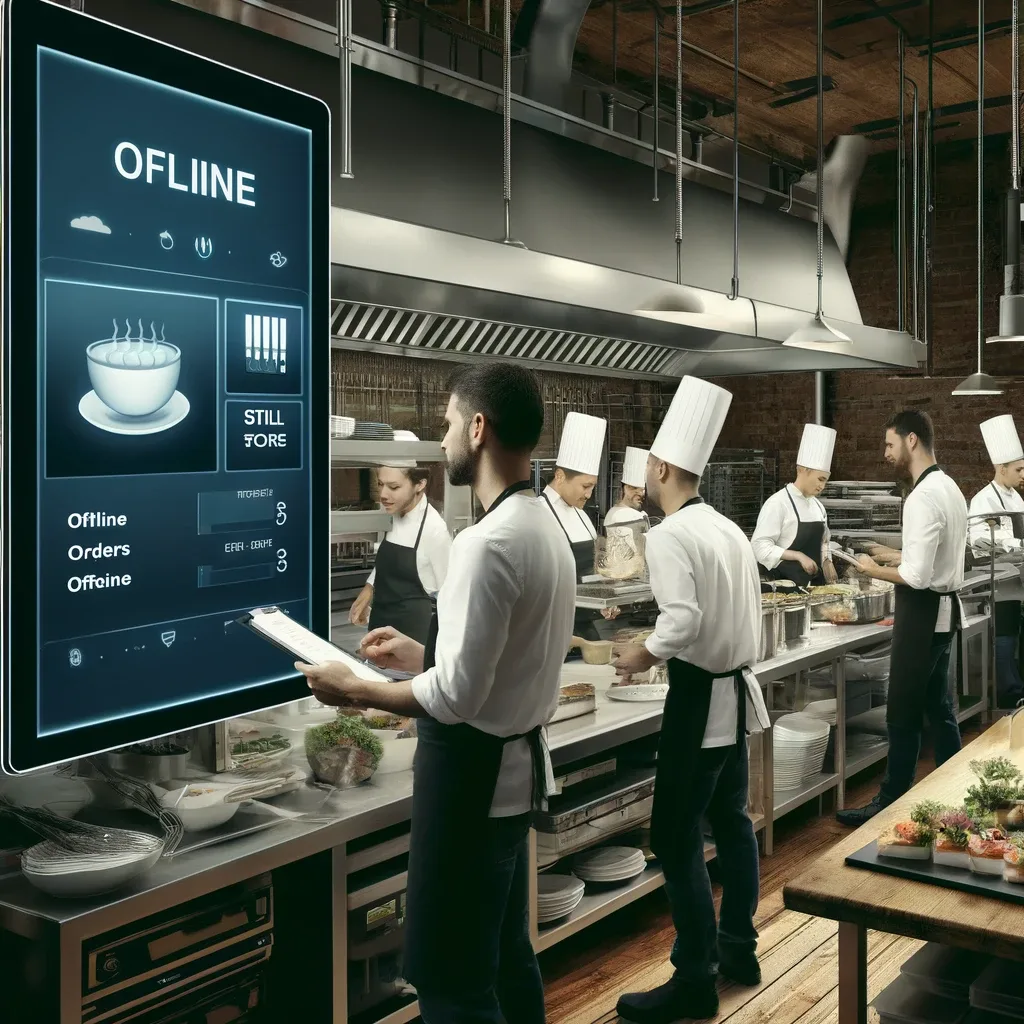
I remember the first time I walked into a restaurant kitchen that actually *worked*. Not the kind where tickets pile up like confetti after a parade, or where the expediter looks like they’re one wrong order away from a meltdown. No, this was different. The orders flowed like water, the cooks moved with purpose but not panic, and the whole operation hummed along with an almost eerie efficiency. What was their secret? Turns out, it wasn’t some Michelin-starred chef barking orders, it was a Kitchen Display System (KDS).
Now, I’ll admit, when I first heard about KDS, I thought it was just another piece of tech jargon designed to make restaurant owners open their wallets. “Oh, you need a *digital* ticket system? How revolutionary.” But after seeing it in action, and, let’s be honest, after nearly burning down my own kitchen during a dinner rush, I realized I was dead wrong. A good KDS isn’t just a fancy screen; it’s the nervous system of a well-oiled kitchen. And if you’re still clinging to paper tickets like they’re the last lifeboat on the Titanic, well… let’s just say you’re missing out on more than you realize.
So, what exactly will you learn from this deep dive? By the end, you’ll understand:
- Why KDS is the unsung hero of modern kitchen workflows (and why it’s not just for big chains)
- How to map your kitchen’s pain points and match them to the right KDS features
- The hidden psychological benefits of going digital (spoiler: your staff might actually *like* their jobs more)
- Real-world implementation strategies that won’t leave you drowning in tech debt
- How to measure success beyond just “fewer mistakes” (because let’s be real, mistakes still happen)
Is this the silver bullet for all your kitchen woes? Probably not. But is it the closest thing to it? I’m starting to think so. Let’s dig in.
The KDS Revolution: More Than Just Fancy Screens
What Exactly Is a Kitchen Display System, Anyway?
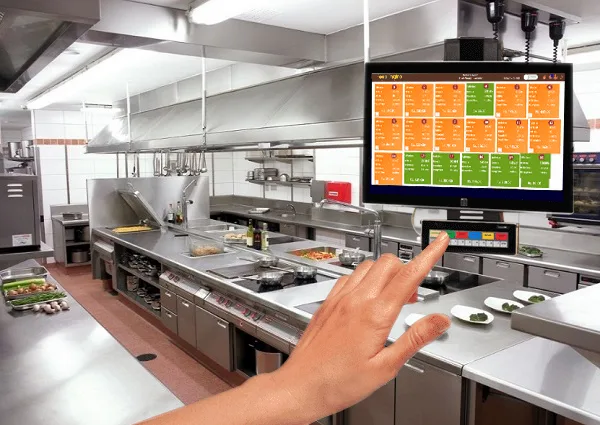
At its core, a Kitchen Display System (KDS) is a digital replacement for those paper tickets that used to get pinned to a rail or tossed onto the counter. But calling it a “digital ticket system” is like calling a Tesla “a car that doesn’t use gas.” Sure, it’s technically true, but it misses the point entirely. A good KDS doesn’t just display orders, it orchestrates them.
Here’s what most systems include:
- Order prioritization: No more guessing which ticket came first. The system sorts orders by time, course, or even table number, so your team knows exactly what to tackle next.
- Station-specific displays: The grill sees only grill orders, the fry station sees only fry orders, and so on. No more mental gymnastics trying to parse a ticket that’s half appetizers and half entrees.
- Real-time updates: If a customer changes their order or a server voids an item, the KDS updates instantly. No more shouting across the kitchen or hoping someone catches the change on a scribbled note.
- Integration with POS: Orders flow directly from the front of house to the kitchen, eliminating the game of telephone that used to happen between servers and cooks.
- Performance tracking: Some systems even track how long orders take, which stations are bottlenecks, and which dishes are consistently slow. (Spoiler: That “signature dish” you’re so proud of? It might be killing your speed of service.)
But here’s the thing: not all KDS systems are created equal. Some are little more than glorified digital notepads, while others are full-blown kitchen management platforms that can transform how your entire operation runs. The key is figuring out which one fits your kitchen’s unique chaos.
Why Paper Tickets Are the Kitchen Equivalent of a Flip Phone
Look, I get it. Paper tickets are familiar. They’re tangible. You can crumple them up and throw them at the wall when the kitchen’s on fire (metaphorically, of course). But let’s be real: they’re also a relic of a bygone era. Here’s why they’re holding you back:
- Human error: Ever had a server write “no onions” so sloppily that the cook read it as “extra onions”? Yeah. That’s a $15 comp and a very unhappy customer.
- Lost tickets: That one ticket that fell behind the fryer? It’s not just an order, it’s a table that’s now been waiting 20 minutes for their food.
- No visibility: With paper, you have no idea how long an order’s been sitting there. Is that ticket from 5 minutes ago or 15? Who knows.
- Communication breakdowns: Servers have to physically walk orders to the kitchen, which means they’re not on the floor taking care of guests. And if they forget to mark a ticket as “rush,” good luck getting that VIP table their food on time.
- Waste: Let’s do some quick math. If you’re printing 200 tickets a day at 5 cents each, that’s $10 a day, $300 a month, $3,600 a year. And that’s not even counting the environmental cost of all that paper.
Now, I’m not saying paper tickets don’t have their place. There’s something satisfying about the *snap* of a ticket being torn off the printer and slapped onto the rail. But if you’re running a kitchen that’s serious about efficiency, speed, and consistency, paper is like trying to win a Formula 1 race in a go-kart. It’s just not going to cut it.
The Psychology of Going Digital: Why Your Staff Might Actually Like This
Here’s where things get interesting. When I first started researching KDS, I assumed the biggest hurdles would be technical, things like integration, training, and cost. But time and time again, the real challenge was human resistance. Chefs and cooks are creatures of habit, and the idea of replacing a system they’ve used for decades with a bunch of screens can feel like a personal attack.
But here’s the twist: once they actually use a good KDS, most of them don’t want to go back. Why? Because it’s not just about efficiency, it’s about reducing cognitive load. Think about it:
- Less mental clutter: With paper tickets, cooks have to remember which orders are rush, which are delayed, and which have modifications. A KDS handles all that automatically, freeing up mental space for what really matters: cooking.
- Clearer communication: No more shouting across the kitchen or trying to decipher handwriting. The system speaks for itself, which means fewer arguments and less stress.
- Ownership of the process: When cooks can see the entire flow of orders, they feel more in control. They’re not just following instructions, they’re part of a system that’s working *with* them, not against them.
- Reduced anxiety: Ever been in a kitchen where the expediter is screaming at everyone and tickets are piling up like a Jenga tower? A KDS doesn’t eliminate stress entirely, but it does create a sense of order that can make the chaos feel more manageable.
Of course, this only works if the system is well-designed. A clunky KDS that’s hard to read or navigate can actually make things worse. But when it’s done right? It’s like giving your team a superpower.
Mapping Your Kitchen’s Pain Points: Where Does a KDS Actually Help?
The Bottleneck Audit: Where’s Your Kitchen Bleeding Time?
Before you even think about buying a KDS, you need to figure out where your kitchen’s real problems are. Because here’s the thing: a KDS isn’t a magic wand. If your issue is that your fry cook is chronically late, no amount of digital tickets is going to fix that. But if your problems are related to communication, visibility, or order flow, a KDS can be a game-changer.
So how do you diagnose your kitchen’s pain points? Start by asking yourself (and your team) these questions:
- Where do tickets pile up the most? Is it at the grill, the fry station, or the expo line?
- What’s the most common complaint from servers? Is it slow food, wrong orders, or inconsistent timing?
- What dishes take the longest to get out? Are they complicated, or is the issue with how they’re being communicated?
- How often do you have to comp meals because of kitchen mistakes? Is it a few times a week, or a few times a shift?
- What’s the most stressful part of the rush? Is it the sheer volume of orders, or is it the chaos of trying to prioritize them?
Once you’ve identified your bottlenecks, you can start thinking about how a KDS might help. For example:
- Problem: Orders are getting lost or forgotten.
KDS Solution: A system with automatic alerts for orders that have been sitting too long. - Problem: The grill is constantly backed up while other stations are idle.
KDS Solution: A system that balances the load by sending orders to the least busy station. - Problem: Servers are constantly running back to the kitchen to check on orders.
KDS Solution: A system with tablet integration so servers can see order status from the floor. - Problem: Special requests (like allergies or modifications) are getting missed.
KDS Solution: A system that highlights modifications in bright colors or with icons.
Is this the perfect solution for every problem? No. But it’s a start. And the more specific you can be about your pain points, the better you’ll be able to match them to the right KDS features.
Station-Specific Workflows: Why One Size Doesn’t Fit All
Here’s a mistake I see a lot of restaurants make: they assume a KDS is a one-size-fits-all solution. They buy a system, slap a screen at every station, and call it a day. But kitchens aren’t monoliths, they’re made up of specialized stations, each with its own workflow, challenges, and needs. A KDS that works great for the grill might be useless for the pastry chef, and vice versa.
Let’s break it down by station:
1. The Grill
The grill is the heart of most kitchens, and it’s also one of the most chaotic. Orders come in fast, they need to be cooked to precise temperatures, and they often have to be timed with other dishes. A good KDS for the grill should:
- Show orders in the exact sequence they need to be cooked (no more guessing which steak goes with which side).
- Include timers for each item, so nothing gets forgotten or overcooked.
- Highlight modifications (like “medium rare” or “no butter”) in a way that’s impossible to miss.
- Allow for manual reordering in case a cook needs to adjust the sequence (e.g., if a steak is taking longer than expected).
2. The Fry Station
Fry stations are all about speed and volume. The last thing you want is a screen that’s cluttered with information or hard to read at a glance. A good KDS for the fry station should:
- Display orders in large, easy-to-read fonts (because no one wants to squint at a screen while holding a basket of fries).
- Group similar items together (e.g., all the fries, all the chicken tenders) to minimize basket changes.
- Include visual cues for items that need to be cooked longer (like frozen items).
- Allow for quick voids or comps without having to call over a manager.
3. The Salad/Pantry Station
This is where things get tricky. Salad stations are often the most customizable part of the kitchen, which means they’re also the most prone to errors. A good KDS for the pantry should:
- Break down orders into individual components (e.g., “House Salad: no croutons, extra dressing on the side”).
- Use color-coding to highlight modifications (e.g., red for allergies, yellow for special requests).
- Allow for easy reordering of items (because salads are often built in a specific sequence).
- Include photos or icons for less common items (like obscure dressings or garnishes).
4. The Expo Line
The expo line is the control center of the kitchen. This is where orders are assembled, checked for accuracy, and sent out to the floor. A good KDS for the expo line should:
- Show the entire order at a glance, including all modifications and special requests.
- Include timers for each course (e.g., appetizers, entrees, desserts) so nothing gets sent out too early or too late.
- Allow for easy reprinting of tickets in case a plate gets dropped or sent back.
- Integrate with tablet systems so servers can see when an order is ready without having to ask.
Is this a lot to think about? Absolutely. But here’s the thing: if you don’t tailor your KDS to your kitchen’s specific needs, you’re not going to get the full benefit. It’s like buying a Ferrari and only driving it in first gear. Sure, it’s still a nice car, but you’re not using it to its full potential.
The Integration Question: Will a KDS Play Nice with Your Existing Systems?
This is where things get complicated. A KDS isn’t a standalone system, it’s part of a larger ecosystem that includes your POS, your inventory management, your accounting software, and more. And if those systems don’t talk to each other, you’re going to have a bad time.
Here’s what you need to consider when it comes to integration:
- POS compatibility: This is the big one. Your KDS needs to integrate seamlessly with your POS, or you’re going to end up with a mess of manual workarounds. Some KDS systems are designed to work with specific POS brands (like Toast or Square), while others are more agnostic. Do your homework.
- Hardware requirements: Does your KDS require specific screens, tablets, or printers? If so, do you already have them, or will you need to buy new equipment? And if you’re using tablets, how will you mount them in a way that’s both ergonomic and safe (because no one wants a tablet falling into a fryer)?
- Network stability: A KDS is only as good as the network it runs on. If your Wi-Fi is spotty or your internet goes down, your kitchen could grind to a halt. Some systems offer offline modes, but they’re not a perfect solution. Make sure your network can handle the load.
- Third-party integrations: Do you use inventory management software? Accounting tools? Reservation systems? If so, you’ll want a KDS that can integrate with those as well. Otherwise, you’ll end up with data silos that make your life harder, not easier.
- Scalability: Are you planning to open a second location? Add a food truck? Expand your menu? Make sure your KDS can grow with you. The last thing you want is to outgrow your system six months after you install it.
Now, I’ll be the first to admit: integration is the part of KDS implementation that keeps me up at night. It’s not glamorous, and it’s not fun, but it’s absolutely critical. If you skip this step, you’re setting yourself up for frustration, wasted time, and a system that doesn’t actually solve your problems.
If you’re feeling overwhelmed by the technical side of things, this might be a good time to reach out to a supplier like Chef’s Deal. They offer free kitchen design services and can help you navigate the complexities of integrating a KDS with your existing systems. Their team can also provide expert consultation to ensure you’re choosing the right equipment and setup for your specific needs, which can save you a lot of headaches down the road.
Choosing the Right KDS: A Buyer’s Guide Without the BS
Cloud-Based vs. On-Premise: Which Is Right for You?
One of the first decisions you’ll need to make when choosing a KDS is whether you want a cloud-based system or an on-premise one. Both have their pros and cons, and the right choice depends on your kitchen’s specific needs.
Cloud-Based KDS
Cloud-based systems are hosted on remote servers and accessed via the internet. They’re becoming increasingly popular, and for good reason:
- Lower upfront costs: No need to buy servers or install software. You typically pay a monthly subscription fee, which can be easier on your budget.
- Automatic updates: The provider handles updates and maintenance, so you’re always running the latest version.
- Remote access: You can monitor your kitchen from anywhere, which is great for multi-location operators or owners who like to keep an eye on things from home.
- Scalability: Cloud systems are easy to scale up or down as your needs change. Adding a new location? No problem.
But cloud-based systems aren’t perfect:
- Internet dependency: If your internet goes down, your KDS goes down with it. Some systems offer offline modes, but they’re not a perfect solution.
- Recurring costs: That monthly subscription fee adds up over time. You might end up paying more in the long run than you would with an on-premise system.
- Data security: Your data is stored on someone else’s servers, which can be a concern for some operators. Make sure the provider has strong security measures in place.
On-Premise KDS
On-premise systems are installed locally on your own servers. They’re less common these days, but they still have their place:
- No internet required: On-premise systems run locally, so you don’t have to worry about internet outages.
- One-time cost: You pay for the software upfront, which can be more cost-effective in the long run.
- Full control: You own your data and have complete control over your system. No relying on a third-party provider.
But on-premise systems come with their own challenges:
- Higher upfront costs: You’ll need to buy servers and install the software, which can be expensive.
- Maintenance: You’re responsible for updates, backups, and troubleshooting. If something goes wrong, you’re on your own.
- Less flexibility: On-premise systems can be harder to scale. Adding a new location might require buying new servers and installing the software all over again.
So which is right for you? If you’re a small operation with a single location and a reliable internet connection, a cloud-based system might be the way to go. But if you’re a larger operation with multiple locations or spotty internet, an on-premise system might be worth the investment.
Must-Have Features vs. Nice-to-Have Gimmicks
Not all KDS features are created equal. Some are essential for a smooth workflow, while others are just shiny distractions. Here’s how to tell the difference:
Must-Have Features
These are the features that will actually make your kitchen run better:
- Real-time order updates: If a customer changes their order or a server voids an item, the KDS should update instantly. No exceptions.
- Station-specific displays: Each station should only see the orders that are relevant to them. No more mental gymnastics trying to parse a ticket that’s half appetizers and half entrees.
- Order prioritization: The system should automatically sort orders by time, course, or table number, so your team knows exactly what to tackle next.
- Modification highlighting: Special requests, allergies, and modifications should be impossible to miss. Think bright colors, bold text, or icons.
- Integration with POS: Orders should flow directly from the front of house to the kitchen without any manual intervention.
- Performance tracking: The system should track how long orders take, which stations are bottlenecks, and which dishes are consistently slow. This data is gold for improving your workflow.
- Offline mode: If your internet goes down, your KDS should still work (at least in a limited capacity). No one wants their kitchen to grind to a halt because of a spotty Wi-Fi connection.
Nice-to-Have Gimmicks
These features might sound cool, but they’re not going to make or break your workflow:
- Fancy animations: Sure, it’s fun to watch orders slide across the screen, but does it actually make your kitchen run better? Probably not.
- Voice commands: Being able to shout “Next order!” at your KDS might sound futuristic, but in a busy kitchen, no one’s going to hear you over the noise.
- Augmented reality: Some systems offer AR features that overlay order information onto the cook’s field of vision. Cool? Yes. Practical? Not so much.
- Social media integration: Unless you’re running a food truck that takes orders via Twitter, this is probably overkill.
- Gamification: Some systems offer features like leaderboards or rewards for fast order times. Fun for the staff, but not exactly a game-changer for your workflow.
Is this a hard and fast rule? No. Some of these “gimmicks” might actually be useful for your specific operation. But if you’re on a budget, focus on the must-have features first. You can always add the nice-to-haves later.
Budgeting for a KDS: How Much Should You Actually Spend?
Let’s talk money. Because at the end of the day, a KDS is an investment, and like any investment, you need to weigh the costs against the benefits. But here’s the thing: the cost of a KDS isn’t just the price of the software or the screens. It’s also the cost of implementation, training, and maintenance. And if you don’t budget for those, you’re going to end up with a system that doesn’t work and a whole lot of regret.
So how much should you expect to spend? It depends on the size of your operation and the features you need, but here’s a rough breakdown:
- Small operation (1-2 screens): $1,000 – $3,000 upfront, plus $50 – $150/month for cloud-based systems.
- Medium operation (3-5 screens): $3,000 – $7,000 upfront, plus $150 – $300/month for cloud-based systems.
- Large operation (6+ screens): $7,000 – $15,000+ upfront, plus $300 – $500+/month for cloud-based systems.
But remember: these are just the direct costs. You also need to factor in:
- Hardware: Screens, tablets, mounts, and any other equipment you’ll need. This can add anywhere from $500 to $5,000+ to your total cost.
- Installation: Unless you’re a tech whiz, you’ll probably need to hire someone to install and configure your KDS. This can cost anywhere from $500 to $2,000, depending on the complexity of your setup.
- Training: Your staff will need to learn how to use the new system, and that takes time. You might need to hire a trainer, or you might need to pay your staff for extra hours to get them up to speed. Either way, it’s an added cost.
- Maintenance: Even the best systems need occasional updates and troubleshooting. If you’re using a cloud-based system, this is usually included in your monthly fee. But if you’re using an on-premise system, you might need to budget for IT support.
- Downtime: There’s always a learning curve when you implement a new system. During that time, your kitchen might be slower than usual, which could impact your revenue. Make sure you budget for this.
Now, I know what you’re thinking: “That’s a lot of money. Is it really worth it?” And the answer is: it depends. If your kitchen is already running smoothly, a KDS might not be a priority. But if you’re struggling with communication, speed, or accuracy, a KDS could pay for itself in a matter of months.
If you’re looking for ways to make the investment more manageable, suppliers like Chef’s Deal can be a great resource. They offer competitive pricing and financing options, which can help spread out the cost over time. Plus, their professional installation services can ensure your system is set up correctly from the start, reducing the risk of costly mistakes or downtime.
Implementation: How to Roll Out a KDS Without Losing Your Mind (or Your Staff)
The Phased Approach: Why You Shouldn’t Go All-In on Day One
Alright, let’s say you’ve done your research, you’ve chosen a KDS, and you’re ready to pull the trigger. Now what? Do you rip out all your paper ticket rails, install screens everywhere, and hope for the best? Absolutely not. Going all-in on day one is a recipe for disaster. Instead, you should take a phased approach.
Here’s why:
- Change is hard: Your staff is used to their current workflow. Throwing a brand-new system at them all at once is going to cause confusion, frustration, and maybe even mutiny.
- Bugs happen: No matter how much you test, there’s always a chance something will go wrong. If you roll out the system gradually, you can catch and fix issues before they impact your entire operation.
- Training takes time: You can’t expect your staff to learn a new system overnight. A phased approach gives them time to get comfortable with the new workflow.
- You need to measure success: If you roll out the system all at once, how will you know what’s working and what’s not? A phased approach lets you track your progress and make adjustments as needed.
So how do you phase in a KDS? Here’s a step-by-step plan:
Phase 1: Pilot Program
Start with a single station, preferably one that’s not too busy or complex. The salad station is a good choice because it’s usually less chaotic than the grill or the fry station. Install a single screen, train your staff on how to use it, and run a pilot for a week or two. Monitor the results, gather feedback, and make adjustments as needed.
Phase 2: Expand to Key Stations
Once you’ve ironed out the kinks, expand the system to your busiest stations. This is where you’ll see the biggest impact, so make sure you’re tracking metrics like order accuracy, speed of service, and staff satisfaction. If something’s not working, don’t be afraid to make changes.
Phase 3: Full Rollout
After you’ve tested the system in your busiest stations, it’s time for the full rollout. Install screens at every station, train your entire staff, and make the switch. But remember: this isn’t the end of the process. You’ll need to continue monitoring, gathering feedback, and making adjustments.
Phase 4: Continuous Improvement
A KDS isn’t a set-it-and-forget-it solution. It’s a tool, and like any tool, it needs to be maintained and optimized. Regularly review your metrics, gather feedback from your staff, and make adjustments as needed. If you’re not constantly improving, you’re falling behind.
Is this the only way to roll out a KDS? No. Some restaurants prefer a big bang approach, where they switch everything over at once. And if you’re a small operation with a simple workflow, that might work for you. But if you’re running a larger kitchen with multiple stations, a phased approach is almost always the better choice.
Training Your Team: How to Get Buy-In Without the Eye Rolls
Let’s be real: training is the part of KDS implementation that most people dread. And for good reason. No one likes being pulled away from their work to sit through a boring PowerPoint presentation about a system they don’t understand and probably don’t want to use. But if you don’t train your team properly, your shiny new KDS is going to be about as useful as a screen door on a submarine.
So how do you train your team without losing their interest (or their respect)? Here are a few tips:
1. Make It Hands-On
People learn by doing, not by listening. Instead of sitting your staff down for a lecture, set up a mock kitchen where they can practice using the system. Give them sample orders, have them work through the workflow, and let them make mistakes in a low-pressure environment. The more they use the system, the more comfortable they’ll be with it.
2. Gamify the Process
Training doesn’t have to be boring. Turn it into a game! Set up a competition where teams compete to see who can fulfill orders the fastest or with the fewest mistakes. Offer prizes (like gift cards or extra breaks) for the winners. Not only will this make training more fun, but it’ll also help your staff retain the information better.
3. Assign Champions
Every team has a few people who are naturally good with technology. Identify these KDS champions and make them your go-to trainers. They can help their coworkers, answer questions, and provide feedback on what’s working and what’s not. This not only takes some of the pressure off you, but it also gives your staff someone to turn to when they’re struggling.
4. Keep It Short and Sweet
No one wants to sit through an eight-hour training session. Break it up into short, focused modules (no more than 30 minutes each) and spread them out over a few days. This gives your staff time to absorb the information and come back with questions.
5. Gather Feedback
Training isn’t a one-way street. Your staff is on the front lines, and they’re going to have insights that you might not have considered. After each training session, ask for feedback: What’s working? What’s confusing? What would make the system easier to use? Then, act on that feedback. If your staff sees that you’re listening to them, they’re more likely to buy into the system.
6. Be Patient
Change takes time. Some of your staff will pick up the new system right away, while others will struggle. Don’t get frustrated. Instead, focus on progress, not perfection. Celebrate the small wins, and keep reinforcing the benefits of the system. Eventually, even the most resistant team members will come around.
Is this a lot of work? Absolutely. But is it worth it? Without a doubt. A well-trained team is the difference between a KDS that transforms your kitchen and one that gathers dust in the corner.
Troubleshooting: What to Do When Things Go Wrong (And They Will)
Let’s get one thing straight: things will go wrong. Your internet will go down. A screen will freeze. An order will disappear into the digital void. And when that happens, you need to be prepared. Because if you’re not, your kitchen is going to descend into chaos faster than you can say “Where’s my ticket?”
So how do you troubleshoot a KDS? Here’s a step-by-step guide:
1. Have a Backup Plan
This is the most important step. No matter how reliable your KDS is, you eed a backup plan for when things go wrong. Here are a few options:
- Paper tickets: Keep a printer and a stack of paper tickets on hand. If your KDS goes down, you can switch back to paper until the issue is resolved.
- Offline mode: Some KDS systems offer an offline mode that lets you continue taking orders even if your internet goes down. If your system has this feature, make sure your staff knows how to use it.
- Manual entry: If all else fails, you can manually enter orders into your POS and have your staff write them down on paper. It’s not ideal, but it’s better than nothing.
2. Train Your Staff on Basic Troubleshooting
Your staff is your first line of defense when something goes wrong. Make sure they know how to:
- Restart a frozen screen.
- Switch to offline mode.
- Print a paper ticket if needed.
- Escalate issues to a manager or IT support.
The more your staff knows, the less likely they are to panic when something goes wrong.
3. Monitor Your System
Don’t wait for something to break before you take action. Monitor your system regularly to catch issues before they become problems. Here are a few things to keep an eye on:
- Internet connectivity: If your internet is spotty, your KDS is going to be spotty too. Invest in a reliable internet connection and consider adding a backup (like a cellular hotspot) for emergencies.
- Screen performance: Are your screens freezing or lagging? This could be a sign of a hardware issue or a network problem.
- Order flow: Are orders coming in and out smoothly, or are there delays? If you’re seeing bottlenecks, it could be a sign that your system needs to be optimized.
- Error messages: If you’re seeing a lot of error messages, it could be a sign of a software bug or a configuration issue.
4. Have a Dedicated IT Support Contact
If you’re not tech-savvy, you’re going to need help when things go wrong. Make sure you have a dedicated IT support contact (either in-house or through your KDS provider) who can help you troubleshoot issues. And don’t wait until something breaks to reach out, build a relationship with them before you need them.
5. Document Everything
When something goes wrong, document it. What happened? What did you do to fix it? How long did it take? This information is invaluable for preventing future issues and improving your workflow. Plus, if you ever need to escalate an issue to your KDS provider, having detailed notes will make the process a lot smoother.
Is this a lot to keep track of? Yes. But is it worth it? Absolutely. Because when (not if) something goes wrong, you’ll be glad you were prepared.
Measuring Success: How to Know If Your KDS Is Actually Working
Beyond the Obvious: Metrics That Actually Matter
So you’ve implemented a KDS. Congratulations! But how do you know if it’s actually working? Sure, you can look around the kitchen and see that things are running more smoothly, but that’s not exactly measurable. And if you can’t measure it, you can’t improve it.
Here are some key metrics to track:
1. Order Accuracy
This is the most obvious one. If your KDS is working, you should see a reduction in order errors. Track how many meals you have to comp or remake because of kitchen mistakes. If that number goes down, your KDS is doing its job.
2. Speed of Service
A good KDS should help you get food out faster. Track metrics like:
- Time from order to fire: How long does it take for an order to start cooking after it’s placed?
- Time from fire to plate: How long does it take for an order to be completed once it’s started?
- Table turn time: How long does it take for a table to get their food and leave?
If these numbers improve, your KDS is making a difference.
3. Staff Satisfaction
This one’s a little harder to measure, but it’s just as important. A good KDS should make your staff’s lives easier, not harder. Survey your team regularly to see how they feel about the system. Ask questions like:
- Do you feel like the KDS has made your job easier?
- Do you prefer the KDS over paper tickets?
- What’s one thing you’d change about the system?
If your staff is happier and more engaged, that’s a win.
4. Customer Satisfaction
At the end of the day, your customers are the ones who matter most. Track metrics like:
- Online reviews: Are you seeing more positive reviews about food quality and speed of service?
- Complaints: Are you getting fewer complaints about wrong orders or slow food?
- Repeat business: Are more customers coming back?
If your customers are happier, your KDS is doing its job.
5. Cost Savings
A KDS isn’t just about improving workflow, it’s also about saving money. Track metrics like:
- Paper and ink costs: How much are you saving by not printing tickets?
- Labor costs: Are you able to serve more customers with the same number of staff?
- Food waste: Are you seeing a reduction in wasted food due to fewer mistakes?
If you’re saving money, your KDS is paying for itself.
The Feedback Loop: How to Keep Improving Your Workflow
Implementing a KDS isn’t a one-time event, it’s an ongoing process. The best kitchens are always looking for ways to improve, and your KDS should be no different. Here’s how to create a feedback loop that keeps your workflow evolving:
1. Hold Regular Check-Ins
Schedule regular meetings with your staff to discuss the KDS. Ask for feedback, address concerns, and brainstorm ways to improve. These meetings don’t have to be long-15 or 20 minutes is plenty, but they should be consistent.
2. Review Your Metrics
Regularly review the metrics you’re tracking to see how your KDS is performing. Are you seeing improvements? Are there areas that still need work? Use this data to make informed decisions about how to optimize your workflow.
3. Experiment with New Features
Most KDS systems are constantly evolving, with new features and updates being released all the time. Don’t be afraid to experiment with these features to see if they can improve your workflow. For example:
- If your system offers automatic order routing, try it out to see if it balances the load between stations.
- If your system offers performance analytics, use them to identify bottlenecks and optimize your workflow.
- If your system offers customizable dashboards, tailor them to your kitchen’s specific needs.
4. Stay Up-to-Date on Industry Trends
The restaurant industry is always changing, and so is the technology that powers it. Stay up-to-date on the latest KDS trends and innovations by reading industry blogs, attending trade shows, and networking with other restaurant owners. The more you know, the better equipped you’ll be to keep your kitchen running smoothly.
5. Don’t Be Afraid to Pivot
If something’s not working, don’t be afraid to change it. Maybe your current KDS isn’t the right fit for your kitchen. Maybe you need to adjust your workflow. Maybe you need to invest in new hardware. Whatever it is, don’t be afraid to pivot if it means improving your operation.
Is this a lot of work? Yes. But is it worth it? Absolutely. Because the kitchens that succeed are the ones that are always evolving, improving, and adapting. And with a good KDS, you’ll have the tools you need to do just that.
The Future of KDS: Where Do We Go From Here?
So, what’s next for KDS? If the past few years are any indication, the future is going to be fast, smart, and maybe even a little bit scary. Here’s what I’m keeping an eye on:
AI and Machine Learning: The Rise of the Self-Optimizing Kitchen
Right now, most KDS systems are reactive. They display orders, prioritize them, and track performance, but they don’t predict what’s going to happen next. That’s about to change.
AI and machine learning are starting to make their way into KDS systems, and the results are pretty mind-blowing. Imagine a system that:
- Predicts rush hours: Based on historical data, the system can anticipate when your kitchen is going to be busiest and adjust staffing levels accordingly.
- Optimizes order flow: The system can predict which orders are going to take the longest and adjust the sequence to minimize wait times.
- Identifies bottlenecks: The system can analyze your workflow in real-time and suggest changes to improve efficiency.
- Learns from mistakes: If a particular dish is consistently slow or error-prone, the system can flag it for review and suggest improvements.
Is this the future? Absolutely. Is it here yet? Not quite. But it’s coming, and when it does, it’s going to change the game.
Voice-Activated KDS: The End of Touchscreens?
Touchscreens are great, but they’re not perfect. They can be hard to read in bright light, they can get greasy and smudged, and they’re not exactly hands-free. That’s where voice-activated KDS comes in.
Imagine a system where cooks can:
- Say “Next order” to move to the next ticket.
- Say “Hold this order” to pause a ticket that’s waiting on an ingredient.
- Say “Void item” to remove an item from an order.
- Say “Timer for 5 minutes” to set a timer for a dish.
No more touching screens with greasy hands. No more squinting at tiny text. Just voice commands that let your staff keep their hands on the food and their eyes on the task at hand.
Is this the future? Maybe. But there are still some hurdles to overcome, like:
- Noise: Kitchens are loud. Will the system be able to hear commands over the noise of the grill, the fryer, and the expediter?
- Accents: Will the system be able to understand cooks with different accents or speech patterns?
- Misheard commands: What happens if the system mishears a command? Will it void the wrong item or set the wrong timer?
These are solvable problems, but they’re not trivial. Still, I wouldn’t be surprised if voice-activated KDS becomes the norm in the next few years.
Integration with Robotics: The Rise of the Automated Kitchen
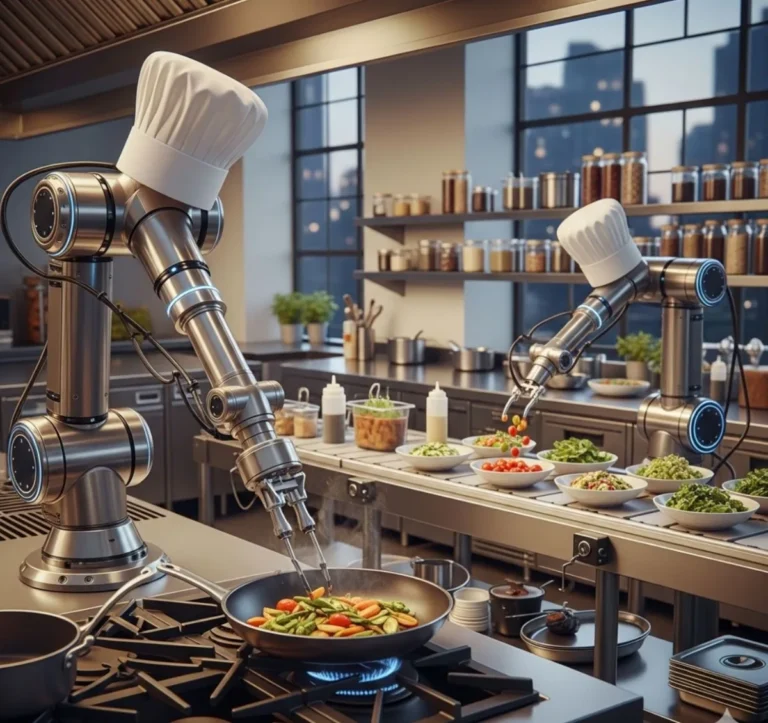
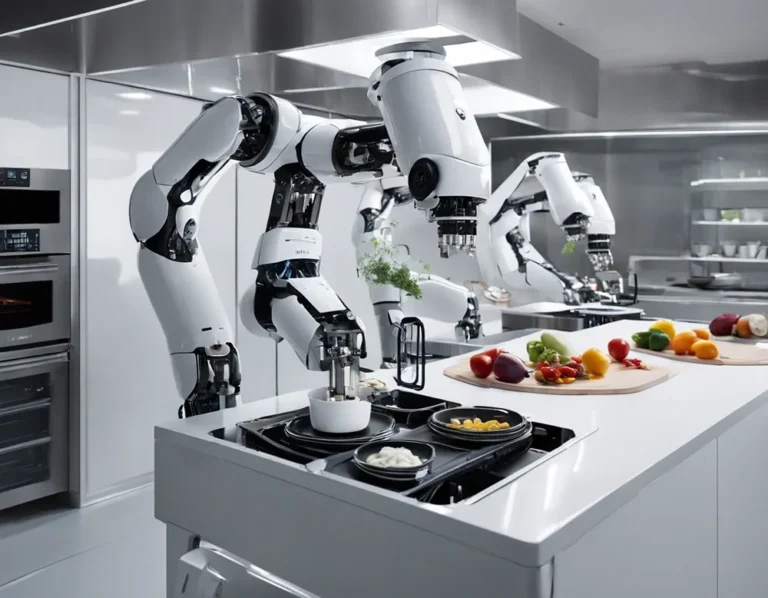
Robots in the kitchen? It’s not as far-fetched as it sounds. We’re already seeing automated fryers, burger flippers, and even salad makers. And as these technologies become more advanced, they’re going to need a way to communicate with the rest of the kitchen. Enter: KDS.
Imagine a system where:
- A robot fry cook receives orders directly from the KDS and starts cooking as soon as the order comes in.
- A burger-flipping robot adjusts its cooking time based on the order’s specifications (e.g., medium rare vs. well done).
- A salad-making robot assembles orders based on the exact ingredients and dressings specified in the ticket.
This isn’t science fiction, it’s happening right now. And as these technologies become more widespread, KDS systems are going to play a critical role in making them work.
Is this the future? Absolutely. But it’s not going to happen overnight. There are still a lot of challenges to overcome, like:
- Cost: Robots are expensive. Will they be affordable for small and medium-sized restaurants?
- Reliability: What happens when a robot breaks down? Will the kitchen grind to a halt?
- Human interaction: Will customers be comfortable with robots making their food? Will they miss the human touch?
These are big questions, and they’re not going to be answered overnight. But one thing’s for sure: KDS is going to be at the center of it all.
The Human Element: Why KDS Will Never Replace Good People
With all this talk of AI, robots, and automation, it’s easy to forget the most important part of any kitchen: the people. Because at the end of the day, a KDS is just a tool. It can make your kitchen more efficient, it can reduce mistakes, and it can even make your staff’s lives easier. But it can’t replace the creativity, passion, and skill of a good cook.
So as we look to the future, let’s not forget what makes kitchens great. It’s not the technology, it’s the people. The cooks who show up every day, ready to feed their community. The servers who go above and beyond to make sure every guest feels welcome. The managers who keep everything running smoothly, even when the kitchen’s on fire (metaphorically, of course).
A KDS can help these people do their jobs better. It can give them the tools they need to work faster, smarter, and more efficiently. But it can’t replace them. And that’s a good thing.
So as you think about the future of your kitchen, don’t just think about the technology. Think about the people who make it all possible. Because at the end of the day, that’s what really matters.
Final Thoughts: Is a KDS Right for You?
So, is a KDS right for your kitchen? The answer, as with most things in life, is: it depends.
If you’re running a small operation with a simple workflow, you might not need a KDS. Paper tickets might work just fine for you. But if you’re struggling with communication, speed, or accuracy, a KDS could be a game-changer.
And if you’re on the fence, here’s my advice: start small. Implement a KDS at one station, see how it goes, and go from there. You don’t have to go all-in on day one. In fact, you probably shouldn’t. A phased approach will give you time to work out the kinks, train your staff, and make sure the system is actually improving your workflow.
But if you do decide to take the plunge, here’s what I want you to remember:
- A KDS is ot a magic wand. It’s a tool, and like any tool, it’s only as good as the people using it.
- Implementation is hard. There will be bumps in the road. But if you stick with it, the payoff is worth it.
- Your staff is your most important asset. Train them well, listen to their feedback, and make sure they’re on board with the change.
- The future is bright. AI, robotics, voice activation, these technologies are going to change the way we cook and serve food. And KDS is going to be at the center of it all.
So, are you ready to optimize your kitchen workflow with a KDS? I hope so. Because the future of food service is here, and it’s faster, smarter, and more efficient than ever before. And with the right KDS, you can be a part of it.
Now, if you’ll excuse me, I need to go check on Luna. She’s been giving me the stink eye ever since I started writing this article, and I think she’s trying to tell me something. Probably that it’s time for dinner. And you know what? She’s right. After all this talk about kitchens, I’m hungry.
FAQ
Q: What’s the biggest mistake restaurants make when implementing a KDS?
A: The biggest mistake is going all-in on day one. A phased approach is almost always better. Start with a single station, work out the kinks, and then expand from there. This gives your staff time to adjust and ensures that the system is actually improving your workflow before you commit to a full rollout.
Q: How long does it take to see results after implementing a KDS?
A: It depends on the size of your operation and how well you implement the system, but most restaurants start seeing results within a few weeks. You might see improvements in order accuracy and speed of service almost immediately, while other benefits (like staff satisfaction and cost savings) might take a little longer to materialize.
Q: Can a KDS work in a small kitchen with limited space?
A: Absolutely. In fact, a KDS can be especially helpful in a small kitchen where space is at a premium. Instead of cluttering up your counters with paper tickets, you can mount a single screen in a central location and have all your orders displayed digitally. Some systems even work on tablets, which can be moved around as needed.
Q: What’s the most important feature to look for in a KDS?
A: The most important feature is integration with your POS. If your KDS doesn’t integrate seamlessly with your POS, you’re going to end up with a mess of manual workarounds. Other important features include order prioritization, station-specific displays, and performance tracking. But if you only focus on one thing, make it integration.
@article{optimizing-kitchen-workflows-with-kds-the-unsung-hero-of-modern-restaurant-efficiency,
    title   = {Optimizing Kitchen Workflows with KDS: The Unsung Hero of Modern Restaurant Efficiency},
    author  = {Chef's icon},
    year    = {2026},
    journal = {Chef's Icon},
    url     = {https://chefsicon.com/optimizing-kitchen-workflows-with-kds/}
}