The Best Fluffy Pancakes recipe you will fall in love with. Full of tips and tricks to help you make the best pancakes.

Let me tell you about the time I almost ruined a friend’s food truck business before it even launched. It was 2023, and my buddy Marco, who’d spent years perfecting his birria tacos in a tiny East Nashville kitchen, was finally ready to take his operation mobile. The truck was sleek, the social media hype was real, and the menu? Absolute fire. But then he showed me his “POS system.” It was a clunky tablet from 2018, held together with duct tape and hope, running software that looked like it was designed for a 1990s Blockbuster. “It’s fine,” he said. “I’ll just write down orders if it crashes.”
Spoiler: It was not fine. Within a week, Marco was drowning in handwritten tickets, double charges, and a line of customers stretching down the block because his system couldn’t keep up. He lost hundreds in missed sales and refunds, not to mention the sanity of his staff. That’s when I realized: choosing a restaurant POS system isn’t just about technology, it’s about survival. Whether you’re running a food truck, a Michelin-starred restaurant, or a 24-hour diner, your POS is the nervous system of your business. Get it wrong, and you’re basically running a marathon with a broken ankle.
So, how do you avoid Marco’s fate? That’s what this guide is for. Over the next 2,000+ words, I’ll walk you through everything I’ve learned, from my own mistakes, from interviewing dozens of restaurant owners, and from diving deep into the latest POS trends of 2026. We’ll cover the non-negotiable features, the hidden costs, the questions you’re too afraid to ask, and even the red flags that should send you running. By the end, you’ll know exactly what to look for (and what to avoid) in a restaurant POS system selection guide. Ready? Let’s dig in.
Why Your POS System Is More Important Than Your Oven (Yes, Really)
I know what you’re thinking: “Sammy, my oven is the heart of my kitchen. My POS is just a cash register.” Wrong. So, so wrong. Your oven might cook the food, but your POS system does everything else. It’s the difference between a well-oiled machine and a chaotic mess where orders get lost, payments get screwed up, and your staff wants to quit by the end of their first shift.
Here’s the thing: modern restaurant POS systems aren’t just about processing payments. They’re about data, efficiency, and customer experience. A good system will:
- Track inventory in real-time so you never run out of your best-selling dish mid-rush.
- Integrate with your online ordering platforms (Uber Eats, DoorDash, your own website) so you’re not manually entering orders like it’s 2010.
- Provide detailed analytics so you know which menu items are profitable and which are dragging you down.
- Handle split checks, tips, and multiple payment methods without breaking a sweat.
- Keep your staff sane by streamlining their workflows (and reducing the number of times they have to yell “ORDER UP!” across the kitchen).
But here’s the kicker: not all POS systems are created equal. Some are built for quick-service restaurants, others for full-service dining, and a few are so niche they’re practically useless unless you’re running a sushi train. Choosing the wrong one is like buying a Ferrari to deliver pizzas, it might look cool, but it’s not going to help you get the job done.
So, before we dive into the nitty-gritty, let’s get one thing straight: this isn’t just about buying software. It’s about investing in the backbone of your business. And like any good investment, it requires research, patience, and a healthy dose of skepticism. (More on that later.)
The 10 Non-Negotiable Features Your Restaurant POS System Must Have in 2026
1. Cloud-Based or Bust: Why On-Premise Systems Are a Relic
Remember when we used to store everything on floppy disks? Yeah, me too. And just like floppy disks, on-premise POS systems are a relic of the past. If a sales rep tries to sell you a system that requires a local server, run. Cloud-based POS systems aren’t just the future, they’re the present, and they’re non-negotiable in 2026.
Here’s why: cloud-based systems give you real-time access to your data from anywhere. Forgot to check inventory before leaving for the night? No problem. Need to pull sales reports while you’re on vacation? Easy. Cloud-based systems also update automatically, so you’re always running the latest version without having to pay for expensive upgrades. And perhaps most importantly, they’re more secure. On-premise systems are vulnerable to everything from power outages to physical theft. Cloud-based systems, on the other hand, store your data in secure, encrypted servers with regular backups.
That said, not all cloud-based systems are created equal. Some still require a local “hub” to function, which can be a single point of failure. Others have spotty offline modes, meaning if your internet goes down, you’re back to pen and paper. When evaluating a system, ask:
- What happens if the internet goes out? Can I still take orders and process payments?
- How often is data synced to the cloud? Is it real-time, or is there a delay?
- What’s the uptime guarantee? (Spoiler: anything less than 99.9% is a red flag.)
I’ll be honest: I was skeptical about cloud-based systems at first. I’m old enough to remember the days when “the cloud” sounded like something out of a sci-fi movie. But after seeing the difference it made for Marco’s food truck, and for dozens of other restaurants I’ve worked with, I’m a convert. If you’re still on the fence, just ask yourself: do you really want to be the restaurant that loses all its data because someone spilled a drink on the server?
2. Integration Nation: Why Your POS Can’t Be an Island
Your POS system doesn’t exist in a vacuum. It needs to play nice with the other tools you’re using to run your business. If it doesn’t, you’re going to waste hours (and I mean hours) manually entering data, reconciling reports, and fixing mistakes. In 2026, integration isn’t a luxury, it’s a necessity.
Here are the key integrations your POS system should have:
- Online ordering platforms: If you’re using Uber Eats, DoorDash, Grubhub, or your own website for online orders, your POS should automatically sync those orders. No manual entry, no mistakes, no angry customers wondering why their burrito hasn’t arrived.
- Accounting software: QuickBooks, Xero, or whatever you’re using to manage your finances should integrate seamlessly with your POS. This means no more exporting CSV files and praying the numbers match up.
- Inventory management: Your POS should track inventory in real-time and alert you when you’re running low on ingredients. Bonus points if it can automatically reorder supplies for you.
- Payroll and scheduling: If you’re using a tool like Homebase or 7shifts to manage your staff, your POS should sync with it. This makes it easier to track labor costs, manage schedules, and even handle tip pooling.
- Customer relationship management (CRM): A good POS system will help you build a database of customer preferences, order history, and contact info. This is gold for loyalty programs and targeted marketing.
- Reservation systems: If you’re using OpenTable, Resy, or another reservation platform, your POS should sync with it so you’re not double-booking tables.
Now, here’s where things get tricky. Not all integrations are created equal. Some POS systems claim to integrate with a tool, but it’s a clunky, manual process that requires a PhD in computer science to set up. Others charge extra for integrations that should be standard. When evaluating a system, ask:
- Is the integration native, or do I need a third-party app?
- Are there any additional fees for integrations?
- How often is data synced between systems?
- What happens if the integration breaks? Who’s responsible for fixing it?
I’ll give you an example. A few years ago, I worked with a restaurant that used a POS system that claimed to integrate with QuickBooks. Turns out, the integration was so bad that the owner had to manually enter every single transaction into QuickBooks at the end of each day. She was spending 10+ hours a week on something that should’ve been automatic. Don’t let that be you.
3. Offline Mode: Because the Internet Is Not Your Friend
Let’s talk about the elephant in the room: the internet is not reliable. It’s not a matter of if your connection will go down, it’s a matter of when. And when it does, you need a POS system that can keep running. That’s where offline mode comes in.
A good offline mode should allow you to:
- Take orders and process payments (including credit cards) even when the internet is down.
- Sync all data to the cloud once the connection is restored.
- Keep track of inventory and customer data locally.
- Print receipts and kitchen tickets without interruption.
But here’s the thing: not all offline modes are created equal. Some systems will let you take orders offline, but they won’t process credit card payments. Others will process payments, but they won’t sync the data properly once the internet comes back. And some systems will just straight-up crash if the connection drops. When evaluating a system, ask:
- What happens to credit card payments if the internet goes down? Are they processed locally, or do I have to void them and start over?
- How much data can I store offline? Is there a limit?
- What happens if the system crashes while I’m offline? Is my data lost forever?
- How does the system handle syncing once the connection is restored? Is it automatic, or do I have to manually trigger it?
I’ll never forget the time I was at a restaurant during a storm, and the power (and internet) went out. The staff was using a POS system that didn’t have a proper offline mode, so they had to switch to pen and paper. When the power came back on, none of the orders they’d taken offline synced properly. They ended up double-charging some customers, missing orders for others, and spending the next two days manually reconciling everything. Don’t let that be you.
4. User-Friendly Interface: Because Your Staff Isn’t Made of Robots
Here’s a hard truth: no matter how fancy your POS system is, if your staff can’t use it, it’s useless. And I mean actually useless, not just “it’s a little confusing at first.” I’ve seen restaurants spend thousands on a state-of-the-art POS system, only to have their staff revert to pen and paper because the interface was too complicated.
A user-friendly interface should be:
- Intuitive: Your staff should be able to figure out how to take an order without a 30-minute training session. If it takes more than a few minutes to learn the basics, it’s too complicated.
- Customizable: Every restaurant is different, so your POS should be able to adapt. Can you rearrange the menu buttons to match your workflow? Can you add custom modifiers (e.g., “extra cheese,” “no onions”) without jumping through hoops?
- Fast: In a busy restaurant, every second counts. If your POS is slow to load or requires too many clicks to complete a task, it’s going to slow your staff down and frustrate your customers.
- Accessible: Your POS should be easy to use on any device, whether it’s a tablet, a touchscreen terminal, or a mobile phone. It should also be accessible to staff with disabilities, with features like screen readers and adjustable text sizes.
When evaluating a system, ask your staff to test it out. Give them a few minutes to play around with it, then ask:
- How easy was it to take an order?
- Did you run into any confusing steps?
- How fast did the system respond to your inputs?
- Would you feel comfortable using this during a busy shift?
I’ll give you an example. A few years ago, I worked with a restaurant that switched from a clunky, outdated POS to a sleek, modern system. The new system had all the bells and whistles, cloud-based, great integrations, offline mode, but the interface was a nightmare. It took staff twice as long to take an order, and the kitchen was constantly confused because the tickets were formatted weirdly. Within a month, the restaurant switched back to their old system, even though it was outdated. Moral of the story? Fancy features don’t matter if your staff can’t use them.
5. Payment Processing: The Good, the Bad, and the Ugly
Let’s talk about money. Specifically, how your POS system handles payment processing. This is one of the most important (and confusing) aspects of choosing a POS system, so let’s break it down.
First, the basics: every time a customer pays with a credit or debit card, the payment has to be processed. This involves a few steps:
- The customer’s card is swiped, dipped, or tapped.
- The payment is sent to a payment processor (e.g., Stripe, Square, PayPal).
- The processor communicates with the customer’s bank to verify the funds.
- The bank approves or declines the transaction.
- The processor sends the money to your bank account (minus any fees).
Now, here’s where things get tricky. Some POS systems have their own built-in payment processing, while others let you choose your own processor. Both options have pros and cons:
- Built-in payment processing:
- Pros: Easier to set up, often cheaper (or even free), and more seamless integration with the POS.
- Cons: Less flexibility, you’re locked into the POS provider’s rates and terms. If their rates go up, you’re stuck.
- Third-party payment processing:
- Pros: More flexibility, you can shop around for the best rates and terms. If you find a better deal, you can switch processors without changing your POS.
- Cons: More complicated to set up, and you might have to pay extra fees for integration. You’ll also have to deal with two separate companies (your POS provider and your payment processor) if something goes wrong.
So, which option is right for you? It depends. If you’re a small restaurant with simple needs, built-in payment processing might be the way to go. It’s easier, and you won’t have to deal with the hassle of setting up a third-party processor. But if you’re a larger restaurant with high transaction volumes, you might save money by shopping around for the best rates.
Here are a few things to consider when evaluating payment processing:
- Fees: Payment processors charge a fee for every transaction. This is usually a percentage of the sale (e.g., 2.6% + $0.10 per transaction). Some processors also charge monthly fees, setup fees, or early termination fees. Make sure you understand all the fees before signing up.
- Payout speed: How quickly does the processor deposit funds into your bank account? Some processors take 1-2 business days, while others take up to a week. If cash flow is tight, this can be a big deal.
- Hardware: What kind of hardware do you need to process payments? Some processors require proprietary hardware, while others work with any EMV-compliant terminal. If you already have hardware, make sure it’s compatible with the processor.
- Security: Payment processing is a prime target for fraud, so security is crucial. Make sure the processor is PCI-compliant and uses encryption to protect customer data.
- Customer support: If something goes wrong with a payment, you need to be able to get help quickly. Look for a processor with 24/7 customer support and a good reputation for resolving issues.
I’ll be honest: payment processing is one of the most confusing parts of choosing a POS system. There are so many options, and the fees can be hard to understand. But it’s also one of the most important parts, because it directly affects your bottom line. Take your time, do your research, and don’t be afraid to ask for help.
6. Inventory Management: Because Guessing Is Not a Strategy
Let me tell you a secret: most restaurants lose money because of poor inventory management. They either order too much (and end up throwing away spoiled food) or too little (and run out of their best-selling dishes). Either way, it’s a recipe for disaster.
A good POS system should help you track inventory in real-time, so you always know what you have on hand and what you need to order. Here’s what to look for:
- Real-time tracking: Your POS should update inventory levels every time an item is sold. If you sell a burger, it should automatically deduct a bun, a patty, and a slice of cheese from your inventory.
- Low-stock alerts: The system should alert you when you’re running low on an item, so you can reorder before you run out.
- Automatic reordering: Some systems can automatically reorder supplies when inventory gets low. This is a game-changer for busy restaurants.
- Waste tracking: Your POS should help you track waste, so you can identify patterns (e.g., “We always throw away 20% of our avocados on Sundays”) and adjust your orders accordingly.
- Vendor management: Some systems let you manage your vendors directly from the POS, so you can compare prices, track deliveries, and even pay invoices.
- Recipe costing: A good POS system will help you calculate the cost of each menu item, so you can price them appropriately and identify which dishes are most profitable.
Here’s the thing: not all inventory management features are created equal. Some systems only track inventory at the ingredient level, while others track it at the dish level. Some systems let you set par levels (the minimum amount of an item you want to keep on hand), while others don’t. When evaluating a system, ask:
- How does the system track inventory? Is it real-time, or is there a delay?
- Can I set par levels and low-stock alerts?
- Does the system track waste? If so, how?
- Can I manage vendors and purchase orders directly from the POS?
- Does the system help me calculate recipe costs?
I’ll give you an example. A few years ago, I worked with a restaurant that was losing thousands of dollars a month because of poor inventory management. They were ordering too much of some ingredients and not enough of others, and they had no idea how much waste they were generating. After switching to a POS system with robust inventory management features, they reduced their food costs by 15% in the first month. That’s the power of good inventory management.
7. Reporting and Analytics: Because Data Is Your New Best Friend
Running a restaurant without data is like driving a car with your eyes closed. You might get where you’re going, but you’re probably going to crash along the way. A good POS system should provide detailed reporting and analytics, so you can make informed decisions about your business.
Here are some of the key reports your POS system should provide:
- Sales reports: Daily, weekly, and monthly sales reports, broken down by menu item, category, or time of day.
- Labor reports: Reports on labor costs, including hours worked, overtime, and labor as a percentage of sales.
- Inventory reports: Reports on inventory levels, waste, and usage, so you can identify trends and adjust your orders accordingly.
- Customer reports: Reports on customer behavior, including order history, preferences, and spending habits.
- Profitability reports: Reports on the profitability of each menu item, so you can identify your best-sellers and your money-losers.
- Tax reports: Reports on sales tax, tips, and other tax-related data, so you can file your taxes accurately and on time.
But here’s the thing: not all reports are created equal. Some systems provide basic reports, while others offer advanced analytics with customizable dashboards. When evaluating a system, ask:
- What kind of reports does the system provide?
- Can I customize the reports to show the data I care about?
- How often are the reports updated? Is it real-time, or is there a delay?
- Can I export the reports to Excel or another format?
- Does the system provide any predictive analytics (e.g., “Based on your sales trends, you should order 20% more chicken next week”)?
I’ll be honest: I used to think reports were boring. I mean, who wants to spend their Friday night poring over sales data? But then I saw the difference it made for a restaurant I worked with. They were struggling to figure out why their sales were down, so they dug into their POS reports and discovered that their lunch rush was slowing down because of a new competitor down the street. Armed with that data, they adjusted their lunch menu, added a happy hour, and saw their sales bounce back within a month. That’s the power of good reporting.
8. Customer Relationship Management (CRM): Because Repeat Customers Are Your Lifeblood
Here’s a hard truth: it’s cheaper to keep an existing customer than to find a new one. In fact, studies show that increasing customer retention by just 5% can boost profits by 25% to 95%. That’s why a good POS system should help you build and maintain relationships with your customers through customer relationship management (CRM) features.
Here’s what to look for in a CRM:
- Customer database: Your POS should store customer information, including contact details, order history, and preferences. This is the foundation of any good CRM.
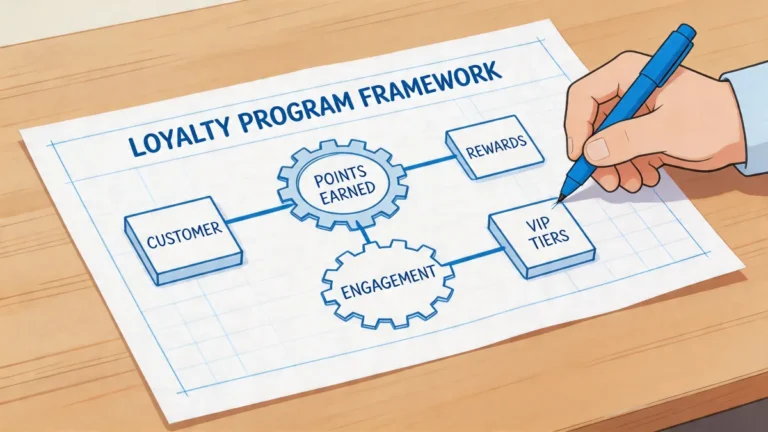
- Loyalty programs: A good POS system should make it easy to set up and manage loyalty programs, so you can reward repeat customers with discounts, freebies, or other perks.
- Email and SMS marketing: Some systems let you send targeted email or SMS campaigns to your customers, so you can promote specials, announce events, or just say thanks.
- Feedback and reviews: Your POS should make it easy for customers to leave feedback or reviews, so you can identify areas for improvement and showcase your strengths.
- Personalization: A good CRM will help you personalize the customer experience, whether it’s remembering a customer’s favorite dish or sending them a birthday discount.
When evaluating a system, ask:
- How does the system store customer data? Is it easy to access and update?
- Can I set up a loyalty program? If so, what kind of rewards can I offer?
- Does the system integrate with email or SMS marketing tools?
- Can I collect customer feedback directly through the POS?
- How does the system help me personalize the customer experience?
I’ll give you an example. A few years ago, I worked with a coffee shop that was struggling to build a loyal customer base. They switched to a POS system with strong CRM features and set up a simple loyalty program: buy 10 coffees, get one free. Within a few months, they saw a 20% increase in repeat customers. But here’s the kicker: they also used the customer data to personalize the experience. If a customer always ordered a latte with oat milk, the barista would see that on the order screen and say, “Your usual oat milk latte?” That little touch made customers feel valued and kept them coming back.
9. Scalability: Because You Don’t Want to Outgrow Your POS in a Year
Here’s a mistake I see a lot of restaurant owners make: they choose a POS system based on their current needs, without thinking about the future. Then, a year later, they’re opening a second location (or adding a food truck, or launching a catering business) and realize their POS can’t keep up. That’s why scalability is so important.
A good POS system should grow with your business. Here’s what to look for:
- Multi-location support: If you plan to open additional locations, your POS should be able to manage them all from a single dashboard. This means centralized reporting, inventory management, and menu updates.
- Flexible pricing: Some POS systems charge per terminal, while others charge per location. If you plan to grow, look for a system with flexible pricing that won’t break the bank as you add more terminals or locations.
- Customizable features: Your POS should be able to adapt to your changing needs. Can you add new menu items, modifiers, or payment methods without jumping through hoops? Can you customize the interface to match your workflow?
- Integration with other tools: As your business grows, you’ll likely need to add new tools (e.g., a reservation system, a catering platform, a loyalty program). Your POS should be able to integrate with these tools seamlessly.
- Customer support: As your business grows, you’ll need more support. Look for a POS provider with a reputation for excellent customer service, including 24/7 support and dedicated account managers.
When evaluating a system, ask:
- How many locations can the system support?
- What happens if I add more terminals? Do I have to pay extra?
- Can I manage all my locations from a single dashboard?
- How easy is it to add new features or integrations?
- What kind of customer support does the provider offer?
I’ll give you an example. A few years ago, I worked with a restaurant that started as a single food truck. They chose a POS system that was perfect for their needs at the time, cheap, easy to use, and great for mobile operations. But then they opened a brick-and-mortar location, and their POS couldn’t keep up. They had to switch to a new system, which cost them thousands of dollars in setup fees, training, and lost sales. Don’t let that be you. Think about where you want your business to be in five years, and choose a POS system that can grow with you.
10. Customer Support: Because Things Will Go Wrong
Let’s be real: no matter how great your POS system is, things will go wrong. Maybe the internet will go out. Maybe a terminal will crash. Maybe you’ll accidentally delete your entire menu. (Don’t laugh, it happens.) When that happens, you need to be able to get help fast. That’s why customer support is one of the most important factors to consider when choosing a POS system.
Here’s what to look for in customer support:
- 24/7 support: Restaurants don’t keep banker’s hours. If something goes wrong at 2 AM, you need to be able to get help immediately.
- Multiple support channels: Some people prefer phone support, while others like email or live chat. Look for a provider that offers multiple support channels, so you can choose the one that works best for you.
- Fast response times: When your POS is down, every minute counts. Look for a provider with fast response times (e.g., under 5 minutes for phone support, under 1 hour for email).
- Dedicated account managers: Some providers offer dedicated account managers for larger restaurants. This can be a game-changer, because you’ll have a single point of contact who knows your business inside and out.
- Self-help resources: A good provider will offer self-help resources, like knowledge bases, video tutorials, and community forums, so you can solve problems on your own.
When evaluating a system, ask:
- What kind of customer support does the provider offer?
- What are the response times for each support channel?
- Is support available 24/7?
- Does the provider offer dedicated account managers?
- What kind of self-help resources are available?
I’ll never forget the time I was at a restaurant during a busy Saturday night, and their POS crashed. The staff was panicking, the customers were getting restless, and the owner was on the phone with support, waiting on hold for 45 minutes. By the time support finally answered, the restaurant had lost hundreds of dollars in sales. Don’t let that be you. Choose a POS provider with a reputation for excellent customer support.
The Hidden Costs of POS Systems (And How to Avoid Them)
Alright, let’s talk about money. Specifically, the hidden costs of POS systems that no one tells you about. When you’re evaluating a POS system, the sales rep will probably give you a nice, neat price, maybe $50 a month, or $1,000 for a one-time license. But that’s just the tip of the iceberg. Here are some of the hidden costs you need to watch out for:
1. Hardware Costs
Some POS systems require proprietary hardware, which can be expensive. For example, if you’re using a system that only works with iPads, you’ll need to buy iPads (and cases, stands, and card readers). If you’re using a system that requires a touchscreen terminal, you’ll need to buy that, too. And don’t forget about printers, cash drawers, and other peripherals. These costs can add up quickly, so make sure you factor them into your budget.
Here’s a pro tip: some POS providers offer hardware bundles, which can save you money. Others let you use your own hardware, which can be a great option if you already have tablets or terminals.
2. Payment Processing Fees
We talked about payment processing earlier, but it’s worth mentioning again because the fees can add up. Most payment processors charge a percentage of each transaction (e.g., 2.6% + $0.10), but some also charge monthly fees, setup fees, or early termination fees. Make sure you understand all the fees before signing up.
Here’s another pro tip: some POS providers offer discounted payment processing rates if you use their built-in processor. This can save you money, but make sure you read the fine print, some providers lock you into long-term contracts with hefty early termination fees.
3. Software Upgrades
Some POS systems charge extra for software upgrades. For example, if you want to add a new feature (like online ordering or loyalty programs), you might have to pay a one-time fee or a higher monthly rate. Make sure you understand what’s included in your plan and what will cost extra.
4. Training Costs
Training your staff on a new POS system takes time, and time is money. Some POS providers offer free training, while others charge for it. Make sure you factor training costs into your budget, and look for a provider that offers comprehensive training resources (like video tutorials, knowledge bases, and live webinars).
5. Support Costs
Some POS providers charge extra for customer support. For example, they might offer basic support for free, but charge for premium support (like 24/7 phone support or dedicated account managers). Make sure you understand what’s included in your plan and what will cost extra.
6. Integration Costs
Some POS systems charge extra for integrations. For example, if you want to integrate your POS with QuickBooks or a loyalty program, you might have to pay a one-time fee or a higher monthly rate. Make sure you understand what’s included in your plan and what will cost extra.
7. Early Termination Fees
Some POS providers lock you into long-term contracts with hefty early termination fees. For example, if you sign a three-year contract and want to switch providers after a year, you might have to pay thousands of dollars in fees. Make sure you understand the terms of your contract before signing up.
So, how do you avoid these hidden costs? Here are a few tips:
- Read the fine print: Before signing up for a POS system, read the contract carefully. Look for hidden fees, early termination fees, and other gotchas.
- Ask about hardware costs: Make sure you understand what hardware you’ll need and how much it will cost. Ask if the provider offers hardware bundles or if you can use your own hardware.
- Compare payment processing fees: Don’t just go with the first payment processor you find. Shop around and compare fees to make sure you’re getting the best deal.
- Ask about training and support: Make sure you understand what’s included in your plan and what will cost extra. Look for a provider that offers comprehensive training and support resources.
- Negotiate: Don’t be afraid to negotiate with the sales rep. Ask for discounts, waived fees, or other perks. The worst they can say is no.
I’ll be honest: hidden costs are one of the most frustrating parts of choosing a POS system. It’s easy to get excited about a system’s features, only to realize later that you’re paying hundreds of dollars a month in hidden fees. But if you do your research and ask the right questions, you can avoid these costs and find a system that fits your budget.
How to Evaluate a POS System: A Step-by-Step Guide
Alright, now that we’ve covered the non-negotiable features and the hidden costs, let’s talk about how to actually evaluate a POS system. This is where the rubber meets the road, so pay attention.
Step 1: Define Your Needs
Before you start looking at POS systems, you need to define your needs. What do you need the system to do? What features are non-negotiable? What’s your budget? Here are some questions to ask yourself:
- What type of restaurant do I have? (Quick-service, full-service, food truck, etc.)
- How many terminals do I need?
- Do I need online ordering, reservations, or other features?
- What integrations do I need? (Accounting, payroll, inventory, etc.)
- What’s my budget for hardware, software, and payment processing?
- Do I plan to grow my business in the next few years? If so, how?
Once you’ve defined your needs, you can start looking for a POS system that meets them. This will save you a lot of time and frustration down the road.
Step 2: Research Your Options
Now that you know what you’re looking for, it’s time to research your options. There are dozens of POS systems out there, so you’ll need to narrow it down. Here are some ways to do that:
- Ask for recommendations: Talk to other restaurant owners in your area. What POS systems do they use? What do they like (and dislike) about them?
- Read reviews: Check out reviews on sites like Capterra, G2, and Trustpilot. Look for patterns, if a lot of people are complaining about the same thing, it’s probably a red flag.
- Watch demos: Most POS providers offer free demos or video tutorials. Watch them to get a sense of how the system works and whether it’s a good fit for your business.
- Compare features: Make a list of the features you need, and compare them across different systems. Look for a system that checks all (or most) of your boxes.
Here’s a pro tip: don’t just look at the big-name POS systems. There are a lot of smaller, niche providers that might be a better fit for your business. For example, if you’re running a food truck, you might want to look at a POS system that’s designed specifically for mobile operations.
Step 3: Test Drive the System
Once you’ve narrowed down your options, it’s time to test drive the systems. Most POS providers offer free trials or demos, so take advantage of them. Here’s what to look for:
- Ease of use: Is the system intuitive and easy to use? Can you figure out how to take an order without a training manual?
- Speed: How fast does the system respond to your inputs? If it’s slow, it’s going to slow your staff down and frustrate your customers.
- Features: Does the system have all the features you need? Test them out to make sure they work the way you expect.
- Customer support: How easy is it to get help if you run into a problem? Try contacting support and see how long it takes them to respond.
Here’s another pro tip: involve your staff in the testing process. After all, they’re the ones who will be using the system every day. Ask them to test it out and give you their feedback. If they hate it, it’s probably not the right system for your business.
Step 4: Check References
Before you commit to a POS system, check references. Ask the provider for a list of restaurants that use their system, and reach out to them. Here are some questions to ask:
- How long have you been using the system?
- What do you like (and dislike) about it?
- How easy was it to set up and train your staff?
- How reliable is the system? Does it crash often?
- How good is the customer support? Are they responsive and helpful?
- Would you recommend the system to other restaurant owners?
Here’s a pro tip: don’t just talk to the restaurants the provider gives you. Do some digging on your own. Look for restaurants in your area that use the system, and ask them for their honest feedback. If you can, visit them in person and see the system in action.
Step 5: Negotiate the Contract
Once you’ve found a POS system you like, it’s time to negotiate the contract. Don’t just sign on the dotted line, ask for discounts, waived fees, or other perks. Here are some things to negotiate:
- Price: Ask for a discount on the monthly rate or a waived setup fee.
- Hardware: Ask if the provider will throw in free hardware (like tablets or card readers) or offer a discount on hardware bundles.
- Payment processing: Ask if the provider will offer discounted payment processing rates.
- Training and support: Ask if the provider will offer free training or premium support.
- Contract length: Ask if the provider will offer a shorter contract (e.g., one year instead of three) or waive early termination fees.
Here’s a pro tip: don’t be afraid to walk away if the provider won’t budge. There are plenty of POS systems out there, and you don’t want to get locked into a bad deal. If the provider isn’t willing to work with you, it’s probably not the right system for your business.
Step 6: Plan the Rollout
Once you’ve signed the contract, it’s time to plan the rollout. This is where a lot of restaurants drop the ball, so don’t skip this step. Here’s what you need to do:
- Set a timeline: When will you install the hardware? When will you train your staff? When will you go live?
- Train your staff: Make sure your staff is trained on the new system before you go live. This might involve in-person training, video tutorials, or hands-on practice.
- Test the system: Before you go live, test the system to make sure everything is working properly. Try taking orders, processing payments, and printing tickets.
- Go live: When you’re ready, go live with the new system. Make sure you have a backup plan in case something goes wrong (e.g., pen and paper for taking orders).
- Monitor and adjust: After you go live, monitor the system closely. Are there any issues? Are your staff and customers happy with it? If not, make adjustments as needed.
Here’s a pro tip: don’t try to do everything at once. If you’re switching from an old POS system, consider running both systems in parallel for a few days. This will give you a chance to work out the kinks and make sure the new system is working properly.
Red Flags to Watch Out For
Not all POS systems are created equal. Some are great, some are mediocre, and some are downright terrible. Here are some red flags to watch out for when evaluating a POS system:
1. No Free Trial or Demo
If a POS provider doesn’t offer a free trial or demo, it’s a red flag. You should never have to commit to a system without testing it out first. A free trial or demo will give you a chance to see how the system works and whether it’s a good fit for your business.
2. Poor Customer Support
If a POS provider has a reputation for poor customer support, it’s a red flag. When your POS is down, you need to be able to get help fast. Look for a provider with 24/7 support, fast response times, and a reputation for being helpful and responsive.
3. Hidden Fees
If a POS provider is vague about pricing or tries to hide fees, it’s a red flag. Make sure you understand all the costs before signing up, including hardware costs, payment processing fees, and any other hidden fees.
4. Long-Term Contracts
If a POS provider tries to lock you into a long-term contract (e.g., three years), it’s a red flag. You don’t want to get stuck with a system that doesn’t work for your business. Look for a provider that offers flexible contracts (e.g., month-to-month or one-year contracts).
5. No Offline Mode
If a POS system doesn’t have an offline mode, it’s a red flag. The internet is not reliable, and you need a system that can keep running even when the connection goes down. Look for a system with a robust offline mode that lets you take orders, process payments, and print tickets without interruption.
6. No Integrations
If a POS system doesn’t integrate with the other tools you use (e.g., accounting software, payroll, inventory management), it’s a red flag. You don’t want to waste time manually entering data or reconciling reports. Look for a system with robust integrations that can streamline your workflows.
7. Poor Reviews
If a POS system has a lot of negative reviews, it’s a red flag. Look for patterns in the reviews, if a lot of people are complaining about the same thing, it’s probably a real issue. Also, pay attention to how the provider responds to negative reviews. If they’re dismissive or defensive, it’s a sign that they don’t care about their customers.
8. No Scalability
If a POS system isn’t scalable, it’s a red flag. You don’t want to outgrow your system in a year. Look for a system that can grow with your business, whether that means adding more terminals, opening new locations, or expanding your menu.
The Top Restaurant POS Systems of 2026 (And Who They’re Best For)
Alright, let’s talk about the top restaurant POS systems of 2026. I’ve tested dozens of systems, talked to hundreds of restaurant owners, and dug deep into the latest trends. Here are my top picks, along with who they’re best for:
1. Toast POS
Best for: Full-service restaurants, bars, and breweries.
Why it’s great: Toast is one of the most popular POS systems for full-service restaurants, and for good reason. It’s packed with features, including online ordering, reservations, inventory management, and CRM. It’s also cloud-based, so you can access your data from anywhere. Plus, it has a great offline mode, so you can keep running even if the internet goes down.
Pricing: Starts at $69 per month for the basic plan, with additional fees for hardware, payment processing, and premium features.
Pros:
- Great for full-service restaurants
- Robust features, including online ordering and reservations
- Cloud-based with a great offline mode
- Excellent customer support
Cons:
- Can be expensive, especially for smaller restaurants
- Some features require additional fees
- Not as customizable as some other systems
2. Square for Restaurants
Best for: Quick-service restaurants, food trucks, and small cafes.
Why it’s great: Square for Restaurants is a great option for small restaurants and food trucks. It’s easy to use, affordable, and packed with features like online ordering, inventory management, and CRM. Plus, it integrates seamlessly with Square’s payment processing, which is one of the most popular and reliable processors out there.
Pricing: Starts at $60 per month for the basic plan, with additional fees for hardware and payment processing.
Pros:
- Affordable and easy to use
- Great for small restaurants and food trucks
- Seamless integration with Square’s payment processing
- Cloud-based with a good offline mode
Cons:
- Not as robust as some other systems for full-service restaurants
- Some features require additional fees
- Customer support can be slow at times
3. Clover POS
Best for: Quick-service restaurants, bars, and retail businesses.
Why it’s great: Clover is a great all-around POS system that’s perfect for quick-service restaurants and bars. It’s packed with features, including online ordering, inventory management, and CRM. Plus, it’s highly customizable, so you can tailor it to your specific needs. It also has a great offline mode, so you can keep running even if the internet goes down.
Pricing: Starts at $14.95 per month for the basic plan, with additional fees for hardware, payment processing, and premium features.
Pros:
- Highly customizable
- Great for quick-service restaurants and bars
- Robust features, including online ordering and inventory management
- Good offline mode
Cons:
- Can be expensive, especially for smaller restaurants
- Some features require additional fees
- Customer support can be slow at times
4. Lightspeed Restaurant
Best for: Full-service restaurants, bars, and hotels.
Why it’s great: Lightspeed Restaurant is a powerful POS system that’s perfect for full-service restaurants, bars, and hotels. It’s packed with features, including online ordering, reservations, inventory management, and CRM. Plus, it’s highly customizable, so you can tailor it to your specific needs. It also has a great offline mode, so you can keep running even if the internet goes down.
Pricing: Starts at $69 per month for the basic plan, with additional fees for hardware, payment processing, and premium features.
Pros:
- Great for full-service restaurants, bars, and hotels
- Highly customizable
- Robust features, including online ordering and reservations
- Good offline mode
Cons:
- Can be expensive, especially for smaller restaurants
- Some features require additional fees
- Customer support can be slow at times
5. Revel Systems
Best for: Quick-service restaurants, food trucks, and retail businesses.
Why it’s great: Revel Systems is a powerful POS system that’s perfect for quick-service restaurants and food trucks. It’s packed with features, including online ordering, inventory management, and CRM. Plus, it’s highly customizable, so you can tailor it to your specific needs. It also has a great offline mode, so you can keep running even if the internet goes down.
Pricing: Starts at $99 per month for the basic plan, with additional fees for hardware, payment processing, and premium features.
Pros:
- Great for quick-service restaurants and food trucks
- Highly customizable
- Robust features, including online ordering and inventory management
- Good offline mode
Cons:
- Can be expensive, especially for smaller restaurants
- Some features require additional fees
- Customer support can be slow at times
Final Thoughts: Don’t Rush, and Don’t Settle
Choosing a restaurant POS system is a big decision. It’s not just about buying software, it’s about investing in the backbone of your business. Get it right, and you’ll save time, money, and headaches. Get it wrong, and you’ll be stuck with a system that slows you down, frustrates your staff, and costs you customers.
So, take your time. Do your research. Test drive the systems. Ask the hard questions. And don’t settle for a system that doesn’t meet your needs. Remember: this is your business we’re talking about. It deserves the best.
And if you’re feeling overwhelmed, that’s okay. I’ve been there. When I was helping Marco choose a new POS system for his food truck, I must’ve spent 20 hours researching, testing, and comparing systems. But it was worth it. The system we chose helped him streamline his operations, reduce waste, and increase sales. And most importantly, it kept his staff sane.
So, what’s the next step? Start by defining your needs. What do you need your POS system to do? What’s your budget? What features are non-negotiable? Once you have a clear idea of what you’re looking for, you can start researching your options.
And remember: you’re not alone. There are thousands of restaurant owners out there who’ve been through this process. Talk to them. Ask for their advice. Learn from their mistakes. And don’t be afraid to ask for help.
Because at the end of the day, choosing a POS system isn’t just about technology. It’s about setting your business up for success. And that’s something worth investing in.
FAQ
Q: How much does a restaurant POS system cost?
A: The cost of a restaurant POS system varies widely depending on the features, hardware, and payment processing fees. Basic plans can start as low as $50 per month, while more advanced systems can cost $200 or more per month. You’ll also need to factor in the cost of hardware (e.g., tablets, terminals, printers) and payment processing fees (e.g., 2.6% + $0.10 per transaction).
Q: Can I use my existing hardware with a new POS system?
A: It depends on the POS system. Some systems require proprietary hardware, while others let you use your own devices (e.g., iPads, Android tablets). If you already have hardware, make sure it’s compatible with the POS system you’re considering. Some providers offer hardware bundles, which can save you money if you need to buy new equipment.
Q: How long does it take to set up a new POS system?
A: The setup time for a new POS system varies depending on the complexity of the system and the size of your restaurant. For a small restaurant with a simple setup, it might take a few hours to install the hardware, train your staff, and go live. For a larger restaurant with multiple terminals and complex features (e.g., online ordering, reservations), it could take a few days or even a week. Make sure you plan ahead and give yourself enough time to set up the system properly.
Q: What’s the best POS system for a food truck?
A: The best POS system for a food truck is one that’s mobile, easy to use, and has a great offline mode. Some of the top options for food trucks include Square for Restaurants, Clover Go, and Revel Systems. These systems are designed for mobile operations, with features like online ordering, inventory management, and CRM. They also have robust offline modes, so you can keep running even if the internet goes down.
@article{the-overwhelming-but-essential-guide-to-choosing-a-restaurant-pos-system-in-2026,
    title   = {The Overwhelming (But Essential) Guide to Choosing a Restaurant POS System in 2026},
    author  = {Chef's icon},
    year    = {2026},
    journal = {Chef's Icon},
    url     = {https://chefsicon.com/restaurant-pos-system-selection-guide/}
}