The Best Fluffy Pancakes recipe you will fall in love with. Full of tips and tricks to help you make the best pancakes.
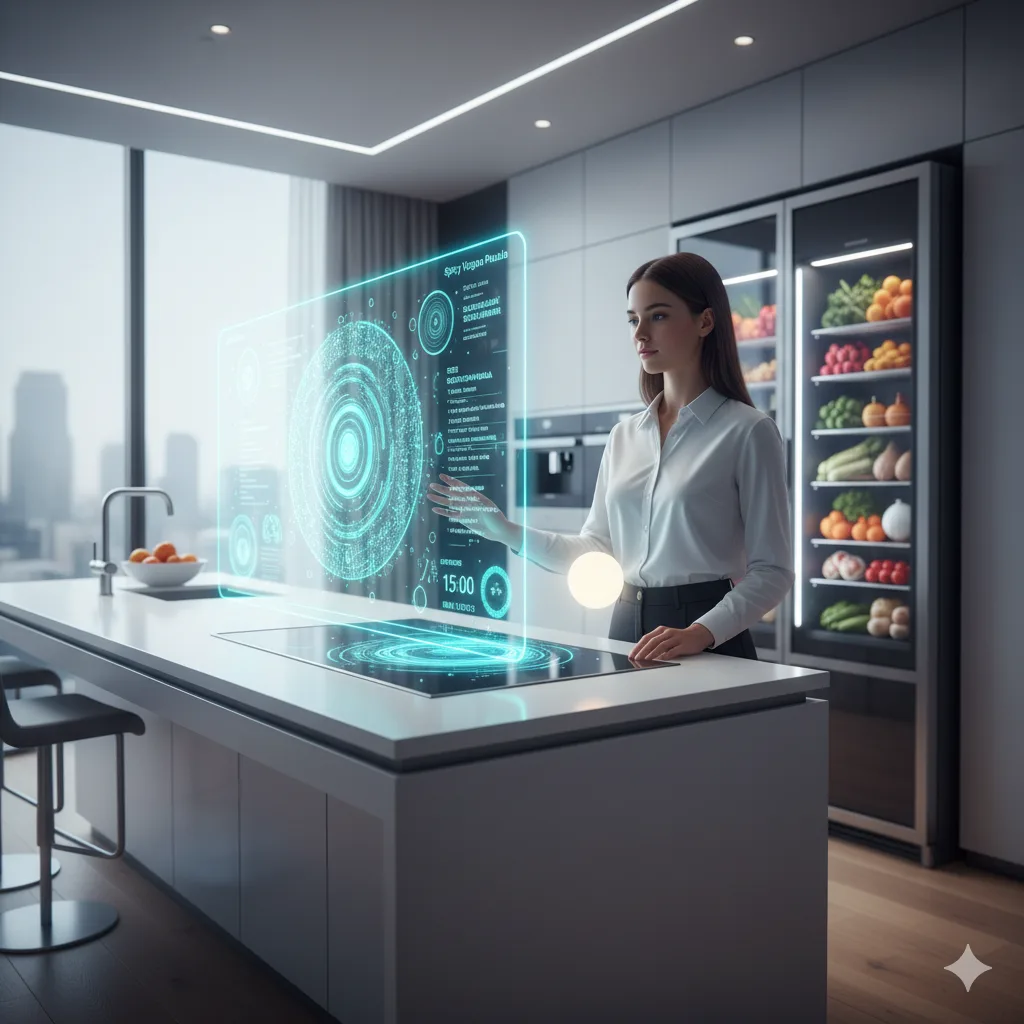
I’ll be honest, when I first heard about smart commercial kitchens, I rolled my eyes. Another tech trend promising to revolutionize the industry, right? But then I walked into a Nashville gastropub last month and watched their executive chef adjust oven temperatures from his phone while expediting orders. The kitchen ran smoother than a well-oiled fryer, and suddenly, I got it. This wasn’t just about gadgets; it was about survival. If you’re running a commercial kitchen in 2026 and you’re not at least *thinking* about smart integration, you’re already behind.
But here’s the thing: integrating smart appliances isn’t as simple as plugging in a new toaster and calling it a day. It’s a puzzle, and every piece, from your POS system to your walk-in freezer, needs to fit together just right. I’ve spent the last few weeks talking to chefs, kitchen designers, and tech reps, and let me tell you, the learning curve is steeper than I expected. There are compatibility issues, budget nightmares, and enough jargon to make your head spin. But don’t worry. This guide is my attempt to cut through the noise and give you a roadmap, one that’s equal parts practical and (hopefully) not too overwhelming.
By the end of this, you’ll know:
- Why smart kitchens aren’t just a fad (and why ignoring them could cost you)
- How to assess your current setup and identify gaps
- The key smart appliances worth investing in (and which ones to skip)
- How to navigate the messy world of integration without losing your mind
- Real-world examples of kitchens that got it right (and one that didn’t)
- And, most importantly, how to avoid the common pitfalls that leave restaurants with expensive paperweights instead of game-changing tools
So, let’s dive in. And if you’re feeling skeptical? Good. You should be. The best innovations are the ones that earn their place in your kitchen, not the ones that bully their way in.
1. Why Smart Appliances Are No Longer Optional (But Also, Don’t Panic)
First, let’s address the elephant in the room: smart appliances sound expensive, complicated, and, frankly, a little gimmicky. I get it. A decade ago, the idea of a refrigerator that could text you when you’re out of milk was the stuff of sci-fi. Now? It’s just… Tuesday. But here’s the thing: in a commercial kitchen, smart tech isn’t about novelty. It’s about efficiency, consistency, and cost savings-three things every restaurant owner obsesses over.
Take labor costs, for example. The restaurant industry is still reeling from the post-pandemic labor shortage, and smart appliances can help bridge the gap. Imagine a sous vide machine that adjusts its own temperature based on the cut of meat or a fryer that shuts off automatically when oil reaches a certain degradation point. These aren’t just conveniences; they’re force multipliers for your staff. One chef I spoke to in Austin said his smart combi oven reduced his team’s prep time by 30%. That’s not just a number, that’s an extra hour in the day to focus on creativity, plating, or (let’s be real) just not feeling like you’re drowning.
But, and this is a big but, smart appliances aren’t a magic bullet. They won’t fix a broken kitchen culture, a poorly designed workflow, or a menu that’s too complex for your staff to execute. In fact, if you slap smart tech onto a dysfunctional kitchen, you’ll just end up with a very expensive dysfunctional kitchen. So before you start Googling “smart kitchen ROI,” ask yourself: What problem am I actually trying to solve? Is it food waste? Inconsistent cooking? High energy bills? Pinpoint that first, and the rest will follow.
Oh, and one more thing: don’t assume you need to go all-in at once. I’ve seen restaurants spend six figures on a full smart kitchen overhaul only to realize their staff didn’t know how to use half the features. Start small. Test. Iterate. The goal isn’t to have the fanciest kitchen in town, it’s to have the most effective one.
2. Assessing Your Kitchen: Where Are You Starting From?
Alright, let’s get practical. Before you even think about buying a single smart appliance, you need to take a hard look at your current setup. This isn’t the most glamorous part of the process, but it’s the most important. Think of it like a kitchen audit-and no, I don’t mean the kind where the health inspector shows up unannounced.
Here’s what you need to do:
Step 1: Map Your Workflow
Grab a notepad (or, if you’re fancy, a whiteboard) and sketch out your kitchen’s workflow. Where do ingredients come in? How do they move through prep, cooking, and plating? Where are the bottlenecks? I’ve seen kitchens where the walk-in is on the opposite side of the line from the prep station, forcing staff to trek back and forth like it’s a marathon. That’s a problem smart tech can’t fix, at least, not without some serious (and expensive) reconfiguration.
Ask yourself:
- Are there tasks that take up an unreasonable amount of time?
- Where do mistakes happen most often?
- Which stations are underutilized, and which are constantly overwhelmed?
This exercise might feel tedious, but trust me, it’s the foundation of everything that comes next. You can’t integrate smart appliances effectively if you don’t understand how your kitchen actually operates.
Step 2: Take Inventory of Your Current Equipment
Now, let’s talk about what you already have. Make a list of every piece of equipment in your kitchen and ask:
- Is this appliance smart-ready? (Some newer models have built-in connectivity, while others might need an adapter or retrofit.)
- How old is it? (If it’s on its last legs, it might make more sense to replace it with a smart version rather than trying to integrate it.)
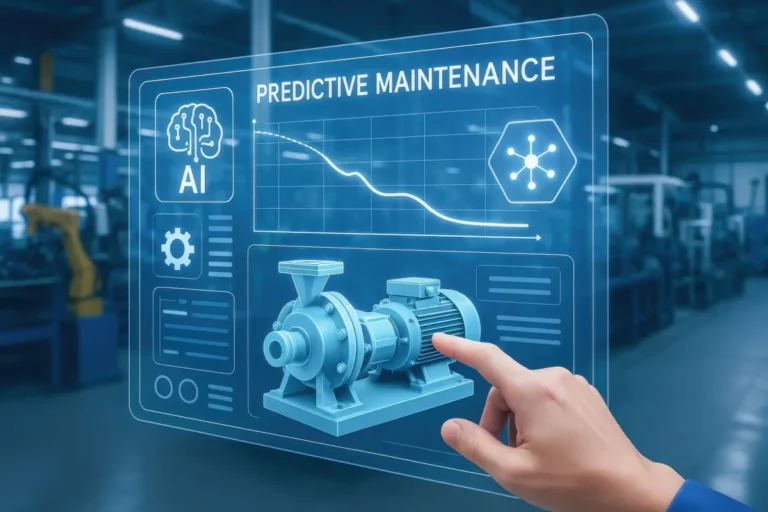
- Does it have any recurring issues? (Smart tech can help monitor performance and predict maintenance needs, but it can’t fix a fundamentally broken machine.)
Pro tip: Don’t just rely on your memory for this. Walk through your kitchen and physically check each appliance. I’ve had chefs tell me, “Oh yeah, our oven is fine,” only to find out it’s been throwing error codes for months. If your staff has been ignoring a problem, smart tech won’t magically make it disappear.
Step 3: Identify Your Pain Points
This is where the rubber meets the road. What’s actually driving you crazy about your kitchen? Be specific. “Our kitchen is chaotic” isn’t helpful. “Our fry station is a nightmare because the oil temperature fluctuates and we’re constantly burning food” is. Here are some common pain points smart appliances can address:
- Food waste: Smart scales and inventory systems can track usage and reduce over-ordering.
- Inconsistent cooking: Connected ovens and sous vide machines can maintain precise temperatures and cook times.
- High energy costs: Smart HVAC and refrigeration systems can optimize energy use based on occupancy and demand.
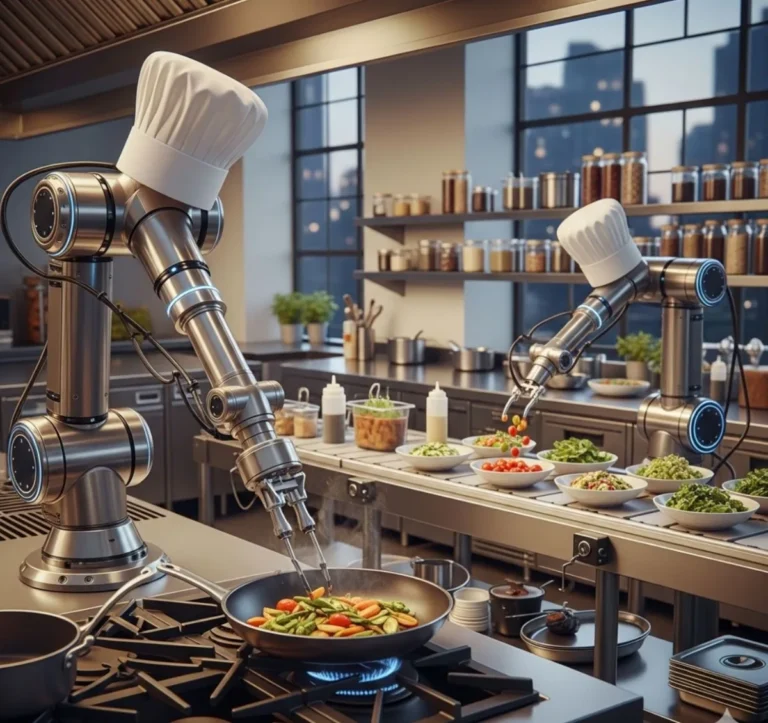
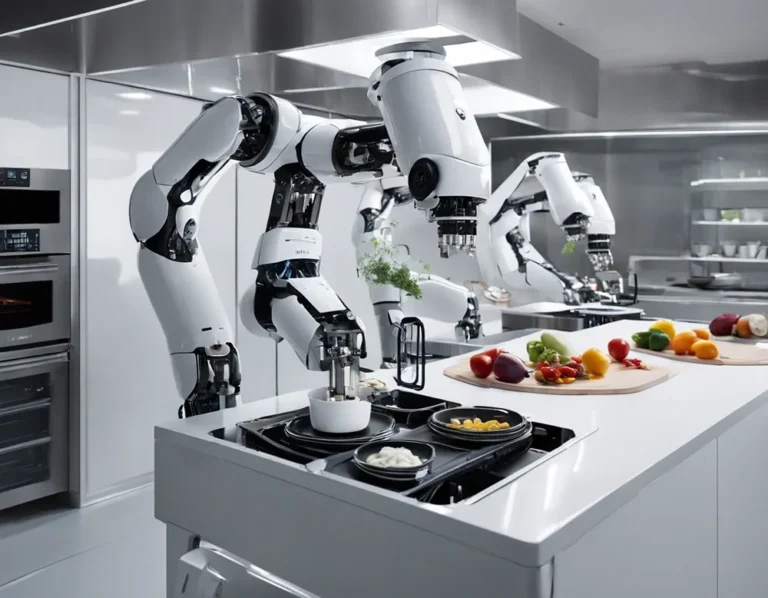
- Labor shortages: Automated prep tools and robotic arms (yes, they’re a thing now) can handle repetitive tasks.
- Safety risks: Smart sensors can detect gas leaks, fires, or equipment malfunctions before they become disasters.
Write down your top three pain points. These will be your north star as you move forward. If a smart appliance doesn’t address at least one of them, it’s probably not worth your time or money.
3. The Smart Appliances Worth Your Attention (And the Ones to Skip)
Okay, let’s talk hardware. The smart appliance market is exploding, and it’s easy to get dazzled by flashy features. But not all smart appliances are created equal. Some are game-changers. Others are just expensive toys. Here’s my take on what’s worth considering, and what you can safely ignore.
Must-Have Smart Appliances
1. Smart Combi Ovens
If there’s one piece of smart equipment that’s worth the hype, it’s the smart combi oven. These things are the Swiss Army knives of the kitchen, they steam, bake, roast, and even sous vide, all while adjusting settings on the fly. The best part? They can be controlled remotely and programmed with custom recipes, so your signature dish comes out the same every time, whether it’s the head chef or the new line cook making it.
I’ve seen combi ovens integrated with POS systems so they start preheating as soon as an order comes in. That’s not just convenient; it’s a game-changer for speed of service. And if you’re worried about staff adoption, most modern combi ovens have intuitive touchscreens that are easier to use than a smartphone.
2. Connected Refrigeration
Walk-in coolers and freezers are the unsung heroes of the kitchen, but they’re also energy hogs. Smart refrigeration systems can monitor temperature, humidity, and even door openings in real time, sending alerts if something’s off. Some can even adjust their own settings to optimize energy use based on occupancy and outside temperature.
But here’s the real kicker: smart refrigeration can help reduce food waste. How? By tracking inventory and expiration dates. Imagine getting a notification when your avocados are about to go bad or when you’re running low on a key ingredient. It’s like having a sous chef who never sleeps.
3. Automated Prep Tools
Prep work is the bane of every line cook’s existence. It’s repetitive, time-consuming, and, let’s face it, not the most exciting part of the job. That’s where automated prep tools come in. We’re talking vegetable choppers that can dice an onion in seconds, dough sheeters that roll out pizza crusts to the perfect thickness, and even robotic arms that can portion proteins with surgical precision.
I know what you’re thinking: “Robots? In my kitchen?” But hear me out. These tools aren’t here to replace your staff, they’re here to free them up for more creative work. And in an industry where labor is scarce and expensive, that’s a win-win.
Nice-to-Have (But Not Essential) Smart Appliances
1. Smart Fryers
Smart fryers can monitor oil quality, adjust cooking times, and even filter oil automatically. They’re cool, no doubt, but unless you’re running a high-volume fry-heavy operation (looking at you, chicken shacks), they might not be worth the investment. A good old-fashioned fryer with a reliable thermostat will get the job done for most kitchens.
2. Connected Coffee Machines
If you’re running a café or a breakfast-heavy restaurant, a smart coffee machine might be worth considering. These can be programmed with custom brew profiles, track usage, and even reorder supplies automatically. But if coffee isn’t a major part of your business, this is one area where you can probably skip the smart upgrade.
3. Smart Dishwashers
Smart dishwashers can adjust water temperature and detergent levels based on load size, and some can even alert you when they need maintenance. They’re handy, but unless you’re running a massive operation with constant dishwashing needs, they’re not a priority.
Appliances to Skip (For Now)
1. Smart Toasters
Yes, they exist. No, you don’t need one. A toaster is a toaster. Unless you’re running a breakfast buffet with 200 guests, this is overkill.
2. Connected Blenders
Unless you’re running a smoothie bar or a high-end cocktail program, a smart blender is a waste of money. Most blenders don’t need to be connected to the internet to do their job.
3. Smart Grills
Grills are all about the human touch. While there are some smart grills on the market that can monitor temperature and cooking times, they’re not widely adopted in commercial kitchens, and for good reason. Grilling is an art, and most chefs aren’t ready to hand that over to a machine.
4. The Integration Nightmare: How to Make It All Play Nice Together
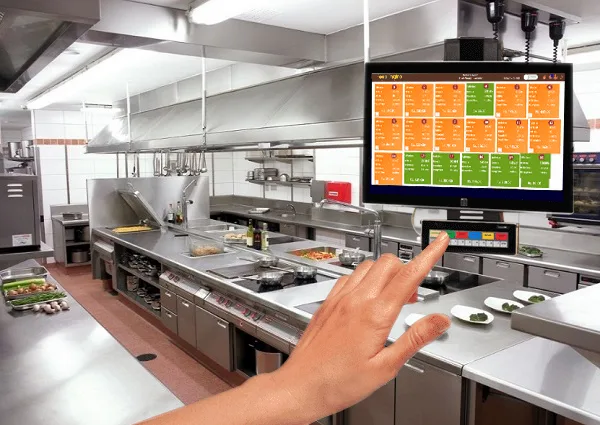
Alright, let’s talk about the elephant in the room: integration. This is where most restaurants hit a wall. You’ve got your smart combi oven, your connected refrigeration, and your automated prep tools, but how do you get them to talk to each other? And more importantly, how do you get them to talk to your POS system, your inventory software, and your kitchen display system (KDS)?
This is where things get messy. The smart kitchen industry is still in its Wild West phase, and there’s no universal standard for connectivity. Some appliances use Wi-Fi, others use Bluetooth, and some rely on proprietary systems that only work with certain brands. It’s a compatibility nightmare, and if you’re not careful, you’ll end up with a kitchen full of smart appliances that can’t communicate with each other.
So, how do you avoid this?
Step 1: Choose a Central Hub
Think of a central hub as the brain of your smart kitchen. It’s the system that connects all your appliances and software, allowing them to share data and work together. There are a few options here:
- Kitchen Management Software (KMS): Platforms like Toast KDS, Square for Restaurants, or Lavu can act as a central hub, integrating with your POS, inventory, and smart appliances. These are great if you’re already using one of these systems for your front-of-house operations.
- IoT Platforms: Companies like Samsung SmartThings or Google Nest offer IoT (Internet of Things) platforms that can connect a wide range of smart devices. These are more flexible but may require some technical know-how to set up.
- Custom Solutions: If you’re running a large operation with unique needs, you might need a custom integration solution. This is the most expensive option, but it’s also the most tailored to your specific workflow.
I’ll be honest: choosing a central hub is one of the hardest parts of this process. There’s no one-size-fits-all solution, and what works for a fast-casual chain might not work for a fine-dining restaurant. My advice? Talk to other restaurant owners in your niche. What are they using? What do they like (or hate) about it? And if you’re feeling overwhelmed, consider hiring a kitchen tech consultant to help you navigate the options.
Step 2: Prioritize Open Standards
When shopping for smart appliances, look for ones that support open standards like Wi-Fi, Bluetooth, or Zigbee. These are more likely to play nice with other devices and software. Avoid appliances that rely on proprietary systems unless you’re committed to sticking with that brand for all your smart tech.
Here’s a quick cheat sheet:
- Wi-Fi: The most common standard, but it can be unreliable in busy kitchens with lots of interference.
- Bluetooth: Great for short-range communication, but not ideal for large kitchens.
- Zigbee: A low-power, mesh networking standard that’s becoming more popular in smart kitchens. It’s reliable and scalable, but not all appliances support it yet.
- Ethernet: The most stable option, but it requires running cables, which isn’t always practical in a commercial kitchen.
If you’re not sure which standard to go with, ask your hub provider. They’ll know which appliances are compatible with their system.
Step 3: Test, Test, Test
Before you commit to a full smart kitchen overhaul, test your setup. Start with one or two smart appliances and see how they integrate with your existing systems. Does the data flow smoothly? Are there any glitches or delays? Is your staff able to use the new tools without a steep learning curve?
I can’t stress this enough: don’t skip the testing phase. I’ve seen restaurants spend tens of thousands of dollars on smart appliances only to realize they don’t work with their POS system. It’s a nightmare, and it’s entirely avoidable.
5. The Human Factor: Training Your Staff for a Smart Kitchen
Here’s a hard truth: smart appliances are only as good as the people using them. You can have the fanciest, most integrated kitchen in the world, but if your staff doesn’t know how to use it, it’s all for nothing. And let’s be real, kitchen staff are notoriously skeptical of new tech. They’ve seen trends come and go, and they’re not about to jump on the smart kitchen bandwagon just because you say so.
So, how do you get your team on board? It’s not as simple as handing them a manual and calling it a day. You need a training strategy, and it needs to be as thoughtful as the tech itself.
Start with the Why
Before you dive into the how, explain the why. Why are you bringing in smart appliances? How will they make your staff’s jobs easier? Will they reduce prep time? Improve consistency? Lower the risk of burns or other injuries? Make sure your team understands that this isn’t about replacing them, it’s about empowering them.
I’ve found that framing smart tech as a tool for creativity rather than a replacement for skill works well. For example, instead of saying, “This robot will chop your onions for you,” try, “This robot will handle the tedious prep work so you can focus on perfecting your knife skills for the dishes that really matter.”
Hands-On Training (With Patience)
Manuals and videos are great, but there’s no substitute for hands-on training. Schedule dedicated training sessions where your staff can play around with the new appliances in a low-pressure environment. Encourage them to ask questions, make mistakes, and get comfortable with the tech.
And here’s the key: be patient. Some of your staff will take to the new tech like ducks to water. Others will struggle. That’s okay. The goal isn’t to turn everyone into a tech expert, it’s to make sure they can use the tools effectively in their day-to-day work.
Pro tip: Assign a tech champion-someone on your team who’s naturally good with gadgets and can help troubleshoot issues. This person can be a resource for the rest of the staff and can help bridge the gap between the tech and the team.
Create Cheat Sheets and Quick-Start Guides
Even the most tech-savvy staff will forget how to use a feature if they don’t use it often. That’s where cheat sheets and quick-start guides come in. Create simple, one-page reference guides for each appliance, highlighting the most important functions. Post them near the appliances or keep them in a binder in the kitchen for easy access.
Here’s what to include in your cheat sheets:
- Basic functions (how to turn it on/off, adjust settings, etc.)
- Troubleshooting tips (what to do if the appliance isn’t working)
- Who to contact for help (your tech champion, the manufacturer’s support line, etc.)
- Safety guidelines (e.g., “Do not open the oven while the self-cleaning cycle is running”)
Encourage Feedback (And Actually Listen)
Your staff are the ones using this tech day in and day out. They’ll have insights and feedback that you might not have considered. Encourage them to share their thoughts, what’s working, what’s not, and what could be improved. And when they do share feedback, listen. If multiple people are struggling with the same feature, it might be a sign that the appliance isn’t as user-friendly as you thought.
I’ve seen restaurants where the staff were too intimidated to speak up about issues with new tech, and as a result, the appliances went unused. Don’t let that happen in your kitchen. Create an open, non-judgmental environment where feedback is welcomed and acted upon.
6. The Budget Question: How Much Is This Going to Cost?
Let’s talk money. Because at the end of the day, that’s what it all comes down to. Smart appliances aren’t cheap, and neither is the integration process. But here’s the thing: they’re an investment, not just an expense. Done right, they can save you money in the long run by reducing food waste, lowering energy costs, and improving efficiency. But you need to go into this with your eyes open.
So, how much are we talking? It depends on the size of your kitchen and the scope of your integration, but here’s a rough breakdown:
Smart Appliance Costs
- Smart combi oven: $10,000–$30,000
- Connected refrigeration: $5,000–$20,000 (depending on size and features)
- Automated prep tools: $2,000–$15,000 (e.g., a robotic arm for portioning proteins)
- Smart fryer: $3,000–$8,000
- Kitchen display system (KDS): $1,000–$5,000
And that’s just the hardware. You’ll also need to factor in:
- Integration costs: $5,000–$20,000 (depending on the complexity of your setup)
- Software subscriptions: $50–$500/month (for things like inventory management, POS integration, etc.)
- Training: $1,000–$5,000 (if you’re bringing in outside trainers)
- Maintenance: $1,000–$10,000/year (smart appliances require regular updates and occasional repairs)
I know what you’re thinking: “That’s a lot of money.” And you’re right. But here’s the flip side: what’s the cost of ot upgrading? If your competitors are using smart tech to reduce waste, improve consistency, and speed up service, can you afford to fall behind?
Financing Options
If the upfront cost is a barrier, there are financing options to consider:
- Leasing: Many manufacturers offer leasing options, which can lower the upfront cost. Just be sure to read the fine print, some leases come with hefty penalties if you want to upgrade or cancel early.
- Equipment loans: Banks and credit unions offer loans specifically for restaurant equipment. These can be a good option if you have strong credit.
- Grants and incentives: Some local governments and utility companies offer grants or rebates for energy-efficient appliances. It’s worth doing some research to see if you qualify.
- Manufacturer financing: Some manufacturers offer financing plans with low or no interest. These can be a good option if you’re buying multiple appliances from the same brand.
Calculating ROI
Before you pull the trigger, do a return on investment (ROI) calculation. How long will it take for the smart appliances to pay for themselves? Here’s a simple way to think about it:
- Estimate your annual savings from reduced food waste, lower energy costs, and improved efficiency.
- Divide the total cost of the smart appliances and integration by your annual savings.
- The result is the number of years it will take to recoup your investment.
For example, if your smart appliances cost $50,000 and they save you $10,000 a year, your ROI is 5 years. Is that worth it? It depends on your business. If you’re planning to stay in the same location for the next decade, it’s a no-brainer. If you’re not sure where your business will be in 5 years, it might be worth starting smaller.
I’ll be honest: calculating ROI for smart appliances isn’t an exact science. There are a lot of variables, and some benefits (like improved staff morale or better customer reviews) are hard to quantify. But even a rough estimate can help you make a more informed decision.
7. Real-World Examples: Kitchens That Got It Right (And One That Didn’t)
Theory is great, but nothing beats real-world examples. I’ve scoured the industry for case studies of restaurants that have successfully integrated smart appliances, and one that learned the hard way. Here’s what I found.
Success Story #1: The Fast-Casual Chain That Cut Food Waste by 40%
A mid-sized fast-casual chain with 20 locations was struggling with food waste. They were over-ordering ingredients to avoid running out, but as a result, they were throwing away thousands of dollars’ worth of food every month. Their solution? A smart inventory management system integrated with their POS and connected refrigeration.
Here’s how it worked:
- Their POS system tracked every order, so the inventory system knew exactly how much of each ingredient was being used.
- Their connected refrigeration monitored stock levels in real time and sent alerts when ingredients were running low or nearing expiration.
- The inventory system used this data to generate optimized order lists, reducing over-ordering.
The result? A 40% reduction in food waste within the first six months. That’s not just good for the bottom line, it’s good for the planet, too. And because the system was integrated with their POS, they didn’t have to manually input data, which saved time and reduced errors.
Success Story #2: The Fine-Dining Restaurant That Improved Consistency
A high-end restaurant in New York was known for its impeccable dishes, but consistency was an issue. The head chef was a master of his craft, but when he wasn’t on the line, the quality of the food suffered. Their solution? A smart combi oven programmed with custom recipes for each dish.
Here’s how it worked:
- The chef created a recipe for each dish, specifying exact temperatures, cook times, and humidity levels.
- The recipes were uploaded to the combi oven, which could be controlled remotely via a tablet.
- Line cooks could select the recipe for a dish, and the oven would handle the rest, ensuring perfect results every time.
The result? Consistency improved dramatically, even when the head chef wasn’t on duty. And because the oven was integrated with their KDS, it started preheating as soon as an order came in, which sped up service without sacrificing quality.
Success Story #3: The Ghost Kitchen That Streamlined Operations
A ghost kitchen in Los Angeles was struggling to keep up with demand. They were fulfilling orders for multiple virtual brands out of a single kitchen, and the workflow was chaotic. Their solution? A fully integrated smart kitchen with automated prep tools, a KDS, and a central hub to tie it all together.
Here’s how it worked:
- Orders from all their virtual brands flowed into a single KDS, which prioritized them based on cook time and complexity.
- Automated prep tools handled repetitive tasks like chopping vegetables and portioning proteins, freeing up staff to focus on cooking.
- A central hub monitored the entire kitchen, adjusting settings on appliances in real time to optimize efficiency.
The result? They were able to increase their order volume by 30% without hiring additional staff. And because the system was fully integrated, they could track performance metrics for each virtual brand, which helped them refine their menus and improve profitability.
The Cautionary Tale: The Restaurant That Bit Off More Than It Could Chew
Not every smart kitchen story has a happy ending. A family-owned Italian restaurant in Chicago decided to go all-in on smart tech, spending over $100,000 on a full kitchen overhaul. They bought smart ovens, connected refrigeration, automated prep tools, and a state-of-the-art KDS. But they made one critical mistake: they didn’t test the integration before committing.
Here’s what went wrong:
- Their smart appliances weren’t compatible with their existing POS system, so they had to switch to a new one, which their staff wasn’t trained on.
- Their KDS didn’t integrate with their delivery platforms, so orders had to be manually entered, which slowed down service.
- Their automated prep tools were too complex for their staff to use, so they sat unused in the corner of the kitchen.
The result? The restaurant struggled with service delays, frustrated staff, and a mountain of debt. They eventually had to scale back their smart kitchen ambitions and focus on getting the basics right. The moral of the story? Start small, test everything, and don’t assume that more tech equals better results.
8. The Future of Smart Kitchens: What’s Next?
So, where is all this headed? What’s the next big thing in smart kitchens? I’ve been asking that question a lot lately, and the answers I’m getting are equal parts exciting and terrifying. Here’s what’s on the horizon:
AI and Machine Learning
Artificial intelligence is already making its way into commercial kitchens, and it’s only going to get smarter. We’re talking about AI-powered inventory management that can predict demand based on historical data, machine learning algorithms that can optimize cooking times and temperatures, and even AI-driven menu engineering that can suggest dishes based on ingredient availability and customer preferences.
But here’s the thing: AI is only as good as the data it’s trained on. If your kitchen is disorganized or your data is messy, AI won’t magically fix it. You still need a solid foundation to build on.
Robotics
Robots in the kitchen? It’s not as far-fetched as it sounds. We’re already seeing robotic arms that can flip burgers, automated fry stations that can cook fries to perfection, and even robot chefs that can prepare entire dishes from scratch. And as the technology improves, these robots will become more affordable and accessible.
But, and this is a big but, robots aren’t here to replace your staff. They’re here to augment them. The best kitchens will be the ones that find the right balance between human creativity and robotic precision.
Voice Control
Voice-controlled appliances are already a thing in home kitchens, and it’s only a matter of time before they make their way into commercial settings. Imagine a chef being able to say, “Oven, preheat to 375 degrees,” and having it happen instantly. Or a line cook asking, “How much time is left on the risotto?” and getting an immediate answer.
But voice control in a commercial kitchen comes with its own set of challenges. Kitchens are loud, chaotic places, and voice recognition software isn’t always great at filtering out background noise. Still, I wouldn’t be surprised if we see more voice-controlled appliances in the next few years.
Blockchain for Food Safety
Blockchain might seem like a buzzword, but it has real potential in the food service industry. Imagine a system where every ingredient in your kitchen is tracked from farm to table, with a tamper-proof digital ledger recording every step of the journey. That’s the promise of blockchain for food safety.
This technology could revolutionize recalls, traceability, and even supplier relationships. But it’s still in its early days, and there are a lot of hurdles to overcome, like getting suppliers on board and ensuring data accuracy.
The Biggest Challenge: Keeping Up
The pace of innovation in smart kitchens is staggering, and it’s only going to get faster. The biggest challenge for restaurant owners won’t be adopting smart tech, it’ll be keeping up with the constant evolution. How do you future-proof your kitchen when the tech is changing so rapidly?
My advice? Don’t try to predict the future. Focus on the problems you’re trying to solve today, and adopt tech that addresses those needs. And remember: the best smart kitchens aren’t the ones with the most gadgets, they’re the ones that work seamlessly with your workflow and make your staff’s lives easier.
9. Common Pitfalls (And How to Avoid Them)
I’ve seen a lot of restaurants dive into smart kitchens with the best of intentions, only to hit a wall. Here are the most common pitfalls, and how to avoid them.
Pitfall #1: Overcomplicating Things
It’s easy to get carried away with all the bells and whistles. But the more complex your smart kitchen is, the harder it is to maintain, and the more things that can go wrong. Start simple. Focus on the pain points that are costing you the most time or money, and build from there.
Ask yourself: Is this feature solving a real problem, or is it just cool? If it’s the latter, skip it.
Pitfall #2: Ignoring Staff Buy-In
Your staff are the ones who will be using this tech day in and day out. If they’re not on board, it won’t matter how fancy your appliances are. Involve them in the process from the beginning. Ask for their input, address their concerns, and make sure they’re trained properly.
And remember: change is hard. Be patient, and give your team time to adjust.
Pitfall #3: Skimping on Integration
This is the big one. A smart appliance is only as good as the system it’s integrated with. If your appliances can’t talk to your POS, your inventory system, or your KDS, you’re not getting the full benefit of the tech.
Don’t cut corners on integration. Work with a reputable provider, and test everything before you commit. And if you’re not sure where to start, hire a kitchen tech consultant to help you navigate the options.
Pitfall #4: Forgetting About Maintenance
Smart appliances require regular maintenance, software updates, calibration, and occasional repairs. If you’re not prepared for that, you’ll end up with a kitchen full of expensive paperweights.
Before you buy, ask the manufacturer about maintenance requirements. How often do the appliances need to be serviced? What’s the cost? And who’s responsible for software updates? Make sure you have a plan in place before you bring the tech into your kitchen.
Pitfall #5: Not Measuring ROI
Smart appliances are an investment, and you need to know if they’re paying off. Track your key metrics, food waste, energy costs, labor hours, customer satisfaction, and compare them before and after the integration. If you’re not seeing the results you expected, it might be time to rethink your approach.
And don’t forget: ROI isn’t just about dollars and cents. Improved staff morale, better customer reviews, and a more efficient workflow are all valuable outcomes, even if they’re hard to quantify.
10. Your Smart Kitchen Integration Checklist
Alright, let’s wrap this up with a step-by-step checklist to guide you through the smart kitchen integration process. Print this out, tape it to your office wall, and check off each step as you go.
Phase 1: Planning
- Conduct a kitchen audit to map your workflow and identify pain points.
- Take inventory of your current equipment and assess its smart-readiness.
- Identify your top 3 pain points (e.g., food waste, inconsistent cooking, high energy costs).
- Research smart appliances that address those pain points.
- Choose a central hub for integration (e.g., KMS, IoT platform, custom solution).
- Set a budget and explore financing options.
- Calculate your expected ROI.
Phase 2: Testing
- Start small, choose 1-2 smart appliances to test.
- Ensure they’re compatible with your central hub and existing systems.
- Train your staff on the new appliances and gather feedback.
- Monitor performance and track key metrics (e.g., food waste, energy use, labor hours).
- Adjust your approach based on the results.
Phase 3: Implementation
- Roll out the smart appliances that passed the testing phase.
- Integrate them with your central hub and other systems (POS, inventory, KDS, etc.).
- Train your staff thoroughly, using hands-on sessions, cheat sheets, and quick-start guides.
- Assign a tech champion to help troubleshoot issues.
- Monitor performance and gather feedback from your team.
Phase 4: Maintenance
- Schedule regular maintenance for your smart appliances (software updates, calibration, etc.).
- Track key metrics to measure ROI and adjust your approach as needed.
- Stay up to date on new smart kitchen tech and trends.
- Continuously gather feedback from your staff and make improvements.
Conclusion: The Smart Kitchen Is Here to Stay (But It’s Not One-Size-Fits-All)
So, where does that leave us? Smart kitchens aren’t just a trend, they’re the future of the restaurant industry. But that doesn’t mean you need to overhaul your entire kitchen tomorrow. The key is to start small, focus on your pain points, and build from there.
Remember: the goal isn’t to have the fanciest kitchen in town. It’s to have the most effective one, the one that saves you time, money, and headaches while making your staff’s lives easier. And if you’re feeling overwhelmed? You’re not alone. This stuff is complicated, and there’s no shame in asking for help. Talk to other restaurant owners, consult with experts, and don’t be afraid to take it slow.
Here’s my challenge to you: Pick one pain point in your kitchen and find a smart appliance that addresses it. Test it. See how it works. And if it makes a difference, build from there. The future of your kitchen starts with a single step, and it doesn’t have to be a giant leap.
And hey, if you’re still on the fence, that’s okay. Change is scary. But the restaurants that embrace smart tech today will be the ones leading the industry tomorrow. The question is: Do you want to be a leader or a follower?
FAQ
Q: Do I need to replace all my appliances to have a smart kitchen?
A: Not at all! Start with one or two smart appliances that address your biggest pain points. For example, if food waste is a problem, a connected refrigeration system might be a good place to start. You can always add more smart tech as your budget and needs evolve. The key is to integrate what you have in a way that makes sense for your workflow.
Q: How do I know if my kitchen is ready for smart appliances?
A: Ask yourself a few questions: Do you have reliable Wi-Fi or another connectivity solution? Is your staff open to learning new tech? Do you have a clear idea of what problems you’re trying to solve? If the answer to these questions is yes, you’re probably ready to dip your toes into the smart kitchen world. If not, start by addressing those foundational issues first.
Q: What’s the biggest mistake restaurants make when integrating smart appliances?
A: The biggest mistake is skipping the integration phase. Buying a bunch of smart appliances and expecting them to work together seamlessly is like buying a bunch of ingredients and expecting them to magically turn into a five-course meal. You need a central hub, a plan for how the appliances will communicate, and thorough testing to make sure everything works as intended.
Q: How can I convince my staff to embrace smart kitchen tech?
A: Start by explaining the “why.” How will the new tech make their jobs easier? Will it reduce prep time? Improve consistency? Lower the risk of injuries? Then, involve them in the process. Ask for their input, address their concerns, and make sure they’re trained properly. And remember: change takes time. Be patient, and give your team the space to adjust.
@article{the-ultimate-smart-appliances-integration-guide-for-commercial-kitchens-how-to-future-proof-your-restaurant-in-2026,
    title   = {The Ultimate Smart Appliances Integration Guide for Commercial Kitchens: How to Future-Proof Your Restaurant in 2026},
    author  = {Chef's icon},
    year    = {2026},
    journal = {Chef's Icon},
    url     = {https://chefsicon.com/smart-appliances-integration-guide-for-commercial-kitchens/}
}