The Best Fluffy Pancakes recipe you will fall in love with. Full of tips and tricks to help you make the best pancakes.
The Hidden Cost of a Poor Kitchen Layout: Why Your Staff’s Energy Isn’t Just About Coffee
Let me tell you about the first time I walked into a commercial kitchen that felt like it was designed by someone who’d never actually *worked* in one. It was a bustling Nashville brunch spot, you know the kind, where the line stretches out the door by 9 AM and the staff moves at a pace that’d make a linebacker nervous. The chef, a guy named Marco with forearms like Popeye and a permanent five-o’clock shadow, was hunched over a prep station that looked like it was built for a hobbit. He had to bend down to grab a knife from a drawer that was somehow *below* the counter, then twist to toss scraps into a bin that was just out of arm’s reach. By the time I left, my back ached just from watching him.
That was the day I realized something obvious but often ignored: ergonomic kitchen layouts aren’t a luxury, they’re a necessity. We talk a lot about high-end equipment, fancy gadgets, and the latest cooking tech, but if your kitchen’s layout is fighting your staff instead of working with them, you’re basically paying for a slow-motion productivity disaster. Worker fatigue isn’t just about long hours or heavy lifting; it’s about the thousand tiny inefficiencies that add up like compound interest. And the worst part? Most kitchens are *designed* to be inefficient without anyone even realizing it.
So, what’s the big deal? Well, beyond the fact that exhausted staff make more mistakes (hello, food safety nightmares), there’s the very real cost of turnover. The restaurant industry already has a retention problem, why make it worse by turning your kitchen into an obstacle course? The good news? Fixing it doesn’t require a complete overhaul. Sometimes, it’s as simple as moving a shelf, adjusting a counter height, or rethinking the flow of traffic. In this guide, I’m going to break down exactly how ergonomic kitchen layouts can reduce worker fatigue, the science behind why they work, and, most importantly, how you can apply these principles to your own space without breaking the bank (or your back).
Is this the *only* way to design a kitchen? No. Are there trade-offs? Absolutely. But if you’re tired of watching your staff wilt by the end of a shift, or if you’ve ever had to replace a line cook because their knees gave out, this is where you start. Let’s dig in.
The Science of Fatigue: Why Your Kitchen Is Quietly Sabotaging Your Team
What Even *Is* Ergonomics, Anyway?
Before we dive into the nitty-gritty, let’s get one thing straight: ergonomics isn’t just about making things “comfortable.” It’s about designing workspaces that align with how the human body *actually* moves and functions. Think of it like this, if your kitchen were a car, ergonomics would be the difference between a vehicle with power steering, adjustable seats, and cruise control versus one where you’re manually cranking the windows and the pedals are too far away. Sure, you *can* drive the second car, but why would you?
In the context of a kitchen, ergonomics covers everything from the height of your counters to the placement of your most-used tools. It’s about minimizing repetitive strain, reducing unnecessary movement, and preventing awkward postures that lead to injuries over time. And here’s the kicker: fatigue isn’t just physical. Mental fatigue, like having to constantly think about where something is or how to reach it, drains your staff just as much as lifting a 50-pound bag of flour. A well-designed kitchen should feel almost *intuitive*, like your body knows what to do before your brain does.
But here’s where things get tricky. Most commercial kitchens are designed by people who’ve never spent a full shift in one. Architects and designers might prioritize aesthetics or cost efficiency, but they’re not the ones who’ll be standing in that space for 10+ hours a day. That’s why it’s so important to involve your staff in the process. They’ll notice the little things, like how the fryer is just a *little* too far from the plating station, or how the walk-in’s door swings into the path of someone carrying a hot pan. These aren’t just annoyances; they’re fatigue multipliers.
The Three Types of Fatigue (And Why Your Kitchen Is Making All of Them Worse)
Fatigue isn’t one-size-fits-all. There are actually three main types, and a poorly designed kitchen will exacerbate all of them:
- Physical Fatigue: This is the most obvious one. It’s the aching back, the sore feet, the shoulders that feel like they’ve been through a wrestling match. Physical fatigue comes from static postures (standing in one place for too long), repetitive motions (like chopping or stirring), and forceful exertions (lifting, pulling, pushing). In a kitchen, this is everywhere, from the prep cook who’s hunched over a cutting board for hours to the line cook who’s constantly reaching for ingredients just out of arm’s reach.
- Mental Fatigue: Ever had a shift where you’re *physically* fine, but your brain feels like mush? That’s mental fatigue. It happens when your staff has to constantly make decisions, remember where things are, or adapt to a chaotic workflow. A cluttered kitchen, poor organization, or a layout that forces people to zigzag across the space all contribute to this. And here’s the thing: mental fatigue makes physical fatigue worse. When your brain is tired, your body has to work harder to compensate.
- Emotional Fatigue: This one’s sneaky. It’s the stress, frustration, and burnout that comes from working in a space that feels like it’s *against* you. Maybe it’s the constant near-misses with hot pans because the walkway is too narrow, or the way the dish pit is so far from the line that your staff feels like they’re running a marathon just to keep up. Emotional fatigue doesn’t just make your team miserable, it makes them more likely to quit. And in an industry where turnover is already sky-high, that’s a problem you can’t afford to ignore.
So, how do ergonomic kitchen layouts help? By addressing all three. A well-designed space reduces physical strain, minimizes mental clutter, and creates a workflow that feels smooth instead of stressful. It’s not magic, it’s just good design. But here’s the catch: you can’t fix what you don’t measure. Before you start rearranging your kitchen, you need to take a hard look at where your current layout is failing your staff. And that starts with understanding the golden rules of ergonomic kitchen design.
The Golden Rules of Ergonomic Kitchen Layouts (And Why Most Kitchens Break Them)
Rule #1: The Work Triangle Isn’t Just for Home Kitchens
If you’ve ever read anything about kitchen design, you’ve probably heard of the work triangle. It’s the idea that the three main work areas-the sink, the stove, and the refrigerator-should form a triangle with no side longer than 9 feet. The goal? To minimize the distance your staff has to travel between these key stations. In a home kitchen, this makes sense. In a commercial kitchen? It’s even more critical.
But here’s where most commercial kitchens go wrong: they treat the work triangle as a *suggestion* rather than a rule. I’ve seen kitchens where the walk-in is on the opposite side of the room from the prep station, or where the fryer is so far from the plating area that your staff has to sprint to keep up. And don’t even get me started on kitchens where the dish pit is in a completely different zone, forcing your team to trek back and forth like they’re on a bad reality show challenge.
The fix? Map out your workflow. Literally draw a triangle between your sink, stove, and refrigerator (or walk-in). If any side is longer than 9 feet, you’re wasting time and energy. And if you can’t adjust the layout, at least group your most-used tools and ingredients near these key areas. For example, if your prep cook is constantly grabbing knives from a drawer across the room, move them closer. It’s a small change, but it adds up.
Is this the *only* way to design a kitchen? No. Some kitchens, like those in high-volume restaurants, might need a more linear workflow. But the work triangle is a great starting point. If your layout violates it without a good reason, you’re probably making your staff work harder than they need to.
Rule #2: Counter Heights Matter More Than You Think
Here’s a question: how tall are your counters? If you answered “standard height,” you’re probably part of the problem. Standard counter height-usually around 36 inches, is based on an average that doesn’t account for the fact that people come in all shapes and sizes. A 5’2” prep cook and a 6’4” line cook shouldn’t be using the same counter height. It’s like giving everyone the same size shoes and expecting them to run a marathon.
The ideal counter height depends on the task. For prep work, where your staff is chopping, mixing, or rolling dough, the counter should be 2 to 4 inches below elbow height. This allows them to work with their arms in a neutral position, reducing strain on the shoulders and back. For cooking tasks, like stirring a pot or plating food, the counter can be a little higher, around elbow height-to minimize bending.
But here’s the thing: adjustable counters are expensive. If you can’t afford to replace all your counters, there are workarounds. For example, you can use cutting boards of different thicknesses to raise the work surface for shorter staff. Or, if you have a mix of tasks at one station, opt for a split-level counter-one side for prep, one side for cooking. It’s not perfect, but it’s better than forcing everyone to adapt to a one-size-fits-none height.
And don’t forget about standing mats. Even the best counter height won’t help if your staff is standing on concrete for 10 hours. Anti-fatigue mats reduce pressure on the joints and improve circulation, which can make a huge difference in energy levels. They’re not a substitute for good design, but they’re a cheap and effective way to mitigate the damage of a less-than-ideal layout.
Rule #3: Storage Should Be Within Arm’s Reach (No, Really)
This one seems obvious, but you’d be surprised how many kitchens violate it. If your staff has to bend, stretch, or climb to reach something, it’s in the wrong place. Period. The most-used items, knives, spices, frequently used ingredients, should be within arm’s reach of the primary work area. Less-used items can be stored higher or lower, but even then, they should be easy to access without contorting into a pretzel.
Here’s a quick test: stand at your prep station and reach for the things you use most often. If you have to take a step or stretch to grab them, they’re too far away. The same goes for your line cooks. If they’re constantly reaching across the line to grab a sauce or a garnish, that’s a fatigue multiplier. Over the course of a shift, those extra movements add up to a lot of wasted energy.
So, how do you fix it? Start by auditing your storage. Group items by frequency of use and proximity to the task. For example, if your prep cook uses a specific knife 80% of the time, it should be within easy reach. If they only use it 20% of the time, it can be stored a little farther away. The same goes for ingredients. Your line cooks shouldn’t have to walk across the kitchen to grab a bottle of oil or a container of salt. Everything they need should be within a 180-degree radius of their station.
And don’t forget about weight distribution. Heavy items, like bags of flour or cases of oil, should be stored at waist height or lower. Lifting from below the knees or above the shoulders is a recipe for injury. If you have to store heavy items on high shelves, invest in a step stool with a handle or a lift assist to make them easier to reach. It’s a small investment that can prevent big problems down the road.
Rule #4: Traffic Flow Should Be Like a Well-Choreographed Dance
Ever walked into a kitchen during a rush and felt like you were in a pinball machine? That’s a traffic flow problem. A well-designed kitchen should have a clear path for movement, with no bottlenecks or dead ends. The goal is to minimize cross-traffic-when two people are trying to move through the same space at the same time, and backtracking, where someone has to retrace their steps to complete a task.
Here’s how to fix it:
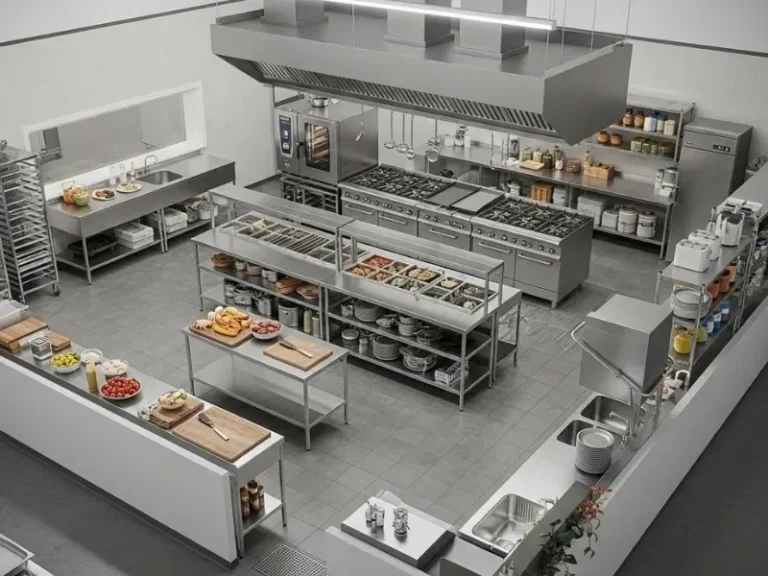
- Create Zones: Divide your kitchen into work zones based on task. For example, you might have a prep zone, a cooking zone, a plating zone, and a dishwashing zone. Each zone should have everything the staff needs to complete their task without leaving the area. This reduces unnecessary movement and keeps traffic flowing smoothly.
- Wide Walkways: Aisles should be at least 36 inches wide-wider if you’re dealing with hot pans or heavy equipment. If your walkways are too narrow, your staff will constantly be dodging each other, which is a recipe for accidents *and* frustration.
- One-Way Traffic: If possible, design your kitchen so that traffic moves in one direction. This is especially important in high-volume kitchens where multiple people are moving through the space at once. Think of it like a highway, if everyone’s moving in the same direction, there’s less chance of a collision.
- Clear Entry and Exit Points: Every work zone should have a clear entry and exit point so staff can move in and out without disrupting the flow. For example, the plating zone should have a path to the pass-through window, and the dish pit should have a clear route to the storage area.
Now, I know what you’re thinking: “This all sounds great, but my kitchen is too small to have wide walkways or separate zones.” And you’re probably right. Most commercial kitchens are tight on space, which means you have to get creative. Maybe you rearrange equipment to create a more linear flow, or use vertical storage to free up floor space. The key is to minimize cross-traffic as much as possible. Even a small change, like moving a shelf or repositioning a station, can make a big difference.
Rule #5: Lighting and Ventilation Aren’t Just About Comfort
Let’s talk about two things that are often an afterthought in kitchen design: lighting and ventilation. Both play a huge role in worker fatigue, and both are often overlooked until it’s too late.
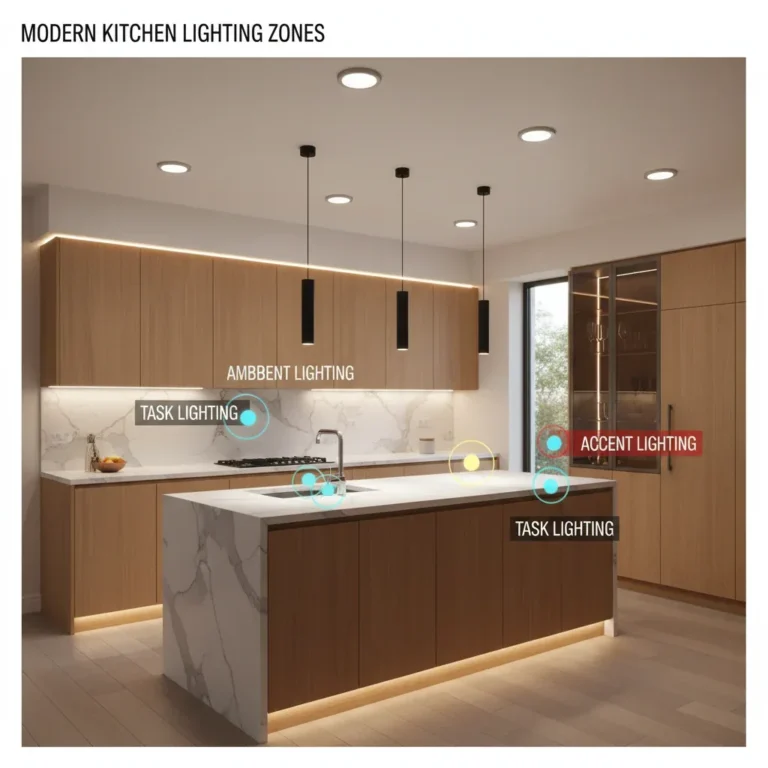
First, lighting. Poor lighting doesn’t just make it hard to see, it strains the eyes, which leads to mental fatigue. If your kitchen is too dim, your staff will have to squint to read labels or see what they’re chopping. If it’s too bright, they’ll be dealing with glare, which is just as bad. The ideal lighting is bright but diffused, with task lighting over key work areas. For example, you might have overhead lights for general illumination and under-cabinet lights or pendant lights over prep stations and the line.
And don’t forget about color temperature. Lighting that’s too warm (yellowish) can make it hard to see details, while lighting that’s too cool (bluish) can feel harsh and uninviting. Aim for a neutral white light (around 3500K to 4500K) for the best balance. It’s bright enough to see clearly but not so harsh that it feels like an interrogation room.
Now, ventilation. A poorly ventilated kitchen doesn’t just smell bad, it drains your staff’s energy. Heat, smoke, and steam build up quickly in a busy kitchen, and if they’re not properly ventilated, your team will be working in a sauna. This leads to physical fatigue (from the heat) and mental fatigue (from the discomfort). A good ventilation system should remove heat and smoke at the source, like above the stove or fryer, and replace it with fresh air. It should also reduce noise, because a loud kitchen is a stressful kitchen.
If you’re not sure whether your ventilation is up to par, here’s a quick test: stand in the kitchen during a rush. If you’re sweating within 10 minutes, or if the air feels thick and smoky, your ventilation needs an upgrade. It’s not just about comfort, it’s about keeping your staff alert and energized.
Putting It All Together: How to Redesign Your Kitchen for Ergonomics (Without Breaking the Bank)
Step 1: Audit Your Current Layout
Before you start moving things around, you need to understand where your current layout is failing. This means observing your staff during a busy shift and asking for their input. Here’s how to do it:
- Watch the Workflow: Stand in the kitchen during a rush and observe how your staff moves. Are they constantly reaching, bending, or twisting? Are there bottlenecks where people are getting in each other’s way? Are they backtracking to grab something they forgot? Take notes on what’s working and what’s not.
- Ask for Feedback: Your staff knows the kitchen better than anyone. Ask them what’s frustrating about the current layout. What tasks feel awkward or tiring? What would they change if they could? You might be surprised by what they say. For example, maybe the prep cook hates having to walk across the kitchen to grab a cutting board, or the line cook is constantly reaching for a sauce that’s just out of reach.
- Measure Everything: Grab a tape measure and map out your kitchen. Note the height of your counters, the width of your walkways, and the distance between key stations. Compare these measurements to the ergonomic guidelines we’ve discussed. If something’s off, it’s a sign that you need to make a change.
This step is crucial because it identifies the specific problems you need to solve. Without it, you’re just guessing, and guessing leads to wasted time and money.
Step 2: Prioritize the Biggest Pain Points
Once you’ve audited your kitchen, you’ll probably have a long list of things you *could* fix. But you can’t fix everything at once, so you need to prioritize. Start with the changes that will have the biggest impact on fatigue and efficiency. Here’s how to decide:
- Frequency: How often does this problem occur? For example, if your prep cook has to bend down to grab a knife every 5 minutes, that’s a high-frequency problem that’s worth fixing.
- Severity: How much does this problem contribute to fatigue? For example, a counter that’s too high might cause shoulder pain, which is a serious issue that could lead to injury.
- Cost: How expensive is it to fix? Some changes, like moving a shelf or adjusting a counter height, are cheap. Others, like installing new ventilation, are more expensive. Start with the low-hanging fruit, the changes that are easy and inexpensive but have a big impact.
For example, let’s say your audit reveals three problems:
- The prep counter is too high, causing shoulder strain.
- The walk-in is too far from the prep station, forcing staff to walk back and forth constantly.
- The lighting is too dim, making it hard to see what they’re doing.
In this case, you might start with the lighting because it’s an easy fix (just add some task lighting) and it has a big impact on mental fatigue. Next, you might adjust the prep counter height by adding a cutting board or a riser. Finally, you might move the walk-in closer to the prep station, which is a bigger project but one that will pay off in the long run.
Step 3: Make the Changes (And Test Them)
Now comes the fun part: making the changes. But before you start moving equipment or tearing out counters, test your ideas. For example, if you’re thinking about moving the walk-in closer to the prep station, mark the new location with tape and have your staff work with it for a few days. Does it feel better? Worse? The same? This kind of real-world testing is crucial because it helps you avoid costly mistakes.
Here are a few tips for making the changes:
- Start Small: Don’t try to overhaul the entire kitchen at once. Start with one or two changes and see how they work. For example, you might start by reorganizing your storage to put frequently used items within arm’s reach. If that works, you can move on to bigger changes, like adjusting counter heights or rearranging equipment.
- Involve Your Staff: Your staff are the ones who’ll be using the kitchen every day, so get their input on the changes. Ask them what they think of the new layout, and be open to feedback. If something isn’t working, don’t be afraid to adjust or try something else.
- Document Everything: Keep track of the changes you make and how they affect your staff. For example, you might time how long it takes to complete a task before and after a change, or ask your staff to rate their fatigue levels at the end of a shift. This will help you measure the impact of your changes and make data-driven decisions.
Step 4: Train Your Staff on the New Layout
This step is often overlooked, but it’s crucial. A new layout won’t help if your staff doesn’t know how to use it. For example, if you’ve reorganized your storage to put frequently used items within arm’s reach, but your staff keeps walking to the old location out of habit, you’re not solving the problem. That’s why training is key.
Here’s how to do it:
- Walk Through the Changes: Before the new layout goes live, walk your staff through the changes. Show them where things are now, and explain why you made the changes. For example, you might say, “We moved the knives closer to the prep station to reduce reaching and save time.”
- Practice the New Workflow: Have your staff practice the new workflow before they’re in the middle of a rush. For example, you might have them simulate a busy shift using the new layout. This will help them get used to the changes and identify any issues before they become problems.
- Provide Cheat Sheets: Create simple diagrams or cheat sheets that show the new layout and workflow. Post them in the kitchen where your staff can see them, and refer to them during training. This will help reinforce the changes and make them feel more permanent.
- Encourage Feedback: After the new layout is in place, ask your staff for feedback. What’s working? What’s not? Are there any new pain points? Be open to making adjustments based on their input. Remember, the goal is to reduce fatigue, not just change things for the sake of change.
Step 5: Measure the Impact (And Adjust as Needed)
Finally, you need to measure the impact of your changes. This will help you determine whether they’re working and identify any areas that need further adjustment. Here’s how to do it:
- Track Fatigue Levels: One of the simplest ways to measure the impact of your changes is to ask your staff about their fatigue levels. For example, you might have them rate their fatigue at the end of each shift on a scale of 1 to 10. If the numbers go down after the changes, you’re on the right track.
- Monitor Productivity: Another way to measure the impact is to track productivity. For example, you might time how long it takes to complete a task before and after the changes. If the time goes down, it’s a sign that the new layout is more efficient.
- Watch for Injuries: A well-designed kitchen should reduce the risk of injuries. Keep an eye on your workers’ compensation claims and injury reports. If the numbers go down, it’s a sign that your changes are working.
- Ask for Feedback: Finally, ask your staff for feedback on the changes. What do they like? What do they dislike? Are there any new pain points? Use this feedback to make further adjustments as needed.
Remember, ergonomic design is an ongoing process. Your kitchen isn’t a static space, it’s a living, breathing environment that changes as your menu, staff, and workflow evolve. That’s why it’s important to regularly audit your layout and make adjustments as needed. Don’t be afraid to experiment and try new things. The goal is to create a kitchen that works for your staff, not the other way around.
The Future of Ergonomic Kitchens: What’s Next?
So, where do we go from here? The good news is that ergonomic kitchen design is finally getting the attention it deserves. More and more restaurants are realizing that a well-designed kitchen isn’t just a nicety, it’s a competitive advantage. But there’s still a long way to go. Here are a few trends to watch in the coming years:
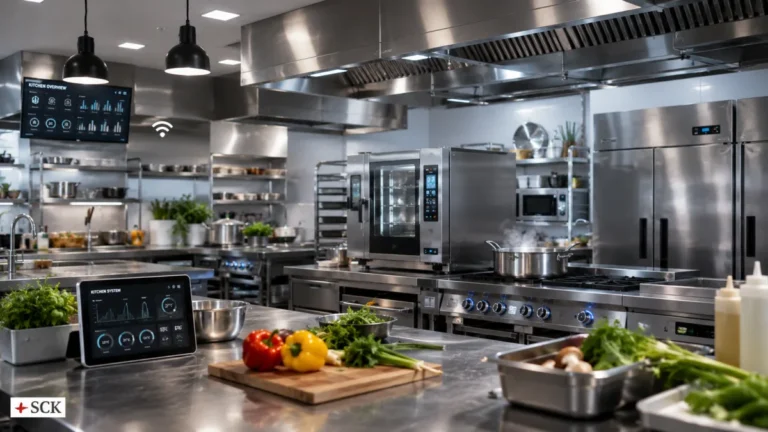
- Smart Kitchens: Technology is making it easier than ever to track workflow and identify inefficiencies. For example, sensors can monitor how often a station is used or how much time staff spend walking between areas. This data can help you optimize your layout and reduce fatigue.
- Modular Design: More kitchens are moving toward modular design, where equipment and stations can be easily rearranged to accommodate different workflows. This is especially useful for pop-ups, food trucks, and shared kitchens, where flexibility is key.
- Biophilic Design: Biophilic design is the idea of bringing nature into the workplace. In a kitchen, this might mean adding plants, natural light, or water features to create a more relaxing environment. Studies show that biophilic design can reduce stress and improve mood, which can help combat emotional fatigue.
- Wearable Tech: Wearable technology, like smartwatches or fitness trackers, can help monitor staff fatigue in real time. For example, a smartwatch might vibrate when a staff member has been standing too long or alert them to take a break. This kind of proactive monitoring can help prevent injuries and reduce fatigue.
But here’s the thing: you don’t need fancy technology to create an ergonomic kitchen. The principles we’ve discussed in this guide are timeless. Whether you’re running a food truck or a Michelin-starred restaurant, the goal is the same: design a space that works with your staff, not against them.
So, what’s the takeaway? Ergonomic kitchen layouts aren’t just about comfort, they’re about efficiency, safety, and sustainability. They reduce fatigue, prevent injuries, and make your staff happier and more productive. And the best part? You don’t need a complete overhaul to see results. Sometimes, the smallest changes, like moving a shelf or adjusting a counter height, can make the biggest difference.
Now, I’m not saying this is easy. Redesigning a kitchen takes time, money, and effort. But if you’re serious about reducing worker fatigue and improving your bottom line, it’s an investment worth making. After all, your staff is your most valuable asset. Shouldn’t your kitchen be designed to support them?
I’ll leave you with this: the next time you walk into your kitchen, take a moment to observe your staff. Are they moving with ease, or are they fighting against the space? Are they energized at the end of a shift, or are they exhausted? The answers to those questions will tell you everything you need to know about whether your kitchen is working for you, or against you.
FAQ: Your Ergonomic Kitchen Questions, Answered
Q: How much does it cost to redesign a kitchen for ergonomics?
A: The cost varies widely depending on the size of your kitchen and the changes you need to make. Small changes, like reorganizing storage or adding anti-fatigue mats, can cost a few hundred dollars. Bigger changes, like adjusting counter heights or installing new ventilation, can cost thousands. The key is to start with the low-hanging fruit-the changes that are cheap and easy but have a big impact. From there, you can prioritize bigger changes based on your budget and needs.
Q: What’s the most common mistake restaurants make when designing an ergonomic kitchen?
A: The biggest mistake is not involving the staff in the process. Your staff are the ones who’ll be using the kitchen every day, so their input is crucial. If you design a kitchen without their feedback, you’re likely to miss key pain points and end up with a layout that doesn’t actually solve the problem. Another common mistake is focusing too much on aesthetics and not enough on functionality. A beautiful kitchen is great, but if it’s not ergonomic, it’s not doing its job.
Q: Can ergonomic kitchen layouts really reduce turnover?
A: Absolutely. Worker fatigue is a major contributor to turnover in the restaurant industry. When staff are constantly exhausted, stressed, or in pain, they’re more likely to quit. An ergonomic kitchen reduces fatigue, prevents injuries, and creates a more pleasant work environment, all of which can improve retention. It’s not a magic bullet, but it’s a powerful tool for keeping your staff happy and engaged.
Q: What’s the first thing I should do if I want to improve my kitchen’s ergonomics?
A: Start by auditing your current layout. Observe your staff during a busy shift and ask for their feedback. What’s frustrating about the current setup? What tasks feel awkward or tiring? From there, prioritize the biggest pain points and start making changes. Even small tweaks, like moving a shelf or adding task lighting, can make a big difference. The key is to start small, test your changes, and adjust as needed.
@article{why-ergonomic-kitchen-layouts-are-the-secret-weapon-against-worker-fatigue-and-how-to-design-one,
    title   = {Why Ergonomic Kitchen Layouts Are the Secret Weapon Against Worker Fatigue (And How to Design One)},
    author  = {Chef's icon},
    year    = {2026},
    journal = {Chef's Icon},
    url     = {https://chefsicon.com/ergonomic-kitchen-layouts-reduce-worker-fatigue/}
}