The Best Fluffy Pancakes recipe you will fall in love with. Full of tips and tricks to help you make the best pancakes.
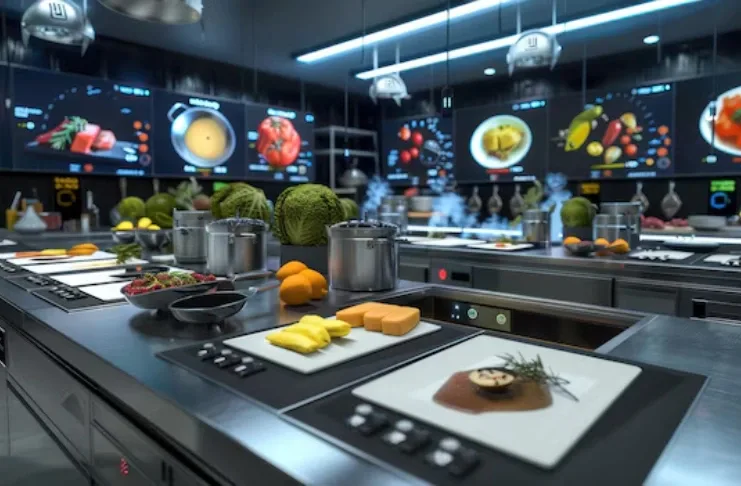
Smart Kitchen Tech Integration for Small Restaurants: Is It Worth the Hype?
Let me tell you about the first time I walked into a small Nashville bistro that had gone all-in on smart kitchen tech. The owner, a friend of mine, was practically vibrating with excitement as he showed me his new IoT-enabled sous vide machine that synced with his inventory system. “It’s gonna change everything,” he said, grinning like he’d just won the lottery. Fast forward six months, and he was pulling his hair out over software glitches, staff resistance, and a monthly subscription fee that felt like a second rent payment. So, what’s the real deal with smart kitchen tech integration for small restaurants? Is it a game-changer or just another shiny distraction?
I’ve spent the last few months talking to chefs, restaurant owners, and tech reps, some thrilled, some disillusioned, to figure out where the sweet spot lies. The truth? It’s not about replacing your entire kitchen with robots (though, let’s be honest, that’d be kinda cool). It’s about finding the right tools to solve your specific pain points without turning your operation into a tech support nightmare. In this guide, I’ll walk you through what actually works, what’s overhyped, and how to make smart tech work for *your* small restaurant, not the other way around.
By the end of this, you’ll know:
- Which smart kitchen tools deliver real ROI for small restaurants (and which are just expensive toys).
- How to integrate tech without disrupting your workflow or alienating your staff.
- The hidden costs and challenges no one talks about (spoiler: it’s not just about the price tag).
- Step-by-step strategies to test and scale smart tech in phases, so you don’t bet the farm on unproven gadgets.
- How to train your team so they actually *want* to use the new tools (this is where most places fail).
Let’s start with the big question: What even *is* a “smart kitchen” for a small restaurant? Because if you’re imagining a fully automated, Jetsons-style setup, you’re already off track.
The Reality of Smart Kitchens: More Than Just Gadgets
What Counts as “Smart” in a Small Restaurant Kitchen?
When I first heard the term smart kitchen tech, I pictured a kitchen where the fridge orders its own groceries, the oven texts you when your steak is done, and the dishwasher sorts the silverware. Turns out, it’s not *quite* that futuristic, at least, not yet. For small restaurants, a smart kitchen is less about flashy automation and more about data-driven efficiency. It’s the difference between guessing how much sauce you’ll need for Friday night and knowing it down to the ounce because your POS system talks to your inventory software.
Here’s what actually counts as smart tech in a small restaurant setting:
- Connected appliances: Think ovens that adjust cooking times based on humidity, or refrigerators that alert you when the walk-in temp rises.
- Inventory management systems: Software that tracks ingredient usage in real-time and predicts when you’ll run out (or when you’re over-ordering).
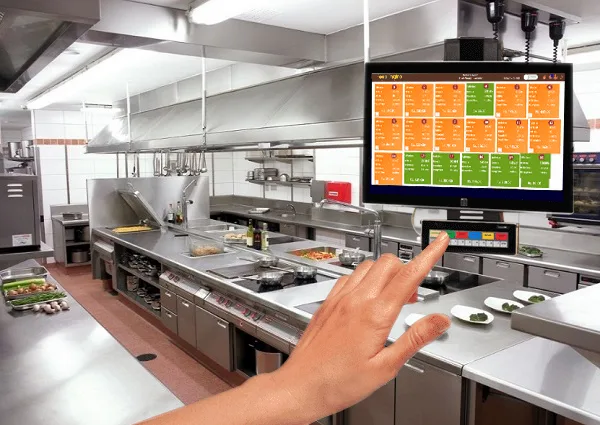
- Kitchen display systems (KDS): Digital screens that replace paper tickets, showing orders in real-time with color-coded priorities.
- POS integrations: Systems that sync sales data with inventory, labor scheduling, and even customer preferences.
- Energy monitors: Devices that track your utility usage and suggest ways to cut costs (because, let’s face it, those bills add up).
- Staff communication tools: Apps that let your team update order statuses or flag issues without shouting across the kitchen.
Notice what’s *not* on that list? Robots flipping burgers or AI chefs designing your menu. Those exist, but they’re not practical (or affordable) for most small restaurants. The real value of smart tech lies in the invisible systems-the ones that save you time, reduce waste, and help you make smarter decisions without adding complexity.
The Small Restaurant Dilemma: Why One-Size-Fits-All Tech Fails
Here’s the thing about small restaurants: no two are alike. A food truck, a cozy Italian trattoria, and a farm-to-table bistro might all be “small,” but their needs are wildly different. I learned this the hard way when a friend of mine, who runs a tiny but wildly popular ramen shop, tried to adopt the same smart kitchen setup as a nearby gastropub. Within a week, his staff was ready to revolt, and he was stuck troubleshooting a system designed for a kitchen five times his size.
The problem? Most smart kitchen tech is built for large chains or tech-savvy startups with deep pockets and IT teams. Small restaurants don’t have those luxuries. We need tools that:
- Are scalable: Start small, grow as you do.
- Are user-friendly: If your line cook can’t figure it out in 10 minutes, it’s not the right tool.
- Integrate with what you already have: No one has time to overhaul their entire kitchen overnight.
- Offer clear ROI: If it doesn’t save you time or money, it’s not worth it.
So, how do you find tech that actually fits? Let’s break it down.
Where Smart Tech Actually Makes Sense (And Where It Doesn’t)
The Low-Hanging Fruit: Tech That Delivers Immediate Value
If you’re new to smart kitchen tech, start with the tools that solve a specific problem *right now*. These are the ones that pay for themselves quickly and don’t require a PhD to operate. Here are my top picks for small restaurants:
1. Kitchen Display Systems (KDS)
I’ll admit, I was skeptical about KDS at first. “We’ve been using paper tickets for decades,” I thought. “How much better can a screen really be?” Turns out, a lot. A good KDS doesn’t just replace paper, it organizes your kitchen’s workflow in ways you didn’t even realize were possible.
Here’s how it works: Orders from your POS system pop up on a screen (or multiple screens) in the kitchen, color-coded by priority. No more lost tickets, no more shouting over the noise, and no more guessing which order came in first. Some systems even let you drag and drop orders to rearrange them if a VIP table comes in or a dish is taking longer than expected. The best part? Most KDS systems integrate with your existing POS, so you don’t have to start from scratch.
I’ve seen KDS cut ticket times by 20-30% in small kitchens. That’s not just faster service, it’s happier customers, less stress for your staff, and the ability to handle more covers without adding more bodies. Is it perfect? No. If your kitchen is already chaotic, a KDS might just make the chaos digital. But if you’ve got a solid workflow, it’s a game-changer.
2. Inventory Management Software
If you’ve ever thrown out a case of wilted greens or run out of your signature sauce mid-dinner rush, you know the pain of poor inventory management. Traditional methods, counting by hand, guessing usage, crossing your fingers, just don’t cut it anymore. Enter inventory management software.
These systems track your ingredient usage in real-time, alert you when stock is low, and even predict future needs based on historical data. Some integrate with your POS, so every time an order goes out, the system deducts the ingredients used. No more manual counts, no more last-minute runs to the grocery store. And the best part? Many of these tools can automate your ordering, so you’re not overstocking or understocking.
I’ve talked to restaurant owners who’ve cut food waste by 30% just by switching to a smart inventory system. That’s not just good for your bottom line, it’s good for the planet. But here’s the catch: if your staff isn’t diligent about inputting data, the system won’t work. It’s not a set-it-and-forget-it tool. You’ll need to train your team and make it part of their daily routine.
3. Energy Monitoring Tools
Let’s talk about something no one likes to think about: utility bills. For small restaurants, energy costs can be a silent killer. I’ve seen places spend thousands a month on electricity, gas, and water without even realizing it. That’s where energy monitoring tools come in.
These devices track your energy usage in real-time, showing you exactly where you’re wasting money. Maybe your walk-in fridge is running too cold, or your ovens are staying on longer than they need to. Some systems even send you alerts when usage spikes unexpectedly (like if a door is left open or equipment is malfunctioning).
The ROI here is huge. I know a small café in Nashville that cut its energy bill by 25% in three months just by making a few tweaks based on their energy monitor’s data. And the best part? Most of these tools are affordable, with some even offering free trials. If you’re not tracking your energy usage, you’re leaving money on the table.
The Overhyped Tech: Proceed with Caution
Not all smart kitchen tech is created equal. Some tools sound amazing in theory but fall flat in practice, especially for small restaurants. Here are a few to approach with caution:
1. Fully Automated Cooking Robots
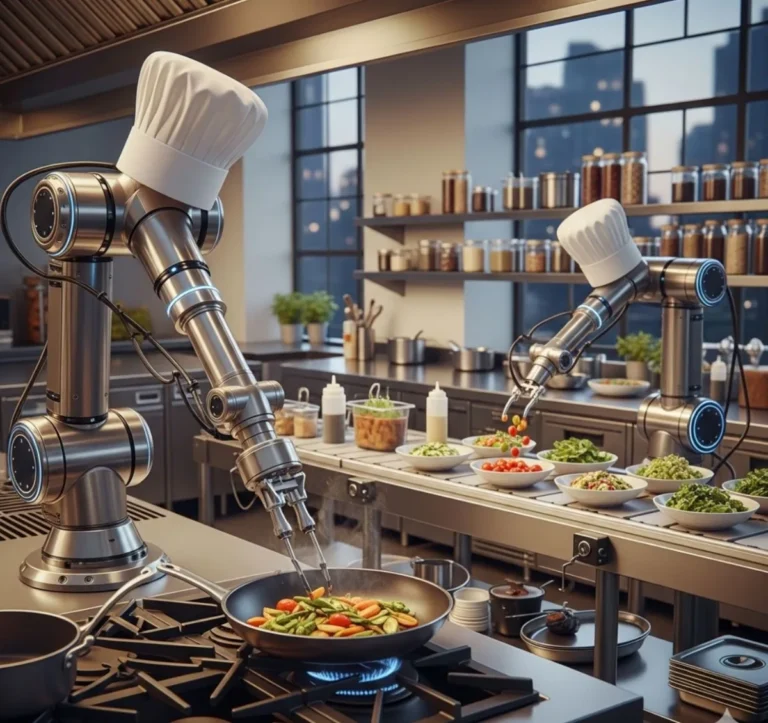
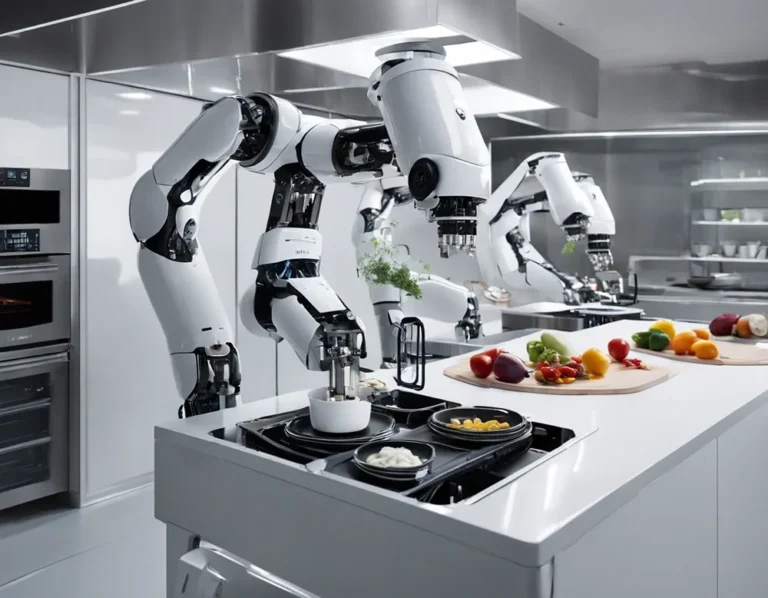
I get it. The idea of a robot flipping burgers or stirring sauces while you focus on the big picture is tempting. But here’s the reality: most of these systems are expensive, finicky, and overkill for small kitchens. They require constant maintenance, take up valuable space, and often can’t handle the nuances of a restaurant menu. Plus, let’s be honest, customers come to your restaurant for *your* food, not something churned out by a machine.
That’s not to say automation has no place in small restaurants. Targeted tools, like automated fryers or combi ovens with pre-programmed settings, can be great. But a full-blown cooking robot? Probably not worth it unless you’re running a high-volume, low-variety operation (like a fast-casual chain).
2. AI-Powered Menu Design
AI is everywhere these days, and the restaurant industry is no exception. I’ve seen tools that promise to design your menu based on customer preferences, ingredient costs, and even local trends. Sounds cool, right? The problem? AI doesn’t understand the soul of your restaurant. It doesn’t know that your grandma’s lasagna recipe is the reason people keep coming back, or that your signature cocktail is a nod to your city’s history.
AI can be a helpful tool for analyzing sales data or suggesting pricing tweaks, but it shouldn’t be making creative decisions for you. Your menu is an extension of your brand, don’t outsource it to an algorithm.
3. Voice-Activated Kitchen Assistants
“Hey Google, fire the risotto!” If only it were that simple. Voice-activated assistants sound futuristic, but in a busy kitchen, they’re more likely to cause frustration than efficiency. Background noise, accents, and the sheer chaos of a dinner rush make these tools unreliable. Plus, do you really want your staff shouting orders at a screen when they could be communicating with each other?
That’s not to say voice tech has no place in restaurants. Some drive-thru systems use voice recognition to take orders, and that can work well in controlled environments. But in the kitchen? Stick to screens and buttons for now.
How to Integrate Smart Tech Without Disrupting Your Workflow
Start Small: The Pilot Program Approach
I can’t stress this enough: don’t try to overhaul your entire kitchen at once. It’s a recipe for disaster. Instead, start with a pilot program. Pick one tool or system that solves a specific problem, test it for a few weeks, and see how it goes. If it works, scale up. If it doesn’t, you haven’t wasted a ton of time or money.
Here’s how to run a successful pilot:
- Identify your biggest pain point. Is it inventory management? Ticket times? Energy costs? Pick the problem that’s costing you the most time or money.
- Research tools that solve that problem. Read reviews, talk to other restaurant owners, and ask for demos. Don’t just go with the first option you find.
- Start with a short-term trial. Many companies offer free trials or month-to-month contracts. Take advantage of those.
- Train your team. This is the most important step. If your staff doesn’t buy in, the tech won’t work.
- Measure the results. Track metrics like time saved, waste reduced, or cost cuts. If the tool isn’t delivering, don’t be afraid to walk away.
I’ve seen this approach work time and time again. One of my favorite examples is a small BBQ joint in Austin that started with a smart thermometer for their smokers. It was a low-cost, low-risk tool that solved a specific problem (overcooked brisket). Once they saw the value, they gradually added a KDS and an inventory system. Now, they’re running one of the most efficient kitchens in the city, without ever feeling overwhelmed by tech.
Training Your Team: The Make-or-Break Factor
Here’s the hard truth: most smart kitchen tech fails because of people, not technology. You can have the fanciest tools in the world, but if your staff doesn’t use them (or uses them incorrectly), they’re useless. Training is where most restaurants drop the ball.
So, how do you get your team on board? Here are a few strategies that have worked for me:
- Involve them from the start. Don’t just spring new tech on your staff. Ask for their input before you even choose a tool. What problems do they face in the kitchen? What would make their jobs easier? When they feel heard, they’re more likely to buy in.
- Make it fun. Training doesn’t have to be a snooze-fest. Turn it into a game or a competition. For example, challenge your team to see who can reduce ticket times the most using the new KDS. Offer a small reward (like a gift card or an extra day off) to the winner.
- Start with the basics. Don’t overwhelm your team with every feature on day one. Start with the core functions they’ll use every day, then gradually introduce more advanced features.
- Assign a “tech champion”. Pick one person on your team who’s excited about the new tool and make them the go-to person for questions. This takes the pressure off you and gives your staff someone they can turn to for help.
- Be patient. Change is hard, especially in a fast-paced kitchen. Some of your staff will adapt quickly; others will resist. Give them time to adjust, and don’t give up after a few days.
I’ll never forget the time I helped a friend implement a new KDS in his kitchen. His line cooks were skeptical at first, but he turned training into a game. The team that could get the most orders out in 30 minutes using the new system won a free lunch. By the end of the week, they were all converts. The key? He made it about them, not the tech.
Integration Without the Headache
One of the biggest fears I hear from restaurant owners is that new tech will disrupt their workflow or require a complete overhaul of their systems. The good news? Most smart kitchen tools are designed to integrate with what you already have. The bad news? Not all integrations are created equal.
Here’s how to make sure your new tech plays nice with your existing systems:
- Check for compatibility. Before you buy anything, ask the vendor if their tool integrates with your POS, accounting software, or other systems. If they say “yes,” ask for specifics. Will it sync data in real-time? Are there any limitations?
- Start with cloud-based tools. Cloud-based systems are easier to integrate than on-premise solutions. They also tend to be more user-friendly and require less IT support.
- Ask for a demo. Most vendors will let you test their tool with your existing systems before you commit. Take them up on it. If the integration is clunky or unreliable, it’s not the right tool for you.
- Hire a consultant (if needed). If you’re not tech-savvy, it might be worth hiring a consultant to help with the integration. They can save you time, money, and headaches in the long run.
- Plan for downtime. No matter how seamless the integration, there will be a learning curve. Plan for some downtime during the transition, and make sure your staff is prepared.
I’ve seen integrations go smoothly, and I’ve seen them turn into nightmares. The difference? Preparation. One restaurant I know tried to integrate a new inventory system with their POS without testing it first. The result? A week of lost data, frustrated staff, and a lot of wasted time. Don’t let that be you.
The Hidden Costs of Smart Kitchen Tech
It’s Not Just About the Price Tag
When most people think about the cost of smart kitchen tech, they focus on the upfront price. But the real costs go way beyond that. Here are a few you might not have considered:
- Subscription fees. Many smart kitchen tools operate on a subscription model. That means you’re not just paying for the tool once, you’re paying for it every month, forever. Make sure you factor those costs into your budget.
- Training and support. Even the most user-friendly tools require some training. And if something goes wrong, you’ll need support. Some vendors charge extra for training or premium support, so ask about those costs upfront.
- Hardware upgrades. If your new tool requires new hardware (like tablets for a KDS or sensors for an energy monitor), that’s an added cost. And don’t forget about maintenance, hardware breaks, and it needs to be replaced.
- Downtime. Every minute your new tool is down is a minute your kitchen isn’t running at full capacity. Make sure you have a backup plan in case of technical issues.
- Staff turnover. If your new tool requires specialized training, you’ll need to train new hires as they come on board. That’s an ongoing cost you might not have considered.
Let’s talk numbers. Say you’re considering a smart inventory system that costs $200 a month. On the surface, that might seem reasonable. But when you factor in training ($500), hardware upgrades ($1,000), and the time your staff spends learning the system (let’s say 10 hours at $15/hour = $150), the first-year cost jumps to $4,050. And that’s just for one tool. If you’re adding multiple systems, those costs add up fast.
Does that mean smart kitchen tech isn’t worth it? Not necessarily. But it does mean you need to crunch the numbers carefully and make sure the ROI justifies the investment.
How to Calculate ROI (Without a Finance Degree)
Calculating the return on investment (ROI) for smart kitchen tech can feel overwhelming, especially if you’re not a numbers person. But it doesn’t have to be complicated. Here’s a simple way to do it:
- Identify the problem. What issue is the tool solving? For example, if you’re considering an inventory system, the problem might be food waste.
- Quantify the cost of the problem. How much is food waste costing you each month? Let’s say it’s $1,000.
- Estimate the savings. How much do you think the tool will reduce that waste? If the inventory system cuts waste by 30%, that’s $300 saved per month.
- Calculate the cost of the tool. Include the upfront cost, subscription fees, training, and any other expenses. Let’s say the inventory system costs $200 a month, plus $500 for training. That’s $700 the first month, then $200 a month after that.
- Compare the savings to the cost. In this example, you’re saving $300 a month but spending $200 a month. That means you’re breaking even after the first month and saving $100 a month after that. Not bad!
- Factor in intangible benefits. Some benefits, like happier customers or less stress for your staff, are hard to quantify. But they’re still valuable. Don’t ignore them.
Here’s a real-world example: A small pizzeria I know implemented a KDS system that cost $150 a month. The owner estimated that the system saved them 10 hours of labor a week (at $15/hour, that’s $600 a month). Even after factoring in the cost of the system, they were saving $450 a month. That’s a no-brainer.
Of course, not every tool will have such a clear ROI. Some benefits, like improved customer satisfaction or reduced stress, are harder to measure. But if you can’t quantify the savings in some way, it’s probably not the right tool for you.
Scaling Smart Tech: When to Upgrade (And When to Pump the Brakes)
Signs You’re Ready to Scale Up
So, you’ve tested a few smart kitchen tools, and they’re working well. Now what? How do you know when it’s time to add more tech to your kitchen? Here are a few signs you’re ready to scale up:
- Your staff is asking for more. If your team is excited about the tools you’ve already implemented and asking for more, that’s a good sign. It means they see the value and are ready for the next step.
- You’ve mastered the basics. If you’re still struggling with the tools you have, it’s not time to add more. Make sure your team is comfortable with the current systems before you introduce anything new.
- You have a clear need. Don’t add tech just for the sake of it. Make sure each new tool solves a specific problem or fills a gap in your operations.
- You have the budget. Smart kitchen tech is an investment. Make sure you have the budget to support it before you scale up.
- You’ve seen measurable results. If the tools you’ve already implemented are saving you time or money, it’s a good sign that more tech could be beneficial.
I’ve seen restaurants scale up too quickly and end up with a kitchen full of tools they don’t use. Don’t be that restaurant. Take it slow, and make sure each new tool is a good fit before you commit.
When to Pump the Brakes
On the flip side, there are times when you should hit pause on smart kitchen tech. Here are a few red flags to watch out for:
- Your staff is overwhelmed. If your team is struggling to keep up with the tools you already have, adding more will only make things worse.
- You’re not seeing ROI. If the tools you’ve implemented aren’t delivering results, it’s time to reevaluate. Don’t throw good money after bad.
- Your kitchen is chaotic. If your kitchen is already disorganized, adding more tech won’t fix that. Focus on streamlining your workflow before you introduce new tools.
- You’re in financial trouble. If your restaurant is struggling, now is not the time to invest in expensive tech. Focus on the basics first.
- You’re chasing trends. Just because a tool is new or popular doesn’t mean it’s right for you. Make sure each tool solves a real problem for your restaurant.
I’ll never forget the time I talked to a restaurant owner who had gone all-in on smart kitchen tech, only to realize he couldn’t afford it. He was paying thousands a month for tools he didn’t need, and his staff was so overwhelmed that service had slowed to a crawl. Don’t let that be you. Smart tech should make your life easier, not harder.
Future-Proofing Your Kitchen: What’s Next for Smart Tech?
Emerging Trends to Watch
Smart kitchen tech is evolving fast. What’s cutting-edge today might be obsolete in a few years. So, how do you future-proof your kitchen? Here are a few trends to keep an eye on:
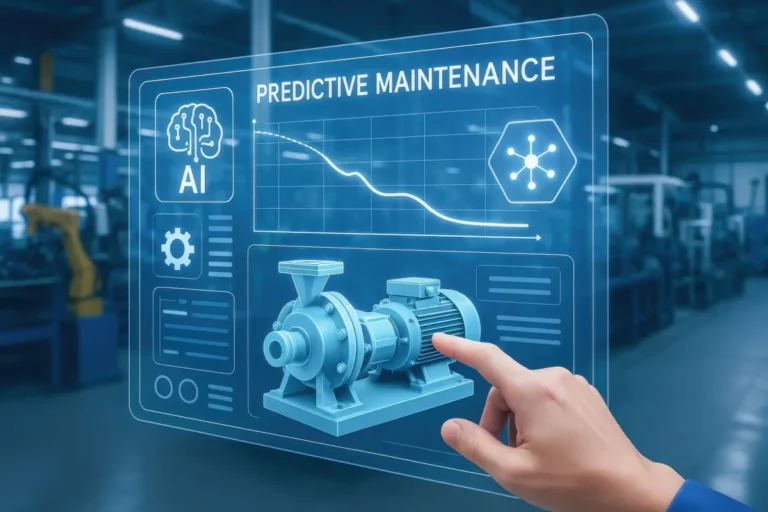
- AI-powered predictive analytics. AI is getting better at predicting trends, from customer preferences to ingredient shortages. In the future, your inventory system might not just tell you when you’re running low, it might predict when prices will rise and suggest when to stock up.
- Automated food safety monitoring. Food safety is a huge concern for restaurants, and smart tech is making it easier to stay compliant. In the future, sensors might monitor everything from fridge temps to handwashing compliance, alerting you to issues before they become problems.
- Voice and gesture control. As voice recognition technology improves, we might see more kitchens using voice commands to control appliances or update order statuses. Gesture control could also play a role, allowing chefs to interact with screens without touching them (a big plus in a messy kitchen).
- Blockchain for supply chain transparency. Blockchain is still in its early days, but it has the potential to revolutionize the restaurant supply chain. Imagine being able to track every ingredient from farm to table, ensuring quality and authenticity. That’s the future.
- Augmented reality (AR) training. AR could make training faster and more effective. Imagine your new line cook wearing AR glasses that walk them through each step of a recipe, showing them exactly what to do.
Of course, not all of these trends will pan out. Some might turn out to be overhyped, while others could take years to become mainstream. But if you keep an eye on the trends, you’ll be better prepared to adapt when the time comes.
How to Stay Ahead Without Getting Left Behind
Future-proofing your kitchen isn’t about adopting every new trend that comes along. It’s about staying flexible and being willing to adapt. Here’s how to do it:
- Stay informed. Follow industry blogs, attend trade shows, and talk to other restaurant owners. The more you know, the better prepared you’ll be.
- Start small. Don’t bet the farm on unproven tech. Test new tools on a small scale before you commit.
- Focus on problems, not solutions. Don’t adopt tech just because it’s new. Focus on the problems you need to solve, and look for tools that address those.
- Build a culture of innovation. Encourage your staff to experiment with new tools and share their feedback. The more open you are to change, the easier it will be to adapt.
- Plan for obsolescence. Tech changes fast. Make sure you’re not locked into long-term contracts or proprietary systems that will be hard to replace.
I’ve seen restaurants that are still using the same tools they adopted 10 years ago, and I’ve seen ones that are constantly chasing the latest trends. The sweet spot is somewhere in the middle. Stay informed, but don’t feel like you have to adopt every new tool that comes along. Focus on what works for your restaurant, and you’ll be fine.
The Bottom Line: Is Smart Kitchen Tech Right for Your Small Restaurant?
After all this, you might still be wondering: Is smart kitchen tech really worth it for my small restaurant? The answer, like most things in life, is: it depends. It depends on your budget, your staff, your workflow, and your goals. But here’s what I can tell you for sure:
Smart kitchen tech isn’t about replacing the human element of your restaurant. It’s about giving your team the tools they need to work smarter, not harder. It’s about reducing waste, saving time, and making your kitchen run more smoothly. And when it’s done right, it can be a game-changer.
But it’s not a magic bullet. It won’t fix a broken workflow, and it won’t save a restaurant that’s struggling with the basics. If your kitchen is chaotic, your staff is untrained, or your finances are a mess, smart tech isn’t the answer. Fix those problems first, then look at tech.
So, where do you go from here? Start small. Pick one problem you want to solve, and find a tool that addresses it. Test it, train your team, and measure the results. If it works, scale up. If it doesn’t, move on. And remember: the goal isn’t to have the fanciest kitchen in town. The goal is to have the most efficient one.
As for me? I’m still on the fence about some of this stuff. I love the idea of a kitchen that runs like a well-oiled machine, but I’ve also seen the pitfalls. Maybe I’ll start with a smart thermometer for my home kitchen and go from there. Baby steps, right?
FAQ: Smart Kitchen Tech for Small Restaurants
Q: What’s the easiest smart kitchen tool to start with for a small restaurant?
A: For most small restaurants, a kitchen display system (KDS) is the easiest and most impactful tool to start with. It replaces paper tickets with digital screens, reducing errors and speeding up service. Many KDS systems integrate with existing POS systems, so you don’t have to overhaul your entire setup. Plus, the learning curve is relatively low, and the ROI is often immediate. If you’re not ready for a full KDS, even a simple tablet-based order management system can be a good first step.
Q: How much should a small restaurant budget for smart kitchen tech?
A: Budgeting for smart kitchen tech depends on your restaurant’s size, needs, and existing infrastructure. As a general rule, start with 1-3% of your monthly revenue as a baseline for tech investments. For example, if your restaurant brings in $50,000 a month, aim to spend $500-$1,500 on smart tech initially. This could cover a KDS system, an inventory management tool, or energy monitors. Remember, the goal is to start small and scale up as you see results. Don’t forget to factor in hidden costs like training, hardware upgrades, and subscription fees when budgeting.
Q: How do I get my staff to buy into new smart kitchen tools?
A: Getting your staff on board with new tech is all about communication and involvement. Start by explaining the benefits, how the tool will make their jobs easier or save them time. Involve them in the decision-making process by asking for their input on which tools to adopt. Make training fun by turning it into a game or competition, and assign a “tech champion” on your team to help with questions. Most importantly, be patient. Change is hard, especially in a fast-paced kitchen. Give your staff time to adjust, and don’t give up if they resist at first. Lead by example, and show them how the new tools are making a difference.
Q: What are the biggest mistakes small restaurants make when adopting smart kitchen tech?
A: The biggest mistake I see is trying to do too much too soon. Small restaurants often get excited about smart tech and try to overhaul their entire kitchen at once. This leads to overwhelmed staff, disrupted workflows, and wasted money. Another common mistake is ot training staff properly. Even the best tools are useless if your team doesn’t know how to use them. Finally, many restaurants fail to measure ROI. They adopt new tech without tracking whether it’s actually saving them time or money. To avoid these pitfalls, start small, train your team thoroughly, and always measure the results.
@article{smart-kitchen-tech-integration-for-small-restaurants-a-practical-guide-to-efficiency-without-breaking-the-bank,
    title   = {Smart Kitchen Tech Integration for Small Restaurants: A Practical Guide to Efficiency Without Breaking the Bank},
    author  = {Chef's icon},
    year    = {2026},
    journal = {Chef's Icon},
    url     = {https://chefsicon.com/smart-kitchen-tech-integration-for-small-restaurants/}
}